
1. Product Overview
The Alen FF50-Fresh Replacement HEPA Filter is designed for use with the Alen BreatheSmart FIT50 Air Purifier. This medical-grade H13 True HEPA filter is engineered to capture 99.99% of airborne particles as small as 0.1 microns, including dust, allergens, mold, odors, and smoke. It features a multi-stage filtration system to ensure clean and healthy air in your environment.
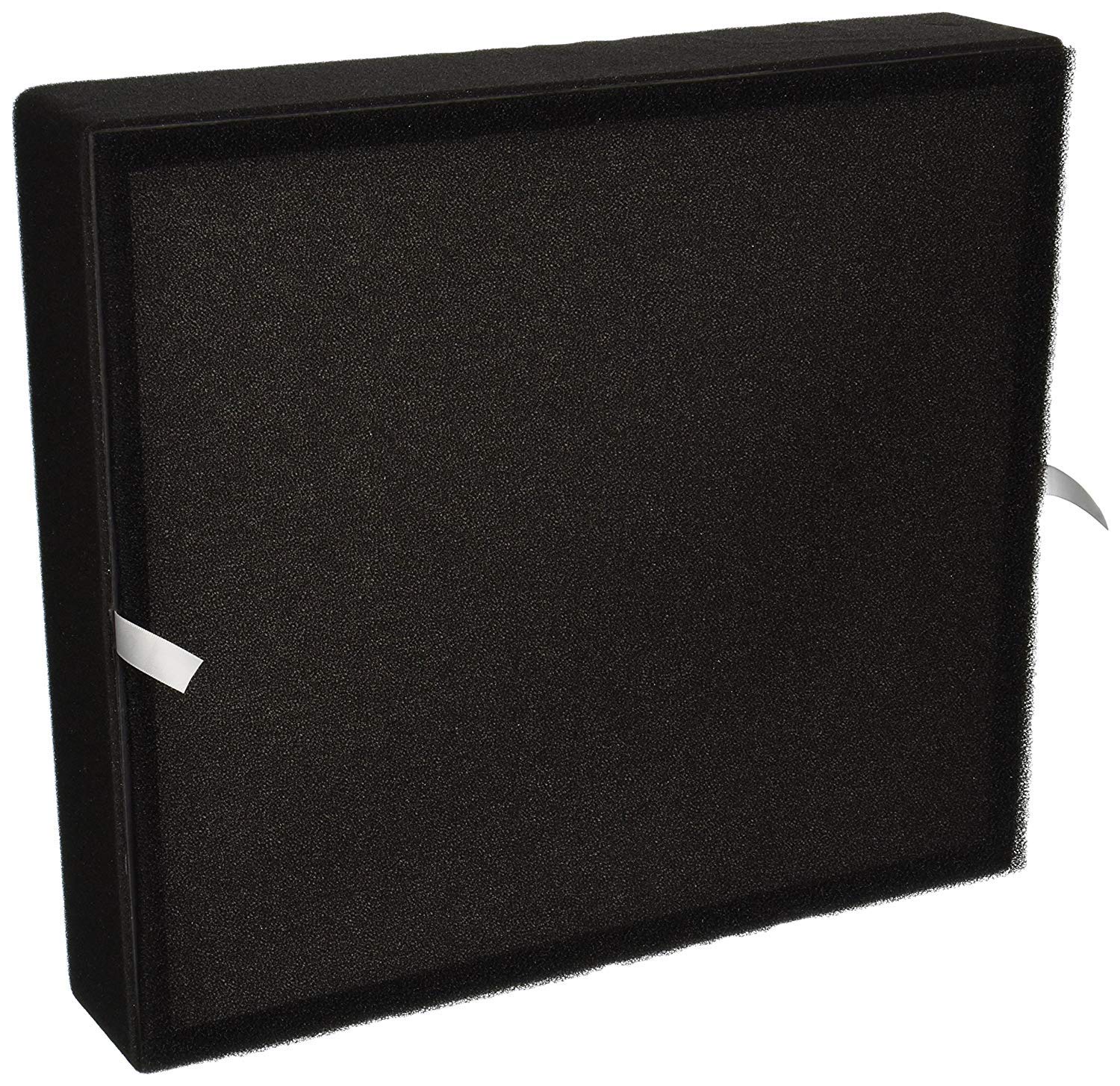
Figure 1: Alen FF50-Fresh Replacement HEPA Filter. This image displays the front view of the Alen FF50-Fresh filter, highlighting its pleated structure and sturdy frame.
Video 1: An introductory video from Alen Corporation discussing the importance of pure air and the company's commitment to air purification solutions.
2. Setup and Installation
Follow these steps to install your new Alen FF50-Fresh Replacement HEPA Filter into your BreatheSmart FIT50 Air Purifier:
- Power Off: Ensure your Alen BreatheSmart FIT50 Air Purifier is turned off and unplugged from the power outlet before proceeding.
- Locate Filter Compartment: Identify the filter access panel on your air purifier. This is typically located on the back or side of the unit.
- Open Compartment: Gently open or remove the filter access panel according to your air purifier's specific design.
- Remove Old Filter: Carefully pull out the used filter from the compartment. Dispose of the old filter responsibly.
- Insert New Filter: Unpack the new Alen FF50-Fresh filter. Insert it into the filter compartment, ensuring it fits snugly and the pull tabs (if present) are facing outwards for easy removal later.
- Close Compartment: Securely close the filter access panel.
- Plug In and Power On: Plug the air purifier back into the power outlet and turn it on.
- Reset Filter Indicator: The air purifier has a filter indicator light that signals when a replacement is due. After installing the new filter, reset this indicator by pressing and holding the designated reset button (refer to your air purifier's manual for exact button location) until the light turns green.

Figure 2: Hands installing a filter into an Alen air purifier. This image illustrates the process of inserting the replacement filter into the air purifier's designated slot.
3. Operating Principles
The Alen FF50-Fresh filter utilizes a multi-layer filtration system to purify the air:
- Pre-Filter: Captures larger particles such as dust, pet dander, and hair, extending the life of the subsequent filters.
- H13 True HEPA Layer: This medical-grade layer captures 99.99% of airborne particles as small as 0.1 microns. This includes common allergens like pollen, dust mites, and pet dander, as well as mold spores, bacteria, fungi, and aerosolized viruses.
- Activated Carbon Layer: An ultra-absorbent layer designed to neutralize household odors, smoke, and volatile organic compounds (VOCs), providing fresh and clean air.
The BreatheSmart FIT50 Air Purifier, when equipped with this filter, is capable of cleaning the air in a 900 sq. ft. room every 30 minutes.

Figure 3: Detailed view of the Alen FF50-Fresh filter layers. This image shows the distinct layers of the filter, illustrating the HEPA and activated carbon components.
4. Maintenance
Regular filter replacement is crucial for maintaining optimal air purification performance.
- Replacement Frequency: The Alen FF50-Fresh filter is designed to last up to 12 months under normal operating conditions. Actual lifespan may vary based on air quality and usage.
- Filter Indicator Light: Your BreatheSmart FIT50 Air Purifier is equipped with an indicator light that will signal when it is time to replace the filter.
- Resetting the Indicator: After replacing the filter, always reset the filter indicator light as described in the Setup and Installation section (Step 8). Failure to reset will not affect filter performance but will prevent accurate tracking of filter life.
5. Troubleshooting
If you encounter issues after installing your new filter, consider the following:
- Filter Indicator Light Remains Red: Ensure the filter is correctly seated in its compartment and that you have pressed and held the reset button for the required duration until the light turns green.
- Reduced Airflow or Effectiveness: Verify that the filter is installed with the correct orientation. Check for any obstructions around the air intake or outlet of the purifier. If the issue persists, ensure the filter is not damaged.
- Unusual Odors: A new carbon filter may emit a slight odor initially, which should dissipate within a few hours of operation. If strong or persistent odors occur, ensure the filter is genuine Alen and properly installed.
6. Specifications
| Feature | Detail |
|---|---|
| Model Number | FF50-Fresh |
| Product Dimensions (L x W x Th) | 13.75" x 3.25" x 15.5" |
| Item Weight | 2 pounds |
| Material | Carbon Fiber |
| MERV Rating | 13 |
| Compatible Devices | Alen BreatheSmart FIT50 Air Purifier |
| Air Filter Construction | Pleated |
| UPC | 810587020694 |

Figure 4: Dimensions of the Alen FF50-Fresh filter. This image provides a visual representation of the filter's length, width, and thickness.
7. Warranty
Please note that the warranty information provided here pertains to Alen air purifiers. For specific details regarding the replacement filter, refer to the product packaging or contact Alen customer support.
All Alen air purifiers include a warranty if used in the contiguous United States only.
8. Support
For additional assistance, product inquiries, or to purchase genuine Alen replacement filters, please visit the official Alen website or contact their customer service department.
You can also visit the Alen Store on Amazon.


