
Introduction
This manual provides detailed instructions for the setup, operation, and maintenance of your Accutime DC Comics BAT3031 Digital Display Batman LCD Alarm Clock. Please read this manual thoroughly before using the product to ensure proper function and longevity.
Safety Information
- Battery Safety: This device requires 2 AA batteries (not included). Ensure batteries are inserted with correct polarity (+/-). Do not mix old and new batteries, or different types of batteries. Remove batteries if the device will not be used for an extended period. Dispose of used batteries responsibly.
- Water Resistance: This alarm clock is not water resistant. Avoid exposure to water or high humidity to prevent damage.
- Placement: Place the clock on a stable, flat surface away from direct sunlight, heat sources, and strong magnetic fields.
- Cleaning: Use a soft, dry cloth for cleaning. Do not use abrasive cleaners or solvents.
Package Contents
- 1 x Accutime DC Comics BAT3031 Digital Display Batman LCD Alarm Clock
- 1 x User Manual (this document)
Setup
1. Battery Installation
The Batman LCD Alarm Clock operates on 2 AA batteries. These are not included and must be purchased separately.
- Locate the battery compartment cover on the back or bottom of the Batman figure.
- Carefully remove the cover.
- Insert 2 new AA batteries, ensuring the positive (+) and negative (-) terminals match the markings inside the compartment.
- Replace the battery compartment cover securely.

Image: Back view of the Batman LCD Alarm Clock, illustrating the location of the battery compartment and control buttons.
Operating Instructions
1. Setting the Time
The time setting buttons are typically located on the back or bottom of the clock. Refer to the image above for general button placement.
- Press the 'MODE' or 'SET' button to enter time setting mode. The hour digits will likely flash.
- Use the 'HOUR' or 'ADJUST' button to set the correct hour. Pay attention to AM/PM indicators if present.
- Press 'MODE' or 'SET' again to move to minute setting. The minute digits will flash.
- Use the 'MINUTE' or 'ADJUST' button to set the correct minutes.
- Press 'MODE' or 'SET' one last time to confirm and exit time setting mode.
2. Setting the Alarm
The alarm setting buttons are usually near the time setting controls.
- Press the 'ALARM SET' or 'MODE' button repeatedly until the alarm time is displayed or the alarm setting mode is activated. The alarm hour digits will flash.
- Use the 'HOUR' or 'ADJUST' button to set the desired alarm hour.
- Press 'ALARM SET' or 'MODE' again to move to minute setting. The alarm minute digits will flash.
- Use the 'MINUTE' or 'ADJUST' button to set the desired alarm minutes.
- Press 'ALARM SET' or 'MODE' to confirm and exit alarm setting mode.
- Ensure the alarm is activated. There is usually an 'ALARM ON/OFF' switch or button.
3. Alarm Function
- When the alarm sounds, it will typically beep for approximately one minute before automatically turning off.
- This alarm clock does not feature a snooze function.
- To manually turn off the alarm before the one-minute duration, locate and flip the alarm switch (usually on the bottom of the unit).
4. Backlight Function
To activate the LCD display backlight, gently press down on the head of the Batman figure. The light will illuminate for a short period.
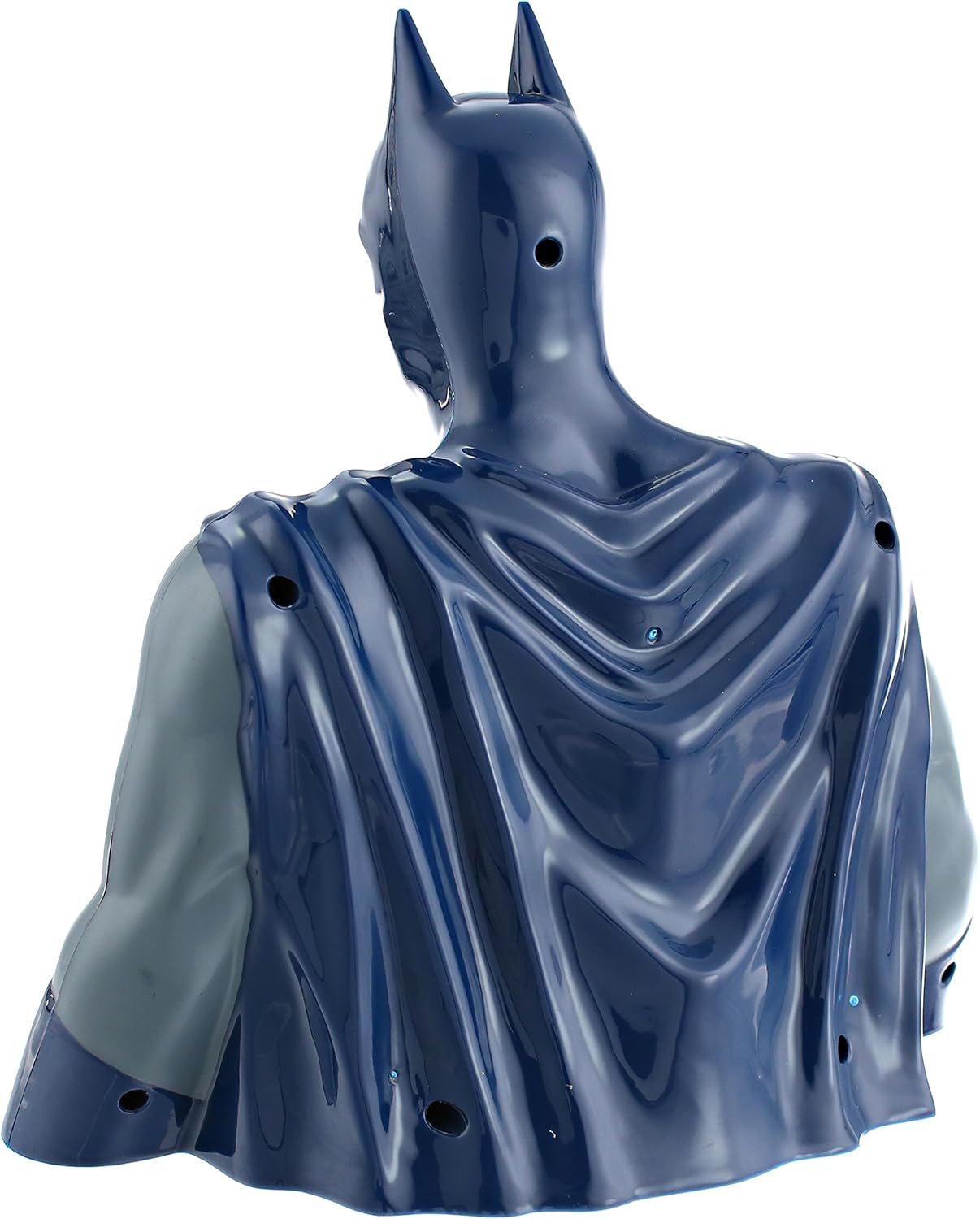
Image: Front view of the Batman LCD Alarm Clock, showing the digital display on the character's chest.
Video: A brief demonstration of the Accutime DC Comics BAT3031 Digital Display Batman LCD Alarm Clock, showcasing its design and digital display.
Maintenance
- Cleaning: Wipe the clock with a soft, dry cloth. Do not use liquid cleaners or sprays directly on the unit.
- Battery Replacement: Replace batteries when the display dims or the alarm function becomes unreliable. Always replace both AA batteries at the same time.
- Storage: If storing the clock for an extended period, remove the batteries to prevent leakage and damage.
Troubleshooting
| Problem | Possible Cause | Solution |
|---|---|---|
| Display is dim or blank. | Low or dead batteries. | Replace with new AA batteries. Ensure correct polarity. |
| Alarm does not sound. | Alarm not activated or set incorrectly. | Check if the alarm is turned ON. Verify the alarm time is set correctly. Replace batteries if needed. |
| Alarm stops after one minute. | This is a design feature. | The alarm is designed to sound for approximately one minute and then automatically turn off. There is no snooze function. |
| Buttons are unresponsive. | Batteries are low or incorrectly installed. | Replace batteries and ensure they are installed with correct polarity. |
Specifications
| Feature | Detail |
|---|---|
| Model Number | BAT3031 |
| Display Type | Digital LCD |
| Power Source | 2 x AA Batteries (not included) |
| Movement Type | Analog-quartz |
| Material | Acrylonitrile Butadiene Styrene (ABS) |
| Water Resistance | No |
| Approximate Dimensions | 11.85 x 9.13 x 4.88 inches |
| Approximate Weight | 15.52 ounces |
Warranty and Support
For warranty information or technical support, please contact Accutime customer service. Details can typically be found on the product packaging or the official Accutime website. Please retain your proof of purchase for warranty claims.
