
1. Introduction
This manual provides essential information for the proper setup, operation, and maintenance of your D-Link 2K Pan & Tilt Wi-Fi Camera (DCS-6501LH). Please read these instructions carefully to ensure optimal performance and safety.
Key Features:
- Crisp 2K Resolution: 2K 1296p for sharp, detailed video.
- Pan & Tilt Coverage: 360-degree view with remote control.
- Powerful Night Vision: IR night vision up to 8 meters (26 feet).
- Auto Motion Tracking: Automatically follows detected movement.
- Sound & Motion Detection: Receive alerts for detected activity.
- Two-Way Audio: Built-in microphone and speaker for communication.
- Cloud & Local Recording: Supports cloud storage and local microSD card recording.
- Smart Home Integration: Compatible with Google Assistant and Amazon Alexa.
- Enhanced Wi-Fi Security: Supports WPA3 encryption.
Package Contents:
- D-Link 2K Pan & Tilt Wi-Fi Camera (DCS-6501LH)
- Power Adapter
- Quick Installation Guide

Image 1.1: Front view of the D-Link 2K Pan & Tilt Wi-Fi Camera (DCS-6501LH).
2. Setup
Follow these steps to set up your D-Link DCS-6501LH camera.
2.1 App Installation
- Download the free mydlink app from the App Store (for iOS devices) or Google Play (for Android devices).
- Install the app on your smartphone or tablet.
- Launch the mydlink app and follow the on-screen instructions to create an account or log in.
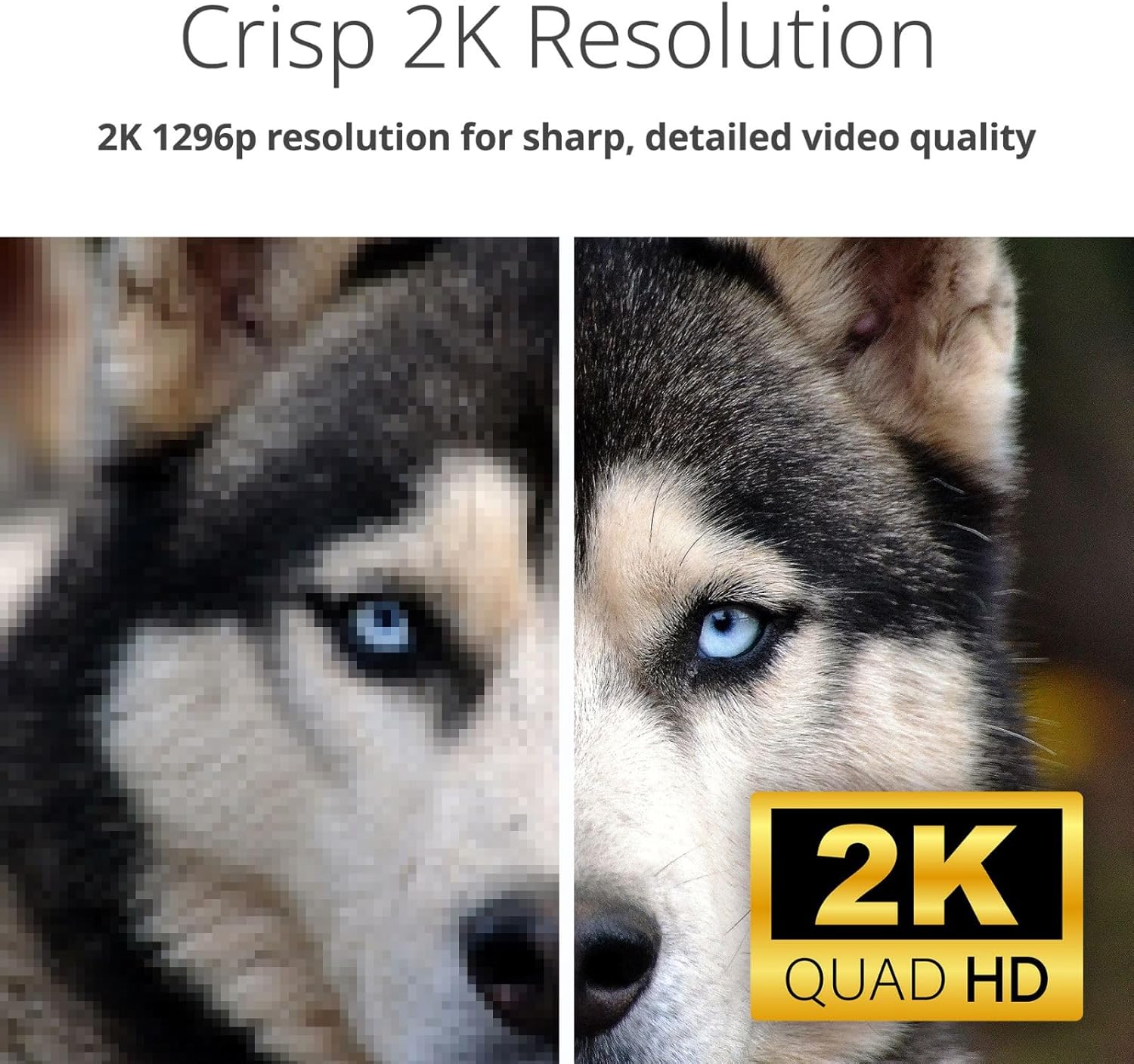
Image 2.1: Screenshot of the mydlink app interface on a smartphone, showing camera listings and app store download options.
2.2 Powering On and Initial Connection
- Connect the provided power adapter to the camera's power port (located at the back/bottom of the camera).
- Plug the power adapter into a wall outlet. The camera's LED indicator will light up.
- Within the mydlink app, tap the '+' icon to add a new device and follow the guided setup process to connect your camera to your home Wi-Fi network.

Image 2.2: Rear view of the D-Link camera, highlighting the power port and speaker grille.
2.3 Mounting the Camera
The DCS-6501LH camera is designed for indoor use and can be placed on a flat surface or mounted on a wall.
- Tabletop Placement: Place the camera on a stable, flat surface with a clear view of the area you wish to monitor.
- Wall Mount: Use the included mounting kit (if applicable) to securely attach the camera to a wall. Ensure the camera is positioned at an optimal height and angle for desired coverage.

Image 2.3: The D-Link camera discreetly placed on a shelf, demonstrating typical indoor placement.
3. Operating the Camera
Understand the various functions and features of your DCS-6501LH camera.
3.1 Pan & Tilt Functionality
The camera offers a 360-degree panoramic view. Use the mydlink app to remotely control the camera's pan (horizontal) and tilt (vertical) movements. Tap on a specific area in the panorama view to quickly move the camera to that spot.

Image 3.1: Visual representation of the camera's pan and tilt capabilities, showing multiple camera angles.
3.2 2K Video Resolution
The camera records and streams video in 2K 1296p resolution, providing clear and detailed images for enhanced monitoring.

Image 3.2: A side-by-side comparison demonstrating the superior clarity of 2K resolution compared to a lower resolution image.
3.3 Night Vision
Equipped with infrared (IR) LEDs, the camera provides clear night vision up to 8 meters (26 feet), allowing you to monitor your space even in complete darkness.

Image 3.3: A split image showing the difference between a well-lit day view and a clear infrared night view of an indoor space.
3.4 Two-Way Audio
The built-in microphone and speaker enable two-way communication. You can listen to what's happening in the camera's vicinity and speak through the camera using the mydlink app.

Image 3.4: An illustration of the two-way audio feature, depicting a user speaking through the camera to a pet.
3.5 Motion and Sound Detection with Auto Tracking
The camera can detect motion and sound, sending instant alerts to your mydlink app. With auto motion tracking, the camera will automatically follow detected movement within its field of view.

Image 3.5: A visual demonstrating sound and motion detection alerts, along with the auto-motion tracking feature following a person.
3.6 Video Recording (Cloud & Local)
The DCS-6501LH supports both cloud recording (subscription may be required) and local recording to a microSD/SDHC/SDXC card (up to 256 GB, not included). This allows for flexible video storage and playback options.
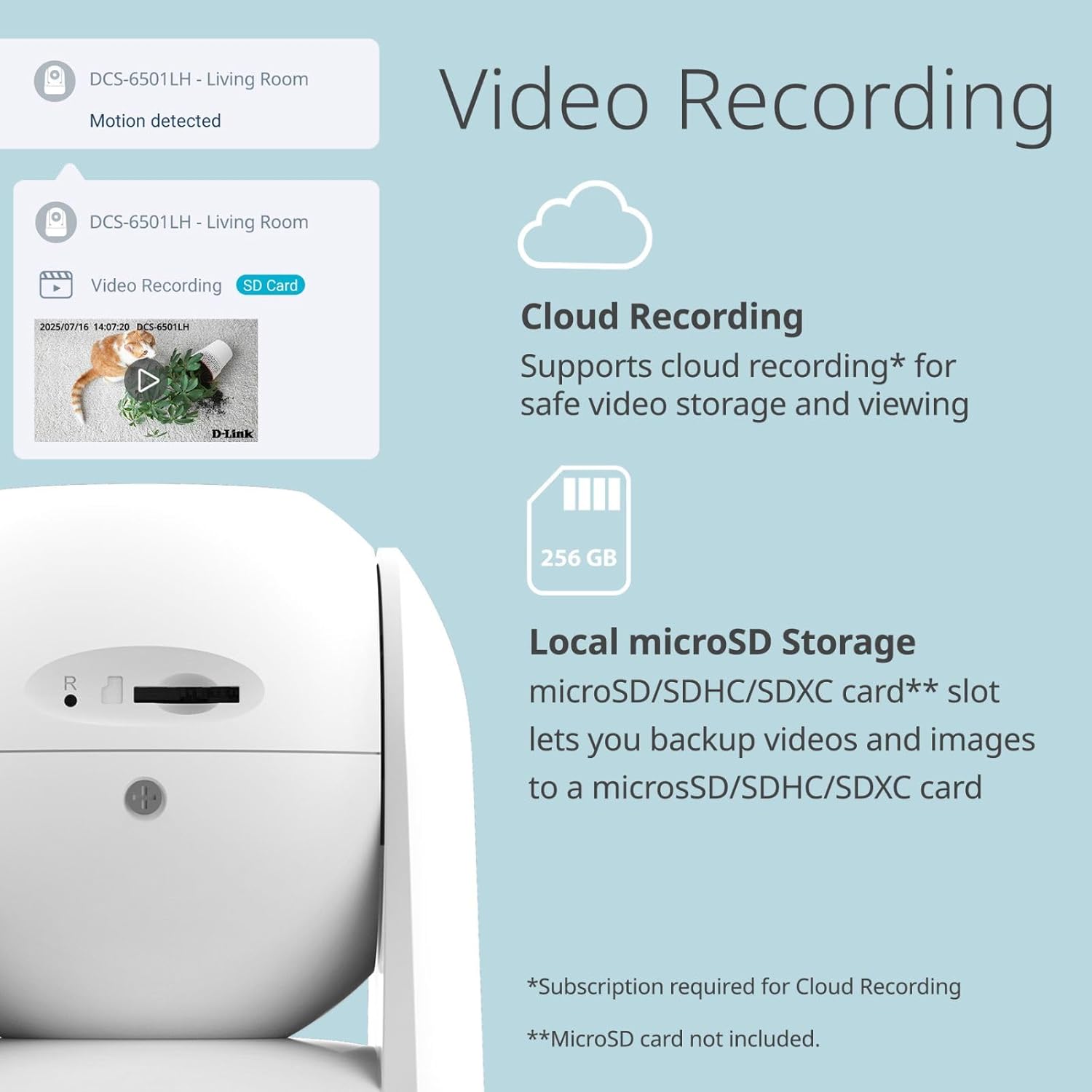
Image 3.6: The camera's side view revealing the microSD card slot, alongside icons for cloud and local storage options.
3.7 Smart Home Integration
Integrate your camera with Google Assistant and Amazon Alexa for voice control and smart home automation. For example, you can ask your smart assistant to display the camera feed on compatible devices.

Image 3.7: Examples of smart home integration, showing a user interacting with Google Assistant and an Alexa-enabled device displaying camera footage.
3.8 Enhanced Wi-Fi Security
The camera supports WPA3 encryption, providing a more secure connection to your Wi-Fi network and protecting your privacy.

Image 3.8: The D-Link camera accompanied by a security shield icon, representing enhanced Wi-Fi security features.
4. Maintenance
Regular maintenance helps ensure the longevity and optimal performance of your camera.
4.1 Cleaning
- Gently wipe the camera lens and body with a soft, dry, lint-free cloth.
- Do not use liquid cleaners, aerosols, or abrasive solvents, as these can damage the camera.
4.2 Firmware Updates
D-Link periodically releases firmware updates to improve performance, add features, and enhance security. Check the mydlink app or the D-Link support website for available updates and follow the instructions to install them.
4.3 MicroSD Card Management
If using a microSD card for local storage, periodically check its status in the mydlink app. Format the card as needed to maintain optimal recording performance. Ensure the camera is powered off before inserting or removing the microSD card.
5. Troubleshooting
This section addresses common issues you might encounter with your D-Link DCS-6501LH camera.
5.1 Camera Not Connecting to Wi-Fi
- Ensure your Wi-Fi network is 2.4 GHz, as the camera may not support 5 GHz networks.
- Verify that the Wi-Fi password entered in the mydlink app is correct.
- Move the camera closer to your Wi-Fi router to improve signal strength.
- Restart your router and the camera.
5.2 Poor Video Quality
- Check your internet connection speed. A stable and fast connection is required for 2K streaming.
- Ensure the camera lens is clean and free from dust or smudges.
- Adjust the camera's position to avoid direct glare or backlighting.
5.3 Motion/Sound Alerts Not Working
- Verify that motion and sound detection are enabled in the mydlink app settings for your camera.
- Check the sensitivity settings for motion and sound detection; adjust them as needed.
- Ensure app notifications are enabled on your smartphone or tablet.
5.4 Camera Not Responding
- Unplug the power adapter from the camera, wait 10 seconds, and then plug it back in to restart the device.
- If the issue persists, perform a factory reset (refer to the Quick Installation Guide for specific instructions). Note that a factory reset will erase all settings and require re-setup.
6. Specifications
Detailed technical specifications for the D-Link 2K Pan & Tilt Wi-Fi Camera (DCS-6501LH).
| Feature | Specification |
|---|---|
| Model Name | DCS-6501LH |
| Video Capture Resolution | 1296p (2K) |
| Frame Rate | 30 frames per second |
| Viewing Angle | 89 Degrees (Lens) |
| Night Vision Range | Up to 8 meters (26 feet) |
| Connectivity Technology | Wireless (Wi-Fi, Bluetooth) |
| Wireless Communication | Wi-Fi (2.4 GHz), Bluetooth |
| Special Features | 2-Way Audio, Motion Detection, Night Vision, Pan & Tilt, Auto Motion Tracking |
| Indoor/Outdoor Usage | Indoor |
| Compatible Devices | Smartphone, Amazon Alexa, Google Assistant |
| Power Source | Corded Electric |
| Storage Options | Cloud, Local (microSD/SDHC/SDXC up to 256 GB) |
| Mounting Type | Wall Mount, Tabletop |
| Product Dimensions (L x W x H) | 8.61 x 8.61 x 11.4 cm |
| Item Weight | 273.97 g |
7. Warranty and Support
For warranty information, please refer to the warranty card included with your product or visit the official D-Link website. D-Link provides technical support for its products.
7.1 Technical Support
If you encounter issues that cannot be resolved using this manual, please contact D-Link technical support through their official website or the contact information provided in your product packaging. Have your model number (DCS-6501LH) and serial number ready when contacting support.
Visit the D-Link support page for FAQs, firmware downloads, and further assistance: www.dlink.com/support


