
1. Introduction
The D-Link DCS-6100LHV2 Full HD Wi-Fi Compact Camera is designed for indoor home monitoring, offering 1080p resolution, night vision, and two-way audio. This manual provides essential information for setting up, operating, and maintaining your camera, ensuring optimal performance and security.
2. Package Contents
Verify that all items are present in your package:
- DCS-6100LHV2 Full HD Compact Wi-Fi Camera
- Micro USB Power Adapter
- Quick Installation Guide
- Wall Mount Kit
3. Product Overview
Familiarize yourself with the camera's components.
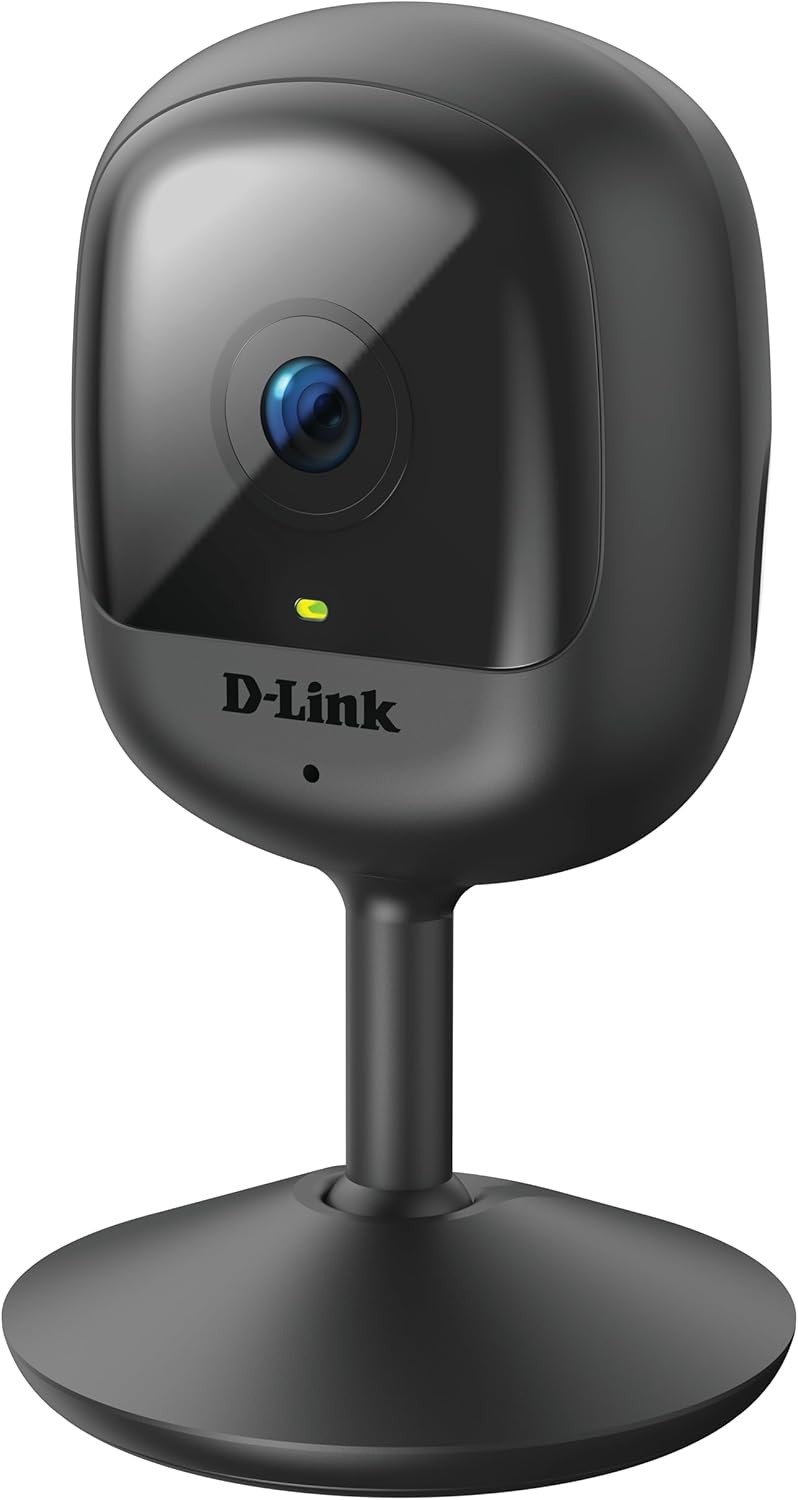
Figure 3.1: Front view of the D-Link DCS-6100LHV2 camera, showing the lens and status LED.

Figure 3.2: Rear view of the D-Link DCS-6100LHV2 camera, highlighting the speaker, reset button, and power port.
Key Components:
- Camera Lens: Captures Full HD 1080p video.
- Status LED: Indicates camera status (e.g., power, connection).
- Microphone: For audio input and two-way communication.
- Speaker: For audio output and two-way communication.
- Reset Button: Used to restore factory default settings.
- Micro USB Power Port: Connects to the power adapter.
- MicroSD Card Slot: For local video storage (supports up to 128 GB).
4. Setup
4.1. App Installation
- Download the mydlink app from the App Store (iOS) or Google Play Store (Android).
- Install the app on your smartphone or tablet.
- Launch the mydlink app and create a new account or log in with an existing one.
4.2. Powering On and Wi-Fi Connection
- Connect the micro USB power adapter to the camera's power port and plug it into a power outlet.
- Wait for the camera's status LED to blink orange, indicating it is ready for setup.
- In the mydlink app, tap the "Add a Device" icon and follow the on-screen instructions to connect your camera to your Wi-Fi network. Ensure your Wi-Fi network is 2.4 GHz.
- Once connected, the status LED will turn solid green.
4.3. Mounting the Camera
The camera can be placed on a flat surface or mounted to a wall.
- Tabletop Placement: Simply place the camera on a stable, flat surface within range of your Wi-Fi signal and a power outlet.
- Wall Mounting: Use the provided wall mount kit. Secure the mount to the desired location on the wall using screws, then attach the camera to the mount. Adjust the camera angle as needed.

Figure 4.1: The D-Link DCS-6100LHV2 camera discreetly placed in a home environment.
5. Operating Instructions
5.1. Live View
Open the mydlink app and select your camera from the device list to view the live video feed. You can pinch to zoom and pan across the image.
5.2. Recording Options (MicroSD & Cloud)
- MicroSD Card Recording: Insert a microSD card (up to 128 GB, not included) into the camera's slot for local storage of recorded events. Configure recording settings (e.g., continuous, event-based) via the mydlink app.
- mydlink Cloud Recording: The camera supports cloud recording. A 1-year free mydlink cloud subscription is included, allowing remote storage and access to video clips. Manage cloud recording settings and view stored videos through the mydlink app.
5.3. Motion and Sound Detection
The camera features integrated motion and sound detection. When motion or sound is detected, the camera can automatically start recording and send push notifications to your mobile device. Sensitivity levels and detection zones can be customized in the mydlink app settings.
5.4. Two-Way Audio
Utilize the camera's built-in microphone and speaker for two-way audio communication. From the live view in the mydlink app, tap the microphone icon to speak through the camera, and listen to audio from the camera's location.
5.5. Night Vision
The camera automatically switches to night vision mode in low-light conditions, providing clear black-and-white video up to 5 meters (16 feet) in complete darkness.
5.6. Smart Home Integration
The D-Link DCS-6100LHV2 is compatible with Amazon Alexa and Google Assistant. Follow the instructions in the mydlink app or your smart home assistant's app to link your camera and enable voice control for features like viewing the live feed on compatible smart displays.
6. Maintenance
6.1. Cleaning
To clean the camera, gently wipe the exterior with a soft, dry cloth. Do not use liquid cleaners or aerosols, as they may damage the device. Ensure the lens is free of dust and smudges for optimal image clarity.
6.2. Firmware Updates
Regularly check for and install firmware updates via the mydlink app. Firmware updates often include performance improvements, new features, and security enhancements.
7. Troubleshooting
7.1. Camera Not Connecting to Wi-Fi
- Ensure your Wi-Fi network is 2.4 GHz. The camera does not support 5 GHz networks.
- Verify that the camera is within range of your Wi-Fi router.
- Check your Wi-Fi password for accuracy.
- Try restarting your Wi-Fi router and the camera.
- If issues persist, perform a factory reset on the camera by pressing and holding the reset button for 10 seconds, then attempt setup again.
7.2. No Video Recording
- For microSD recording, ensure a compatible microSD card is inserted and properly formatted via the mydlink app.
- Check recording schedules and event detection settings in the mydlink app.
- For cloud recording, verify your mydlink cloud subscription status.
7.3. Poor Image Quality
- Ensure the camera lens is clean and free of obstructions.
- Check your internet connection speed. A stable and fast connection is required for optimal streaming.
- Adjust the camera's position to avoid glare or strong backlighting.
7.4. Two-Way Audio Issues
- Ensure the microphone and speaker on the camera are not obstructed.
- Check the volume settings on your mobile device and within the mydlink app.
- Verify that your internet connection is stable, as audio streaming requires consistent bandwidth.
8. Specifications
| Feature | Detail |
|---|---|
| Model Name | DCS-6100LHV2 |
| Video Resolution | Full HD 1080p |
| Viewing Angle | 120 Degrees |
| Night Vision Range | Up to 5 meters (16 feet) |
| Connectivity | Wi-Fi (2.4 GHz) |
| Storage Options | MicroSD card (up to 128 GB), mydlink Cloud Recording |
| Audio | Two-Way Audio (Built-in Microphone and Speaker) |
| Detection | Motion Detection, Sound Detection |
| Smart Home Compatibility | Amazon Alexa, Google Assistant |
| Power Input | Micro USB, 220V, 4W |
| Dimensions (L x W x H) | 6 x 6 x 10.4 cm |
| Weight | 65 Grams |
| Material | Plastic |
| Operating Environment | Indoor Use |
9. Warranty Information
The D-Link DCS-6100LHV2 camera comes with a 2-year warranty from the date of purchase. This warranty covers defects in materials and workmanship under normal use. Please retain your proof of purchase for warranty claims. The warranty does not cover damage caused by misuse, accidents, unauthorized modifications, or external factors.
10. Support
For further assistance, technical support, or to access additional resources, please visit the official D-Link support website or contact their customer service. Refer to the Quick Installation Guide included in your package for specific contact details for your region.


