
Introduction
The Gallagher i Series Remote Control & Fault Finder is an essential tool designed for efficient management and maintenance of your i Series electric fence system. This device allows users to monitor fence performance, locate faults, and control the energizer remotely from any point along the fence line, enhancing safety and operational efficiency.
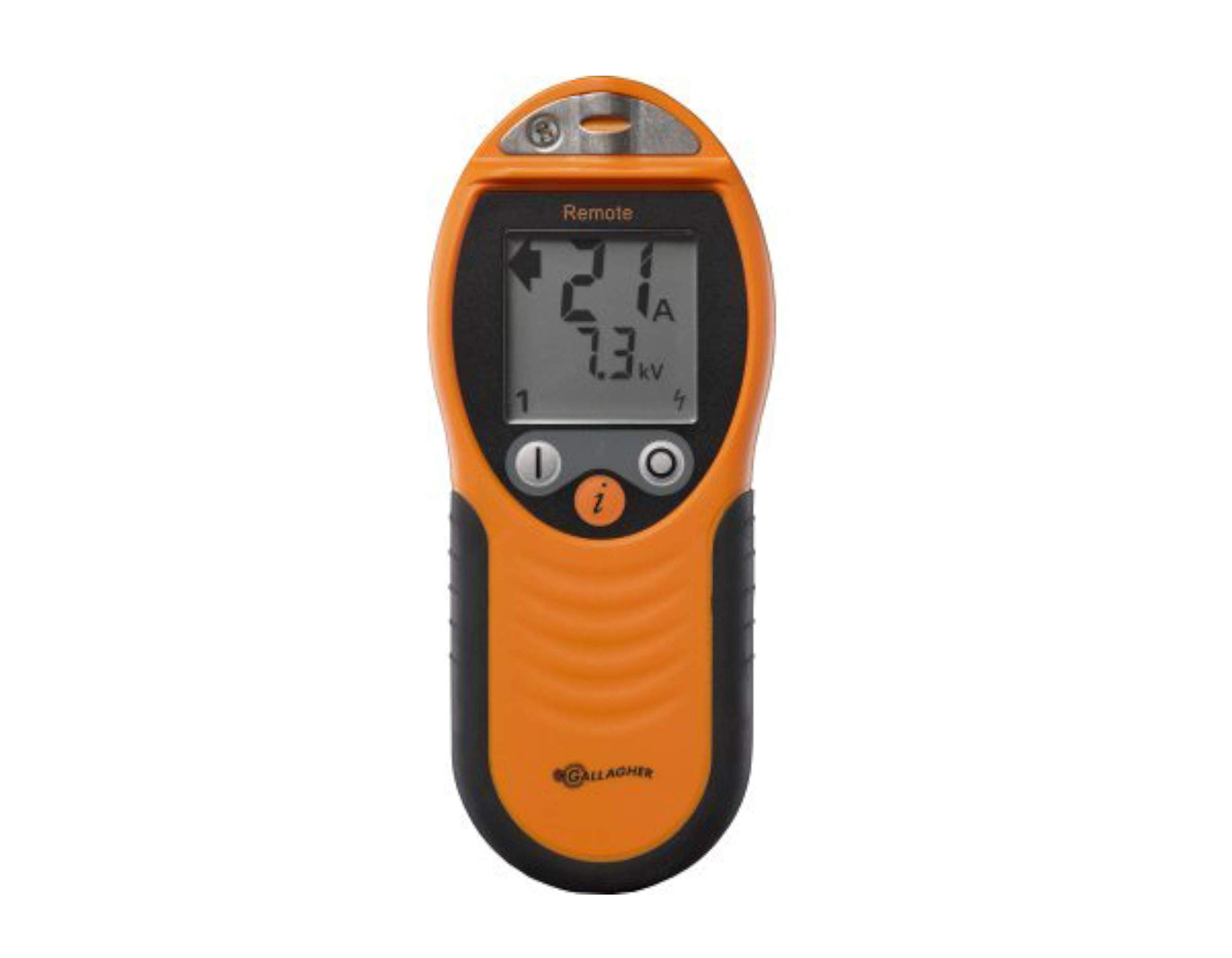
Image: The Gallagher i Series Remote Control and Fault Finder, showing its robust design and display screen.
Setup
- Battery Installation: Open the battery compartment on the back of the remote. Insert the required batteries (typically 2 x AA, refer to the battery compartment label for exact type and polarity). Ensure correct orientation. Close the compartment securely.
- Initial Power On: Press and hold the power button until the display illuminates. The remote will perform a self-test.
- Pairing with i Series Energizer:
- Ensure your i Series energizer is powered on and functioning.
- Follow the pairing instructions provided in your i Series energizer manual to initiate pairing mode on the energizer.
- On the remote, navigate to the 'Settings' menu and select 'Pair Device'.
- The remote will search for nearby i Series energizers. Select your energizer from the list displayed on the remote's screen.
- Confirm the pairing. A successful pairing message will appear on both the remote and the energizer display.
- System Check: After pairing, walk along a section of your fence line and take a reading to confirm communication and functionality.
Operating Instructions
The i Series Remote Control & Fault Finder provides comprehensive control and diagnostic capabilities for your electric fence system.
- Measuring Fence Voltage and Current:
- To measure, touch the remote's probe firmly against the fence wire.
- The display will show the fence voltage (kV) and current (A) at that specific point.
- Compare readings to expected values to identify potential issues.
- Finding Faults:
- Walk along the fence line, taking regular voltage and current readings.
- A significant drop in voltage or increase in current indicates a fault location.
- The remote's directional arrow (if applicable to your model) will guide you towards the fault.
- Once a fault is located, the remote can assist in pinpointing the exact source, such as vegetation contact or a broken insulator.
- Remote Energizer Control:
- From any point on the fence line, you can remotely turn the connected i Series energizer ON or OFF.
- This feature is crucial for safe and convenient fence repair, allowing you to de-energize the fence before working on it.
- Navigate to the 'Control' menu on the remote and select 'Energizer ON/OFF'. Confirm your selection.
- Zone Control (if applicable):
- If your i Series system is configured with multiple zones, the remote allows individual zone monitoring and control.
- Access the 'Zones' menu to view the status of each zone and to turn specific zones ON or OFF as needed.
Maintenance
- Cleaning: Wipe the remote's casing with a damp cloth. Do not use abrasive cleaners or solvents. Ensure the probe tip is clean for accurate readings.
- Battery Replacement: Replace batteries when the low battery indicator appears on the display. Always use new, high-quality batteries of the specified type. Dispose of old batteries responsibly.
- Storage: Store the remote in a cool, dry place away from direct sunlight and extreme temperatures. If storing for extended periods, remove the batteries to prevent leakage.
- Water Resistance: The remote features a water-resistant casing. However, it is not waterproof. Avoid submerging the device in water.
Troubleshooting
| Problem | Possible Cause | Solution |
|---|---|---|
| Remote does not power on. | Dead or incorrectly installed batteries. | Check battery orientation. Replace batteries with new ones. |
| Cannot pair with energizer. | Energizer not in pairing mode; remote out of range; interference. | Ensure energizer is in pairing mode. Move closer to the energizer. Check for other electronic interference. |
| Inaccurate voltage/current readings. | Poor contact with fence wire; dirty probe; low battery. | Ensure firm contact with clean fence wire. Clean the probe tip. Replace batteries. |
| Remote control functions (ON/OFF) not working. | Remote not paired; out of range; energizer communication issue. | Verify pairing. Move closer to the energizer. Check energizer status. |
Specifications
- Model: Gallagher i Series Remote Control & Fault Finder
- Compatibility: Gallagher i Series Fence Energizer Systems
- Functionality: Voltage/Current measurement, Fault location, Remote energizer ON/OFF, Zone control
- Casing: Rugged, water-resistant design
- Power Source: Batteries (type specified in battery compartment)
- ASIN: B00PG6574C
- Manufacturer: Gallagher Power Fence
Warranty and Support
Gallagher products are manufactured to high standards and come with a limited warranty against defects in materials and workmanship. For specific warranty terms and conditions, please refer to the documentation included with your purchase or visit the official Gallagher website.
For technical support, troubleshooting assistance, or warranty claims, please contact Gallagher customer service. Contact information can typically be found on the product packaging or the official Gallagher website: www.gallagher.com