
ECCO SW15
ECCO SW15 Back Up Alarm Switch Instruction Manual
Model: SW15
Introduction
The ECCO SW15 is an electro-mechanical actuation switch designed for various heavy-duty applications, particularly as a back-up alarm switch. This manual provides essential information for the proper installation, operation, and maintenance of your SW15 switch to ensure reliable performance.
Setup and Installation
Proper installation is crucial for the functionality and longevity of the ECCO SW15 switch. Follow these steps for secure mounting and wiring.
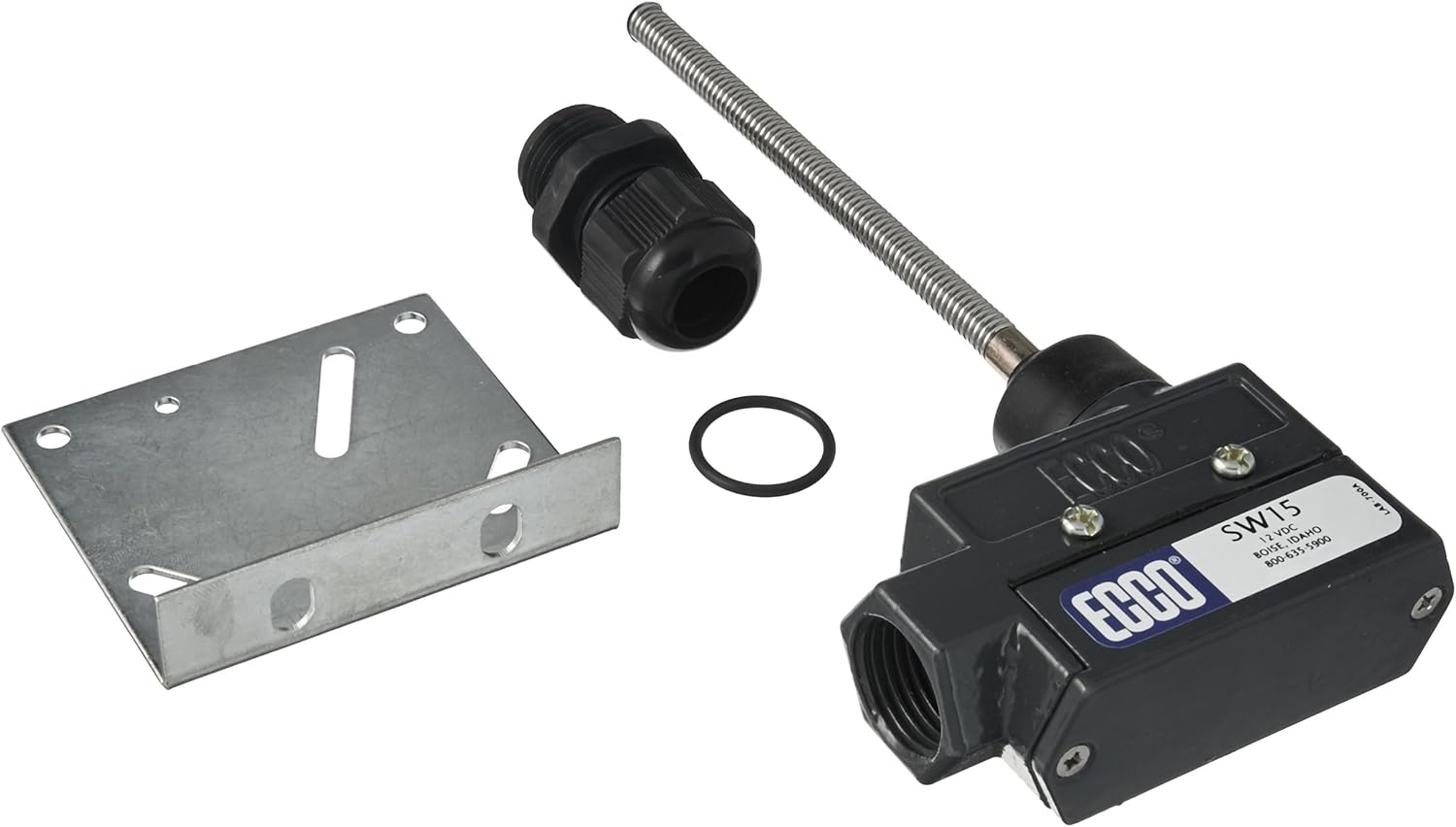
This image displays the ECCO SW15 electro-mechanical switch, its metal mounting bracket, and a cable gland. These components are essential for the physical installation and wiring of the switch.
- Mounting: Secure the switch using the provided metal mounting bracket. Ensure the mounting surface is stable and free from excessive vibration. The bracket allows for flexible positioning.
- Wiring Connections: The SW15 features screw terminals for electrical connections. Connect the power supply (12 VDC) and the alarm or device to be controlled according to the wiring diagram for a Normally Open (NO) contact configuration. Ensure all connections are tight and secure to prevent intermittent operation.
- Cable Gland: Utilize the cable gland to protect the wiring entry point from environmental elements, maintaining the IP54 rating.
- Testing: After installation, perform a functional test to ensure the switch activates the connected device as intended.
Operating Instructions
The ECCO SW15 operates as a simple ON-OFF switch via its push-button actuator.
- Activation: When the push-button actuator is pressed, the internal contact closes, completing the circuit. This action typically triggers the connected back-up alarm or other device.
- Deactivation: When the push-button actuator is released, the internal contact opens, breaking the circuit and deactivating the connected device.
- Control Method: The switch is designed for touch control, providing immediate response to physical actuation.
Maintenance
To ensure optimal performance and extend the lifespan of your ECCO SW15 switch, periodic maintenance is recommended.
- Regular Inspection: Periodically inspect the switch for any signs of physical damage, wear, or corrosion, especially in harsh environments.
- Cleanliness: Keep the switch and its actuator free from excessive dirt, debris, or moisture. Use a soft, dry cloth for cleaning. Avoid using harsh chemicals that could damage the metal housing or internal components.
- Connection Check: Verify that all electrical connections at the screw terminals remain tight and free from corrosion. Loose connections can lead to intermittent operation or failure.
- Environmental Protection: While rated IP54 for dust and splash protection, avoid prolonged exposure to extreme conditions or direct high-pressure water jets.
Troubleshooting
If you encounter issues with your ECCO SW15 switch, consider the following troubleshooting steps:
- Switch Not Activating Device:
- Check the power supply to the switch and the connected device.
- Verify all wiring connections are secure and correctly terminated at the screw terminals.
- Inspect the push-button actuator for any physical obstruction preventing full depression or release.
- Ensure the connected device is functioning correctly independently of the switch.
- Intermittent Operation:
- Tighten all screw terminal connections.
- Inspect wiring for any damage or frayed insulation.
- Check for excessive vibration at the mounting location.
- No Response from Switch:
- Confirm that the switch is receiving the correct 12 VDC power.
- Check for internal damage if the switch has been subjected to severe impact.
If problems persist after performing these checks, contact ECCO customer support or a qualified technician.
Specifications
Detailed technical specifications for the ECCO SW15 Back Up Alarm Switch:
| Model | SW15 |
| Brand | ECCO |
| Operation Mode | ON-OFF |
| Current Rating | 15 Amps |
| Contact Type | Normally Open |
| Connector Type | Screw |
| Terminal | Screw |
| Item Dimensions (L x W x H) | 8 x 3 x 1.5 inches |
| Circuit Type | 1-way |
| Actuator Type | Push Button |
| Contact Material | Metal |
| International Protection Rating | IP54 |
| Number of Positions | 1 |
| Controller Type | Push Button |
| Control Method | Touch |
| Connectivity Protocol | X-10 |
| Color | Multicolor |
| Item Weight | 8 ounces |
| UPC | 758379000762 |
Warranty Information
Specific warranty details for the ECCO SW15 switch are typically provided at the point of purchase or can be obtained directly from the manufacturer, ECCO. Please retain your proof of purchase for any warranty claims.
Support
For technical assistance, replacement parts, or further inquiries regarding your ECCO SW15 Back Up Alarm Switch, please contact ECCO customer support or your authorized dealer.
You may also visit the official ECCO website for additional product information and resources.
Ask a question about this manual
Ask about setup, troubleshooting, compatibility, parts, safety, or missing instructions. Manuals+ will review the question and use this page’s manual context to help answer it.