Introduction
This manual provides essential information for setting up, operating, maintaining, and troubleshooting your Apple iPad Air (Model MD786LL/B). The iPad Air is a lightweight and powerful tablet featuring a 9.7-inch Retina display, an A7 chip with M7 motion coprocessor, and robust wireless capabilities. It runs on iOS 8, offering access to a vast ecosystem of applications.
Please read this manual thoroughly to ensure proper use and to maximize your device's potential.
Setup
1. Device Overview
Familiarize yourself with the physical components of your iPad Air.
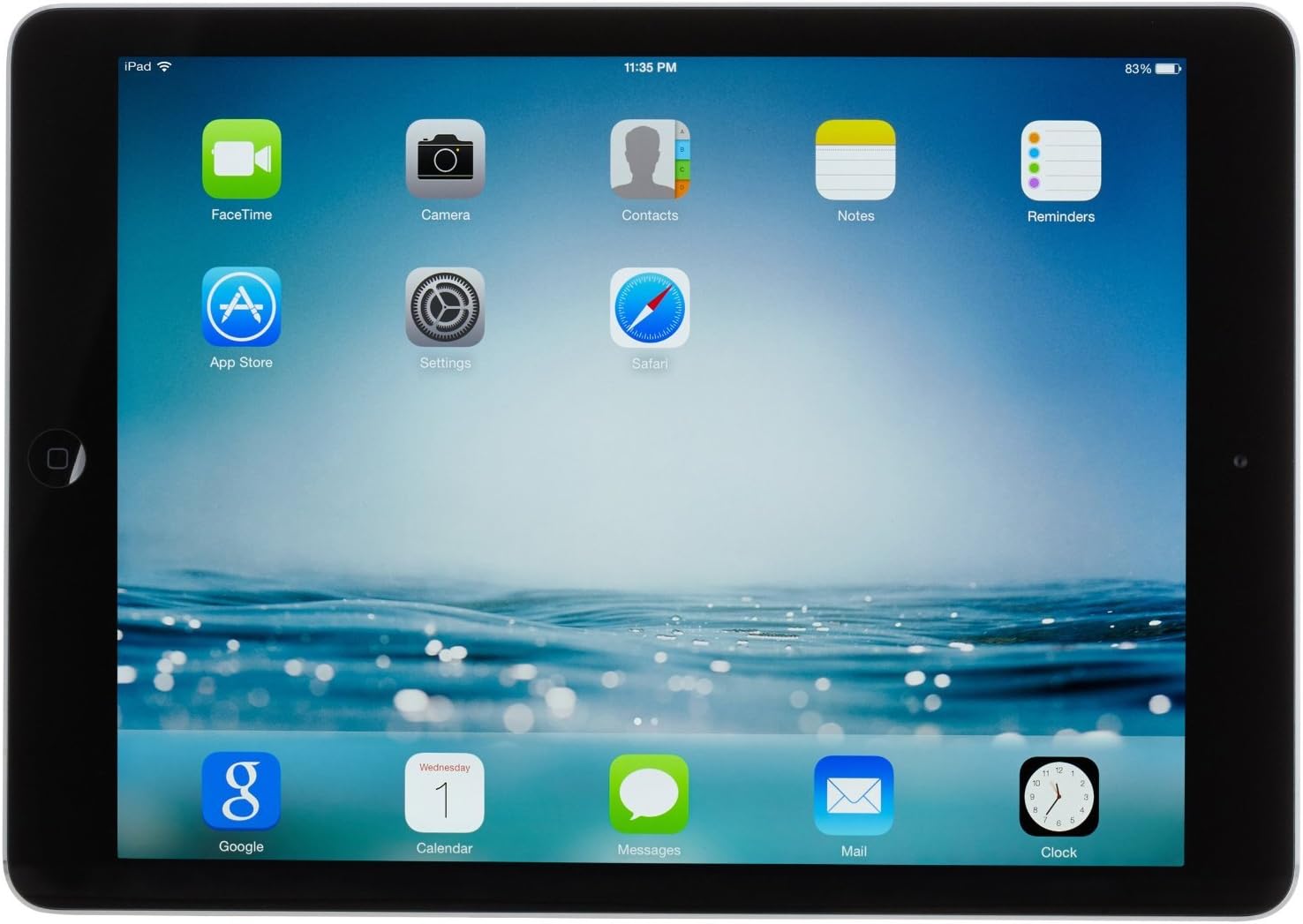
Figure 1: Front view of the iPad Air, showing the Retina display and the Home button. The screen displays various app icons including FaceTime, Camera, App Store, and Safari.
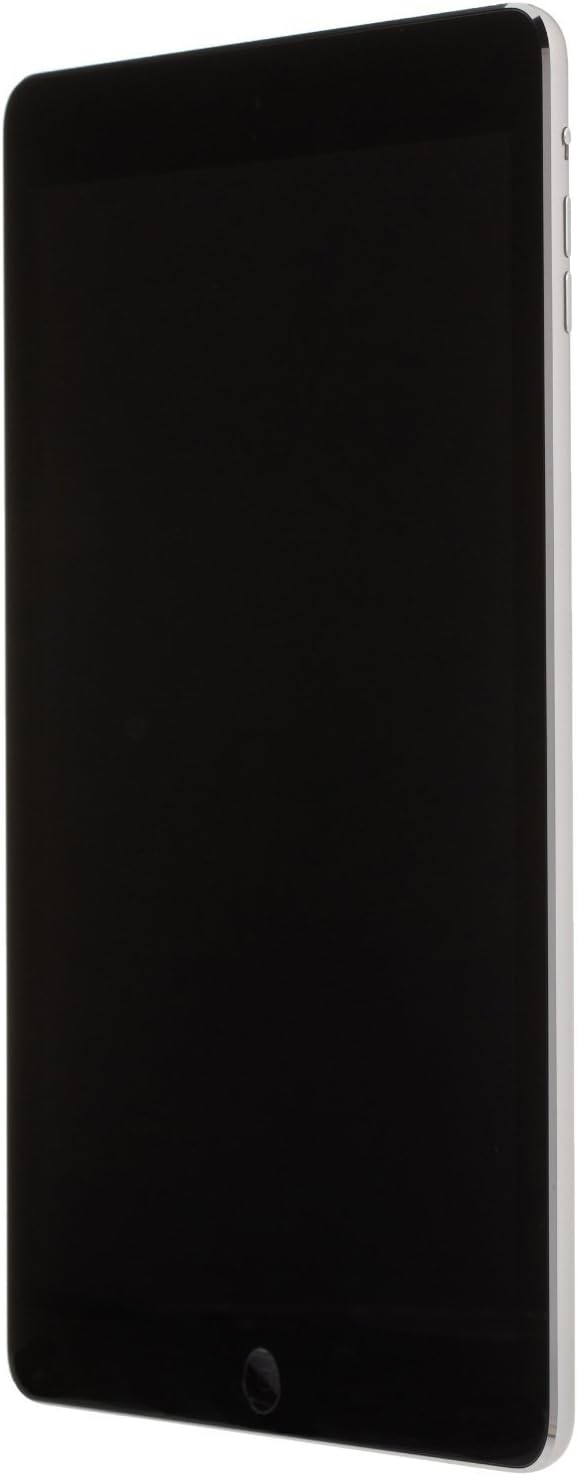
Figure 2: Side profile of the iPad Air, highlighting its thin design. The volume buttons and mute/rotation lock switch are visible on the right side.

Figure 3: Rear view of the iPad Air, featuring the iconic Apple logo in the center and the rear camera lens in the top left corner. Regulatory information is printed at the bottom.

Figure 4: Close-up view of the side of the iPad Air, detailing the volume up/down buttons and the mute/rotation lock switch. The power/sleep button is located on the top edge.
2. Initial Power On and Activation
- Charge the iPad: Before first use, connect your iPad Air to a power outlet using the included Lightning to USB cable and USB power adapter.
- Power On: Press and hold the Power/Sleep button (located on the top right edge) until the Apple logo appears.
- Follow On-Screen Instructions: The iPad will guide you through the initial setup process, which includes:
- Selecting your language and region.
- Connecting to a Wi-Fi network.
- Enabling Location Services.
- Setting up Touch ID (if applicable) and a passcode.
- Setting up as a new iPad, restoring from an iCloud backup, or restoring from an iTunes backup.
- Signing in with your Apple ID or creating a new one.
Operating Your iPad Air
1. Basic Navigation
- Home Button: Press once to return to the Home screen. Double-press to open the multitasking switcher.
- Swiping: Swipe left or right on the Home screen to navigate between pages of apps. Swipe down from the top to access Notification Center, or swipe down from the middle of the screen to access Spotlight Search. Swipe up from the bottom to access Control Center.
- Tapping: Tap an app icon to open it. Tap buttons or links within apps to interact.
- Pinching: Use a two-finger pinch gesture to zoom in or out on photos, web pages, and maps.
2. Using Apps
The iPad Air comes with pre-installed apps like Safari, Mail, Photos, Calendar, and Messages. You can download millions of additional apps from the App Store.
- App Store: Tap the App Store icon to browse, search, and download apps. You will need an Apple ID to download apps, even free ones.
- Multitasking: Double-press the Home button to see recently used apps. Tap an app to switch to it. Swipe an app preview upwards to close it.
3. Internet and Connectivity
- Wi-Fi: Connect to Wi-Fi networks via Settings > Wi-Fi. Ensure Wi-Fi is enabled for internet access.
- Safari: Use the Safari browser for web browsing.
- Bluetooth: Pair Bluetooth accessories like keyboards or headphones via Settings > Bluetooth.
4. Camera Usage
The iPad Air features a 5 MP rear camera and a front-facing camera for FaceTime and selfies.
- Taking Photos/Videos: Open the Camera app. Tap the shutter button to take a photo or the record button to start/stop video recording.
- Switching Cameras: Tap the camera switch icon to toggle between the front and rear cameras.
Maintenance
1. Cleaning Your iPad
- Use a soft, lint-free cloth to clean the screen and exterior.
- Avoid abrasive cloths, towels, paper towels, or similar items that could scratch the screen.
- Do not use aerosol sprays, solvents, or abrasives.
- Unplug all cables and power off the iPad before cleaning.
2. Software Updates
Keep your iPad's software up to date for optimal performance and security. Go to Settings > General > Software Update to check for and install available updates.
3. Battery Care
- For optimal battery longevity, avoid extreme temperatures.
- Charge your iPad regularly. Lithium-ion batteries benefit from partial discharges.
- If storing the iPad for an extended period, charge it to about 50% before powering it off.
4. Storage Management
To manage your iPad's 32 GB storage, go to Settings > General > iPad Storage. Here you can see which apps and data are using the most space and delete unnecessary items.
Troubleshooting
Common Issues and Solutions
- iPad is unresponsive: If your iPad is frozen or not responding, perform a force restart. Press and hold both the Home button and the Power/Sleep button simultaneously until the Apple logo appears.
- Wi-Fi connection issues:
- Ensure Wi-Fi is enabled in Settings.
- Forget the network and reconnect.
- Restart your Wi-Fi router.
- Apps crashing or not opening:
- Close the app from the multitasking switcher and reopen it.
- Restart your iPad.
- Check for app updates in the App Store.
- Reinstall the app.
- Battery draining quickly:
- Check battery usage in Settings > Battery to identify power-hungry apps.
- Reduce screen brightness.
- Disable unnecessary background app refresh.
For more complex issues, consider restoring your iPad to factory settings (this will erase all data, so back up first) via Settings > General > Transfer or Reset iPad > Erase All Content and Settings.
Specifications
| Feature | Detail |
|---|---|
| Model | MD786LL/B |
| Display | 9.7-inch Retina display, 2048x1536 resolution |
| Processor | Apple A7 chip with M7 motion coprocessor |
| RAM | 1 GB |
| Storage | 32 GB |
| Operating System | iOS 8 |
| Wireless Connectivity | Wi-Fi (802.11a/b/g/n), Bluetooth 4.0 |
| Cameras | Rear: 5 MP iSight camera; Front: FaceTime HD camera |
| Battery Life | Up to 10 hours of surfing the web on Wi-Fi, watching video, or listening to music |
| Dimensions (HxWxD) | 9.45 x 6.67 x 0.3 inches (240 x 169.5 x 7.5 mm) |
| Weight | 1.03 pounds (469 g) |
| Color | Space Gray |
Warranty and Support
This product is described as refurbished. Warranty coverage for refurbished products typically varies and is provided by the refurbisher or seller, not directly by Apple. Please refer to your purchase documentation for specific warranty terms and conditions.
For general product information, software updates, and additional support resources, you can visit the official Apple Support website: support.apple.com.
For issues related to the refurbished status or specific warranty claims, contact the seller or refurbisher directly as indicated on your purchase receipt.


