Introduction
The Oregon Scientific Smart Globe Discovery is an interactive educational tool designed to introduce children to world geography, cultures, and natural wonders. This manual provides essential information for setting up, operating, and maintaining your Smart Globe Discovery.
What's in the Box
- Smart Globe Discovery Unit (Globe and Base)
- Interactive Smart Pen
- 3 AA Batteries (pre-installed or included)
Setup
- Unpacking: Carefully remove all components from the packaging.
- Battery Installation: Ensure the 3 AA batteries are correctly installed in the base unit. If not already installed, open the battery compartment on the underside of the base, insert the batteries according to polarity markings, and close the compartment securely.
- Power On: Locate the power button on the base unit and press it to turn on the Smart Globe.
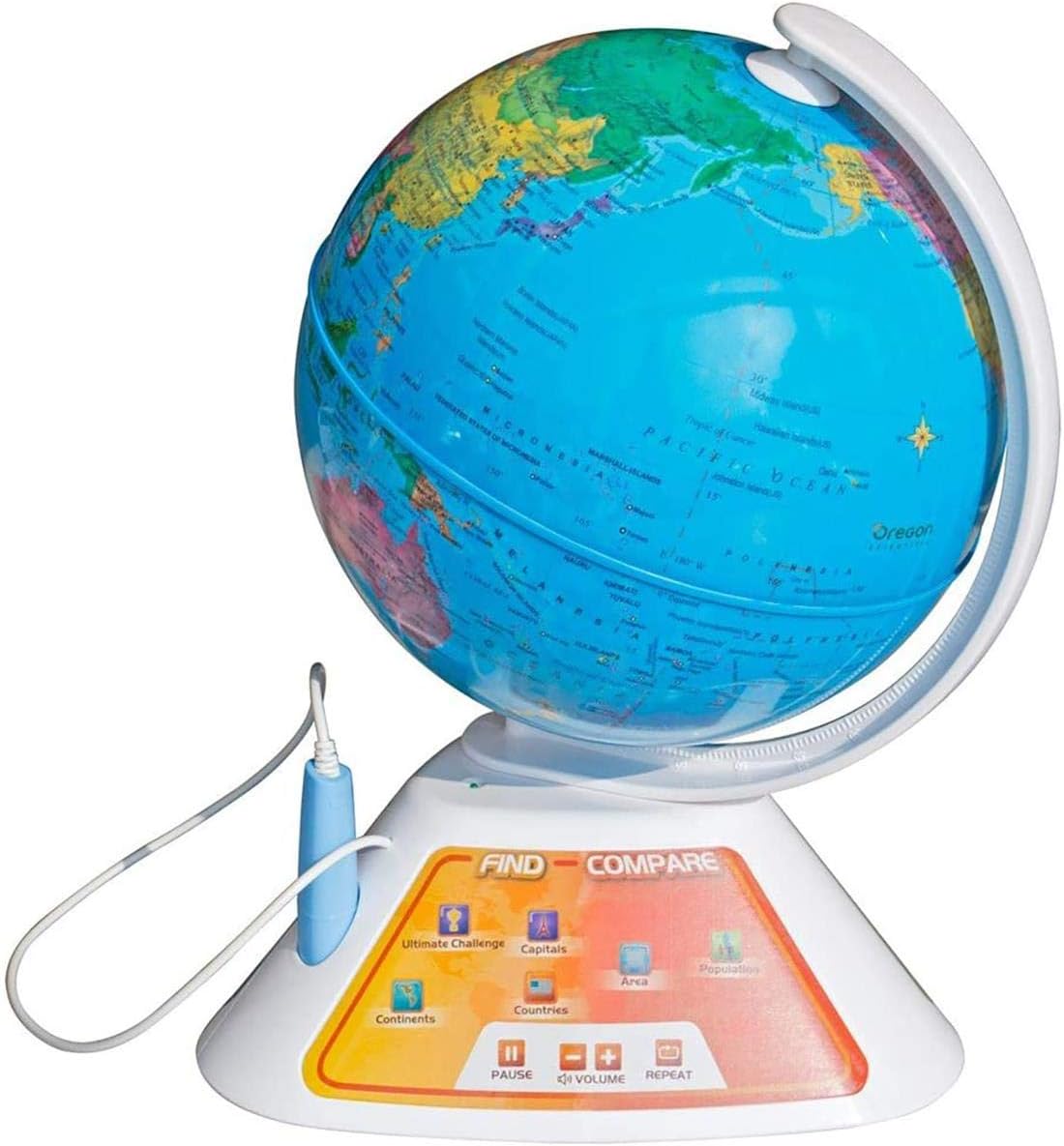
- Stylus Connection: The interactive Smart Pen is connected to the base unit via a coiled cord. Ensure it is securely plugged in.

Operating Instructions
The Smart Globe Discovery offers multiple modes of interaction using the interactive Smart Pen and the control panel on the base.
Basic Interaction:
- Power On/Off: Press the power button on the base to turn the globe on or off.
- Volume Control: Use the volume buttons on the base to adjust the audio level.
- Selecting Categories: The control panel features various category buttons (e.g., Country, Area, Capital, Geography, National Anthem, Language, Population, Currency, Area Code, Climate). Use the Smart Pen to tap on your desired category.
- Exploring the Globe: After selecting a category, use the Smart Pen to touch any country, ocean, or specific point on the globe. The globe will provide audio information related to the selected category for that location.
Interactive Modes & Games:
The Smart Globe includes various interactive games and quizzes to enhance learning. These modes are typically selected via dedicated buttons on the control panel.
- Animals Mode: Select the 'Animals' category. Touch a country to learn about animals native to that region. Repeatedly touching the same country may reveal information about different animals.
- Landmarks Mode: Select the 'Landmarks' category. Touch a country to discover famous landmarks located there.
- Games/Quizzes: The globe offers various game modes, such as 'Around the World Quiz Show' and 'Where in the World'. These modes challenge users to locate countries or answer questions based on geographical knowledge. Follow the audio prompts for instructions within each game.

Official Product Video:
Video 1: Official product overview of the Oregon Scientific Smart Globe Discovery. This video demonstrates the globe's interactive features, including the talking stylus, various learning categories like national anthems and animals, and game modes. It highlights how the globe spins and provides educational content through audio and visual cues on the base screen.
Features
- Interactive Audio: The SmartGlobe talks and speaks about various facts, including national anthems, capitals, and history. Over 2,000 pieces of information are stored in its digital memory.
- Touch-Sensitive Exploration: Use the Smart Pen to touch any point on the globe or the stand base to access information.
- 19 Educational Games: Engage in 19 different games that teach children about world facts in an entertaining way.
- Portable Design: Operates on 3 AA batteries (included), allowing for cordless use and easy portability.
- Augmented Reality (AR): Compatible with the Oregon Scientific SmartGlobe AR app (for 2017 models and newer) to bring the globe to life with interactive animals and dinosaurs.
Product Specifications
| Specification | Detail |
|---|---|
| Brand | Oregon Scientific |
| Model Number | SG268 |
| Product Dimensions | 16.2 x 13.2 x 13 inches |
| Item Weight | 3.79 pounds |
| Material | Plastic |
| Map Type | World Map |
| Base Material | Plastic |
| Batteries | 3 AA batteries required (included) |
| Recommended Age | 20 - 20 months (Note: User reviews suggest suitability for older children as well) |
Maintenance
- Cleaning: Wipe the globe and base with a soft, dry cloth. Do not use abrasive cleaners or solvents.
- Battery Care: Remove batteries if the globe will not be used for an extended period to prevent leakage.
- Storage: Store the globe in a cool, dry place away from direct sunlight.
Troubleshooting
- No Power: Ensure batteries are correctly installed and not depleted. Replace if necessary.
- No Sound/Low Sound: Check volume settings on the base. Ensure the Smart Pen is securely connected.
- Inaccurate Pen Response: Ensure the Smart Pen tip is clean and making firm contact with the globe. Try recalibrating by turning the globe off and on.
- App Connectivity Issues (AR Feature): Ensure your device meets the app's system requirements and that Bluetooth/Wi-Fi is enabled for connection.
Warranty and Support
For warranty information, technical support, or replacement parts, please refer to the official Oregon Scientific website or contact their customer service directly. Keep your purchase receipt as proof of purchase.


