
Introduction
Thank you for choosing the Mgaolo iPhone Case, model 'iphone plus'. This manual provides essential information for the proper installation, use, and maintenance of your new phone case. Please read these instructions carefully to ensure optimal protection and longevity for your device.
1. Setup and Installation
Follow these steps to correctly install your Mgaolo iPhone Case:
- Clean Your Device: Before installation, ensure your iPhone 5 is clean and free of dust or debris. Use a soft, dry cloth to wipe the front and back surfaces.
- Align the Case: Hold the case with the camera cutout aligned with your phone's camera. Gently slide your iPhone into the case, starting from the top edge.
- Secure the Fit: Press firmly around the edges of the phone to ensure it is fully seated within the case. All corners should be securely covered.
- Check Button Alignment: Verify that all buttons (power, volume) and ports (charging, headphone jack) are accessible and function correctly through the case openings or covers.
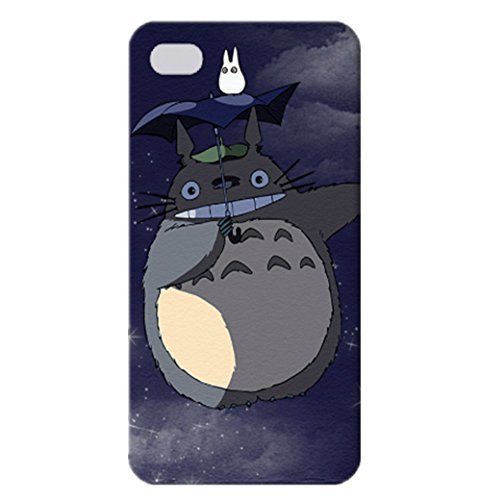
Image 1.1: The Mgaolo iPhone Case (Model: iphone plus) securely installed on a compatible iPhone 5 device, showcasing its protective fit and design.
2. Operating Your Device with the Case
The Mgaolo iPhone Case is designed to provide protection while maintaining full functionality of your device.
- Button Access: The case features precise cutouts or integrated button covers for easy access to your iPhone's power and volume buttons.
- Port Accessibility: Charging ports, headphone jacks, and speaker grilles are precisely cut to allow full access without removing the case.
- Camera Functionality: The camera cutout ensures unobstructed use of your iPhone's camera and flash.
- Enhanced Grip: The material and design of the case provide an improved grip, reducing the likelihood of accidental drops.
- Protection: The case offers protection against scratches, minor impacts, and daily wear and tear. While designed for durability, it is not indestructible.
3. Care and Maintenance
Proper care will help maintain the appearance and protective qualities of your case:
- Cleaning: To clean the case, remove it from your phone. Use a soft, damp cloth with mild soap and water. Avoid harsh chemicals or abrasive cleaners, as these can damage the case material.
- Drying: Allow the case to air dry completely before re-installing it on your phone.
- Storage: When not in use, store the case in a cool, dry place away from direct sunlight and extreme temperatures.
- Avoid Excessive Force: Do not bend or twist the case excessively, as this may deform its shape or compromise its protective integrity.
4. Troubleshooting
If you encounter any issues with your Mgaolo iPhone Case, consider the following:
- Case Does Not Fit: Ensure you have the correct model of iPhone (iPhone 5) for this specific case (Model: iphone plus). The case is designed for a precise fit.
- Buttons Are Hard to Press: Re-check the installation to ensure the phone is seated correctly. Sometimes a slight misalignment can affect button responsiveness.
- Scratches on Case: Over time, cases may show signs of wear. Regular cleaning and careful handling can minimize cosmetic damage.
- Discoloration: Exposure to certain chemicals, dyes, or prolonged sunlight can cause discoloration. Follow cleaning guidelines to prevent this.
5. Product Specifications
| Brand | Mgaolo |
| Model Number | iphone plus |
| Compatible Devices | Apple iPhone 5 |
| Product Dimensions (L x W x H) | 11.5 x 1.1 x 5.8 inches |
| Item Weight | 0.353 ounces |
| Available Colors | Black, White, Blue |
| Material | High Quality PPA Material |
| ASIN | B00P8D25D4 |
| Date First Available | November 4, 2014 |
6. Warranty and Support
Specific warranty details for the Mgaolo iPhone Case are not provided in this manual. For information regarding warranty coverage, returns, or technical support, please refer to the product packaging or contact the retailer where the product was purchased. You may also visit the official Mgaolo website for further assistance.