
Introduction
This instruction manual provides essential information for the safe and effective use of your Nerf Zombie Strike FlipFury Blaster. Please read this manual thoroughly before operating the blaster and retain it for future reference.

Figure 1: The Nerf Zombie Strike FlipFury Blaster, showcasing its dual dart drums and included darts.
Safety Information
Always use official Nerf darts. Do not modify darts or the blaster. Do not aim at eyes or face. Adult supervision is recommended. Please refer to the product packaging for additional safety warnings and age recommendations.
Package Contents
Verify that all items listed below are present in your package:
- 1 x Nerf Zombie Strike FlipFury Blaster
- 2 x Six-dart drums (pre-attached to the blaster)
- 12 x Nerf Zombie Strike Darts
- 1 x Instruction Manual (this document)

Figure 2: The Nerf Zombie Strike FlipFury Blaster as packaged, showing the blaster, darts, and branding.
Setup
1. Loading Darts
- Ensure the blaster is not cocked.
- Insert one dart into each of the six chambers of the visible dart drum. Push the darts in firmly until they are fully seated.
- To load the second drum, pull the orange lever located on the bottom of the blaster forward to flip the drums.
- Load the second drum with six darts following the same procedure.

Figure 3: Demonstrating the proper method for loading darts into the blaster's drum.
Operating the Blaster
1. Priming the Blaster
To prime the blaster, firmly pull the gray slide located on the top rear of the blaster all the way back until it clicks into place, then push it forward to its original position. The blaster is now primed and ready to fire one dart.

Figure 4: Illustrating the action of pulling back the priming slide to prepare the blaster for firing.
2. Firing Darts
Once primed, aim the blaster at a safe target and pull the trigger to fire a dart. After each shot, you must prime the blaster again to fire the next dart from the current drum.

Figure 5: A user demonstrating the firing stance with the Nerf FlipFury Blaster.
3. Flipping Drums
When one dart drum is empty, pull the orange lever on the bottom of the blaster forward to rotate the drums, bringing the second, loaded drum into position. This allows for rapid reloading without manually inserting darts into each chamber.
Maintenance
- Cleaning: Wipe the blaster with a dry or slightly damp cloth. Do not submerge the blaster in water or use harsh chemicals.
- Dart Care: Keep darts clean and dry. Avoid bending or crushing darts, as this can affect performance. Replace worn or damaged darts with official Nerf Zombie Strike darts.
- Storage: Store the blaster in a cool, dry place away from direct sunlight and extreme temperatures.
Troubleshooting
| Problem | Possible Cause | Solution |
|---|---|---|
| Dart does not fire or misfires |
|
|
| Drums do not flip smoothly |
|
|
Specifications
- Brand: Nerf
- Model: A9603EU4 (FlipFury Blaster)
- Product Dimensions: 15 x 2.99 x 10.98 inches
- Item Weight: 1.89 pounds
- Manufacturer Recommended Age: 8 - 9 years
- Dart Capacity: 12 darts (2 x 6-dart drums)
- ASIN: B00P0K8FZW
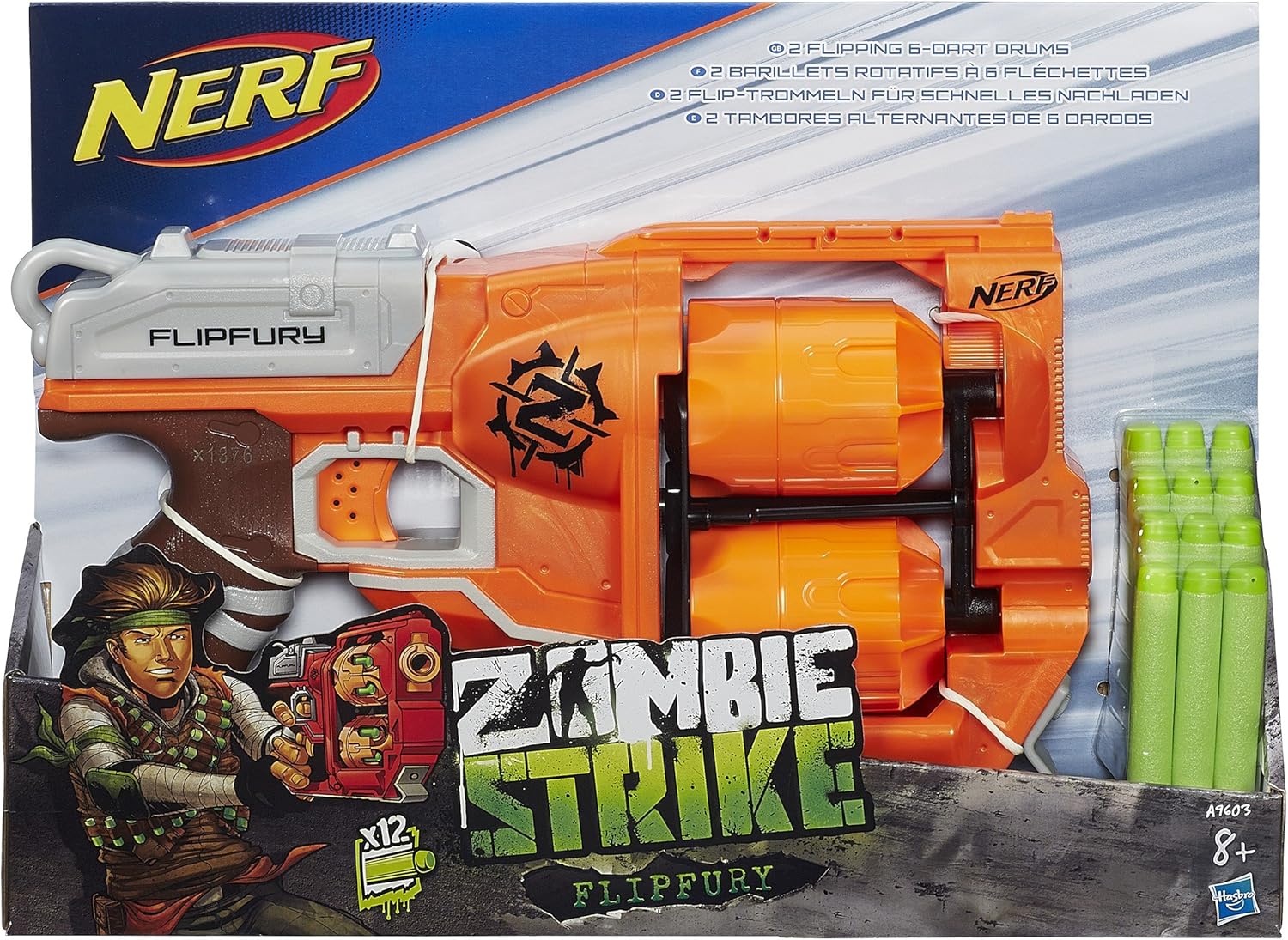
Figure 6: Official Nerf dart compatibility chart, indicating which dart types are suitable for various blasters, including the FlipFury.
Warranty and Support
For warranty information, please refer to the documentation included with your purchase or visit the official Nerf website. For further assistance or support, please contact Hasbro customer service.
Official Nerf Website: www.nerf.com


