1. Product Overview
This manual provides instructions for the Casio MTP-V001D-1B men's watch. This timepiece features a classic design with a black dial and a durable stainless steel construction, offering reliable timekeeping and water resistance for daily use.

Figure 1: Front view of the Casio MTP-V001D-1B watch, showcasing its black dial with clear Arabic numerals and stainless steel band.
Key Features:
- Quartz Movement for accurate timekeeping.
- Water Resistant up to 30 meters (100 feet / 3 ATM), suitable for everyday splashes or brief immersion.
- Durable Stainless Steel case and band.
- Easy-to-read black dial with clear Arabic numerals.
2. Setup and Initial Use
2.1 Setting the Time
- Locate the Crown: The crown is the small knob on the right side of the watch case.
- Pull Out the Crown: Gently pull the crown out to the first click position. The second hand will stop.
- Adjust the Time: Turn the crown to move the hour and minute hands to the desired time.
- Push In the Crown: Once the time is set, push the crown back in to its normal position. The second hand will resume movement.

Figure 2: Side view of the watch, highlighting the crown used for time adjustment.
2.2 Adjusting the Bracelet
The stainless steel bracelet may need adjustment to fit your wrist comfortably. This typically involves removing or adding links. It is recommended to have this procedure performed by a qualified jeweler or watch technician to prevent damage to the bracelet.
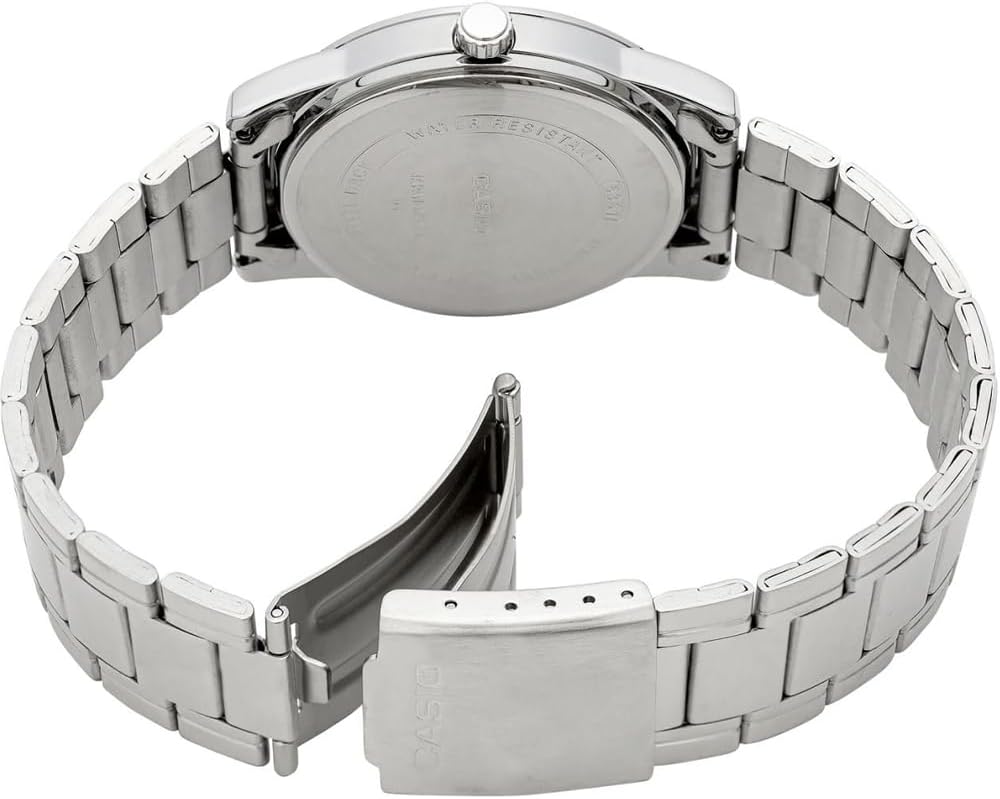
Figure 3: Back view of the watch, showing the stainless steel clasp mechanism.
2.3 Wearing the Watch
To wear the watch, open the clasp, place the watch on your wrist, and secure the clasp. Ensure the watch is snug but not too tight, allowing for comfortable movement.

Figure 4: The Casio MTP-V001D-1B watch displayed on a wrist, illustrating its fit and appearance.
2.4 Product Demonstration Video
Video 1: A brief demonstration of the Casio MTP-V001D-1B watch, showing its design and how it appears when worn.
3. Operation
3.1 Basic Timekeeping
The Casio MTP-V001D-1B is an analog watch that displays time using hour, minute, and second hands. Once the time is set, the watch will continuously keep accurate time using its quartz movement.
4. Maintenance
4.1 Water Resistance
This watch is water resistant up to 30 meters (3 ATM). This means it is suitable for everyday use and can withstand splashes or brief immersion in water. It is not suitable for swimming, diving, or showering with hot water, as steam can penetrate the seals.
4.2 Battery Replacement
The watch is powered by a single Lithium Metal battery. When the watch stops or the second hand begins to jump in two-second intervals, it indicates a low battery. Battery replacement should be performed by a qualified watch technician to ensure proper sealing and water resistance.
4.3 Cleaning
To clean the watch, wipe the case and bracelet with a soft, dry cloth. For stubborn dirt, a slightly damp cloth can be used, followed by immediate drying. Avoid using harsh chemicals or abrasive materials.
5. Troubleshooting
5.1 Common Issues and Solutions
- Watch Not Running: Check if the crown is fully pushed in. If it is, the battery may need replacement.
- Incorrect Time: Reset the time as described in Section 2.1. If the time continues to be inaccurate, the watch may require servicing.
- Condensation Inside Crystal: This may indicate a loss of water resistance. Avoid further contact with water and have the watch inspected by a technician.
6. Specifications
6.1 Technical Details
| Feature | Detail |
|---|---|
| Brand | Casio |
| Model Number | MTP-V001D-1BUDF(A917) |
| Movement | Quartz |
| Water Resistance | 30 Meters / 100 Feet / 3 ATM |
| Case Material | Stainless Steel |
| Band Material | Stainless Steel |
| Dial Color | Black |
| Product Dimensions | 2.36 x 4.17 x 3.86 inches |
| Item Weight | 3.21 ounces |
| Battery Type | 1 Lithium Metal battery |
| Date First Available | October 23, 2014 |
7. Warranty and Support
7.1 Warranty Information
Casio watches typically come with a manufacturer's warranty covering defects in materials and workmanship. Please refer to the warranty card included with your purchase for specific terms, conditions, and duration of coverage. Keep your proof of purchase for warranty claims.
7.2 Customer Support
For further assistance, technical support, or service inquiries, please visit the official Casio website or contact their customer service department. You can also find more information and products at the Casio Store on Amazon.


