
1. Introduction
This manual provides detailed instructions for the August EP636 Wireless Bluetooth Headphones. Please read this manual carefully before using the product to ensure proper operation and to maximize your listening experience.
2. Product Overview
The August EP636 is a lightweight, on-ear Bluetooth headset designed for wireless audio streaming and hands-free calling. Key features include:
- Bluetooth v4.1 for quick and easy connection.
- Built-in microphone for hands-free calling.
- Internal Li-Ion battery providing up to 12.5 hours of listening time.
- Integrated music, volume, and call control buttons.
- NFC (Near Field Communication) for tap-to-connect pairing with compatible devices.
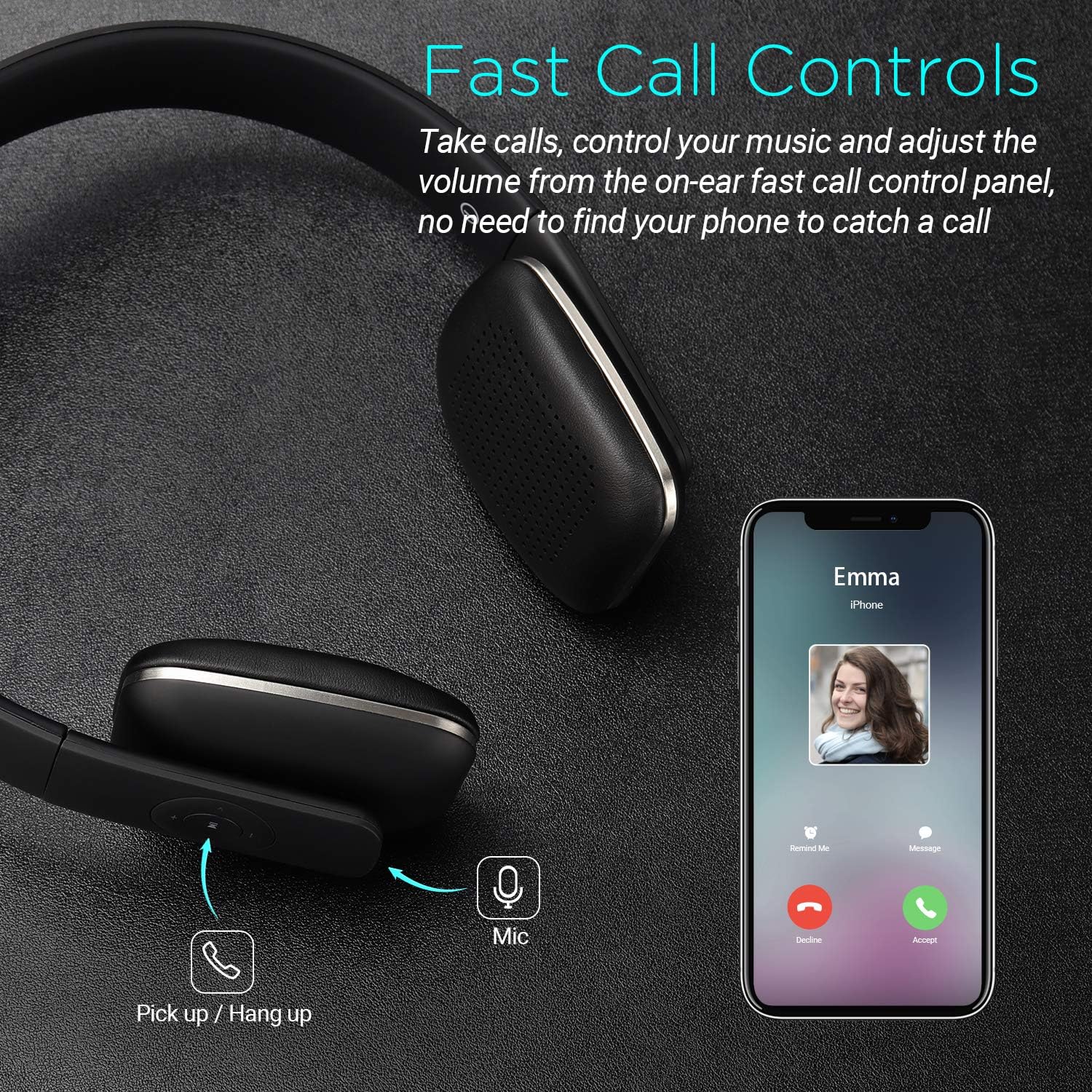
Figure 1: August EP636 Bluetooth Headphones (Black)
3. Setup
3.1. Charging the Headphones
Before first use, fully charge the headphones. A full charge takes approximately 2.5 hours.
- Connect the supplied Micro USB cable to the charging port on the headphones.
- Connect the other end of the USB cable to a powered USB port (e.g., computer, USB wall adapter).
- The LED indicator will illuminate during charging and turn off once fully charged.

Figure 2: Battery Life and Charging Time
3.2. Pairing via Bluetooth
To connect your headphones to a Bluetooth-enabled device:
- Ensure the headphones are turned off.
- Press and hold the multi-function button (usually the play/pause button) until the LED indicator flashes blue and red alternately. This indicates pairing mode.
- On your device, enable Bluetooth and search for available devices.
- Select "August EP636" from the list of found devices.
- Once paired, the LED indicator will flash blue slowly.
3.3. Pairing via NFC (Near Field Communication)
For devices with NFC capability, pairing is even simpler:
- Ensure NFC is enabled on your device and the headphones are turned on.
- Tap your NFC-enabled device against the NFC logo on the left earcup of the headphones.
- Confirm the pairing request on your device.
- The headphones will connect automatically.

Figure 3: NFC Wireless Connection
4. Operating the Headphones
4.1. Music Playback
- Play/Pause: Press the multi-function button once.
- Next Track: Press and hold the "Volume Up" button.
- Previous Track: Press and hold the "Volume Down" button.
- Volume Up: Short press the "Volume Up" button.
- Volume Down: Short press the "Volume Down" button.
4.2. Call Management
- Answer Call: Press the multi-function button once when a call comes in.
- End Call: Press the multi-function button once during a call.
- Reject Call: Press and hold the multi-function button for 2 seconds when a call comes in.
- Redial Last Number: Double-press the multi-function button when not on a call.

Figure 4: Fast Call Controls
5. Maintenance
To ensure the longevity and optimal performance of your August EP636 headphones:
- Clean the earcups and headband with a soft, dry cloth.
- Avoid using abrasive cleaners or solvents.
- Store the headphones in a cool, dry place away from direct sunlight and extreme temperatures.
- Do not expose the headphones to water or excessive moisture.
6. Troubleshooting
6.1. Cannot Pair Headphones
- Ensure the headphones are in pairing mode (LED flashing blue and red).
- Make sure Bluetooth is enabled on your device and it is within 10 meters of the headphones.
- Turn off and restart both the headphones and your device.
- If previously paired, try deleting "August EP636" from your device's Bluetooth list and re-pairing.
6.2. No Sound or Low Volume
- Check the volume levels on both the headphones and your connected device.
- Ensure the headphones are properly paired and connected.
- Try playing audio from a different application or device.
6.3. Poor Sound Quality
- Move closer to your connected device to reduce interference.
- Ensure there are no obstructions between the headphones and your device.
- Check for other active Bluetooth devices in the vicinity that might cause interference.
7. Specifications
| Feature | Detail |
|---|---|
| Model Name | EP636B |
| Connectivity Technology | Wireless (Bluetooth v4.1) |
| Bluetooth Range | 10 Meters |
| Battery Life | Up to 12 Hours |
| Charging Time | 2.5 Hours |
| Headphones Jack | Micro USB |
| Microphone | Included |
| Ear Placement | On Ear |
| Item Weight | 130 Grams (4.6 ounces) |
| Product Dimensions | 6.54 x 6.38 x 1.97 inches |
| Material | ABS+Metal+PU+Sponge+Li-ion battery |
| Included Components | Cable |
8. Official Product Videos
August EP636 Bluetooth Headphones - Wireless On-Ear Headphone Overview
This video provides a detailed overview of the August EP636 Bluetooth Headphones, highlighting their design, features, and ease of use. It demonstrates the lightweight nature and comfortable fit, as well as the simple Bluetooth connection process and sound quality.
9. Warranty and Support
August products are designed for reliability and performance. For warranty information and technical support, please refer to the official August website or contact their customer service. Keep your proof of purchase for any warranty claims.
For further assistance, please visit the August Store.


