

Important Safety Instructions
Please read and understand all instructions before using this product. Failure to follow these instructions may result in electric shock, fire, or serious injury.
- DO NOT use with extension cords. Plug directly into a grounded wall outlet.
- DO NOT exceed the electrical ratings of 120V, 15A, 1800W.
- DO NOT use in wet environments or near water.
- DO NOT open the surge protector casing. There are no user-serviceable parts inside.
- Keep children away from unused outlets by utilizing the slide-to-close safety covers.
- Ensure the surge protector is properly grounded. The "Protected" indicator light should be illuminated.
- If the "Protected" indicator light is off, the surge protection capacity has been exceeded, and the unit should be replaced.
This product is intended for indoor use only.
Setup and Installation
- Unpack the Unit: Carefully remove the GE UltraPro Surge Protector from its packaging.
- Choose a Location: Select a dry, indoor location near the electronic devices you wish to protect. The 8-foot power cord and flat plug design allow for flexible placement, even behind furniture.
- Plug into Wall Outlet: Insert the surge protector's flat plug into a standard 3-prong (grounded) 120V AC wall outlet. Ensure the plug is fully inserted.

Image: The low-profile flat plug design allows the surge protector to be plugged into a wall outlet without obstructing furniture placement.
- Verify Protection: Once plugged in, the blue "Protected" indicator light on the surge protector should illuminate, confirming that your devices are protected against surges. If the light does not illuminate, the unit may be damaged or the wall outlet may not be properly grounded.
- Position USB Charging Dock: The tethered USB charging dock has a 4.5 ft cord, allowing you to place it conveniently on a desk or tabletop for easy access to charging mobile devices.

Image: The separate USB charging dock provides two USB ports for convenient charging of mobile devices.
- Optional Wall Mounting: The surge protector features keyhole slots on the back for wall, desk, or workbench mounting. Use appropriate screws (not included) to secure the unit.
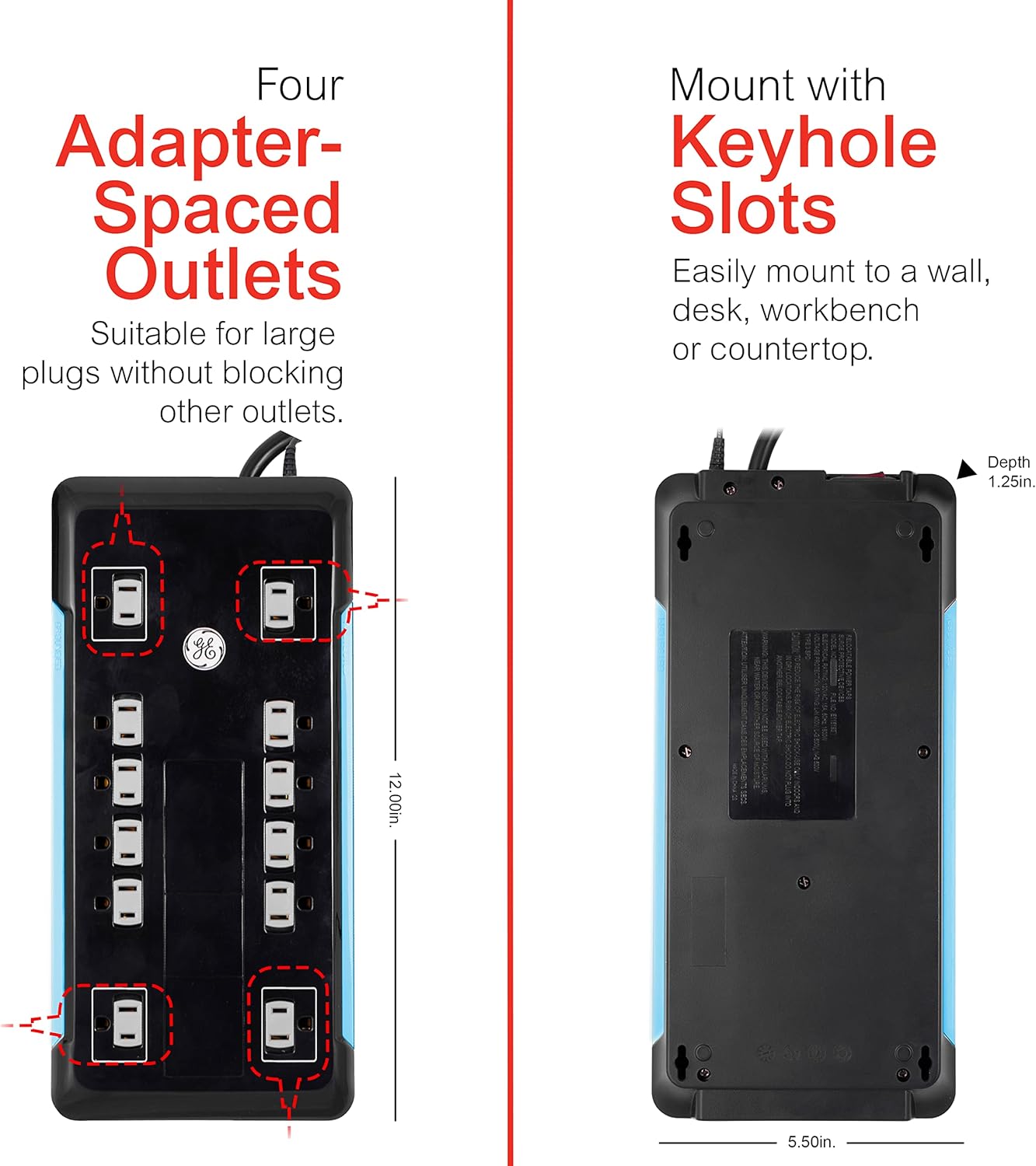
Image: The back of the surge protector features keyhole slots for easy mounting to a wall or surface.
Operating Instructions
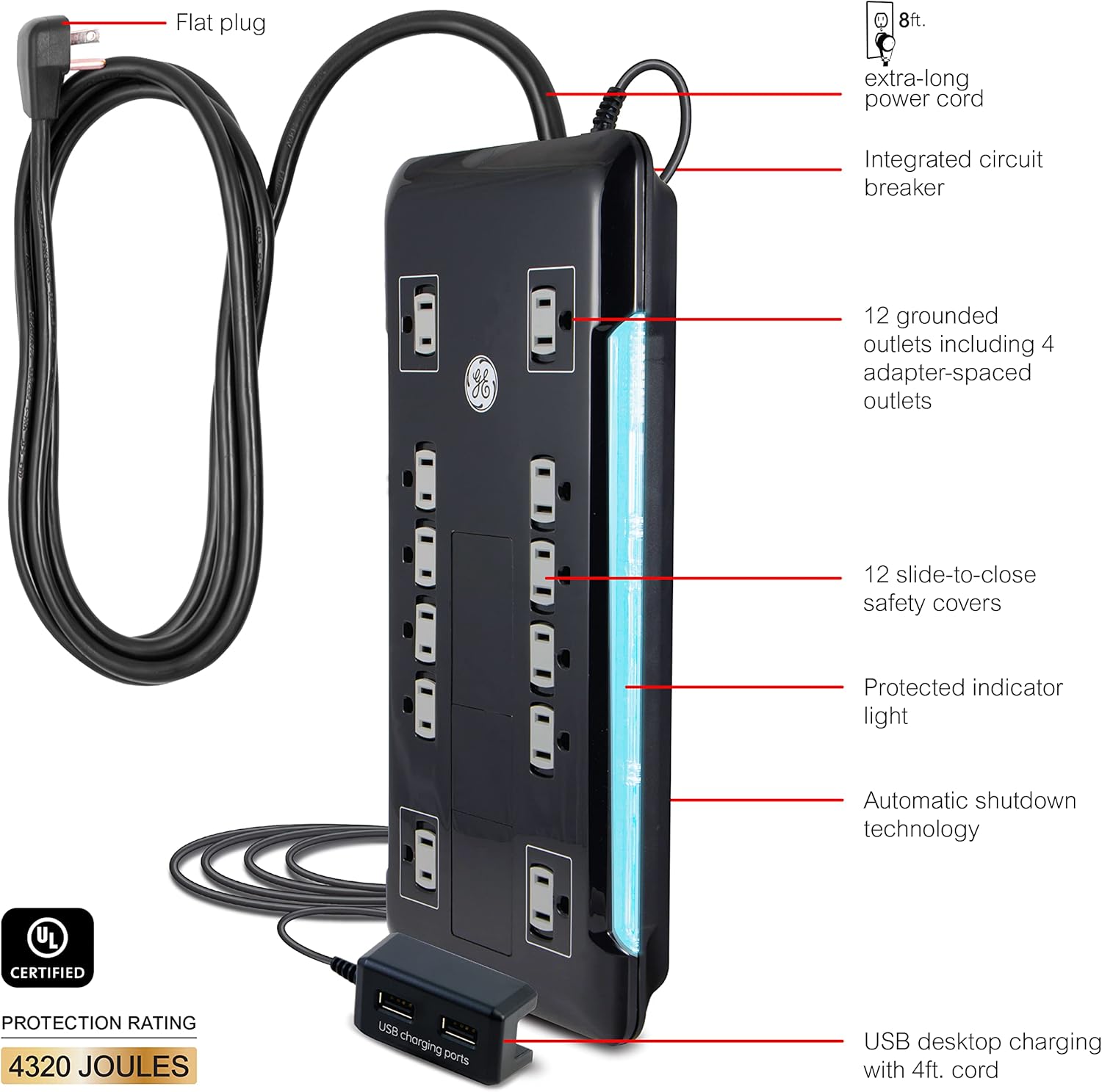
Image: Labeled diagram illustrating the various features of the GE UltraPro Surge Protector.
- Connecting Devices: Plug your electronic devices into any of the 12 AC outlets. The surge protector includes 4 adapter-spaced outlets designed to accommodate bulky power adapters without blocking adjacent outlets.
- USB Charging: Use the two USB ports on the tethered charging dock to charge smartphones, tablets, and other USB-powered devices.
- Slide-to-Close Safety Covers: Each AC outlet is equipped with a slide-to-close safety cover. When an outlet is not in use, slide the cover closed to protect against dust and accidental contact, especially important for households with children.
- On/Off Switch with Circuit Breaker: The surge protector features an integrated On/Off switch that also functions as a circuit breaker. Press the switch to turn the unit on or off. In case of an overload, the circuit breaker will trip, automatically shutting off power to connected devices to prevent damage.
- Protected Indicator Light: A blue LED light indicates that the surge protection is active and functioning correctly. If this light is off, the surge protection has been compromised, and the unit should be replaced.
- Power Filter: The built-in power filter reduces electromagnetic interference (EMI) and radio-frequency interference (RFI), contributing to cleaner sound and picture quality for connected audio/video equipment.
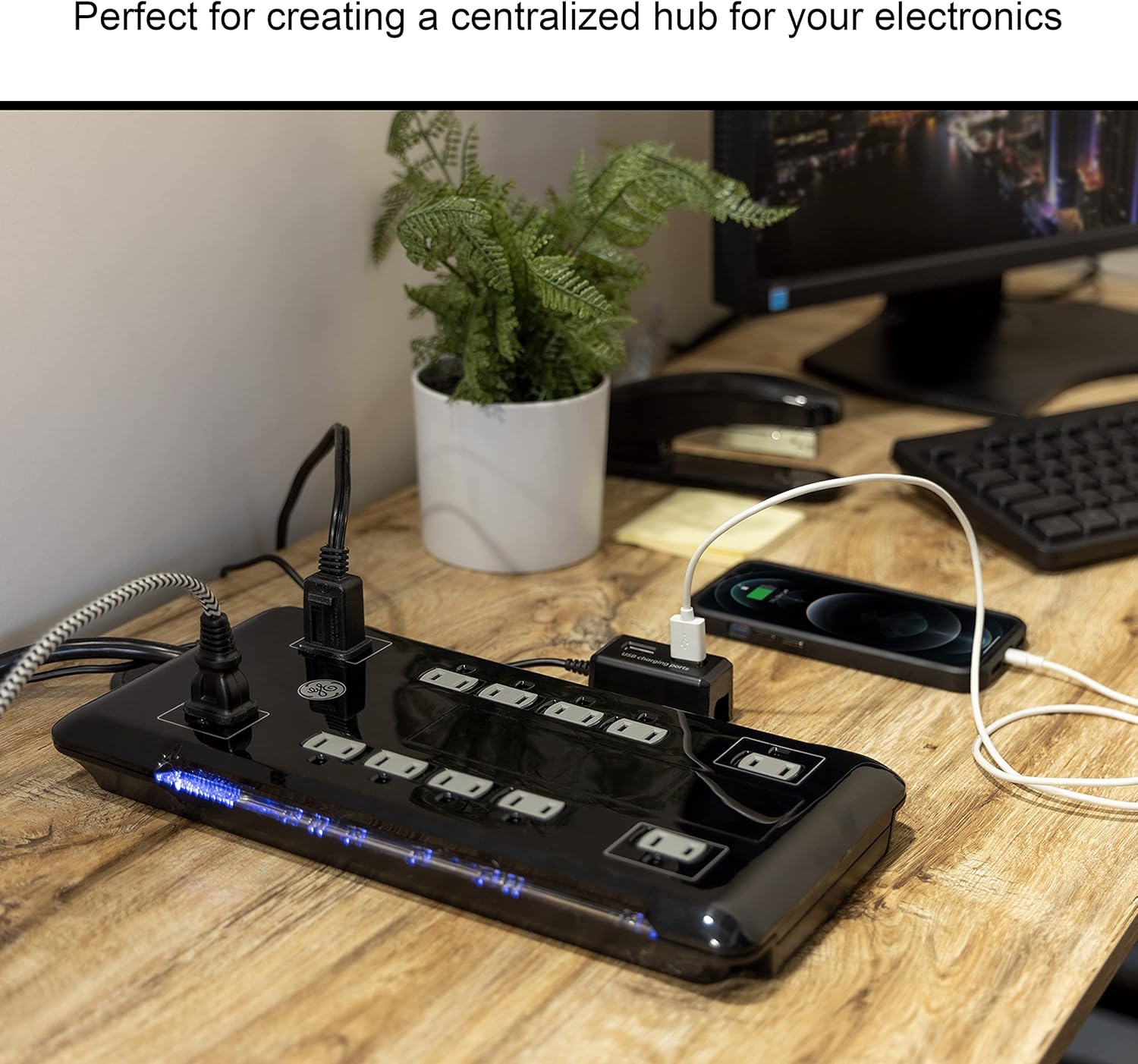
Image: The surge protector can serve as a centralized power hub for multiple electronic devices.
Care and Maintenance
- Cleaning: Disconnect the surge protector from the wall outlet before cleaning. Wipe the exterior with a soft, dry cloth. Do not use liquid cleaners or abrasive materials.
- Outlet Covers: Regularly check that the slide-to-close safety covers are functioning properly and are closed when outlets are not in use to prevent dust accumulation.
- Inspection: Periodically inspect the power cord and the surge protector for any signs of damage, such as frayed wires or cracks in the casing. If damage is found, discontinue use and replace the unit.
- Replacement: As surge protectors absorb surges, their protective components degrade over time. If the "Protected" indicator light goes out, the surge protection is no longer active, and the unit should be replaced to ensure continued protection for your electronics.
Troubleshooting
| Problem | Possible Cause | Solution |
|---|---|---|
| No power to connected devices. |
|
|
| "Protected" indicator light is off. |
|
|
| USB ports are not charging devices. |
|
|
Product Specifications
- Model Number: 11824
- Total Power Outlets: 12 AC outlets (including 4 adapter-spaced)
- USB Charging Ports: 2 (on tethered dock)
- Power Cord Length: 8 feet (2.4 meters)
- USB Dock Cord Length: 4.5 feet (1.37 meters)
- Surge Protection Rating: 4320 Joules
- Electrical Rating: 120V AC, 15A, 1800W
- Features: Flat Plug, Integrated Circuit Breaker, Power Filter, Slide-to-Close Safety Covers, Protected/Grounded Indicator Light, Automatic Shutdown Technology, Keyhole Mounting Slots
- Color: Black
- Product Dimensions: 12 x 5.5 x 0.1 inches (main unit)
- Item Weight: 2.55 pounds
- Certifications: UL Listed
Warranty and Support
This GE UltraPro Surge Protector comes with a Connected Equipment Warranty. In the event that properly connected equipment is damaged by a power surge, spike, or lightning strike while connected to this surge protector, GE offers repair or replacement coverage up to $500,000.
For warranty claims or technical support, please refer to the contact information provided on the product packaging or visit the official GE home electrical website. Keep your purchase receipt for warranty validation.
Additional protection plans may be available for purchase separately, offering extended coverage for your devices.
