
1. Introduction
Welcome to the Human Touch WholeBody 7.1 Swivel-Base Full Body Massage Chair instruction manual. This premium massage chair is engineered with an ergonomic design to provide a luxurious wellness treatment, invigorating your mind, soul, and body. Equipped with 3D FlexGlide technology, Warm Air technology, CirQlation technology, and BodyMap PRO function, it offers customizable massage experiences to relieve tension, reduce pain, and alleviate knots. This manual provides essential information for safe and effective use of your massage chair.

Figure 1: Human Touch WholeBody 7.1 Massage Chair in use.
2. Safety Information
Please read and understand all safety instructions before operating the Human Touch WholeBody 7.1 Massage Chair. Failure to do so may result in injury or damage to the product.
- Always follow the instructions provided in the use & care manual.
- Be aware of the maximum weight limit of 285 lb (129 kg).
- Keep hands and fingers away from moving parts during operation.
- Unplug the chair when not in use or when leaving the room.
- Always supervise children around the chair.
3. Setup & Assembly
The Human Touch WholeBody 7.1 Massage Chair is designed for minimal assembly. Most components come pre-assembled for your convenience. Please ensure you have adequate space for the chair (Product Dimensions: 44"D x 28"W x 40"H).
3.1 Unpacking
- Carefully remove the chair from its packaging. It is recommended to have two people for this step due to the chair's weight (114 lbs).
- Place the chair in its desired location, ensuring it is on a hard floor surface as recommended.
3.2 Headrest Attachment
The headrest cushion may need to be attached or adjusted upon unpacking.
- Locate the headrest cushion.
- Attach the headrest to the top of the chair backrest using the integrated zipper or fastening mechanism.
- Adjust the headrest to your preferred height for neck and shoulder support. For a more intense neck massage, the headrest can be flipped off the back.
3.3 Foot and Calf Massager Deployment
The foot and calf massager is designed to be retractable and may be stored in a compact position for shipping.
- Locate the retractable ottoman/foot and calf massager.
- Gently pull or flip the ottoman outwards until it locks into position, ready for use as a foot and calf massager.
- To convert it back to an ottoman for relaxation without massage, flip it back into its stored position.
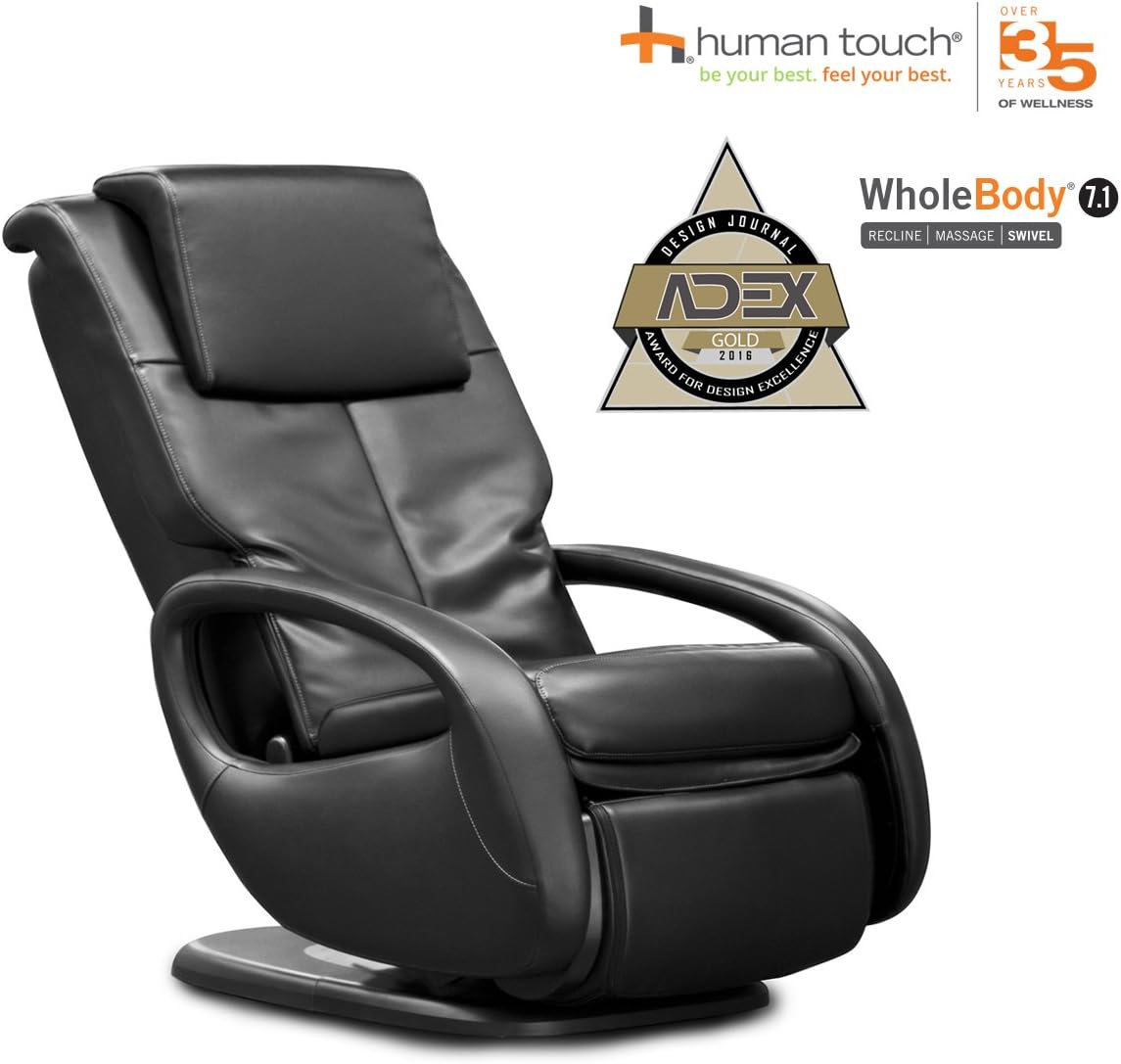
Figure 2: Foot and Calf Massager in extended position.
4. Operating Instructions
Your Human Touch WholeBody 7.1 Massage Chair is controlled via a tethered remote. Familiarize yourself with the remote's functions for a personalized massage experience.
4.1 Remote Control Overview
The remote control features a BodyMap PRO interface, allowing you to pinpoint specific areas for massage, along with controls for massage type, intensity, recline, and heat.

Figure 3: Tethered remote control with BodyMap PRO.
4.2 Powering On/Off
- To power on the chair, press the POWER button on the remote.
- To power off, press the STOP/PARK button.
4.3 Auto-Massage Programs
The chair offers five unique auto-massage programs, each lasting 15 minutes and utilizing a variety of massage techniques. Select your desired program from the remote's auto-massage section.
4.4 Customizing Your Massage (BodyMap PRO)
The exclusive BodyMap PRO function allows you to customize your massage by pinpointing specific areas of your body that need attention.
- On the remote, identify the body diagram with numbered zones.
- Press the corresponding number on the remote for the area you wish to massage (e.g., shoulders, mid-back, lower back). The rollers will move to that specific area.
- Adjust massage type (stretch, flex, tone), intensity (I, II, III), width, and range as desired.
4.5 Warm Air Heat
Activate the Warm Air lumbar heat for soothing warmth that prepares your body for a deeper massage and improves circulation.
- Press the BACK WARM AIR button on the remote to turn the heat on or off.
4.6 Recline and Leg Rest Adjustment
The dual-motor power allows for independent back and leg rest adjustment, providing infinite positions for your comfort.
- Use the BACK arrows to adjust the recline angle of the backrest.
- Use the LEGS arrows to adjust the position of the leg rest.
4.7 Swivel Function
The chair features a swivel base that turns up to 55 degrees in both directions, allowing you to easily adjust your viewing angle without moving the entire chair.

Figure 4: Swivel base for easy rotation.
5. Key Features
The Human Touch WholeBody 7.1 Massage Chair integrates several advanced technologies for a superior massage experience:
- 3D FlexGlide Technology: Provides a seamless glide that therapeutically touches every contour of your body, relieving tension without pinching or friction.
- Warm Air Technology: Delivers soothing heat to the back and lumbar area, simulating a warm oil massage to prepare muscles for deeper penetration and improve circulation.
- CirQlation Technology: Integrated into the retractable ottoman, this feature massages tired legs in an upward and wave-like motion to improve blood flow and ensure proper blood circulation.
- BodyMap PRO Function: Allows for precise customization of your massage by letting you select specific areas of your back for targeted relief.
- Dual-Motor Power: Enables independent adjustment of the backrest and leg rest for personalized comfort and recline positions.
- Swivel Base: Offers 55-degree rotation in both directions, providing flexibility in positioning the chair.
- Comfort Pillow: Provides extended neck and shoulder support, which can be adjusted or removed for a more intense neck massage.
Video 1: Overview of Human Touch Wholebody 7.1 Features. This video highlights the key functionalities and design aspects of the massage chair.
Video 2: Detailed demonstration of the WholeBody 7.1 Swivel-Base Full Body Relax and Massage Chair, including warm air heating and customization options.
6. Maintenance
Proper care and maintenance will ensure the longevity and optimal performance of your Human Touch WholeBody 7.1 Massage Chair.
- Cleaning: Wipe the chair's faux leather surfaces with a soft, damp cloth. Avoid harsh chemicals or abrasive cleaners.
- Storage: When not in use for extended periods, unplug the chair and store it in a cool, dry place.
- Inspection: Periodically check all cords and connections for any signs of damage. Do not use the chair if any damage is found.
7. Troubleshooting
If you encounter any issues with your massage chair, please refer to the following common solutions. For more complex problems, contact customer support.
- Chair not powering on: Ensure the power cord is securely plugged into both the chair and a working electrical outlet. Check the power switch on the chair, if applicable.
- Massage rollers not moving: Verify that an auto-program is selected or a specific body area is chosen via BodyMap PRO. Check the intensity settings.
- No heat: Ensure the Warm Air function is activated on the remote. Allow a few minutes for the heat to become noticeable.
8. Specifications
| Feature | Detail |
|---|---|
| Brand | Human Touch |
| Model Name | WholeBody 7.1 |
| Model Number | WB71 |
| Color | Black |
| Material | Faux Leather, Foam |
| Product Dimensions (D x W x H) | 44"D x 28"W x 40"H |
| Seat Dimensions (W x D x H) | 21"W x 18"D x 19"H |
| Item Weight | 114 Pounds |
| Maximum Weight Recommendation | 285 Pounds |
| Furniture Base Movement | Swivel |
| Reclining Position Count | 6 |
| Included Components | Use & Care manual |
| UPC | 045915825843 |
9. Warranty & Support
For warranty information, technical support, or service inquiries regarding your Human Touch WholeBody 7.1 Massage Chair, please contact Human Touch customer service directly. Refer to the included Use & Care manual for specific contact details or visit the official Human Touch website.
Human Touch is committed to providing innovative wellness solutions and excellent customer support.


