
CELLSTAR CSD-390HD
CELLSTAR CSD-390HD Drive Recorder User Manual
1. Setup
1.1 Package Contents
Verify that all items are present in the package:
- Mount Base
- Double-sided Tape
- DC Cord (4.5m)
- Cord Clips (5 pieces)
- 8GB microSD Card (with case adapter)
- Instruction Manual
- Dedicated Viewer Software (stored on the included microSD card)
- Warning Sheet
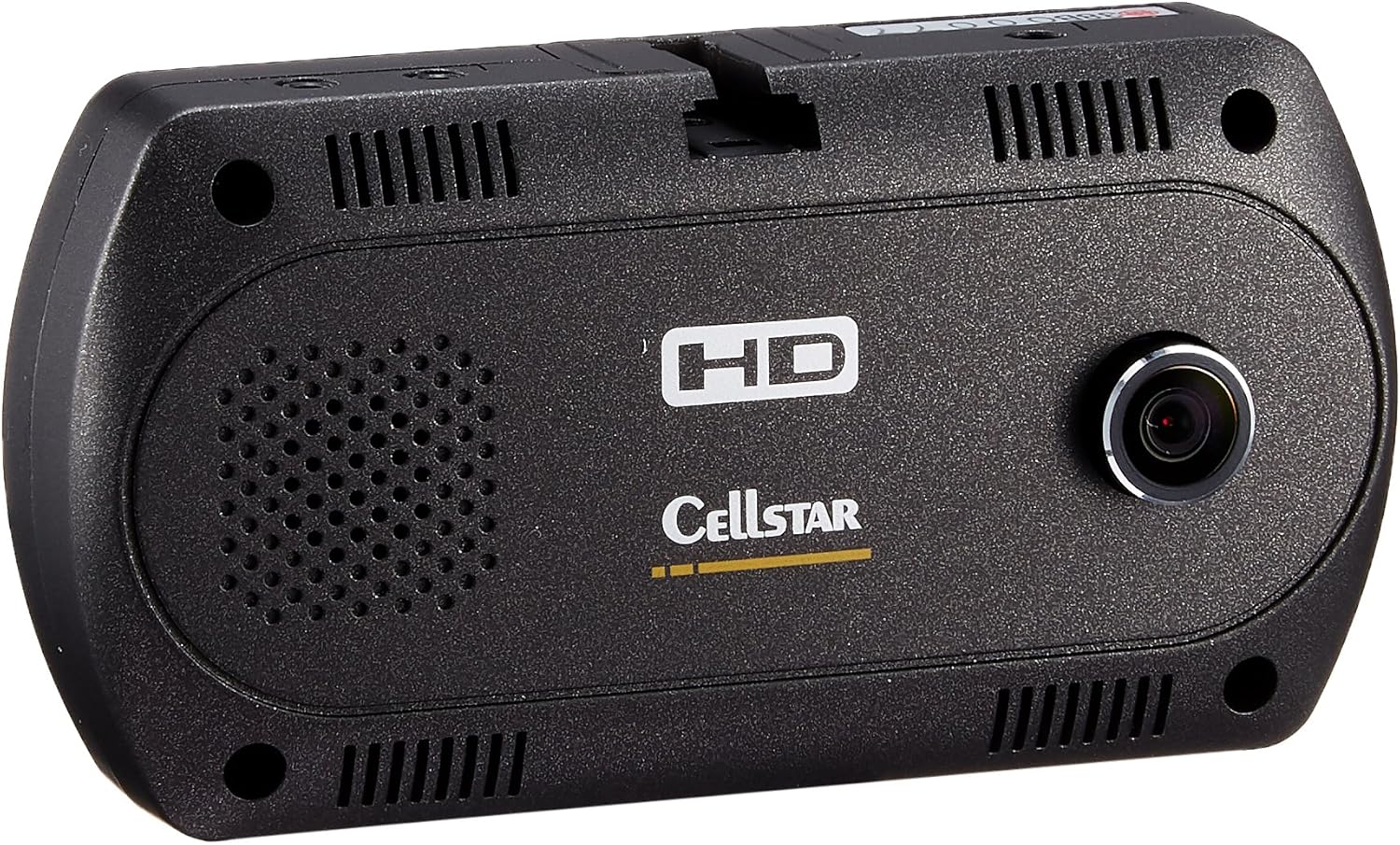
Image 1.1: The CELLSTAR CSD-390HD drive recorder and its included accessories.
1.2 Device Overview
Familiarize yourself with the device's front and rear panels.

Image 1.2: Front view of the CSD-390HD, showing the main camera lens and speaker.

Image 1.3: Rear view of the CSD-390HD, displaying the in-cabin camera, control buttons (OK, MENU, directional), and ports (DC IN 12V/24V, GPS, V-OUT).
1.3 Mounting the Device
The device can be mounted using either the adhesive tape stand or the suction cup stand, depending on your preference and vehicle type.
Video 1.1: This video demonstrates the two types of mounting stands available for the drive recorder: an adhesive tape stand and a suction cup stand. It shows how each stand is attached to the device and then to the car's windshield, providing flexibility for installation.
1.4 Power Connection
Connect the DC cord to the device and your vehicle's power outlet (DC12/24V). Ensure the cable is routed safely and secured with the provided cord clips to avoid obstructing your view or interfering with vehicle operation.
2. Operating Instructions
2.1 Automatic Recording Start
The device automatically begins recording when the engine is turned ON and stops when the engine is turned OFF. This ensures continuous recording during your drive without manual intervention.
2.2 Recording Modes
The CSD-390HD offers three recording modes:
- Continuous Recording: Records continuously in 1-minute segments, regardless of events.
- Event Recording (Automatic): If an event (e.g., impact, sudden braking) occurs during continuous recording, the device automatically saves the footage from before and after the event (e.g., 10 seconds before, 20 seconds after) as a separate event file. This footage is stored in a dedicated folder to prevent overwriting.
- Manual Recording: Allows you to manually start recording an event by pressing a button. This is useful for capturing specific incidents you witness.

Image 2.1: This image illustrates the three recording modes (continuous, event, manual) and provides a table detailing recording durations based on SD card size and video quality settings (HD/VGA, High/Standard/Low quality).
2.3 Recording Quality and Night Vision
The device records in high-definition using a high-quality glass lens, ensuring clear and detailed footage. The in-cabin camera records in VGA quality.
Equipped with night correction functionality, the device can record clearly even in dark environments, enhancing visibility during nighttime driving.
2.4 Wide-Angle Lenses
The CSD-390HD features wide-angle lenses (141° for the front camera, 138° for the in-cabin camera) to capture a broad view of the road and vehicle interior.
3. Maintenance
3.1 SD Card Error Prevention
The device includes an SD card error prevention function. It repairs corrupted files and deletes them if repair is not possible, maintaining the recording state. This helps prevent 'missed recordings'.

Image 3.1: This image explains the SD card error prevention feature, showing how error files are handled to ensure continuous recording. It also highlights the durable glass lens, which resists deformation in extreme temperatures.
3.2 Power Cable Disconnection Safety
In case of an accident, if the power cable becomes disconnected, the device will continue to operate and save recorded footage normally until it is safely stored, preventing loss of critical data.
3.3 Digital TV Interference Prevention
The CSD-390HD is designed to prevent interference with in-car digital TV and radio signals. It uses filters to suppress frequency generation, ensuring clear reception for other electronic devices in your vehicle.

Image 3.2: This image demonstrates how the CELLSTAR drive recorder is designed to prevent electromagnetic interference with in-car digital TV and radar detectors, ensuring clear signal reception.
4. Troubleshooting
4.1 Common Issues and Solutions
- Device not powering on: Ensure the DC cord is securely connected to both the device and the vehicle's power outlet. Check the vehicle's power outlet for functionality.
- Recording issues: Verify that the microSD card is correctly inserted and not full. If an SD card error occurs, the device's error prevention function will attempt to resolve it. If issues persist, try formatting the SD card (back up important data first) or using a new, compatible microSD card.
- Poor video quality: Ensure the camera lens is clean and free from obstructions. Check the recording quality settings and adjust if necessary.
- Interference with other devices: The CSD-390HD is designed to minimize interference. If you experience issues, ensure proper installation and cable routing.
5. Specifications

Image 5.1: The compact size of the CSD-390HD drive recorder, shown held in a hand, with approximate dimensions of 2.1 inches (5 cm) in height.
| Feature | Description |
|---|---|
| Screen Size | 2 inches |
| Brand Name | CELLSTAR |
| Manufacturer | CELLSTAR |
| Product Model Number | CSD-390HD |
| Included Components | Mount Base, Double-sided Tape, DC Cord (4.5m), Cord Clips (5 pcs), 8GB microSD Card (with case adapter), Instruction Manual, Dedicated Viewer Software, Warning Sheet |
| Other Features | G-sensor, Night Vision |
| Connectivity Technology | VGA |
| Display Type | LCD |
| Mounting Type | Adhesive Mount |
| Product Dimensions | 2.3 x 9.3 x 4.8 cm |
| Item Weight | 65 g |
| Video Capture Resolution | 1296p |
| Front Camera Sensor | 2 million pixel CMOS camera |
| Front Camera Frame Rate | 30fps (15fps when in-cabin camera is ON) |
| Front Camera Field of View | 141° |
| In-cabin Camera Sensor | 0.3 million pixel CMOS camera |
| In-cabin Camera Frame Rate | 7fps |
| In-cabin Camera Field of View | 138° |
| In-cabin Camera Night Vision | Infrared LED |
| Power Supply Voltage | DC12/24V |
6. Warranty and Support
6.1 Product Warranty
This product is manufactured in Japan and comes with a 3-year warranty, reflecting the manufacturer's confidence in its quality.

Image 6.1: This image emphasizes the 3-year warranty and domestic production of the CELLSTAR drive recorder, assuring quality and reliability.
6.2 Customer Support
For any inquiries or support needs, please refer to the contact information provided in your instruction manual or visit the official CELLSTAR website.
Ask a question about this manual
Ask about setup, troubleshooting, compatibility, parts, safety, or missing instructions. Manuals+ will review the question and use this page’s manual context to help answer it.