
1. Introduction
This manual provides essential information for the safe and effective use of your Bosch Rasp Disc Shredder, model 00650963. Please read these instructions carefully before installation, operation, or maintenance to ensure optimal performance and safety.
2. Important Safety Information
Always observe the following safety precautions when handling and operating the rasp disc shredder:
- Ensure the food processor is unplugged before installing or removing the disc.
- Handle the disc by its plastic hub to avoid contact with sharp edges.
- Never operate the food processor without the lid securely in place.
- Keep hands and utensils away from the moving disc during operation.
- Do not use the disc if it is damaged or bent.
- This disc is designed for shredding tasks as specified; do not use it for other purposes.
3. Product Overview
The Bosch Rasp Disc Shredder 00650963 is a high-quality accessory designed for efficient shredding with compatible Bosch food processors. It features a durable disc design for consistent results.
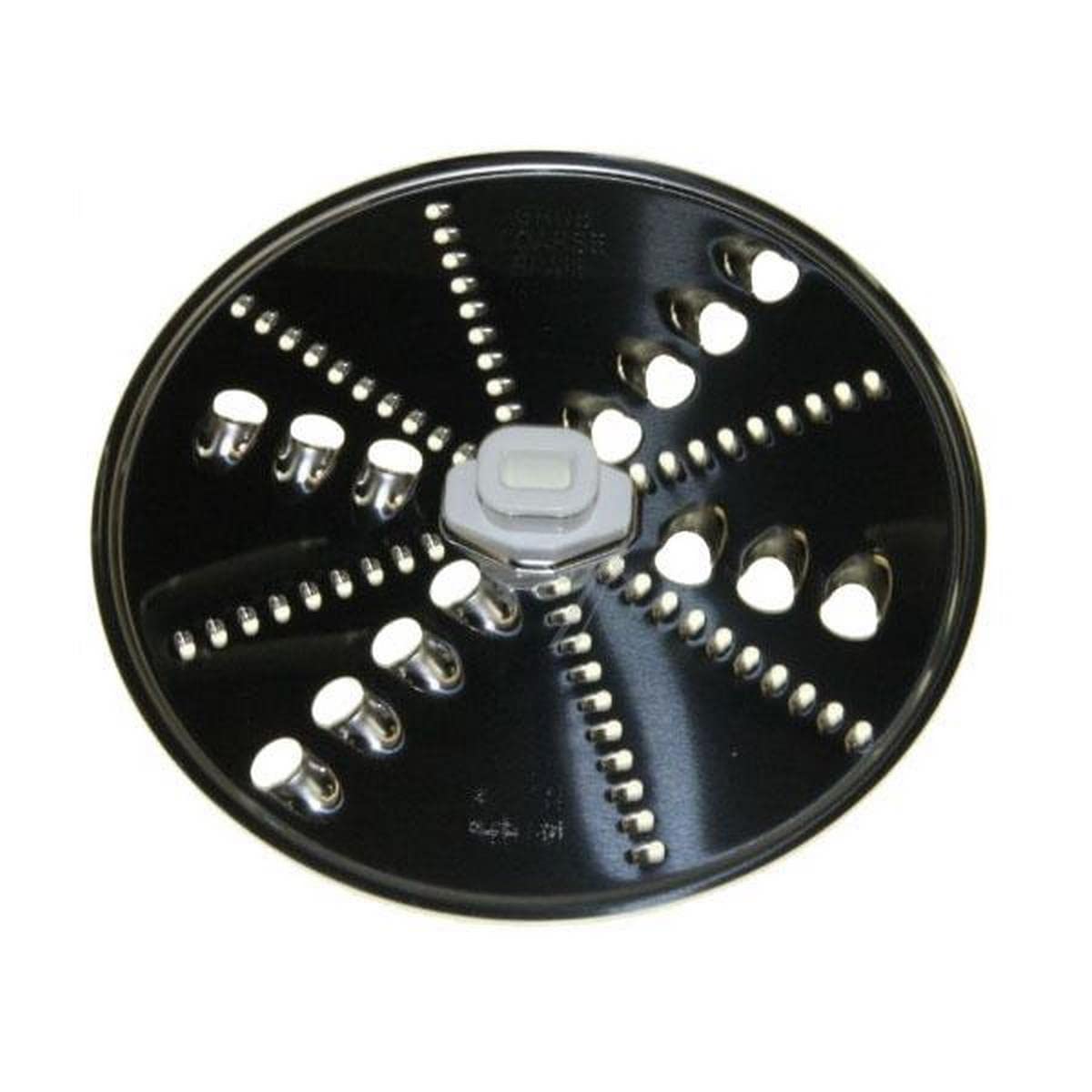
Image showing the Bosch Rasp Disc Shredder, a silver disc component.
Key Features:
- High security cutting for efficient shredding.
- Durable construction for long-lasting performance.
- Designed for specific Bosch food processor models.
4. Setup and Installation
Follow these steps to correctly install the rasp disc shredder into your Bosch food processor:
- Unplug the Appliance: Ensure your Bosch food processor is disconnected from the power supply before beginning.
- Open the Lid: Remove the lid of the food processor bowl.
- Insert the Drive Shaft: Place the drive shaft (if removable) into the center of the bowl.
- Attach the Disc: Carefully place the rasp disc shredder onto the drive shaft, ensuring it sits securely and flat. The cutting surface should face upwards.
- Secure the Lid: Replace the food processor lid, ensuring it is locked into position according to your food processor's instructions.
- Connect Power: Plug the food processor back into the power supply.
5. Operating Instructions
Once the rasp disc shredder is installed, you can begin shredding. This disc is ideal for tasks requiring fine shredding, such as hard cheeses, nuts, or breadcrumbs.
- Prepare Ingredients: Cut ingredients into pieces that fit comfortably into the food processor's feed tube.
- Start the Appliance: Turn on your food processor to the desired speed setting (refer to your food processor's manual for specific speed recommendations for shredding).
- Feed Ingredients: Gradually feed the ingredients through the feed tube using the food pusher. Do not force ingredients through.
- Monitor Progress: Observe the shredding process. Stop the appliance once all ingredients are processed or the desired consistency is achieved.
- Unplug and Remove: Turn off and unplug the food processor. Carefully remove the lid and then the rasp disc, handling it by the central hub.
6. Maintenance and Cleaning
Proper care and cleaning will extend the life of your rasp disc shredder.
- Immediate Cleaning: Clean the disc immediately after use to prevent food residue from drying on the surface.
- Hand Washing: Wash the disc by hand using warm, soapy water and a soft brush. Be extremely careful of the sharp edges.
- Dishwasher Safe: The disc may be dishwasher safe; refer to your food processor's manual or the disc's packaging for confirmation. If so, place it on the top rack.
- Drying: Thoroughly dry the disc before storing to prevent rust or corrosion.
- Storage: Store the disc in a safe place where its sharp edges cannot cause injury, preferably in its original packaging or a designated accessory storage area.
7. Troubleshooting
If you encounter issues with your rasp disc shredder, consider the following common solutions:
| Problem | Possible Cause | Solution |
|---|---|---|
| Disc not spinning | Improper installation; food processor lid not secured; appliance not powered. | Ensure disc is correctly seated on the drive shaft. Verify lid is locked. Check power connection. |
| Poor shredding results | Ingredients too large or too soft; disc dull or damaged. | Cut ingredients into smaller, uniform pieces. Ensure ingredients are firm enough for shredding. Inspect disc for damage; replace if necessary. |
| Excessive vibration or noise | Disc not properly balanced or installed; damaged disc. | Re-install the disc, ensuring it is centered. Inspect for any bends or damage; replace if found. |
8. Specifications
Technical details for the Bosch Rasp Disc Shredder 00650963:
| Specification | Detail |
|---|---|
| Model Number | 00650963 |
| Brand | Bosch |
| Cut Type | Disc (Rasp) |
| Special Features | High security cutting |
| Item Weight | 0.14 Kilograms |
| Colour | Silver |
| Recommended Use | Shredding confidential documents, sensitive papers, old financial records, credit cards and CDs to prevent identity theft or data leaks (Note: This product is a food processor accessory, the recommended use description appears to be a misclassification from the source data. It is intended for food shredding.) |
9. Warranty and Customer Support
For warranty information, service, or technical support regarding your Bosch Rasp Disc Shredder 00650963, please refer to the documentation provided with your Bosch food processor or visit the official Bosch website. Keep your purchase receipt as proof of purchase.