
1. Introduction
This manual provides detailed instructions for the safe installation, operation, and maintenance of your Monte Carlo 5DM44BP-Designer Max II 44-inch Ceiling Fan. Please read all instructions carefully before beginning installation and retain this manual for future reference.
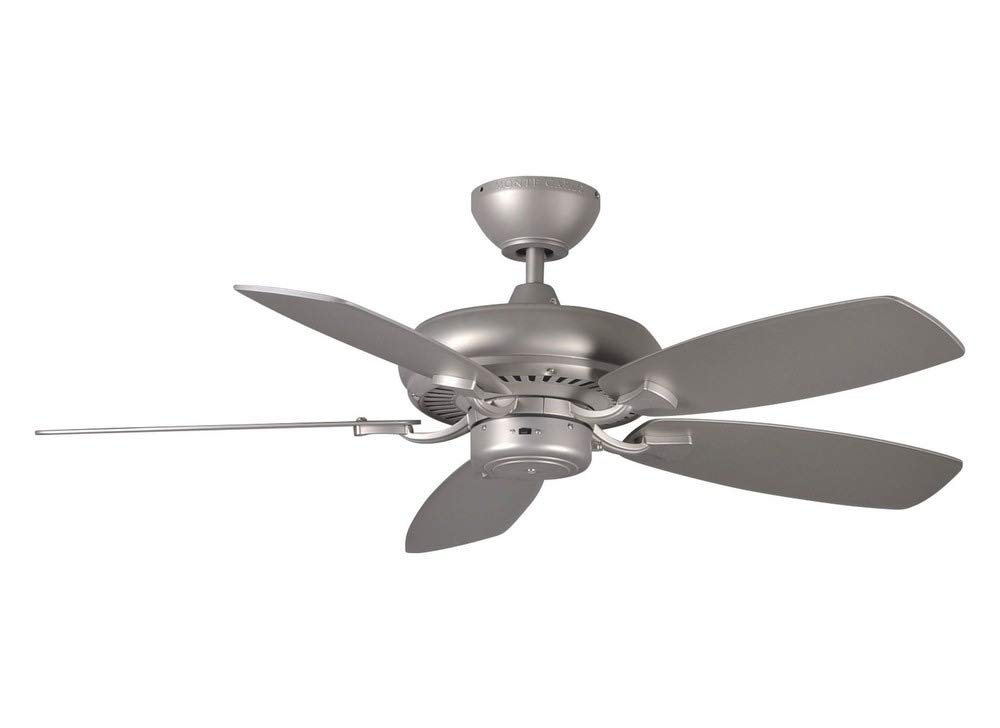
Image 1.1: The Monte Carlo 5DM44BP-Designer Max II 44-inch Ceiling Fan in Brushed Pewter.
2. Safety Information
WARNING: To reduce the risk of fire, electric shock, or personal injury, always follow these guidelines:
- Turn off power at the circuit breaker or fuse box before installation or servicing.
- All wiring must be in accordance with national and local electrical codes. Consult a qualified electrician if you are unsure.
- Ensure the installation site can support the fan's weight (approximately 17 pounds).
- Do not operate the fan with damaged blades or housing.
- Maintain a minimum clearance of 7 feet from the floor to the bottom of the fan blades.
3. Package Contents
Verify that all components are present before beginning installation:
- Fan Motor Assembly
- 5 Fan Blades
- Blade Brackets
- Downrod
- Mounting Bracket
- Canopy
- Light Kit (Included)
- Pull Chain Control
- Hardware Pack (screws, washers, wire nuts)
4. Setup and Installation
Follow these steps for proper installation of your ceiling fan:
4.1. Prepare for Installation
- Turn off Power: Locate the circuit breaker or fuse box and turn off the power to the fan location.
- Identify Mounting Location: Ensure the electrical box is securely mounted to the building structure and can support the fan's weight.
4.2. Install Mounting Bracket
- Attach the mounting bracket to the outlet box using the screws provided with the outlet box. Ensure all connections are tight.
4.3. Assemble Fan Motor and Downrod
- Feed the electrical wires from the fan motor through the downrod.
- Secure the downrod to the fan motor assembly with the provided pin and screws.
- Carefully lift the fan assembly and hang it from the mounting bracket using the downrod ball-and-socket system.
4.4. Wiring Connections
- Connect the fan's electrical wires to the household wiring according to the wiring diagram in your specific product manual. Typically, this involves connecting ground to ground, neutral to neutral, and hot to hot. Use the provided wire nuts and ensure all connections are secure.
4.5. Attach Fan Blades
- Attach each blade to a blade bracket using the screws provided.
- Secure the blade brackets to the fan motor housing. The precision-balanced motor and blades are designed for wobble-free operation.

Image 4.1: Detail of the fan motor and blade attachment points.
4.6. Install Light Kit (if applicable)
- Connect the light kit wires to the corresponding wires from the fan motor.
- Secure the light kit to the bottom of the fan motor housing.
4.7. Secure Canopy
- Slide the canopy up against the ceiling and secure it to the mounting bracket with the provided screws.
5. Operating Instructions
Your Monte Carlo 5DM44BP-Designer Max II fan features a triple capacitor, 3-speed reversible motor for quiet and efficient operation.
5.1. Fan Speed Control
- The fan speed is controlled by the pull chain. Pull the chain repeatedly to cycle through the three available speeds (High, Medium, Low) and Off.
5.2. Reversible Motor Function
- A slide switch on the fan motor housing controls the direction of blade rotation.
- Summer Mode: Set the switch to allow blades to rotate counter-clockwise, creating a downward airflow for a cooling effect.
- Winter Mode: Set the switch to allow blades to rotate clockwise, creating an upward airflow to circulate warm air trapped near the ceiling.
- Note: Ensure the fan is completely off before changing the direction of rotation.
5.3. Light Operation
- If a light kit is installed, it is typically controlled by a separate pull chain or a wall switch, depending on your wiring configuration.
6. Maintenance
Regular maintenance ensures optimal performance and longevity of your ceiling fan.
- Cleaning: Clean the fan housing and blades periodically with a soft, damp cloth. Do not use abrasive cleaners or solvents.
- Tighten Fasteners: Check all screws and fasteners on the fan and mounting hardware at least twice a year. Tighten any loose connections to prevent wobbling and noise.
- Lubrication: The fan motor is permanently lubricated and does not require additional oiling.
7. Troubleshooting
If you experience issues with your fan, refer to the following common problems and solutions:
| Problem | Possible Cause | Solution |
|---|---|---|
| Fan does not start | No power to the fan; Loose wire connections; Blown fuse or tripped circuit breaker. | Check power supply; Verify all wire connections are secure; Reset circuit breaker or replace fuse. |
| Fan wobbles | Loose blade screws; Unbalanced blades; Loose mounting bracket. | Tighten all blade screws; Ensure blades are balanced (use a balancing kit if necessary); Secure mounting bracket. |
| Noisy operation | Loose screws; Motor hum; Blades hitting an obstruction. | Check and tighten all screws; Ensure no wires are rubbing against the canopy; Verify blades are not obstructed. |
| Light kit not working | Loose wire connection; Faulty bulb; No power to light kit. | Check light kit wiring; Replace bulb; Verify power supply to light kit. |
8. Specifications
Detailed specifications for the Monte Carlo 5DM44BP-Designer Max II Ceiling Fan:
- Model Number: 5DM44BP
- Size: 44 inches
- Color: Brushed Pewter
- Number of Blades: 5
- Blade Pitch: 14 degrees
- Motor: Premium power 172 X 14 mm torque-induction motor
- Speeds: 3 (Triple capacitor)
- Control Type: Pull Chain Control (Remote control method also available)
- Power Source: AC/DC
- Voltage: 110 volts
- Wattage: 55 watts
- Product Dimensions (D x W x H): 44"D x 44"W x 12.75"H
- Item Weight: 17 pounds
- Mounting Type: Downrod Mount
- Indoor/Outdoor Usage: Indoor
- Special Feature: Quiet operation
- Included Components: Light Kit
- Material: Plastic
- Certification: UL Listed
9. Warranty Information
The Monte Carlo 5DM44BP-Designer Max II Ceiling Fan is backed by a Limited Lifetime Warranty. Please refer to the official Monte Carlo website or contact customer support for full warranty terms and conditions.
10. Support
For further assistance, technical support, or to purchase replacement parts, please visit the official Monte Carlo website or contact their customer service department.
Online Resources: Monte Carlo Store on Amazon


