
Introduction
This manual provides comprehensive instructions for the safe and effective use of your Dogtra iQ Plus Additional Receiver. Please read this manual thoroughly before operating the device to ensure proper functionality and the well-being of your dog.
Important Safety Information
WARNING:
Your Dogtra product is designed for humane dog training and education only. It is not intended for use with other animals or humans. Misuse can lead to injury.
Skin Irritation Prevention:
- Avoid leaving the receiver collar on the dog for more than 8 hours per day.
- Reposition the receiver on the dog's neck every 1 to 2 hours to prevent pressure sores.
- Check the contact area daily for any signs of skin irritation or rash. If irritation is found, discontinue use until the skin has fully healed.
- Clean the dog's neck area and the receiver's contact points weekly with a damp cloth.
What's in the Box
Your Dogtra iQ Plus Additional Receiver package includes:
- Dogtra iQ Plus Receiver Collar (Orange)
- Battery Charger with Splitter Cable
- Owner's Manual

Image: The Dogtra iQ Plus Additional Receiver packaging, showing the orange receiver collar and the product box.
Unboxing and Components Overview
Video: A detailed unboxing of the Dogtra iQ Plus E-collar, showcasing all included components and their initial setup.
Product Features
- Ultra-Compact Design: Ideal for small dogs (10 lbs and up), ensuring a comfortable and snug fit for obedience and field training.
- 100 Stimulation Levels: Provides precise control with a wide range of correction levels.
- One-Handed Operation: Features a front-facing Rheostat Dial for easy adjustment of stimulation levels without looking.
- Correction Types: Offers Nick (quick ½-second) and Constant (up to 12 seconds) stimulation, along with Pager (vibration) modes.
- Expandability: The system can be expanded to control up to two dogs with an additional receiver.
- 400-Yard Range: Effective communication range for various training environments.
- Waterproof: Designed to withstand wet conditions, ensuring durability.
- Rapid Charge Battery: Fully recharges quickly for minimal downtime.
Setup
Charging the Receiver
Before first use, fully charge the receiver collar. Connect the splitter cable to the charging port on the receiver and plug the charger into a standard electrical outlet. The indicator light will show charging status.
Turning On/Off the Receiver
To turn the receiver on or off, align the red dots on the receiver and the remote's charging port. Hold them together for a moment until the indicator light changes (green for on, red for off).
Turning On/Off Demonstration
Video: Demonstration of how to turn the Dogtra iQ Plus receiver on and off by touching the red dots on the receiver and remote.
Fitting the Collar
Proper fit of the receiver collar is crucial for effective and safe operation. The contact points must have direct contact with your dog's skin.
Steps for Proper Fit:
- Place the receiver collar high on your dog's neck, just below the ears.
- The contact points should be centered on the dog's neck, touching the skin.
- Adjust the strap snugly so that two fingers can barely fit between the strap and your dog's neck. The collar should not be too loose, as this can cause inconsistent stimulation and skin irritation.
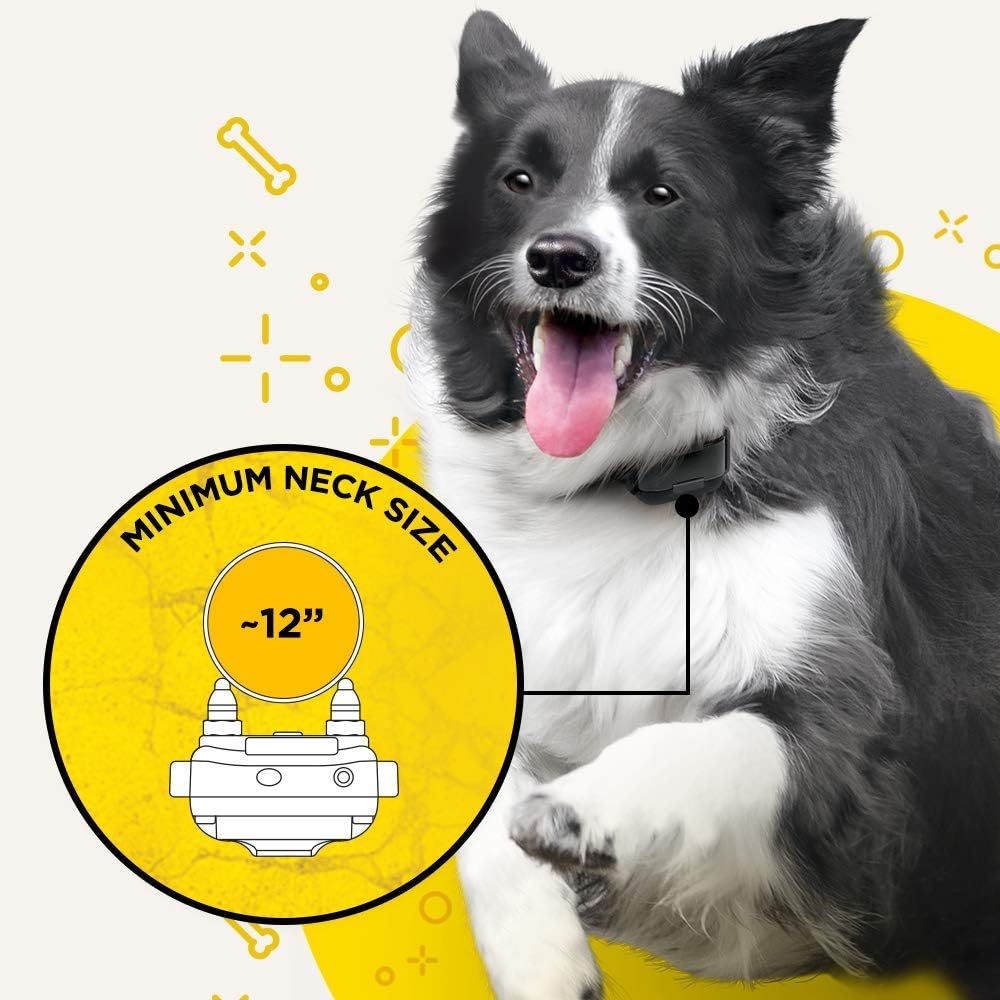
Image: A dog wearing the Dogtra iQ Plus collar, highlighting the recommended minimum neck size for optimal fit and function.

Image: The Dogtra iQ Plus collar showing its dimensions, including a minimum neck size of 12 inches and a total strap length of 28 inches, with a note that excess strap can be trimmed.
Operating the System
Remote Transmitter Functions:
- Rheostat Dial: Adjusts stimulation levels from 0 to 100. Turn the dial to select the desired intensity.
- Nick Button (N): Delivers a single, quick (½-second) stimulation pulse.
- Constant Button (C): Delivers continuous stimulation for up to 12 seconds, or as long as the button is held down.
- Pager Button (P): Activates a non-stimulating vibration.
- Dog Selector Switch: Allows switching between Dog 1 and Dog 2 if using multiple receivers.
Maintenance
Cleaning:
Regularly clean the receiver and remote with a damp cloth. Ensure contact points are free of debris.
Battery Care:
To prolong battery life, avoid overcharging and store the unit in a cool, dry place when not in use for extended periods.
Collar Strap:
Inspect the collar strap for wear and tear. Replace if damaged to ensure secure fit and proper function.
Troubleshooting
No Stimulation/Vibration:
- Ensure both the remote and receiver are turned on.
- Check battery levels of both units. Recharge if necessary.
- Verify proper collar fit; contact points must touch the dog's skin.
- Test the unit using the included test light.
Skin Irritation:
- Remove the collar immediately.
- Clean the dog's neck and contact points.
- Allow the skin to heal completely before re-applying the collar. Consider shorter wear times and more frequent repositioning.
Short Range:
- Ensure the remote's antenna is not obstructed.
- Environmental factors (hills, buildings, heavy foliage) can affect range.
Specifications
| Feature | Detail |
|---|---|
| Model | IQ PLUS ADD. RX. |
| Range | 400 Yards |
| Stimulation Levels | 100 (Nick/Constant/Pager) |
| Dog Size | As small as 10 lbs |
| Waterproof | Yes |
| Battery Type | Lithium Polymer |
| Charge Time | 2 Hours (Rapid Charge) |
| Item Weight | 1.92 ounces |
| Dimensions | 9.5 x 3 x 3 inches |
Warranty & Support
Warranty Information:
Your Dogtra iQ Plus Additional Receiver comes with a 1-year warranty from the date of purchase, covering defects in materials and workmanship. Please retain your proof of purchase.
Customer Support:
For technical assistance, troubleshooting, or warranty claims, please visit the official Dogtra website at www.dogtra.com or contact their dedicated customer service team based in the United States.


