
A-Tech MS655KMM9019

A-Tech 4GB (2x2GB) DDR2 667MHz RAM Memory Kit Instruction Manual
Model: MS655KMM9019
Introduction
This manual provides essential instructions for the installation and use of your A-Tech 4GB (2x2GB) DDR2 PC2-5300 667MHz Non-ECC DIMM RAM Memory Kit. This memory kit is designed to enhance the performance of compatible ASUS ASmobile Motherboards, including models such as P5, P5VD2-VM SE, P5V-VM DH, P5B Deluxe WiFi-AP Premium Vista Edition SE. Proper installation ensures optimal system stability and performance.
Setup: Installation Guide
Before You Begin
- Compatibility Check: Verify that your motherboard supports DDR2 DIMM memory at 667MHz (PC2-5300) and the specified capacity. Refer to your motherboard's manual for detailed specifications.
- Safety Precautions: Always disconnect your computer from the power source before opening the case. Ground yourself to prevent electrostatic discharge (ESD) by touching a metal part of the computer chassis before handling components.
- Tools: A Phillips head screwdriver may be required to open your computer case.
Installation Steps
Follow these steps carefully to install your new A-Tech RAM modules:
- Prepare Your System: Shut down your computer completely and unplug the power cord. Open the computer case.
- Locate RAM Slots: Identify the DIMM memory slots on your motherboard. These are typically long slots with clips on either end.
- Remove Existing Modules (if applicable): If you are replacing existing RAM, gently push the clips on both ends of the slot outwards to release the module. Carefully pull the module straight out.
- Install New Modules: Align the notch on the A-Tech DDR2 DIMM module with the key in the memory slot. Ensure the module is oriented correctly.
- Seat the Module: Place the module into the slot and press down firmly and evenly on both ends until the clips snap into place, securing the module. Do not force the module if it does not seat easily; recheck alignment.
- Install Second Module: Repeat the process for the second 2GB module in an adjacent or designated dual-channel slot, if applicable. Consult your motherboard manual for optimal slot configuration for dual-channel memory.
- Close Case and Power On: Once both modules are securely installed, close your computer case, reconnect the power cord, and power on your system.

Image: Two A-Tech 2GB DDR2 RAM modules, model AT48GD4.Z, shown in their protective retail packaging.
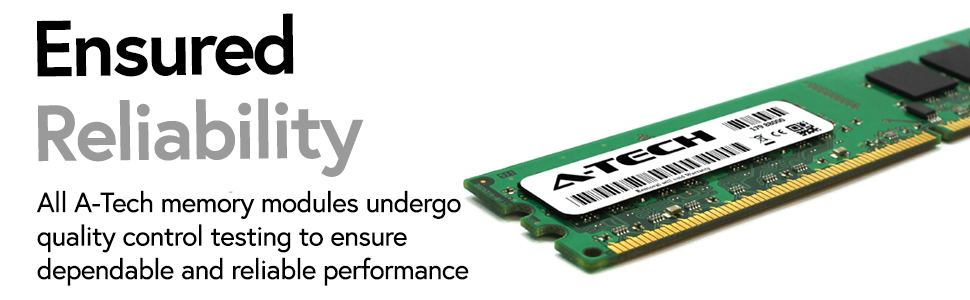
Image: A close-up view of an A-Tech DDR2 DIMM RAM module, highlighting its components and form factor for proper installation.
Operation
Once correctly installed, your A-Tech RAM modules will be automatically detected by your system's BIOS and operating system. The additional memory will immediately contribute to improved system responsiveness, faster application loading times, and enhanced multitasking capabilities, especially when running demanding software or multiple programs simultaneously.

Image: An illustration of a user efficiently multitasking with multiple monitors, demonstrating the benefit of increased memory capacity.

Image: Graphic icons illustrating the benefits of A-Tech memory: accelerated speeds up to 667MHz, ability to handle greater workloads, and design for high-quality performance.
Maintenance
A-Tech RAM modules are designed for long-term reliability and typically require no routine maintenance. To ensure continued optimal performance, it is recommended to keep your computer's interior clean and free of dust, which can impede airflow and heat dissipation. Avoid physical contact with the gold contacts on the memory modules.
Troubleshooting
If you encounter issues after installing your A-Tech RAM, consider the following:
- System Not Booting/No Display:
Ensure the RAM modules are fully seated in their slots. Gently press down on both ends of each module until the clips audibly snap into place. Try installing one module at a time to identify a potentially faulty slot or module. - Incorrect Memory Detected:
Check your system's BIOS/UEFI settings to confirm the detected memory amount. If incorrect, ensure the modules are properly seated. Some motherboards may require a BIOS update to fully support certain memory configurations, though this is less common for standard upgrades. - System Instability/Crashes:
This could indicate a compatibility issue or a faulty module. Re-verify your motherboard's memory compatibility list. If you have other RAM installed, try running the system with only the new A-Tech modules.
Product Specifications
| Feature | Specification |
|---|---|
| Brand | A-Tech |
| Model Number | MS655KMM9019 |
| Memory Type | DDR2 SDRAM |
| Capacity | 4GB Kit (2 x 2GB) |
| Speed | 667MHz (PC2-5300) |
| Error Correction | Non-ECC |
| Form Factor | DIMM |
| Item Weight | 2.4 ounces |
| Product Dimensions | 6.7 x 3.6 x 0.4 inches |
Warranty Information
A-Tech memory products are backed by a Lifetime Warranty. This warranty covers defects in materials and workmanship for the life of the product. For specific terms and conditions, please refer to the official A-Tech website or contact customer support.
Customer Support
For further assistance, technical support, or warranty claims, please visit the official A-Tech website:
Our support team is available to help with any questions regarding your A-Tech memory upgrade.
Related documentsMS655KMM9019


Ask a question about this manual
Ask about setup, troubleshooting, compatibility, parts, safety, or missing instructions. Manuals+ will review the question and use this page’s manual context to help answer it.