
Introduction
The Makita XPK01Z 18V LXT Lithium-Ion Cordless Planer is designed for efficient and accurate stock removal. This tool combines the performance of a corded planer with the convenience of cordless operation, making it suitable for various woodworking tasks. Please read this manual thoroughly before use to ensure safe and optimal performance.
Important Safety Information
Always observe basic safety precautions to reduce the risk of fire, electric shock, and personal injury. Keep this instruction manual for future reference.
- Wear appropriate personal protective equipment, including eye protection, hearing protection, and gloves.
- Ensure the workpiece is securely clamped before planing.
- Keep hands and fingers away from the rotating blades.
- Disconnect the battery pack before making any adjustments, changing accessories, or storing the tool.
- Do not operate the tool in explosive atmospheres, such as in the presence of flammable liquids, gases, or dust.
- Use only genuine Makita batteries and chargers. Using non-genuine batteries can lead to hazards.

Image Description: A warning graphic illustrating the difference between genuine Makita Lithium-Ion batteries and non-genuine "knock-off" batteries, emphasizing the risks of using non-genuine batteries, including fire, personal injury, and property damage. It shows various genuine Makita battery models with the Makita logo and non-genuine batteries without the logo.
Setup
Battery Installation and Removal
- To install the battery: Align the battery pack with the housing slot on the tool. Slide the battery into the slot until it locks into place with a click.
- To remove the battery: Press the release button on the battery pack and slide the battery out of the tool.
Blade Installation and Adjustment
The planer features a 2-blade cutter head with double-edge carbide blades. Refer to the detailed instructions in the included instruction guide for specific blade replacement procedures. Ensure blades are sharp and correctly seated for optimal performance and safety.

Image Description: A front-angle view of the Makita XPK01Z 18V LXT Cordless Planer. The teal and black body is visible, with the depth adjustment knob prominently displayed on the front. The planer base and blade guard are also visible.
Operating Instructions
Adjusting Planing Depth
The planing depth can be adjusted using the click depth adjustment knob located at the front of the tool. The scale provides settings from 0" to 5/64" for precise depth control. Rotate the knob to the desired depth setting.
Starting and Stopping the Planer
- To start: Depress the safety lock-off button (if present) and then pull the trigger switch.
- To stop: Release the trigger switch.
Planing Technique
Apply even pressure to the tool and move it smoothly across the workpiece. The planer is capable of planing up to 3-1/4" wide and 5/64" deep in a single pass. For best results, make multiple shallow passes rather than one deep pass, especially on hard materials.
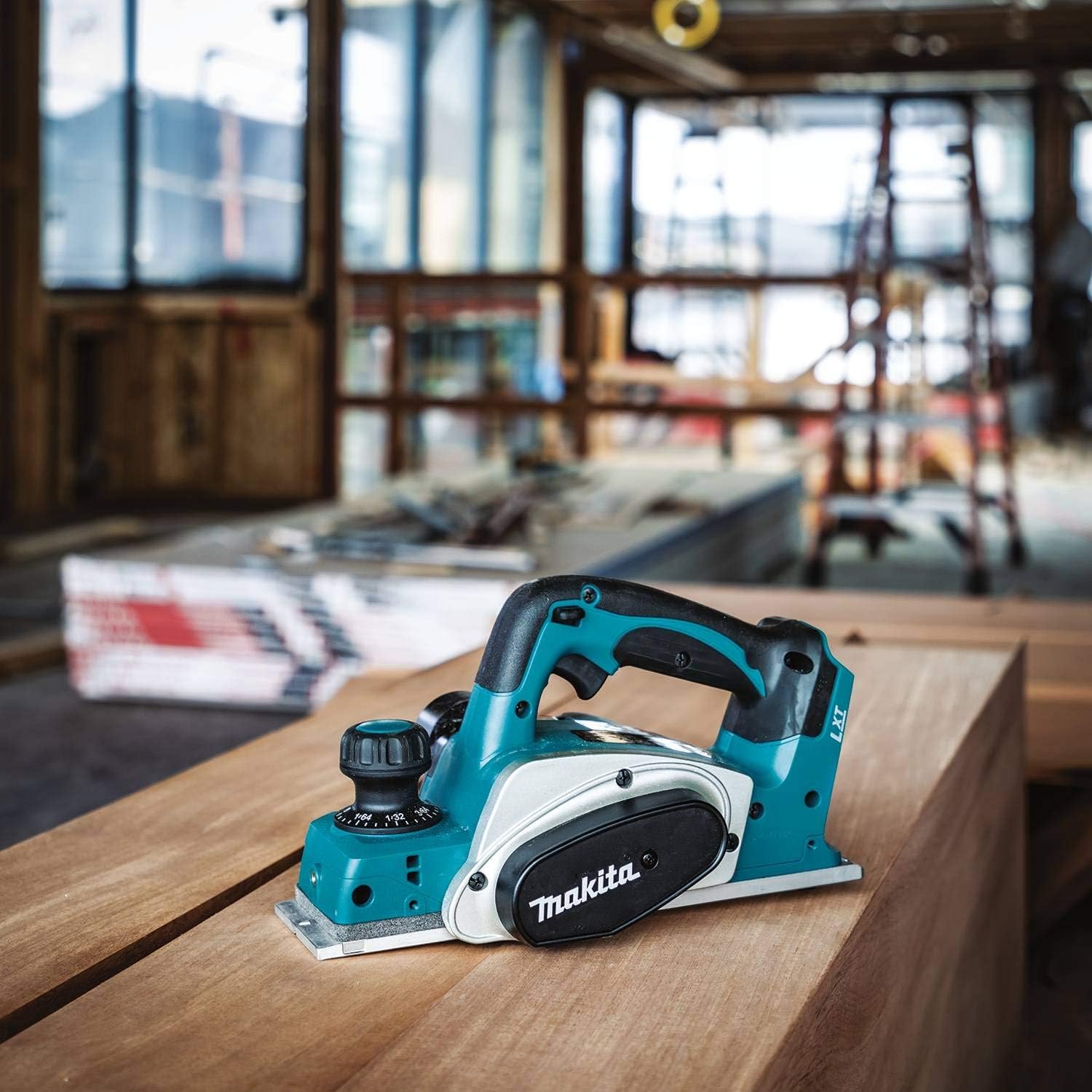
Image Description: The Makita XPK01Z Cordless Planer resting on a large wooden beam in a workshop setting, demonstrating its intended use for woodworking.

Image Description: A person using the Makita XPK01Z Cordless Planer vertically on a wooden stud, demonstrating its versatility for planing edges or vertical surfaces. Wood shavings are visible being ejected from the tool.
Maintenance
Cleaning
Regularly clean the tool, especially the chip ejection port and the area around the blades, to prevent buildup of wood dust and debris. Use a soft cloth or brush. Do not use solvents or harsh chemicals.

Image Description: A close-up view of the Makita XPK01Z planer, highlighting the chip ejection port and the blade area. This shows where debris accumulates and needs regular cleaning.
Blade Care
Inspect blades regularly for sharpness and damage. Dull or damaged blades can affect performance and safety. Replace blades as needed, following the instructions in the full product manual. Ensure the spring-loaded stand is functioning correctly to protect blades and the workpiece when the tool is not in use.
Battery Care
Store batteries in a cool, dry place away from direct sunlight and heat. Do not store batteries in a discharged state for extended periods. Charge batteries using only Makita-approved chargers.
Troubleshooting
| Problem | Possible Cause | Solution |
|---|---|---|
| Tool does not start | Battery not installed correctly; Battery discharged; Safety lock-off engaged. | Ensure battery is fully seated; Charge battery; Depress safety lock-off before pulling trigger. |
| Poor planing finish | Dull or damaged blades; Incorrect planing depth; Too fast feed rate. | Replace blades; Adjust to a shallower depth; Reduce feed rate. |
| Excessive vibration or noise | Loose blades; Damaged blades; Internal component issue. | Check and secure blades; Replace damaged blades; Contact Makita service if issue persists. |
| Rapid battery discharge | Battery nearing end of life; Heavy load application; Non-optimal battery type. | Consider replacing battery; Use appropriate battery capacity for task; Ensure genuine Makita battery is used. |
Specifications
| Feature | Detail |
|---|---|
| Model Number | XPK01Z |
| Brand | Makita |
| Power Source | 18V LXT Lithium-Ion Battery (Tool Only) |
| Planing Width | 3-1/4 inches |
| Max Planing Depth | 5/64 inches (2 mm) |
| No-Load Speed | 14,000 RPM |
| Item Weight | 7.2 pounds |
| Product Dimensions | 14 x 9 x 8 inches |
| Blade Type | Double-edge carbide blades |
| Base Material | Aluminum |
| Included Components | Unit, Instruction Guide (Battery and Charger Sold Separately) |
Warranty and Support
Warranty Information
The Makita XPK01Z Planer includes a spring-loaded stand designed to protect the blades and workpiece. For detailed warranty terms and conditions, please refer to the official Makita warranty statement provided with your product or visit the official Makita website.
Customer Support
If you have any questions regarding your Makita product, including battery performance issues or service needs, please contact a Makita Factory Service Center or an Authorized Service Center. You can also call Makita at (800)4-MAKITA.
For additional information and product registration, visit the official Makita website: www.makitatools.com


