
Mighty Bright 47017
Mighty Bright Recharge Clip-On Rechargeable Book Light (Model 47017)
Instruction Manual
Introduction
The Mighty Bright Recharge Clip-On Book Light is designed to provide portable and adjustable illumination for reading and various tasks. Featuring warm-tone High CRI LEDs, this light offers accurate color rendering and even light distribution, minimizing optical distortion. Its rechargeable battery, flexible neck, and dimmable settings make it suitable for diverse lighting needs.
Product Overview
Familiarize yourself with the components of your Mighty Bright Recharge Book Light:
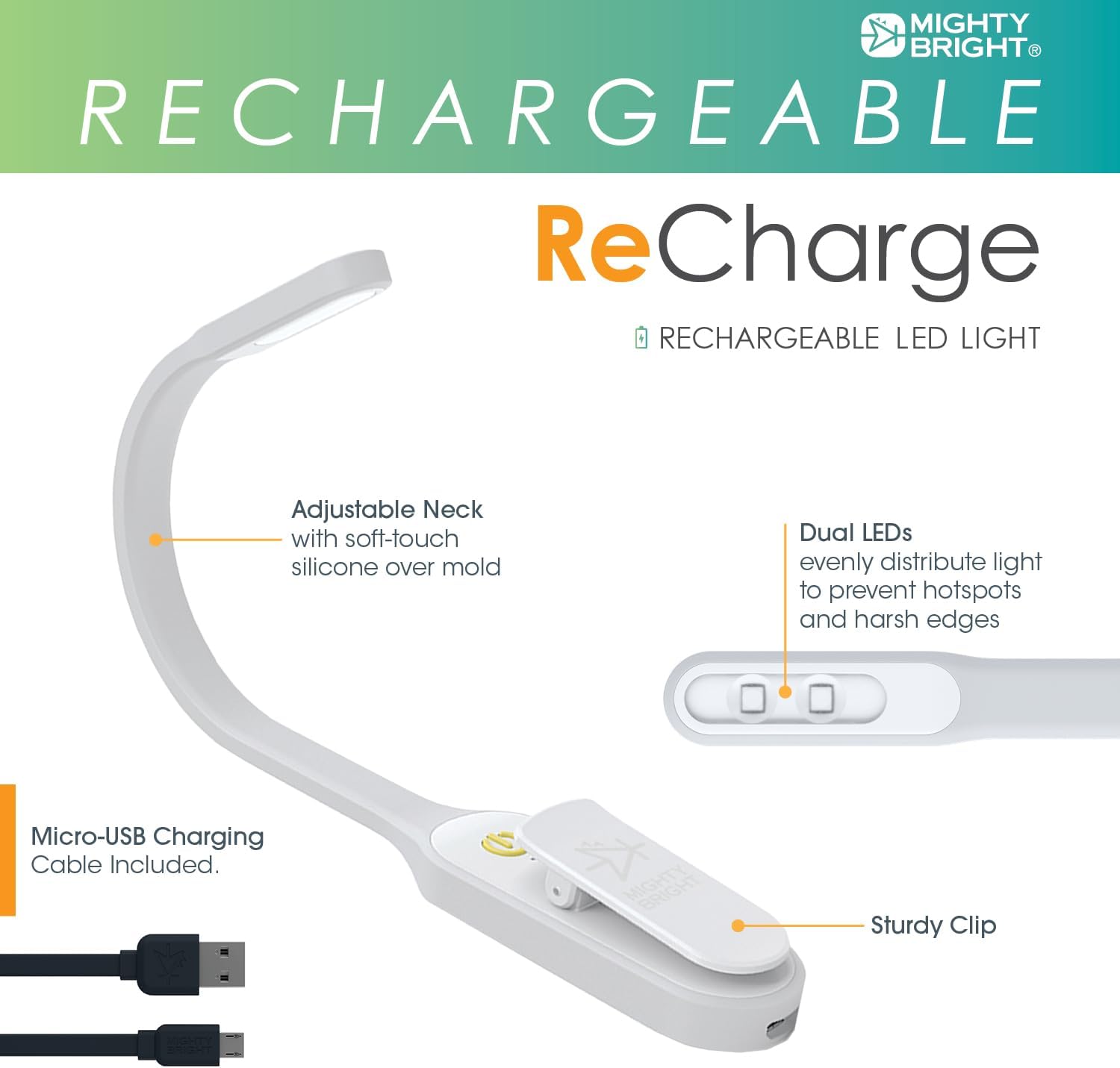
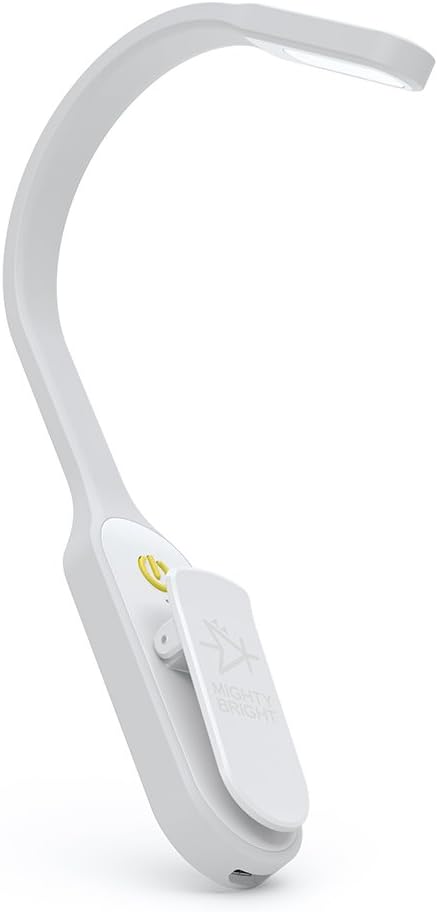
- Adjustable Neck: A soft-touch silicone gooseneck allows for flexible positioning of the light.
- Dual LEDs: Two bright white LEDs provide consistent and evenly distributed light.
- Sturdy Clip: A strong-grip clip securely attaches the light to books, tables, or other surfaces.
- Power/Dimming Switch: A touch-sensitive button controls power and brightness levels.
- Low Battery & Charging Indicator Light: Provides visual feedback on battery status.
- Micro USB Charging Port: For recharging the internal battery.
Setup
Charging the Battery
The Mighty Bright Recharge Book Light features an internal Lithium Ion battery. Before first use, or when the low battery indicator light illuminates, charge the device:
- Locate the Micro USB charging port on the base of the light.
- Connect the included Micro USB charging cable to the port.
- Plug the other end of the cable into a compatible USB power source (e.g., computer USB port, USB wall adapter).
- The charging indicator light will show the charging status. A full charge typically takes approximately one hour.

Once fully charged, the light offers up to 60 hours of continuous illumination at its lowest setting and 10 hours at its highest setting.
Operating Instructions
Power On/Off and Dimming
The light is operated using a single touch-sensitive power/dimming switch:
- To Turn On: Press the power/dimming switch once. The light will turn on at its lowest brightness setting.
- To Adjust Brightness: While the light is on, press and hold the power/dimming switch. The brightness will continuously dim or brighten. Release the button when your desired brightness level (between 2 and 10 lumens) is reached.
- To Turn Off: Press the power/dimming switch once more after cycling through the brightness levels, or press and hold until the light turns off.
Positioning the Light
The flexible silicone neck and sturdy clip allow for versatile positioning:
- Attach the clip to the back cover of a book, a table edge, or other suitable surfaces.
- Adjust the flexible neck to direct the light precisely onto your reading material or work area. The neck can be angled to avoid disturbing others nearby.

Care and Maintenance
- Cleaning: Wipe the light with a soft, dry cloth. Avoid using abrasive cleaners or solvents.
- Storage: Store the light in a cool, dry place when not in use. Avoid extreme temperatures.
- Battery Care: For optimal battery life, avoid fully discharging the battery frequently. Recharge when the indicator light suggests low power.
Troubleshooting
| Issue | Possible Cause | Solution |
|---|---|---|
| Light does not turn on. | Battery is discharged. | Charge the battery using the provided Micro USB cable. |
| Light does not dim or brighten. | Incorrect operation of the touch switch. | Ensure you are pressing and holding the power/dimming switch to adjust brightness. A single press turns the light on/off. |
| Light flickers or is dim. | Low battery. | Recharge the battery. |
Specifications
| Feature | Detail |
|---|---|
| Model Number | 47017 |
| Light Source | 2 High CRI LEDs |
| Brightness | 2-10 Lumens (adjustable) |
| Battery Type | Internal Lithium Ion |
| Charging Time | Approx. 1 hour for full charge |
| Battery Life | Up to 60 hours (lowest setting), 10 hours (highest setting) |
| Charging Port | Micro USB |
| Material | Metal, Silicone, Vinyl |
| Dimensions | 1.57"D x 1.97"W x 7.87"H |
| Weight | 1.3 Ounces |
| Color | White |
| Water Resistance | Not Water Resistant |
Warranty Information
The Mighty Bright Recharge Clip-On Rechargeable Book Light (Model 47017) comes with a 1-year limited warranty from the date of purchase. This warranty covers manufacturing defects under normal use. For warranty claims or support, please refer to the manufacturer's official website or contact their customer service.
Additional Product Images

Related documents47017


Ask a question about this manual
Ask about setup, troubleshooting, compatibility, parts, safety, or missing instructions. Manuals+ will review the question and use this page’s manual context to help answer it.