
Introduction
This manual provides essential information for the proper installation, operation, and maintenance of your Universal Security Instruments MIC3510SB 3-in-1 Smoke, Fire, and Carbon Monoxide Smart Alarm. Please read this manual thoroughly before installation and retain it for future reference. This device is designed to provide early warning of smoke, fire, and carbon monoxide hazards.

Image: Front view of the Universal Security Instruments MIC3510SB 3-in-1 Smart Alarm, showing the test button, power/smoke/CO indicators, and "10 Year Permanent Power" label.
Key Features
- 3-in-1 Protection: Detects fast flaming fires, slow smoldering fires, and carbon monoxide.
- 10-Year Permanent Power: Equipped with sealed alkaline batteries designed to last for 10 years, eliminating the need for battery replacement and reducing low battery chirps.
- Universal Smoke Sensing Technology: Combines photoelectric and ionization sensing for comprehensive fire detection.
- Microprocessor Intelligence: Designed to minimize nuisance alarms.
- Quick Find Alarm Origination: Helps to easily locate the first alarm that sounded in a multi-alarm setup.
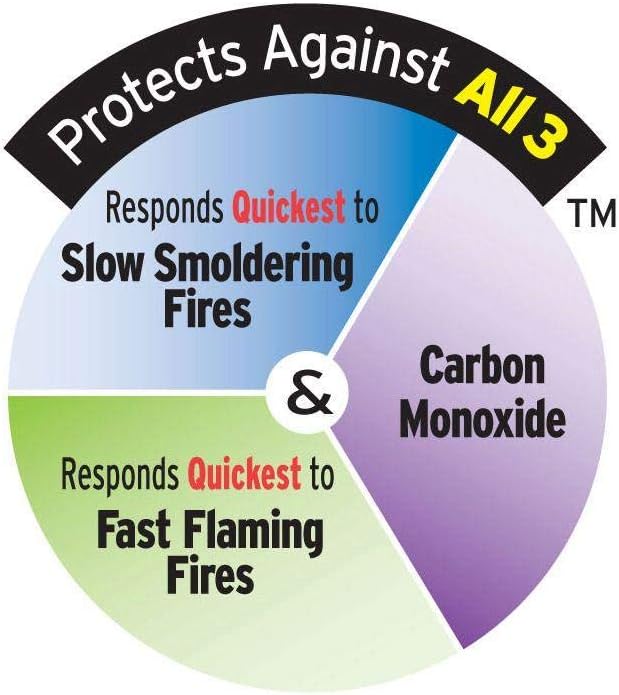
Image: A circular diagram illustrating the alarm's ability to protect against slow smoldering fires, fast flaming fires, and carbon monoxide.

Image: A yellow square logo with "10 YEAR PERMANENT POWER" text, emphasizing the long-lasting battery.
Safety Information
Important: This alarm is designed to detect smoke, fire, and carbon monoxide. It is not designed to detect natural gas, propane, or other combustible fuels. It is not a substitute for property, disability, life, or other insurance of any kind. This alarm may not protect all occupants at all times.
Carbon Monoxide Hazards
Carbon monoxide (CO) is an invisible, odorless, and tasteless gas that can be fatal. Sources of CO include malfunctioning fuel-burning appliances, vehicle exhaust, and blocked chimneys. Symptoms of CO poisoning can include headache, dizziness, nausea, and fatigue.

Image: An illustration of a house highlighting various potential sources of carbon monoxide, such as automobiles, clothes dryers, portable heaters, chimneys, ranges/vents, fireplaces, grills, generators, furnaces, and water heaters.
Installation
Recommended Locations
- Install an alarm inside every bedroom.
- Install an alarm outside every sleeping area.
- Install an alarm on all levels of the dwelling, including the basement.
- For best protection, alarms should be centrally located on the ceiling.

Image: A black house-shaped logo with the text "IDEAL FOR EVERY ROOM IN YOUR HOME" in white and orange, indicating suitable placement throughout a residence.
Locations to Avoid
- Near combustion sources (furnaces, water heaters, space heaters).
- In excessively dusty, dirty, or greasy areas.
- In areas with high humidity (bathrooms, laundry rooms).
- Within 20 feet of a cooking appliance.
- In direct sunlight or near air vents.
Mounting Instructions
- Remove the mounting bracket from the back of the alarm by twisting it counter-clockwise.
- Position the mounting bracket on the ceiling or wall at your chosen location. Mark the two mounting holes.
- Drill pilot holes if necessary and insert the provided wall anchors.
- Secure the mounting bracket using the provided screws.
- Align the alarm with the mounting bracket and twist clockwise until it locks into place.
- Test the alarm immediately after installation.
Operating the Alarm
Power-Up
The alarm is powered by a sealed 10-year battery. Once mounted, the unit will automatically activate. The green LED indicator will flash approximately once every 60 seconds to confirm normal operation.
Testing the Alarm
Test the alarm weekly to ensure proper operation. Press and hold the "TEST/SILENCE" button on the front of the alarm for a few seconds. The alarm will sound a series of beeps, indicating that the smoke and CO sensors are functioning correctly. Release the button to stop the test.
Alarm Signals
- Smoke/Fire Alarm: Three long beeps followed by a pause, repeating. The red LED will flash rapidly.
- Carbon Monoxide Alarm: Four quick beeps followed by a pause, repeating. The red LED will flash rapidly.
- Low Battery Warning: A single chirp approximately every 60 seconds. This indicates the end of the 10-year battery life and the unit should be replaced.
- Malfunction/Trouble Signal: A single chirp approximately every 30 seconds. Refer to the Troubleshooting section.
Silencing the Alarm
In case of a nuisance alarm (e.g., from cooking smoke), press the "TEST/SILENCE" button. This will temporarily silence the alarm for approximately 10 minutes for smoke alarms and 4 minutes for CO alarms. The alarm will reset after the silence period if the hazard persists.
Maintenance
- Weekly: Test the alarm using the test button.
- Monthly: Vacuum the alarm cover gently with a soft brush attachment to remove dust and debris. Do not use cleaning solvents or sprays.
- Annually: Inspect the alarm for any visible damage.
- Every 10 Years: Replace the entire alarm unit. The sealed battery is designed for 10 years of operation, after which the unit must be replaced.

Image: A green circular logo with "ECO FRIENDLY" text and a leaf icon, indicating the product's environmental considerations.
Troubleshooting
| Problem | Possible Cause | Solution |
|---|---|---|
| Alarm chirps once every 60 seconds. | End of life warning (10-year battery expired). | Replace the entire alarm unit immediately. |
| Alarm chirps once every 30 seconds. | Malfunction or fault in the unit. | Clean the alarm. If chirping persists, replace the unit. |
| Nuisance alarms (false alarms). | Dust, high humidity, cooking fumes, steam. | Press the silence button. Clean the alarm. Relocate if consistently triggered by non-hazardous sources. |
| Alarm does not sound during test. | Unit not activated, or internal fault. | Ensure unit is properly mounted. If still no sound, replace the unit. |
Specifications
- Model: MIC3510SB
- Power Source: Sealed 10-Year Alkaline Battery (included)
- Sensor Type: Universal Smoke Sensing Technology (Ionization and Photoelectric), Electrochemical Carbon Monoxide Sensor
- Alarm Loudness: 85 dB at 10 feet
- Operating Temperature: 40°F (4.4°C) to 100°F (37.8°C)
- Operating Humidity: 10% to 95% Relative Humidity (RH) non-condensing
- Dimensions: 5.75" Diameter x 1.75" Depth
- Weight: Approximately 9.6 ounces
- Certifications: UL Listed
Warranty and Support
This Universal Security Instruments MIC3510SB alarm comes with a 10-Year Limited Warranty from the date of purchase. This warranty covers defects in materials and workmanship under normal use and service. For warranty claims or technical support, please contact Universal Security Instruments customer service.
Manufacturer: Universal Security Instruments
Website: www.universalsecurityinstruments.com


