
Emerson MWG9115SB
Emerson MWG9115SB Microwave Oven User Manual
Model: MWG9115SB
Introduction
This manual provides essential information for the safe and efficient operation of your Emerson MWG9115SB Microwave Oven. Please read all instructions carefully before use and retain this manual for future reference.
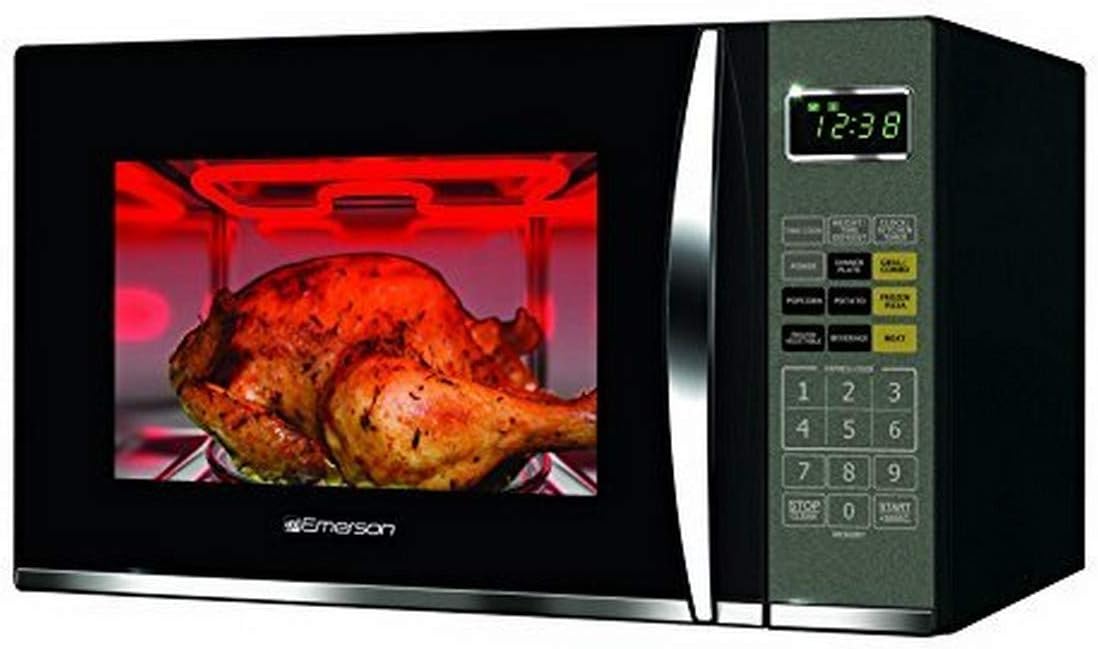
Image: The Emerson MWG9115SB Microwave Oven, showcasing its grilling capability with a roasted chicken inside.
Important Safety Information
WARNING: To reduce the risk of fire, electric shock, injury to persons, or exposure to excessive microwave energy, read all instructions before using the appliance.
- Always ensure proper ventilation around the microwave.
- Do not operate the oven if it is damaged.
- Do not attempt to service or repair the oven yourself.
- This appliance is designed for residential use only.
- Keep out of reach of children. The child-safe lock feature should be utilized.
Setup and Installation
The Emerson MWG9115SB is a countertop microwave oven. Follow these steps for proper setup:
- Unpacking: Carefully remove all packaging materials and accessories. Inspect the oven for any damage, such as dents or a broken door. Do not install if damaged.
- Placement: Place the microwave on a flat, stable surface that can support its weight (approximately 36 pounds). Ensure there is adequate space for ventilation: at least 4 inches (10 cm) of clearance on the top, sides, and rear.
- Power Connection: Plug the microwave into a grounded 110V AC outlet. Do not use extension cords.
- Turntable Installation: Place the turntable ring inside the oven cavity, then position the glass turntable securely on top of the ring.

Image: The microwave oven positioned on a kitchen countertop with its door open, revealing the interior and removable glass turntable.
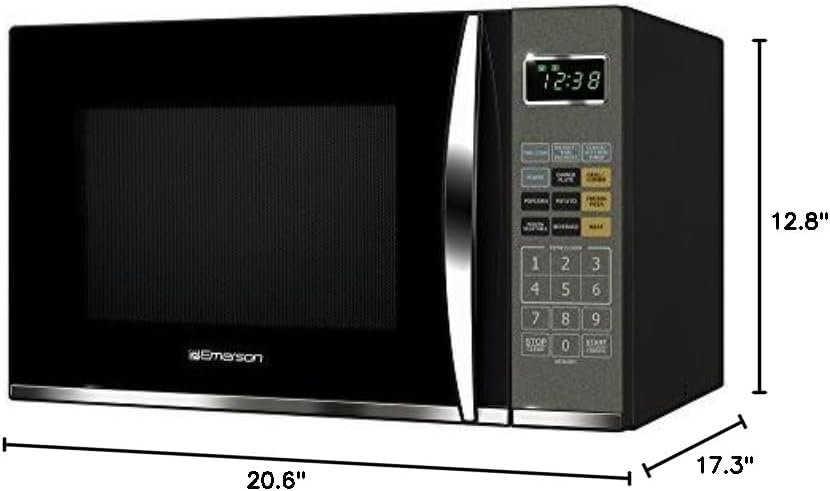
Image: Dimensional view of the microwave oven, indicating its width (20.6"), depth (17.3"), and height (12.8").
Operating Instructions
Your Emerson MWG9115SB Microwave Oven offers various cooking functions, including microwave, grill, and combination cooking.
Control Panel Overview

Image: Detailed view of the microwave's control panel, highlighting the digital display and various function buttons.
- LED Display: Shows time of day, cooking time, and program indicators.
- Number Pad (0-9): Used to enter cooking times, weights, and select pre-programmed recipes.
- Time Cook: For manual microwave cooking.
- Weight/Time Defrost: For defrosting food by weight or time.
- Power: Adjusts microwave power levels (11 levels available).
- Dinner Plate, Popcorn, Potato, Frozen Vegetable, Beverage, Meat: Pre-programmed recipe buttons.
- Grill/Combo: Selects grill or combination cooking modes.
- Clock/Kitchen Timer: Sets the clock or functions as a standalone kitchen timer.
- Stop/Clear: Stops cooking or clears settings.
- Start/+30Sec: Starts cooking or adds 30 seconds to cooking time.
Microwave Cooking
- Place food in a microwave-safe container on the glass turntable.
- Close the door.
- Press TIME COOK.
- Enter desired cooking time using the number pad (e.g., 1-0-0 for 1 minute).
- Press POWER to adjust power level (default is 100%). Use number pad to select level (e.g., 5 for 50% power).
- Press START/+30Sec to begin cooking.
Grill Function
The grill function is ideal for browning and crisping food. Use the included metal grill rack for best results.
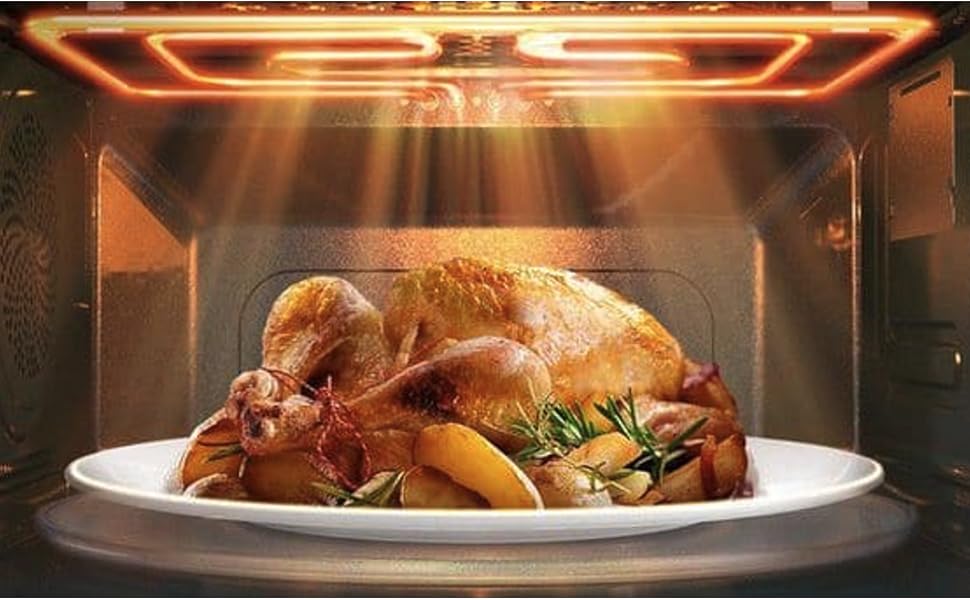
Image: Visual examples of dishes prepared using the grill function, including a wire rack accessory.
- Place food on the grill rack, then place the rack on the glass turntable.
- Close the door.
- Press GRILL/COMBO once for pure grill mode.
- Enter desired grilling time using the number pad.
- Press START/+30Sec to begin grilling.
Pre-Programmed Recipes
The microwave features 9 pre-programmed recipes for common foods:
- Popcorn
- Potato
- Frozen Pizza
- Frozen Vegetable
- Beverage
- Dinner Plate
- Meat/Chicken
- Meat/Beef
- Meat/Pork
- Place food in the oven.
- Press the corresponding pre-programmed recipe button (e.g., POPCORN).
- Press START/+30Sec. The oven will automatically set the appropriate cooking time and power level.
Defrosting
You can defrost food by weight or by time.
- Weight Defrost: Press WEIGHT/TIME DEFROST once, enter the food's weight, then press START/+30Sec.
- Time Defrost: Press WEIGHT/TIME DEFROST twice, enter the defrosting time, then press START/+30Sec.
Child Safety Lock
To activate the child safety lock, press and hold the STOP/CLEAR button for 3 seconds. The display will show "LOCK". To deactivate, press and hold STOP/CLEAR again for 3 seconds.
Product Overview Video
Video: An official product overview of the Emerson 1.2 Cu. Ft. 1100W Griller Microwave Oven, demonstrating its features and capabilities, including the powerful grill, pre-programmed recipes, and removable glass turntable for easy cleaning.
Care and Maintenance
Regular cleaning and proper maintenance will ensure the longevity and optimal performance of your microwave oven.
- Cleaning the Interior: After each use, wipe the interior with a damp cloth and mild detergent. For stubborn stains, a microwave-safe cleaner can be used. Ensure the oven is unplugged before cleaning.
- Cleaning the Exterior: Wipe the exterior with a soft, damp cloth. Do not use abrasive cleaners or harsh chemicals.
- Turntable and Grill Rack: The glass turntable and metal grill rack are removable for easy cleaning. They can be washed with warm, soapy water or in a dishwasher. Ensure they are completely dry before placing them back in the oven.
- Odor Removal: To remove odors, combine a cup of water with a few slices of lemon or a tablespoon of vinegar in a microwave-safe bowl. Microwave on high for 2-3 minutes, then let it sit for 5 minutes before wiping the interior.
Troubleshooting Guide
Before contacting customer service, please refer to the following common issues and solutions:
| Problem | Possible Cause | Solution |
|---|---|---|
| Oven does not start. | Power cord not securely plugged in; Door not closed properly; Fuse blown or circuit breaker tripped; Child safety lock is active. | Ensure plug is firmly in outlet; Close door securely; Check household fuse/circuit breaker; Deactivate child safety lock by holding STOP/CLEAR for 3 seconds. |
| Food is not cooking or heating properly. | Incorrect cooking time/power level set; Food not suitable for microwave cooking; Turntable not rotating. | Adjust time/power; Use microwave-safe cookware; Ensure turntable is correctly placed and not obstructed. |
| Sparking or arcing inside the oven. | Metal objects in the oven; Food residue buildup; Damaged oven interior. | Remove all metal objects; Clean oven interior thoroughly; If damage persists, discontinue use and contact service. |
| Oven light not working. | Light bulb burned out. | Contact qualified service personnel for bulb replacement. Do not attempt to replace yourself. |
Product Specifications
| Feature | Detail |
|---|---|
| Model Number | MWG9115SB |
| Capacity | 1.2 Cubic Feet |
| Microwave Power Output | 1100 Watts |
| Power Levels | 11 Microwave Power Levels, 1 Pure Grill Power Level |
| Voltage | 110 Volts |
| Product Dimensions (W x D x H) | 20.6 x 17.3 x 12.8 inches |
| Item Weight | 36 pounds |
| Color | Stainless Steel / Black |
| Installation Type | Countertop |
| Special Features | Child Safety Lock, Defrost, Shortcut Keys, Digital Timer, Removable Glass Turntable, Grill Function |
| Included Components | Microwave Oven, Glass Turntable, Grill Rack |
Warranty and Support
For warranty information, technical support, or service inquiries, please refer to the official Emerson website or contact their customer service department. Keep your purchase receipt as proof of purchase for warranty claims.
Manufacturer: Emerson Radio
Website: www.emersonradio.com
User Manual (PDF): For a downloadable PDF version of this manual, please visit: Emerson MWG9115SB User Manual PDF
Related documentsMWG9115SB


Ask a question about this manual
Ask about setup, troubleshooting, compatibility, parts, safety, or missing instructions. Manuals+ will review the question and use this page’s manual context to help answer it.