
Introduction
This instruction manual provides essential information for the safe and efficient operation, maintenance, and troubleshooting of your DOMO DO9200IB Ice Maker. Please read this manual thoroughly before using the appliance and retain it for future reference.
Safety Instructions
To prevent injury or damage, always observe basic safety precautions when using electrical appliances. This includes, but is not limited to:
- Ensure the appliance is connected to a properly grounded power outlet.
- Do not immerse the appliance, cord, or plug in water or other liquids.
- Keep the appliance away from heat sources and direct sunlight.
- Supervise children when the appliance is in use.
- Unplug the appliance before cleaning or when not in use.
- Do not operate the appliance with a damaged cord or plug.
- Only use potable water in the water reservoir.
Product Overview
The DOMO DO9200IB is a compact ice maker designed for home use, capable of producing ice cubes quickly. Familiarize yourself with its main components:

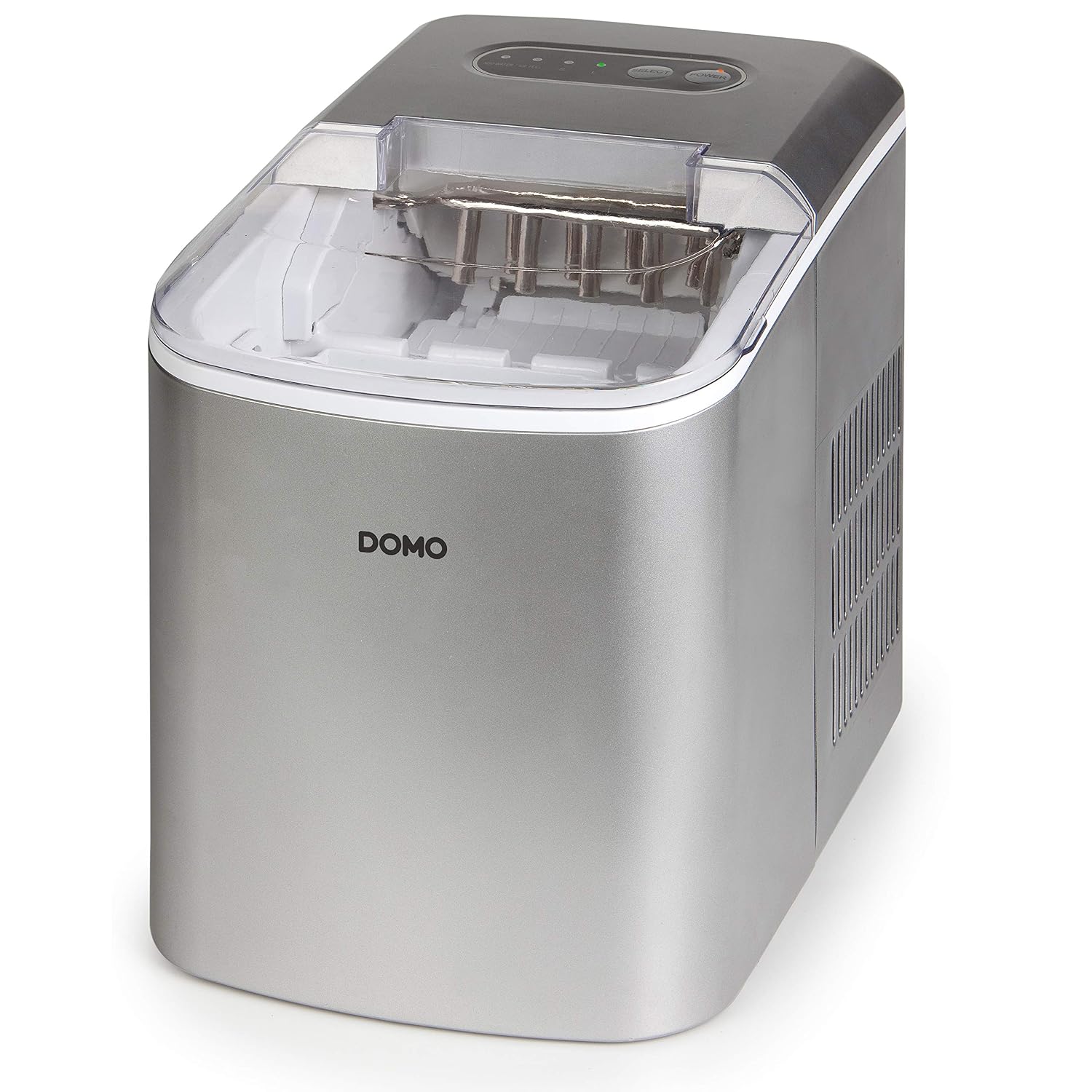

Setup
- Unpacking: Carefully remove the ice maker from its packaging. Retain packaging materials for future transport or storage.
- Placement: Place the ice maker on a stable, level surface, away from direct sunlight and heat sources. Ensure there is adequate ventilation around the unit.
- Initial Cleaning: Before first use, clean the water reservoir, ice basket, and interior surfaces with a mild detergent and warm water. Rinse thoroughly and dry.
- Power Connection: Plug the appliance into a grounded electrical outlet.
Operating Instructions
- Fill Water Reservoir: Open the transparent lid and fill the water reservoir with potable water up to the MAX fill line. Do not overfill.
- Select Ice Size: Press the "SELECT" button to choose between small (S) or large (L) ice cubes. The corresponding indicator light will illuminate.
- Start Ice Production: Press the "POWER" button to start the ice making cycle. The power indicator light will turn on.
- Monitor Indicators:
- The "ADD WATER" indicator will light up when the water reservoir is empty. Refill with water and press POWER to resume.
- The "ICE FULL" indicator will light up when the ice basket is full. The machine will pause until ice is removed.
- Remove Ice: Once ice cubes are formed and dropped into the basket, you can remove them using the provided scoop (if included) or by lifting out the ice basket.


Maintenance
Cleaning
- Daily Cleaning: After each use, empty any remaining water from the reservoir and wipe the interior with a soft cloth.
- Weekly Cleaning: Clean the ice basket and water reservoir with a solution of mild detergent and warm water. Rinse thoroughly to remove all soap residue.
- Exterior Cleaning: Wipe the exterior of the appliance with a soft, damp cloth. Do not use abrasive cleaners or solvents.
Storage
If the ice maker will not be used for an extended period, ensure it is thoroughly cleaned and dried. Store it in a cool, dry place, preferably in its original packaging.
Troubleshooting
| Problem | Possible Cause | Solution |
|---|---|---|
| "ADD WATER" indicator is on. | Water reservoir is empty. | Fill the water reservoir with potable water. Press POWER to resume. |
| "ICE FULL" indicator is on. | Ice basket is full. | Remove ice from the basket. The machine will automatically resume. |
| No ice production. | No water, power issue, or machine malfunction. | Check water level. Ensure power cord is securely plugged in. If problem persists, contact support. |
| Ice cubes are too small or misshapen. | Water temperature too high, or ambient temperature too high. | Use colder water. Ensure the machine is in a cool environment. Select "L" for larger ice cubes. |
Specifications
- Model Number: DO9200IB
- Dimensions (L x W x H): 44 cm x 31 cm x 37 cm
- Water Reservoir Capacity: 2.2 Liters
- Ice Production Capacity: 12 kg per 24 hours
- Power: 120 Watts
- Voltage: 240V
- Refrigerant: R600a
- ASIN: B00NMWG0NE
Warranty and Support
Warranty Information
The DOMO DO9200IB Ice Maker comes with a 2-year availability for spare parts. Please retain your proof of purchase for warranty claims. The warranty covers manufacturing defects under normal use conditions.
Customer Support
For technical assistance, troubleshooting beyond this manual, or warranty inquiries, please contact your retailer or the official Domo customer service. Refer to the product packaging or Domo's official website for contact details.


