
Bose CineMate 520
Bose CineMate 520 Home Theater Sound System Instruction Manual
Introduction
This manual provides detailed instructions for setting up, operating, and maintaining your Bose CineMate 520 Home Theater Sound System. This system delivers true 5.1 surround sound through five slim-profile Direct/Reflecting Series II speakers and a wireless Acousticmass module, enhancing your home entertainment experience.

Image: The Bose CineMate 520 Home Theater System installed in a living room, showing the television, control console, and two front speakers.
What's in the Box
Verify that all components are present before beginning installation:
- Control console
- 5 Direct/Reflecting Series II speakers
- Acousticmass module
- Speaker cables
- HDMI cable
- 2 Power cords
- Universal IR remote with 2 AA batteries
- ADAPTiQ headset
Setup Instructions
Follow these steps to set up your CineMate 520 system for optimal performance.
1. Speaker Placement
Position the five Direct/Reflecting Series II speakers around your viewing area. The slim profile allows for flexible placement, including wall mounting. Ensure clear paths for sound projection.

Image: Five Direct/Reflecting Series II speakers, designed for surround sound. These speakers have a slim profile for discreet placement.

Image: A close-up view of a single Direct/Reflecting Series II speaker, highlighting its compact design and grille.
2. Acousticmass Module Placement
Place the wireless Acousticmass module in a location where it can deliver impactful bass. Its wireless design allows it to be hidden out of sight, such as behind furniture, without compromising performance.
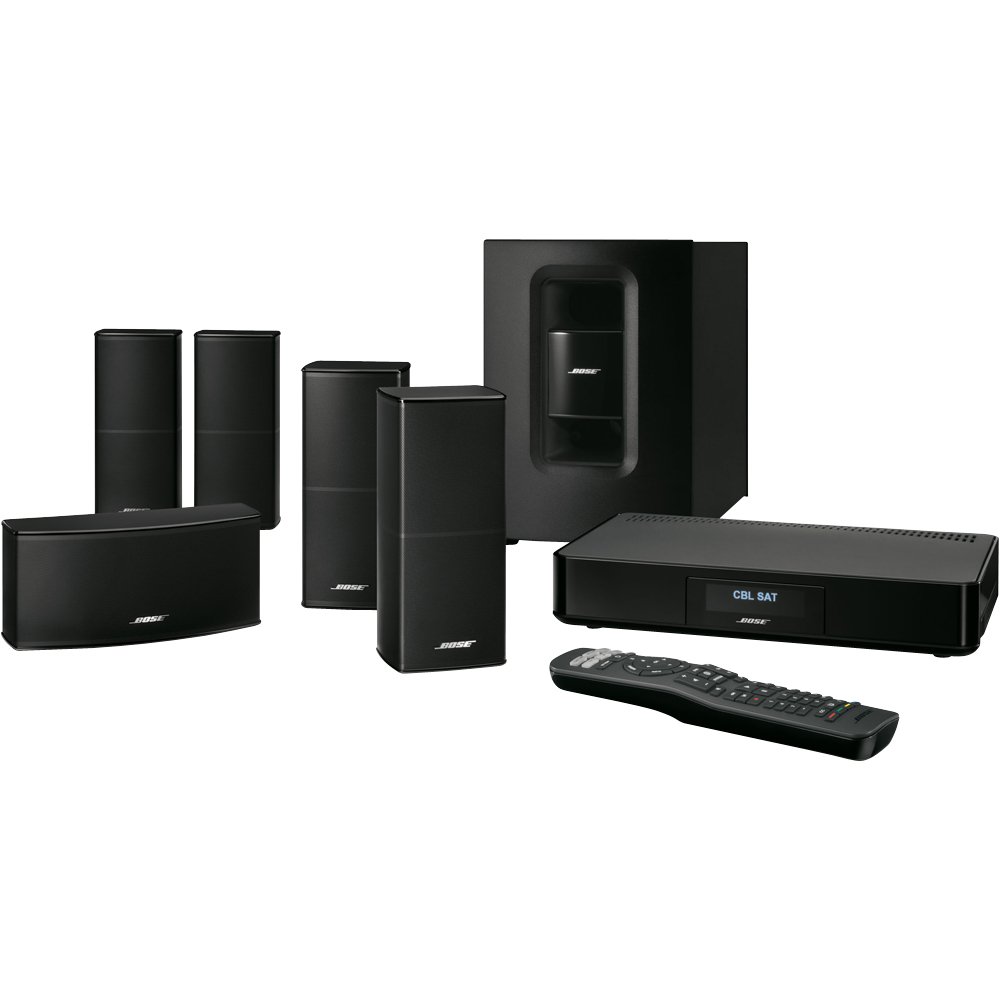
Image: The Bose Acousticmass module, a compact black subwoofer, positioned on a wooden floor next to a piece of dark furniture.
3. Control Console Connections
Connect your external devices (e.g., Blu-ray player, cable box, gaming console) to the control console using the four HDMI inputs. Connect the control console to your TV via a single HDMI cable. Ensure all power cords are securely connected.

Image: Front view of the Bose CineMate 520 control console, showing its sleek black design and a digital display.

Image: Rear view of the Bose CineMate 520 control console, displaying multiple HDMI, optical, coaxial, and analog audio input ports for connecting various devices.
4. ADAPTiQ Audio Calibration
Use the included ADAPTiQ headset to calibrate the system to your room's specific acoustics. This process optimizes sound performance based on your room's size, shape, and furnishings.
5. Optional SoundTouch Adapter
For wireless music streaming, connect the optional SoundTouch adapter (sold separately) to your system. This enables streaming from popular music services and internet radio stations over your home's Wi-Fi network.
Operating Instructions
Learn how to use your CineMate 520 system for daily entertainment.
Universal Remote Control
The universal IR remote simplifies control of your CineMate 520 system and most connected components. Use it to power on/off, adjust volume, and switch between input sources (e.g., TV, CBL-SAT, BD-DVD, Game, AUX).

Image: The Bose universal IR remote control, featuring various buttons for system control and source selection.
Source Selection
Press the corresponding source button on the remote (e.g., "CBL-SAT" for cable/satellite, "BD-DVD" for Blu-ray/DVD player) to switch between connected devices. The control console's display will indicate the active source.
Music Streaming (with SoundTouch adapter)
If you have the SoundTouch adapter, use the SoundTouch app on your smartphone or tablet to browse and play music from integrated services like Deezer, Pandora, iHeartRadio, and Spotify, or from your personal music library.
Maintenance
Proper care ensures the longevity and performance of your system.
- Cleaning: Use a soft, dry cloth to clean the surfaces of the speakers, control console, and Acousticmass module. Avoid using liquid cleaners or solvents.
- Ventilation: Ensure the control console and Acousticmass module have adequate ventilation to prevent overheating. Do not block ventilation openings.
- Cable Management: Periodically check all cable connections to ensure they are secure and free from damage.
Troubleshooting
If you encounter issues, refer to the following common solutions.
- No Power: Ensure all power cords are securely plugged into the system components and a working electrical outlet.
- No Sound:
- Verify the correct input source is selected on the control console.
- Check all speaker cable connections.
- Ensure the TV volume is not muted or set too low.
- Confirm the Acousticmass module is powered on and wirelessly connected.
- Poor Sound Quality:
- Rerun the ADAPTiQ audio calibration.
- Check for obstructions around speakers.
- Remote Control Not Working:
- Replace the AA batteries in the remote.
- Ensure there are no obstructions between the remote and the control console.
Specifications
| Brand | Bose |
| Model Name | CineMate 520 (Model Number: 625904-1300) |
| Connectivity Technology | Wireless (Acousticmass module), Wired (Speakers, HDMI) |
| Audio Output Mode | Surround (5.1 Channels) |
| Mounting Type | Wall Mount (Speakers) |
| Speaker Type | Direct/Reflecting Series II (Surround) |
| Additional Features | Wi-Fi (with optional SoundTouch adapter), ADAPTiQ audio calibration |
| Control Method | Remote |
| Number of HDMI Inputs | 4 |
| Power Source | Corded Electric |
| UPC | 017817649933 |
Official Product Video
Watch this official video for a visual overview of the Bose CineMate 520 Home Theater System's features and benefits.
Video: An official product video titled "Cinemate 520 1/5" from Bose, demonstrating the features and setup of the CineMate 520 Home Theater System, including speaker design, Acousticmass module, control console, and SoundTouch capabilities.
Warranty and Support
The Bose CineMate 520 Home Theater Sound System comes with a Limited Warranty. For detailed warranty information, product support, or service, please refer to the official Bose website or contact Bose customer service directly.
Related documentsCineMate 520


Ask a question about this manual
Ask about setup, troubleshooting, compatibility, parts, safety, or missing instructions. Manuals+ will review the question and use this page’s manual context to help answer it.