
ZINUS WSPB-Q
ZINUS Gerard Faux Leather Upholstered Platform Bed Frame User Manual
Model: WSPB-Q | Brand: ZINUS
Introduction
This manual provides detailed instructions for the assembly, operation, and maintenance of your ZINUS Gerard Faux Leather Upholstered Platform Bed Frame. Please read all instructions carefully before beginning assembly and retain this manual for future reference.
Safety Information
- Ensure all parts are present and undamaged before assembly. Do not use if any parts are missing or broken.
- Assemble the bed frame on a soft, clean surface to prevent scratches.
- Tighten all bolts securely, but do not overtighten. Periodically check and re-tighten all connections.
- Do not allow children to climb or play on the bed frame.
- This bed frame is designed for use with a mattress only; a box spring is not required.
- Maximum weight capacity for Queen size is 700 lbs. (including mattress).
Package Contents
Verify that all components listed below are included in your package. All parts, tools, and instructions are conveniently located in the zippered compartment of the headboard.
- Headboard (with zippered compartment containing parts)
- Side Rails (2)
- Footboard
- Center Support Beam(s)
- Wood Slats
- Legs (4 main, plus support legs)
- Assembly Hardware (bolts, washers, Allen wrench)

Image: All components and tools are neatly packed within the headboard's zippered compartment for efficient shipping and easy access.
Assembly Instructions
Assembly typically requires two people and can be completed in under an hour. Follow these steps carefully:
Step 1: Unpack Components
Carefully open the packaging and remove all components from the zippered compartment located on the back of the headboard. Lay out all parts on a clean, soft surface to ensure nothing is missing or damaged.
Step 2: Attach Legs to Headboard and Footboard
Attach the four main legs to the headboard and footboard using the provided bolts and Allen wrench. Ensure they are securely fastened.
Step 3: Connect Side Rails
Align the side rails with the headboard and footboard. Insert the bolts through the pre-drilled holes and loosely secure them. Do not fully tighten yet.

Image: Detail of the sturdy leg and corner construction, highlighting the faux leather upholstery.
Step 4: Install Center Support Beam(s)
Place the center support beam(s) into the designated slots or brackets along the length of the frame. Secure any additional support legs to the center beam(s) if applicable.
Step 5: Tighten All Connections
Once the frame is fully assembled and aligned, go back and securely tighten all bolts using the Allen wrench. Ensure the frame is stable and level.
Step 6: Place Wood Slats
Unroll or place the wood slats across the frame. The slats are designed to support your mattress directly, eliminating the need for a box spring. Some slats may have hook-and-loop fasteners to secure them to the frame.

Image: Detail showing the wood slats and how they connect to the bed frame, providing robust mattress support.

Image: The fully assembled ZINUS Gerard Faux Leather Platform Bed Frame, ready for a mattress.
Operating Instructions
Once assembled, your ZINUS Gerard Platform Bed Frame is ready for use. Simply place your mattress directly onto the wood slats. No box spring is needed.
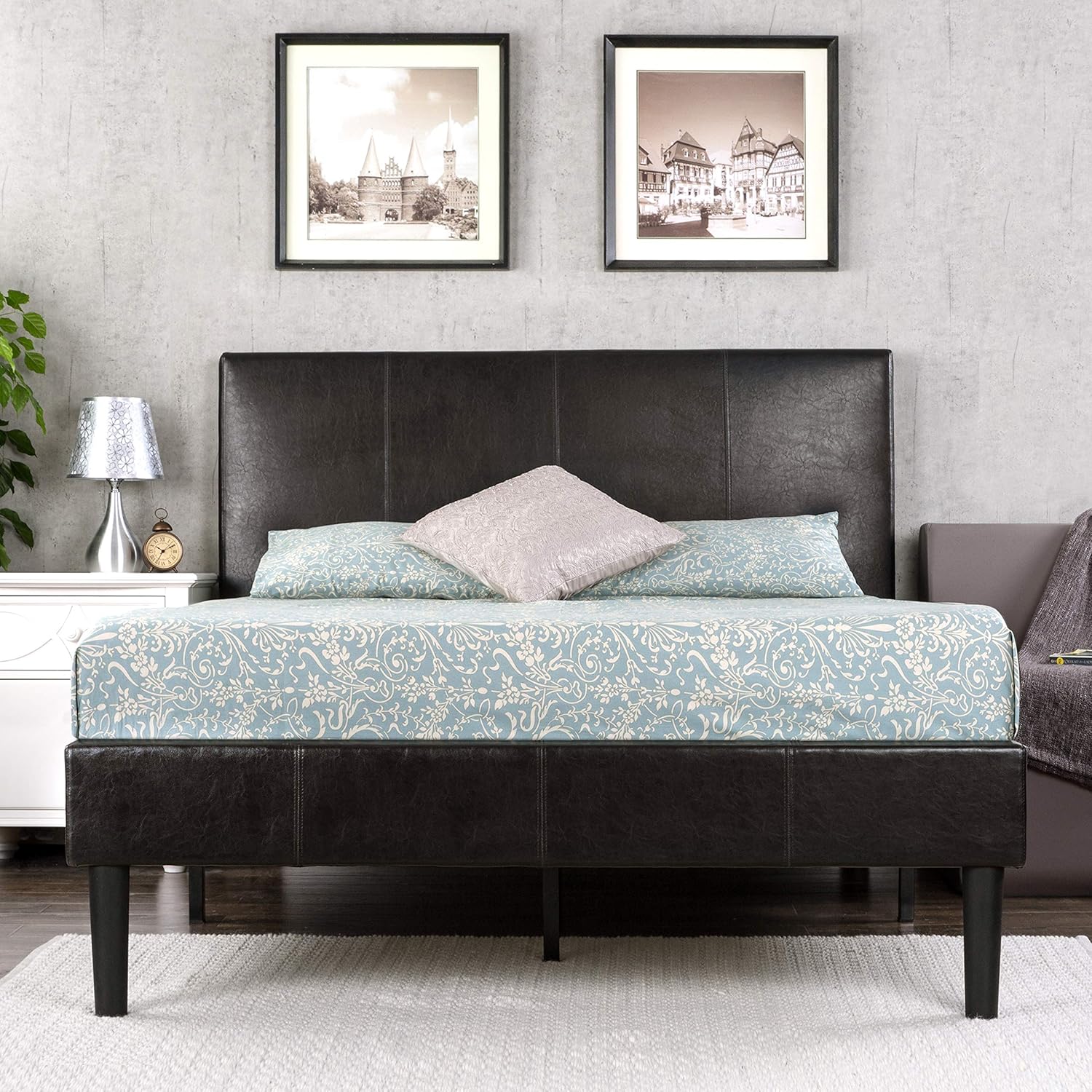
Image: The ZINUS Gerard Faux Leather Platform Bed Frame with a mattress and bedding, showcasing its modern aesthetic.
Maintenance
- Cleaning: Wipe the faux leather upholstery with a dry cloth to remove dust. For spills, use a damp cloth with mild soap and water, then wipe dry immediately. Avoid harsh chemicals or abrasive cleaners.
- Tightness Check: Periodically (every 3-6 months) check all bolts and connections to ensure they remain tight. Re-tighten if necessary to maintain stability and prevent squeaking.
- Slat Care: Ensure the wood slats remain evenly spaced and properly seated on the support rails.
Troubleshooting
| Problem | Possible Cause | Solution |
|---|---|---|
| Bed frame is wobbly or unstable. | Loose bolts or improper assembly. | Ensure all bolts are fully tightened. Review assembly steps to confirm correct installation of all parts. |
| Squeaking noises. | Loose connections or friction between parts. | Tighten all bolts. Ensure slats are properly seated and not rubbing against the frame. Applying felt pads to contact points can help. |
| Missing parts upon arrival. | Packaging error or parts shifted during transit. | Check the zippered compartment in the headboard thoroughly. If still missing, contact ZINUS customer support. |
Specifications
| Feature | Detail |
|---|---|
| Model Number | WSPB-Q |
| Size | Queen |
| Color | Black |
| Product Dimensions (L x W x H) | 84.4" x 62.8" x 40.4" |
| Item Weight | 89.9 Pounds |
| Material | Faux Leather Upholstery with Steel Framework |
| Underbed Clearance | 7 Inches |
| Assembly Required | Yes |
| Box Spring Needed | No |

Image: A visual representation of the bed frame's dimensions and its impressive 700 lbs weight capacity.
Warranty & Support
Your ZINUS Gerard Faux Leather Upholstered Platform Bed Frame comes with a worry-free 5-year limited warranty. For warranty claims, missing parts, or any other support needs, please contact ZINUS customer service directly.
You can find more information and contact details on the official ZINUS website or through your purchase platform.
Official User Guide (PDF): Download PDF
Related documentsWSPB-Q


Ask a question about this manual
Ask about setup, troubleshooting, compatibility, parts, safety, or missing instructions. Manuals+ will review the question and use this page’s manual context to help answer it.