
1. Introduction
The Maclean MCE28 LED Cabinet Light is a versatile, battery-operated lighting solution designed for various indoor applications. Its compact size, 5 bright LEDs, and 360-degree rotation feature make it ideal for illuminating dark spaces such as cabinets, closets, hallways, or utility areas where traditional power sources are unavailable. This manual provides essential information for the safe and efficient use of your MCE28 LED light.
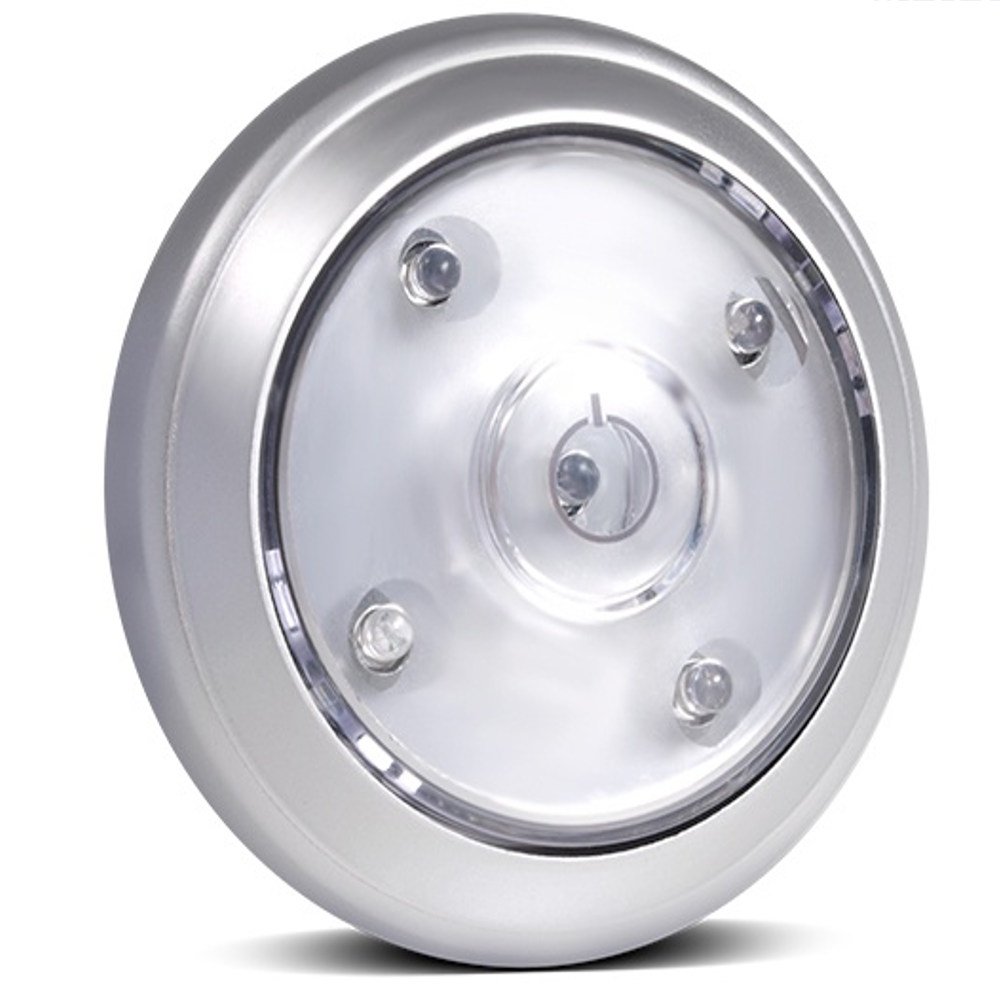
Figure 1: Front view of the Maclean MCE28 LED Cabinet Light.
2. Product Features
- Wireless Operation: No cables or electrical outlets required.
- 5 Bright LEDs: Provides ample illumination for small to medium spaces.
- 360-Degree Rotation: Allows for adjustable light direction.
- Easy Mounting: Equipped with adhesive tape for quick installation.
- Energy-Saving: Low power consumption for extended battery life.
- Battery Powered: Operates on 3 x AAA 1.5V batteries (not included).
- Multi-Function Button: Features a 3-position switch for different lighting modes.
3. Package Contents
- 1 x Maclean MCE28 LED Cabinet Light
4. Safety Information
- Do not mix old and new batteries.
- Do not mix alkaline, standard (carbon-zinc), or rechargeable (nickel-cadmium) batteries.
- Ensure batteries are inserted with correct polarity (+ and -).
- Remove batteries if the device will not be used for an extended period.
- Keep out of reach of children.
- Do not expose the device to extreme temperatures or moisture.
5. Setup
5.1 Battery Installation
- Gently twist the top cover of the light counter-clockwise to open the battery compartment.
- Insert 3 x AAA 1.5V batteries into the compartment, ensuring correct polarity as indicated inside.
- Replace the top cover by aligning it and twisting clockwise until secure.

Figure 2: View of the open battery compartment for AAA batteries.
5.2 Mounting the Light
- Clean the surface where you intend to mount the light, ensuring it is dry and free of dust or grease.
- Peel off the protective film from the adhesive pad located on the back of the light.
- Press the light firmly onto the desired surface for at least 30 seconds to ensure a strong bond.

Figure 3: Rear view showing the adhesive pad for mounting.
6. Operating Instructions
6.1 Powering On/Off and Light Modes
The Maclean MCE28 features a 3-position button on the top for controlling the light. Press the button to cycle through the following modes:
- First Press: Activates a single LED (low light mode).
- Second Press: Activates all 5 LEDs (full brightness mode).
- Third Press: Turns the light off.

Figure 4: Comparison of the light output in different modes.
6.2 Adjusting Light Direction
The light head can be rotated 360 degrees. Gently turn the top section of the light to direct the illumination precisely where needed.

Figure 5: The light head can be rotated to adjust the beam direction.
7. Maintenance
7.1 Cleaning
To clean the light, wipe it with a soft, dry cloth. Do not use abrasive cleaners or immerse the device in water.
7.2 Battery Replacement
When the light appears dim or stops functioning, it is time to replace the batteries. Follow the steps outlined in Section 5.1 for battery installation.
8. Troubleshooting
| Problem | Possible Cause | Solution |
|---|---|---|
| Light does not turn on. | Batteries are incorrectly installed or depleted. | Check battery polarity or replace with new AAA batteries. |
| Light is dim. | Batteries are low. | Replace all 3 AAA batteries with new ones. |
| Light falls off mounting surface. | Surface was not clean or adhesive has lost its strength. | Clean the surface thoroughly and re-mount using a new adhesive pad if necessary. |
9. Specifications
- Model: MCE28
- Brand: Maclean
- Dimensions (L x W x H): 17 x 13 x 4 cm (approximately 6.7 x 5.1 x 1.6 inches)
- Weight: 100 grams (approximately 3.5 ounces)
- Power Source: 3 x AAA 1.5V batteries (not included)
- Number of LEDs: 5
- Voltage: 4.5 Volts DC
- Material: Metal
- Special Features: Energy-saving, 360° rotation, adhesive mounting, 3-position button, 2 lighting functions.
10. Warranty and Support
For warranty information and customer support, please refer to the documentation provided with your purchase or visit the official Maclean website. Keep your proof of purchase for any warranty claims.