
Introduction
Welcome to your new GDFStudio Luna Acacia Wood Accent Table. This manual provides essential information for assembly, care, and maintenance to ensure the longevity and proper use of your furniture. Please read all instructions carefully before beginning assembly.
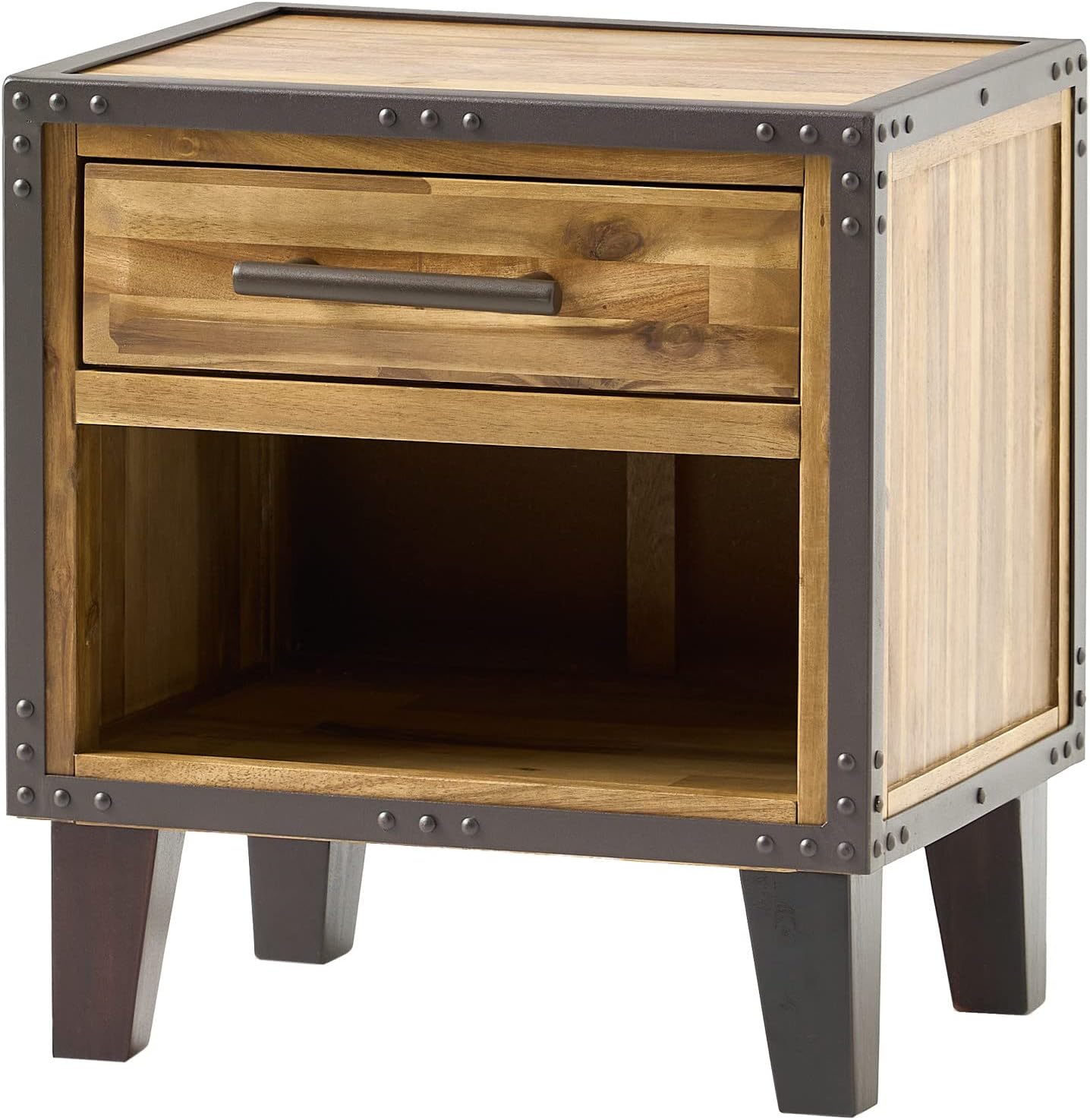
Image: The GDFStudio Luna Acacia Wood Accent Table, showcasing its natural acacia wood finish and industrial iron frame with a single drawer and open bottom shelf.
Safety Information
Please observe the following safety guidelines to prevent injury or damage to the product:
- Assembly: Always follow the provided instructions. Ensure all components are correctly installed and tightened before use.
- Pinch Points: Be cautious of pinch points when opening or closing the drawer. Keep fingers clear of moving parts.
- Stability: To ensure stability, place the table on a flat, even surface. Avoid placing it on uneven flooring or rugs that may cause instability.
- Overload Warning: Do not overload the table. The maximum weight recommendation for this table is 50 pounds. Exceeding this limit may cause the table to tip or collapse.
- Children: Always supervise children when they are near the table to prevent accidents. Do not allow children to climb on or play with the furniture.
Parts List
Before assembly, carefully unpack all components and verify that all parts are present and undamaged. If any parts are missing or damaged, do not proceed with assembly and contact customer support.
- A. Table Body: 1 piece (Includes pre-assembled drawer and open shelf)
- B. Table Legs: 4 pieces
- C. Drawer Handle: 1 piece
- D. Assembly Hardware: (Screws, washers, Allen wrench, etc. - specific quantities will be in packaging)

Image: A clear front view of the GDFStudio Luna Accent Table, showing the main body with its drawer and open shelf, ready for leg attachment.
Setup and Assembly
Assembly of the GDFStudio Luna Accent Table is minimal, primarily involving attaching the legs and drawer handle. It is recommended that two people assemble this product for ease and safety.
- Step 1: Unpack Components
Carefully remove all parts from the packaging. Place them on a soft, clean surface (e.g., a blanket or carpet) to prevent scratches during assembly. - Step 2: Attach Legs
Identify the four table legs (Part B). Align each leg with the pre-drilled holes on the underside of the table body (Part A). Secure each leg using the provided hardware (Part D). Ensure all connections are tight but do not overtighten. - Step 3: Install Drawer Handle
Locate the drawer handle (Part C) and the corresponding screws from the hardware pack (Part D). Attach the handle to the front of the drawer. - Step 4: Position Table
Once assembled, carefully lift the table and place it in its desired location. Ensure it is stable and level.
Tools Recommended: A hammer may be useful for minor adjustments if needed, though not typically required for primary assembly.

Image: A close-up view of the table's leg and the industrial metal frame, showing the attachment point and rivet details, illustrating the assembly area.
Operating Instructions
The Luna Accent Table features a single drawer and an open bottom shelf for convenient storage and display.
- Drawer Use: To open the drawer, gently pull the handle. To close, push the drawer back until it is flush with the table front. Avoid forcing the drawer, as this can damage the glides.
- Shelf Use: The open bottom shelf can be used to store books, magazines, or decorative items. Ensure that items placed on the shelf do not exceed the table's overall weight capacity of 50 pounds.

Image: The GDFStudio Luna Accent Table positioned next to a sofa in a living room, demonstrating its use as an end table with a plant and candle on top, and books on the shelf.
Maintenance and Care
Proper care will help maintain the appearance and extend the life of your accent table.
- Cleaning: Wipe the table with a dry, soft cloth. Avoid abrasive cleaners, harsh chemicals, or polishes that may damage the natural wood finish or metal frame.
- Spills: Immediately wipe any spills with a soft, dry cloth to prevent staining or water damage to the wood.
- Sunlight: Avoid prolonged exposure to direct sunlight, which can cause fading, discoloration, or cracking of the wood.
- Heat and Moisture: Protect the surface from extreme heat and moisture. Always use coasters under beverages and hot items to prevent rings and damage.
- Inspections: Periodically check all hardware connections and tighten if necessary to ensure the table remains stable.
Troubleshooting
If you encounter any issues with your accent table, refer to the following common solutions:
- Table Wobbles:
Ensure the table is placed on a flat, even surface. Check and tighten all leg connections. If the wobbling persists, consider using furniture levelers (not included) under the legs to adjust for uneven floors. - Drawer Sticks or Does Not Slide Smoothly:
Ensure the drawer is properly aligned on its glides. Avoid overloading the drawer, as excessive weight can cause it to stick. Check for any obstructions within the drawer glides. If the issue persists, gently remove the drawer and inspect the glides for damage or debris. - Minor Scratches or Dents on Wood:
For minor surface imperfections, furniture repair markers or waxes specifically designed for acacia wood can be used to blend the damage. For significant damage, consult a professional furniture repair specialist.
Specifications
| Feature | Detail |
|---|---|
| Brand | GDFStudio |
| Model Name | Luna |
| Model Number | 295292 |
| Product Dimensions (D x W x H) | 15.5"D x 20.25"W x 22.5"H |
| Item Weight | 30.86 Pounds |
| Maximum Weight Recommendation | 50 Pounds |
| Material Type | Acacia Wood (Top), Iron (Base) |
| Color | Natural Stain |
| Number of Drawers | 1 |
| Number of Shelves | 1 |
| Indoor/Outdoor Usage | Indoor |
| Recommended People for Assembly | 2 |

Image: A diagram illustrating the dimensions of the GDFStudio Luna Accent Table: 22.5 inches high, 20.25 inches wide, and 15.5 inches deep.
Warranty Information
This GDFStudio product comes with a Limited Warranty. The specific terms and duration of the warranty may vary. Please refer to the manufacturer's official website or your purchase documentation for detailed warranty terms and conditions, including coverage and how to make a claim.
Customer Support
For further assistance, missing parts, warranty claims, or any other inquiries regarding your GDFStudio Luna Acacia Wood Accent Table, please contact GDFStudio customer support.
Online Resources: For general information and product details, you may visit the official GDFStudio Amazon Store: GDFStudio Amazon Store
Please have your model number (295292) and proof of purchase ready when contacting support.


