
1. Introduction
This manual provides essential information for the safe and efficient operation of your Clatronic DR 3525 Food Dehydrator. Please read these instructions carefully before first use and keep them for future reference. The Clatronic DR 3525 is designed to dry various foods such as fruits, vegetables, herbs, and meat, preserving their nutrients and extending their shelf life.
Key Features:
- Nutrient Preservation: Designed to retain vital substances in dried foods.
- Adjustable Drying: Features 2 temperature levels to suit different food types.
- High Capacity: Includes 5 transparent, stackable trays, allowing drying of up to 2.5 kg of food.
- Efficient Drying: Equipped with a recirculation fan for optimal and even heat distribution.
- Safety: Integrated overheating protection ensures safe operation.
- Easy Maintenance: Transparent trays are designed for simple cleaning.
2. Safety Instructions
Always observe the following safety precautions to prevent injury or damage to the appliance:
- Read all instructions before operating the appliance.
- Ensure the voltage indicated on the appliance matches your local mains voltage before connecting.
- Do not immerse the motor unit, cord, or plug in water or other liquids.
- Keep the appliance out of reach of children.
- Always unplug the appliance from the power outlet when not in use, before cleaning, or if a malfunction occurs.
- Do not operate the appliance with a damaged cord or plug, or after the appliance malfunctions or has been damaged in any manner.
- Place the dehydrator on a stable, heat-resistant surface, away from walls and other heat sources.
- Ensure proper ventilation around the appliance during operation.
- The appliance is equipped with overheating protection. If it overheats, it will automatically shut off. Unplug and allow it to cool before resuming use.
- Do not use the appliance outdoors.
- Do not use abrasive cleaning agents or harsh chemicals on the appliance.
- This appliance is for household use only.
3. Product Overview and Components
Familiarize yourself with the parts of your Clatronic DR 3525 Food Dehydrator:
- Base Unit: Contains the motor, heating element, and control panel.
- Control Panel: Features power button and temperature selection.
- Drying Trays (5x): Transparent, stackable trays for holding food.
- Lid: Covers the top tray to retain heat and moisture.

Image 1: Fully assembled Clatronic DR 3525 Food Dehydrator. This image shows the base unit, five transparent drying trays, and the top lid, providing a complete view of the appliance.

Image 2: The Clatronic DR 3525 demonstrating its 5 stackable drying trays. The image highlights the variable use and large capacity of up to 2.5 kg of food, showcasing the transparent design of the trays.
4. Setup
- Unpack: Carefully remove all packaging materials and inspect the dehydrator for any damage.
- Initial Cleaning: Before first use, wash the drying trays and lid in warm, soapy water. Rinse thoroughly and dry completely. Wipe the base unit with a damp cloth. Do not immerse the base unit in water.
- Placement: Place the base unit on a clean, dry, stable, and heat-resistant surface. Ensure there is adequate space around the appliance for air circulation.
- Assemble Trays: Stack the clean drying trays onto the base unit. You can adjust the height of the trays if needed for thicker items. Place the lid on top of the uppermost tray.
5. Operating Instructions
Follow these steps to dehydrate your food:
- Prepare Food: Wash and thoroughly dry the food items you wish to dehydrate. Slice fruits and vegetables into uniform pieces (approximately 0.5 cm thick) for even drying. Remove pits, seeds, or tough skins as necessary.
- Load Trays: Arrange the prepared food in a single layer on each drying tray. Do not overlap food items, as this will hinder air circulation and lead to uneven drying. The dehydrator can handle up to 2.5 kg of food across its 5 trays.
- Stack Trays and Lid: Place the loaded trays onto the base unit, ensuring they are properly stacked. Position the lid securely on the top tray.
- Connect Power: Plug the power cord into a suitable 230V, 50Hz electrical outlet.
- Select Temperature: The Clatronic DR 3525 offers 2 temperature levels. Use the control panel to select the appropriate temperature for your food type. Generally, lower temperatures are for delicate items like herbs, and higher temperatures for fruits and meats.
- Start Dehydrating: Press the power button to start the dehydrator. The recirculation fan will begin to operate, distributing warm air evenly.
- Monitor Drying: The drying process can take several hours, depending on the food type, thickness, and moisture content. Periodically check the food for desired dryness. Since the appliance does not have an integrated timer, it is recommended to use an external timer or alarm to monitor the drying duration.
- Rotate Trays (Optional): For very large batches or particularly moist foods, you may rotate the trays periodically (e.g., move bottom trays to the top) to ensure more uniform drying.
- Finish: Once the food is dried to your satisfaction, turn off the dehydrator and unplug it. Allow the food to cool completely before storing.

Image 3: Close-up of the Clatronic DR 3525 control panel and drying trays with various foods. This image highlights the two temperature settings available, allowing users to choose between a lower setting for sensitive ingredients or a higher setting for faster drying.

Image 4: Illustration of the high-quality recirculation fan within the Clatronic DR 3525. This graphic demonstrates how the fan ensures even distribution of hot air for consistent drying results across all trays.
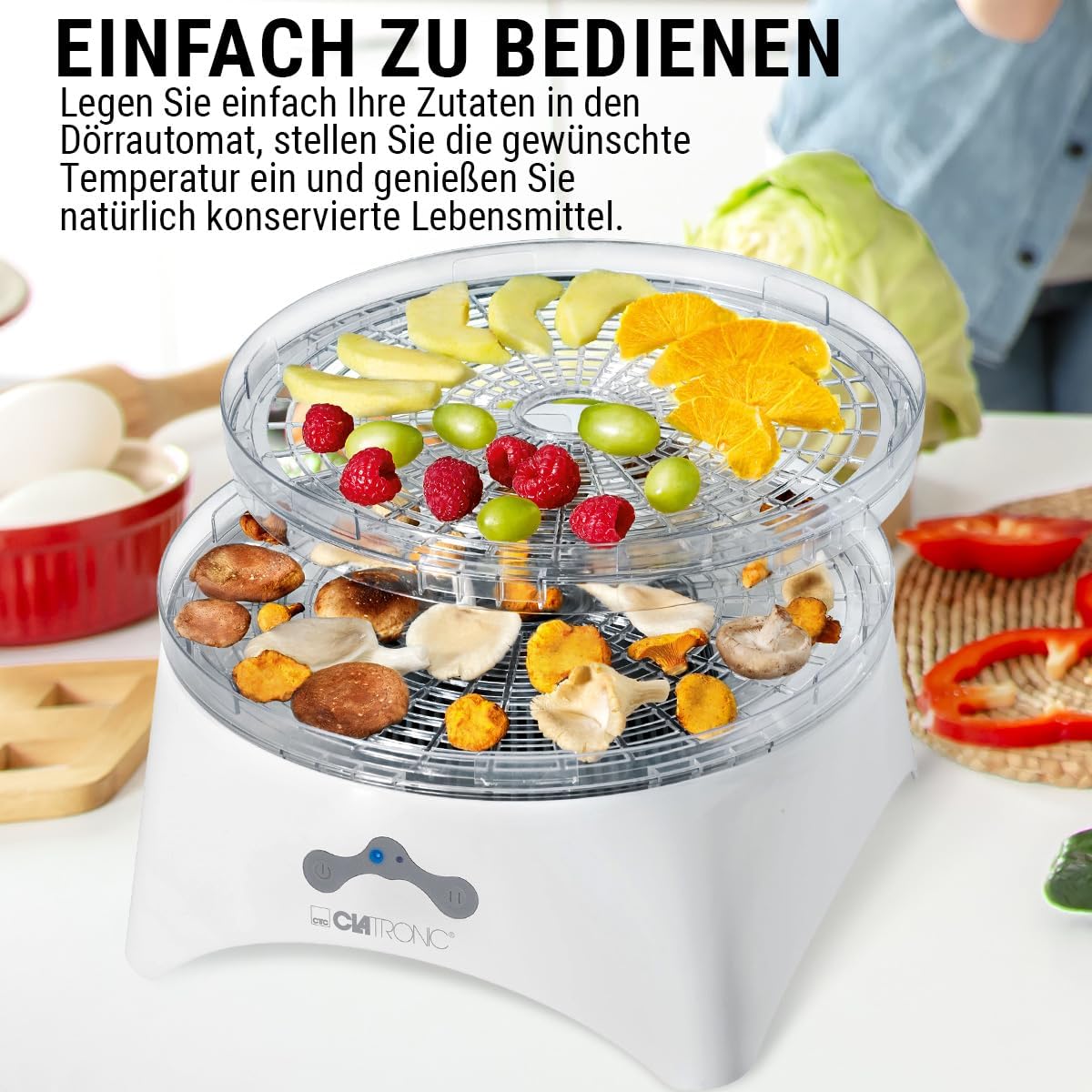
Image 5: The Clatronic DR 3525 in operation, showing various fruits and mushrooms on the drying trays. This image emphasizes the ease of use: simply place ingredients, set the desired temperature, and enjoy naturally preserved foods.
6. Maintenance and Cleaning
Regular cleaning ensures optimal performance and extends the life of your dehydrator:
- Before Cleaning: Always unplug the dehydrator from the power outlet and allow it to cool completely.
- Drying Trays and Lid: The transparent drying trays and lid are dishwasher safe or can be washed by hand in warm, soapy water. Rinse thoroughly and dry completely before reassembling or storing.
- Base Unit: Wipe the exterior of the base unit with a soft, damp cloth. For stubborn stains, use a mild detergent. Do not immerse the base unit in water or any other liquid. Ensure no water enters the motor or electrical components.
- Storage: Store the assembled dehydrator in a clean, dry place when not in use.
7. Troubleshooting
If you encounter issues with your Clatronic DR 3525, refer to the following common problems and solutions:
| Problem | Possible Cause | Solution |
|---|---|---|
| Dehydrator does not turn on. | Not plugged in; power outlet malfunction; appliance malfunction. | Ensure the power cord is securely plugged into a working outlet. Check the circuit breaker. If the issue persists, contact customer support. |
| Food is not drying evenly. | Overlapping food; unevenly sliced food; trays not rotated. | Ensure food is in a single layer. Slice food uniformly. Rotate trays periodically during the drying process. |
| Drying takes too long. | Food too thick; too much moisture; incorrect temperature setting. | Slice food thinner. Ensure food is patted dry before placing on trays. Select the higher temperature setting if suitable for the food type. Note that drying times can vary significantly and may require experimentation beyond initial guidelines. |
| Appliance shuts off unexpectedly. | Overheating protection activated. | Unplug the dehydrator and allow it to cool down for at least 30 minutes. Ensure proper ventilation around the unit. |
If problems persist after attempting these solutions, please contact Clatronic customer support.
8. Specifications
| Feature | Detail |
|---|---|
| Brand | Clatronic |
| Model Number | DR 3525 (261699) |
| Color | White |
| Product Dimensions (L x W x H) | 22 x 28 x 28 cm |
| Capacity | Up to 2.5 Kilograms of food |
| Power | 320 Watts |
| Voltage | 230 Volts |
| Material | Plastic (Food Safe) |
| Features | Easy to clean, 2 Temperature Levels, Recirculation Fan, Overheating Protection |
| Item Weight | 1.7 Kilograms |
| Number of Trays | 5 (Stackable, Transparent) |

Image 6: Diagram illustrating the dimensions of the Clatronic DR 3525 Food Dehydrator. The image shows the height, width, and depth measurements of the appliance.
9. Warranty and Support
Clatronic provides a commitment to quality for its products.
- Spare Parts Availability: Spare parts for this model are available for a period of 2 years from the date of purchase.
- For warranty claims, technical support, or inquiries about spare parts, please contact your retailer or the official Clatronic customer service. Refer to the contact information provided with your purchase documentation.


