
Bestron AFH211B
Bestron Fan Heater AFH211B User Manual
Model: AFH211B
Important Safety Instructions
Please read these instructions carefully before using the appliance and keep them for future reference. Failure to follow these instructions may result in electric shock, fire, or serious injury.
- Always ensure the heater is placed on a firm, level surface.
- Do not cover the heater. Covering the heater can lead to overheating and fire.
- Keep the heater away from water and do not use it in bathrooms, laundries, or similar wet locations.
- Unplug the heater from the power outlet when not in use or before cleaning.
- Do not insert any objects into the heater's openings. This may cause electric shock or damage.
- Keep children and pets away from the heater, especially when it is operating.
- Do not use the heater near curtains, furniture, or other flammable materials. Maintain a minimum distance of 1 meter (3 feet) from all sides.
- Ensure the power cord is not damaged and is placed where it cannot be tripped over.
- This appliance is for indoor use only.

Product Overview
The Bestron AFH211B is a compact and efficient fan heater designed for supplemental heating in various indoor spaces. It features adjustable heat settings and a thermostat for precise temperature control.

Components
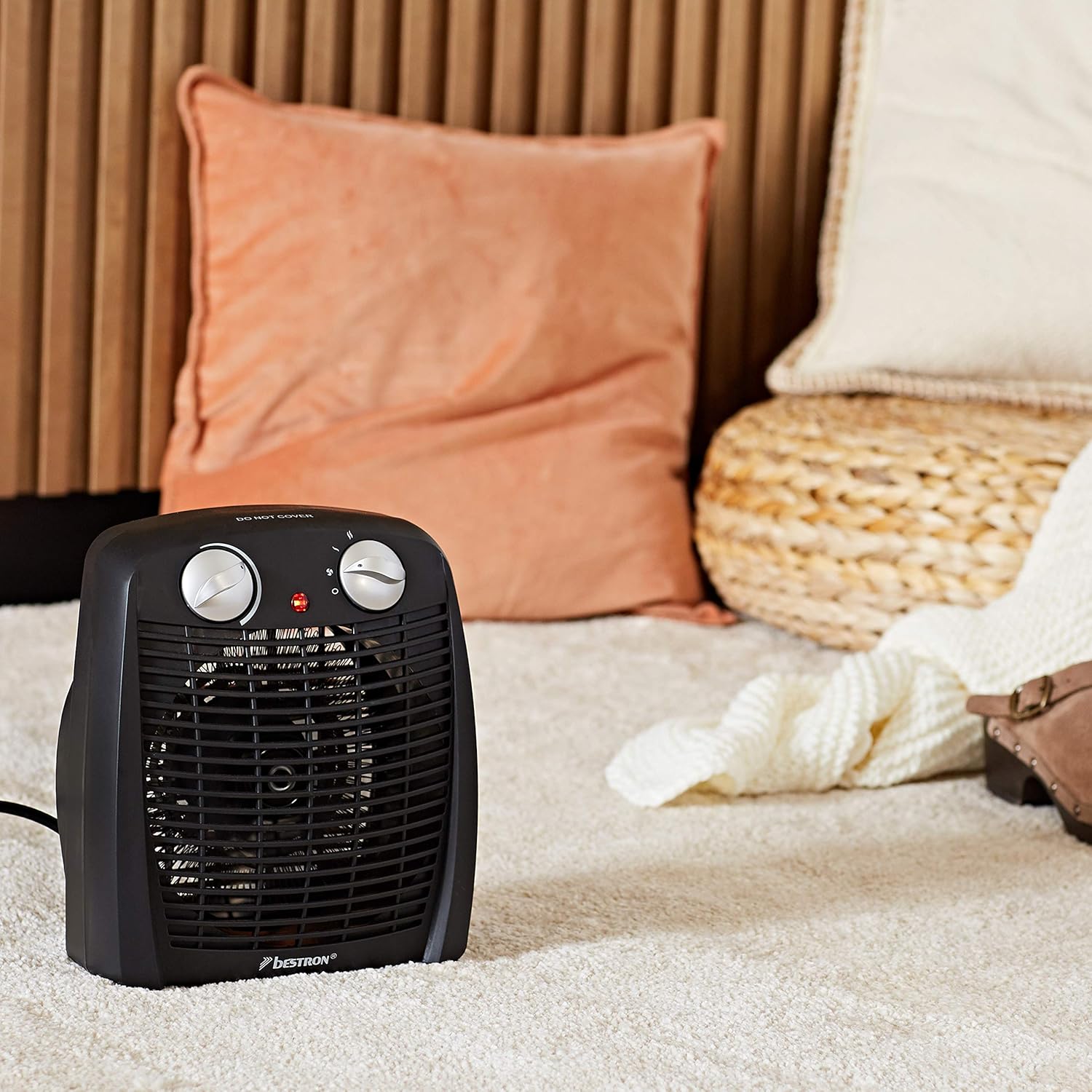
- Power/Mode Selector: Controls the fan and heat settings.
- Thermostat Dial: Adjusts the desired room temperature.
- Indicator Light: Illuminates when the heater is operating.
- Air Outlet Grille: Front grille through which heated air is expelled.
- Air Inlet: Located at the rear, where air is drawn in.
- Tip-Over Safety Switch: Located at the bottom, automatically shuts off the unit if it tips over.
Setup and First Use
Follow these steps to set up your Bestron fan heater for the first time:
- Unpack: Carefully remove the heater from its packaging. Retain the packaging for storage or in case of return.
- Placement: Place the heater on a stable, flat, and heat-resistant surface. Ensure it is not placed directly under a power outlet.
- Clearance: Ensure there is at least 1 meter (3 feet) of clear space around the heater from walls, furniture, curtains, and other flammable materials. Do not block the air inlet or outlet.
- Power Connection: Plug the power cord into a suitable 240V AC power outlet. Ensure the outlet is properly grounded.
Operating Instructions
Your Bestron fan heater offers various settings for optimal comfort.
Power and Mode Selection
Use the left knob (Power/Mode Selector) to choose the operating mode:
- O (Off): Turns the heater off.
- Fan Only (❄): Activates the fan without heat, useful for air circulation.
- Low Heat (I - 1000W): Provides a lower level of heat output.
- High Heat (II - 2000W): Provides the maximum heat output for faster warming.
Thermostat Control
Use the right knob (Thermostat Dial) to set your desired room temperature:
- Turn the Power/Mode Selector to either Low Heat (I) or High Heat (II).
- Turn the Thermostat Dial clockwise to the maximum setting. The heater will begin to emit heat.
- Once the room reaches your desired temperature, slowly turn the Thermostat Dial counter-clockwise until the heater switches off. The indicator light will turn off.
- The heater will now automatically cycle on and off to maintain the set temperature.
Maintenance and Cleaning
Regular cleaning and maintenance will ensure the longevity and efficient operation of your heater.
- Before Cleaning: Always unplug the heater from the power outlet and allow it to cool down completely before attempting any cleaning or maintenance.
- Exterior Cleaning: Wipe the exterior surfaces of the heater with a soft, damp cloth. Do not use abrasive cleaners, solvents, or harsh chemicals, as these can damage the finish.
- Air Inlets/Outlets: Use a vacuum cleaner with a brush attachment to gently remove dust and lint from the air inlet and outlet grilles. Do not use water or liquids on these areas.
- Storage: If storing the heater for an extended period, clean it thoroughly and store it in its original packaging or a protective cover in a cool, dry place.
- No User-Serviceable Parts: Do not attempt to open or repair the heater yourself. Refer all servicing to qualified service personnel.
Troubleshooting
If you encounter any issues with your Bestron fan heater, refer to the following table for common problems and solutions:
| Problem | Possible Cause | Solution |
|---|---|---|
| Heater does not turn on. | No power supply. Tip-over switch activated. Overheat protection activated. | Check if the heater is properly plugged into a working outlet. Ensure the heater is on a flat, stable surface. Unplug, let cool for 10-15 minutes, then plug back in. |
| No heat output. | Thermostat set too low. Only fan mode selected. | Increase the thermostat setting. Ensure the Power/Mode Selector is set to 'I' (Low Heat) or 'II' (High Heat). |
| Heater suddenly stops working. | Overheat protection activated. Tip-over switch activated. | Unplug the heater, allow it to cool down for 10-15 minutes, and check for any obstructions. Re-plug. Ensure the heater is upright on a stable surface. |
| Unusual smell or smoke. | Dust accumulation. Internal fault. | A slight odor may occur during first use. If persistent or strong, unplug immediately and contact customer support. Do not use. |
Technical Specifications
| Feature | Specification |
|---|---|
| Brand | Bestron |
| Model Number | AFH211B |
| Heat Output | 1000 Watts / 2000 Watts |
| Voltage | 240V |
| Amperage | 8.33 Amps |
| Mounting Type | Floor Mount |
| Product Dimensions (L x W x H) | 7.48 x 5.12 x 8.66 inches (19 x 13 x 22 cm) |
| Item Weight | 1.98 pounds (0.9 kg) |
Warranty and Customer Support
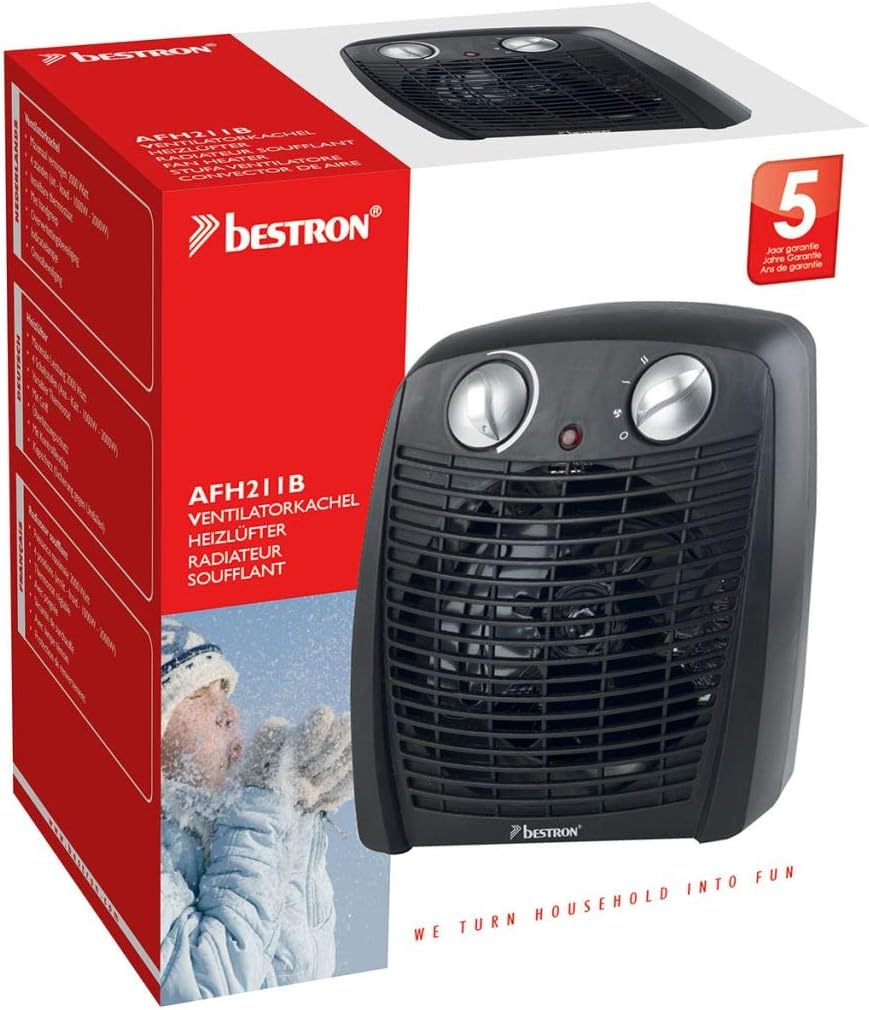
Bestron products are designed for quality and reliability. This product comes with a 5-year warranty, as indicated on the product packaging, covering manufacturing defects from the date of purchase.
For warranty claims, technical support, or any questions regarding your Bestron AFH211B fan heater, please contact Bestron customer service. Keep your proof of purchase (receipt or invoice) as it will be required for any warranty service.
Please refer to the official Bestron website or your product's original documentation for the most up-to-date contact information and detailed warranty terms and conditions.
Related documentsAFH211B


Ask a question about this manual
Ask about setup, troubleshooting, compatibility, parts, safety, or missing instructions. Manuals+ will review the question and use this page’s manual context to help answer it.