
Fujifilm 16437695
Fujifilm X30 Digital Camera User Manual
Comprehensive Guide to Your Fujifilm X30
1. Introduction to the Fujifilm X30
The Fujifilm X30 is a sophisticated digital camera designed for enthusiasts, featuring a 12-megapixel 2/3-inch X-Trans CMOS II Sensor without an optical low-pass filter. It boasts an innovative Real Time Viewfinder, which is the largest, fastest, and highest-resolving in its class. The camera is equipped with an EXR Processor II image processing engine and introduces a new 'Classic Chrome' Film Simulation mode. Enhanced controls include a new control ring, additional dials, and function buttons for improved usability. The tilting 3.0-inch 920K-dot premium clear LCD monitor offers flexible viewing angles. Significant improvements in battery performance allow for approximately 470 photos on a single charge, thanks to a larger capacity and energy-saving design.
Key Features:
- 12MP 2/3-inch X-Trans CMOS II Sensor with no optical low pass filter
- 2.36 million dot OLED viewfinder with 0.65x magnification
- Bright F2.0-2.8 Fujinon 4x optical zoom lens
- Instinctive control ring for quick adjustments
- 11 film Simulation modes including new Classic Chrome, Provia, Velvia, and Astia
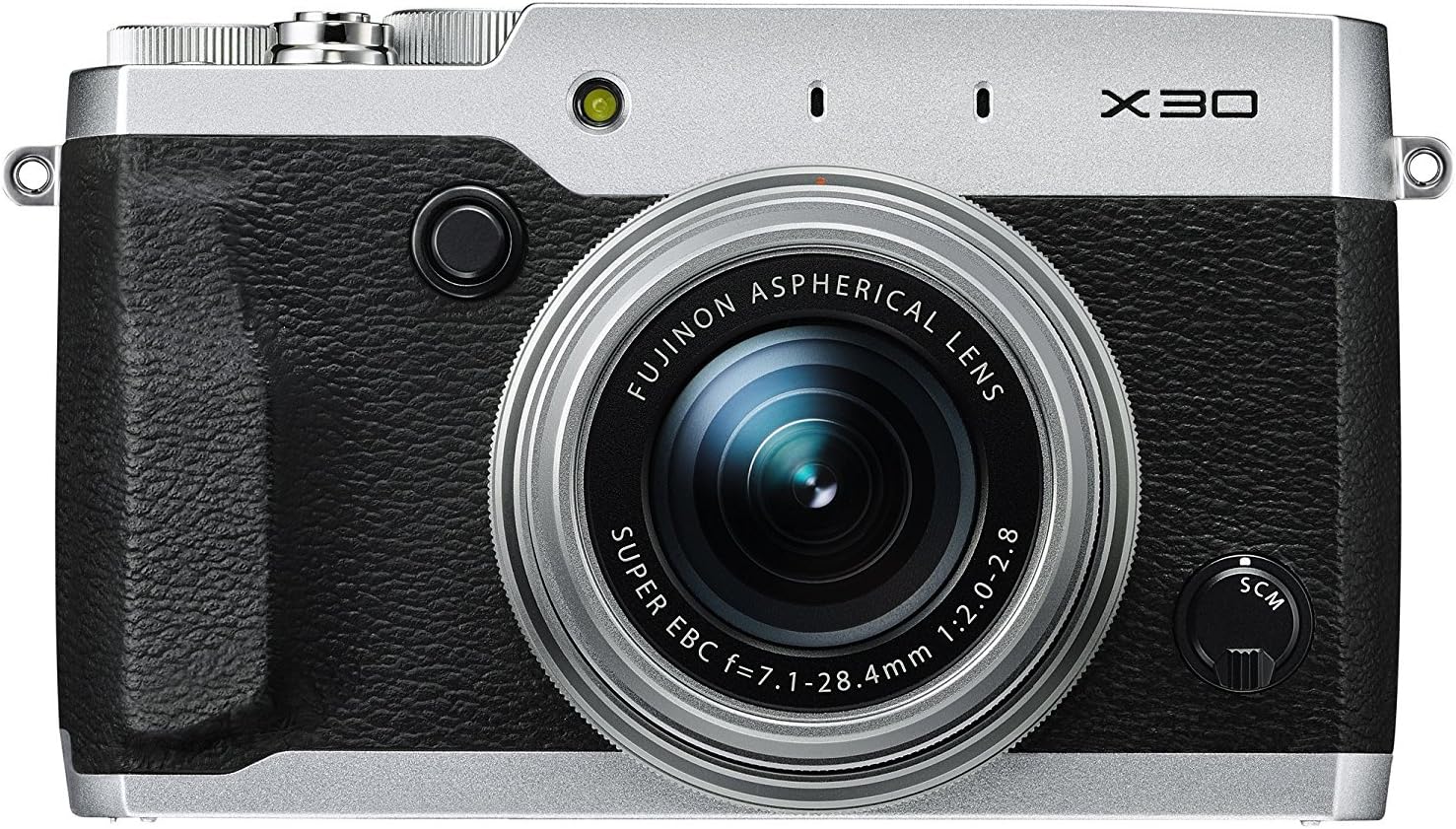
Figure 1: Front view of the Fujifilm X30 Digital Camera.
2. Setup and First Use
2.1. Battery Installation and Charging
The Fujifilm X30 uses an NP-95 lithium-ion battery. Ensure the battery is fully charged before first use.
- Open the battery compartment cover located at the bottom of the camera.
- Insert the NP-95 battery with the contacts facing inward, ensuring it clicks into place.
- Close the battery compartment cover securely.
- Connect the camera to the supplied AC power adapter using the USB cable to charge the battery. The charging indicator light will illuminate.
2.2. Memory Card Insertion
The camera supports SD, SDHC, and SDXC memory cards, including UHS-I speed class cards, up to 2 TB.
- Open the memory card slot cover, usually located next to the battery compartment.
- Insert the memory card with the label facing the front of the camera until it clicks.
- Close the memory card slot cover securely.
2.3. Initial Power On and Settings
To power on the camera, rotate the lens barrel from the OFF position to the desired shooting mode (e.g., P, A, S, M). Upon first power-on, you may be prompted to set the date, time, and language.

Figure 2: Top view of the Fujifilm X30, highlighting control dials.
3. Operating the Camera
3.1. Basic Photography Modes
The Fujifilm X30 offers various shooting modes to suit different photographic needs:
- Program (P): The camera sets aperture and shutter speed for optimal exposure.
- Shutter Priority (S): You set the shutter speed, and the camera adjusts the aperture. Useful for controlling motion blur.
- Aperture Priority (A): You set the aperture, and the camera adjusts the shutter speed. Ideal for controlling depth of field.
- Manual (M): You control both aperture and shutter speed for complete creative control.
- Automatic: Fully automatic mode for simple point-and-shoot operation.
3.2. Focusing
The X30 features advanced autofocus technologies including Phase Detection, Contrast Detection, Center, Selective single-point, Face Detection, Tracking, Multi-area, Single, Continuous, and Live View. Manual focus is also available.
- Single-Servo AF (AF-S): For stationary subjects. Press the shutter button halfway to focus.
- Continuous AF (AF-C): For moving subjects. The camera continuously adjusts focus as long as the shutter button is pressed halfway.
- Manual Focus: Use the control ring around the lens to manually adjust focus.
3.3. Film Simulation Modes
Fujifilm is renowned for its film simulation modes, which replicate the look and feel of classic photographic films. The X30 includes 11 such modes:
- Classic Chrome: A new mode providing muted tones and deep color reproduction, reminiscent of Kodachrome film.
- Provia/Standard: Standard color reproduction.
- Velvia/Vivid: High-contrast, saturated colors.
- Astia/Soft: Soft, natural tones.
- And other modes for various artistic expressions.

Figure 3: Rear view of the Fujifilm X30, showing the LCD and control layout.
3.4. Advanced Controls and Connectivity
The X30 features a highly customizable control layout, including a control ring around the lens and six customizable function buttons. This allows for quick adjustment of settings on the fly, enhancing the shooting experience.
- Control Ring: Can be assigned to control various functions like aperture, ISO, or film simulation.
- Function (Fn) Buttons: Six programmable buttons allow you to assign frequently used functions for quick access.
- Wi-Fi Connectivity: Enables wireless transfer of images to smart devices and remote control of the camera.
- Video Recording: The camera supports Full HD 1080p video recording in AVC format.
4. Maintenance and Care
Proper maintenance ensures the longevity and optimal performance of your Fujifilm X30.
4.1. Cleaning
- Lens: Use a soft, lint-free cloth or a lens brush to gently remove dust. For smudges, use a specialized lens cleaning solution.
- Body: Wipe the camera body with a soft, dry cloth. Avoid using harsh chemicals or solvents.
- LCD Screen: Use a microfiber cloth designed for electronics to clean the screen.
4.2. Battery Care
The NP-95 battery provides an average life of 470 photos. To maximize battery life:
- Charge the battery fully before each use.
- Remove the battery if the camera will not be used for an extended period.
- Store batteries in a cool, dry place.
4.3. Storage
When not in use, store the camera in a dry, dust-free environment, ideally in a camera bag to protect it from impacts and moisture.
5. Troubleshooting
This section addresses common issues you might encounter with your Fujifilm X30.
5.1. Camera Feels Sluggish
If the camera feels sluggish during menu navigation or when waking up from sleep mode, this is a known characteristic. Ensure your firmware is up to date, and try to minimize excessive menu browsing. Power cycling the camera can sometimes help.
5.2. Focusing Issues in Low Light
In very low light conditions, the camera may struggle to acquire focus. Try the following:
- Use the AF-assist illuminator (if enabled) to provide additional light for focusing.
- Switch to manual focus and use the electronic viewfinder's focus peaking feature for precise focusing.
- Focus on an area with higher contrast or better illumination, then recompose your shot.
5.3. Battery Drains Quickly
While the X30 has improved battery life, certain settings can increase power consumption:
- Frequent use of Wi-Fi.
- Extended video recording.
- Keeping the LCD screen on for long periods at high brightness.
- Using the high-performance mode.
Consider carrying a spare NP-95 battery for extended shooting sessions.
6. Specifications
| Feature | Detail |
|---|---|
| Model Name | Fujifilm X30 |
| Sensor Type | 2/3-inch X-Trans CMOS II |
| Effective Still Resolution | 12 MP |
| Lens | Fujinon 4x Optical Zoom Lens (28-112mm equivalent) |
| Maximum Aperture | F2.0-2.8 |
| ISO Range | Expanded ISO 100 - 12800 |
| Shutter Speed | 1/4000 to 30 seconds |
| Screen Size | 3.0-inch Tilting LCD (920K dots) |
| Viewfinder | Electronic OLED (2.36 million dots, 0.65x magnification) |
| Battery Type | NP-95 Lithium-Ion |
| Battery Life (CIPA) | Approx. 470 photos |
| Weight | 0.93 Pounds (approx. 422g) |
| Connectivity | USB, HDMI, Wi-Fi |
| Supported File Format | JPEG (Exif v2.3), Raw (RAF format) |
7. Warranty and Support
For detailed warranty information, please refer to the warranty card included with your product or visit the official Fujifilm website. Keep your proof of purchase for any warranty claims.
For further assistance, technical support, or to explore other Fujifilm products, please visit the official Fujifilm store:
Related documents16437695


Ask a question about this manual
Ask about setup, troubleshooting, compatibility, parts, safety, or missing instructions. Manuals+ will review the question and use this page’s manual context to help answer it.