
1. Introduction
Thank you for choosing the Alera EX Series Mesh Multifunction High-Back Chair. This manual provides essential information for the safe and effective use, adjustment, and maintenance of your chair. Please read these instructions carefully before using the product and retain them for future reference.
2. Safety Information
- Ensure all components are securely fastened before use.
- Do not stand on the chair.
- Avoid placing heavy objects on the chair that exceed its weight capacity.
- Keep hands and fingers clear of moving parts during adjustments.
- Use the chair on a level surface to prevent tipping.
3. Setup and Initial Placement
Your Alera EX Series Mesh Multifunction High-Back Chair is designed for minimal setup as it arrives pre-assembled. Follow these steps for initial placement and inspection:
- Unboxing: Carefully remove the chair from its packaging. Inspect for any shipping damage.
- Placement: Position the chair on a flat, stable surface. Ensure the casters (wheels) move freely.
- Initial Check: Verify that all levers and adjustment mechanisms operate smoothly.
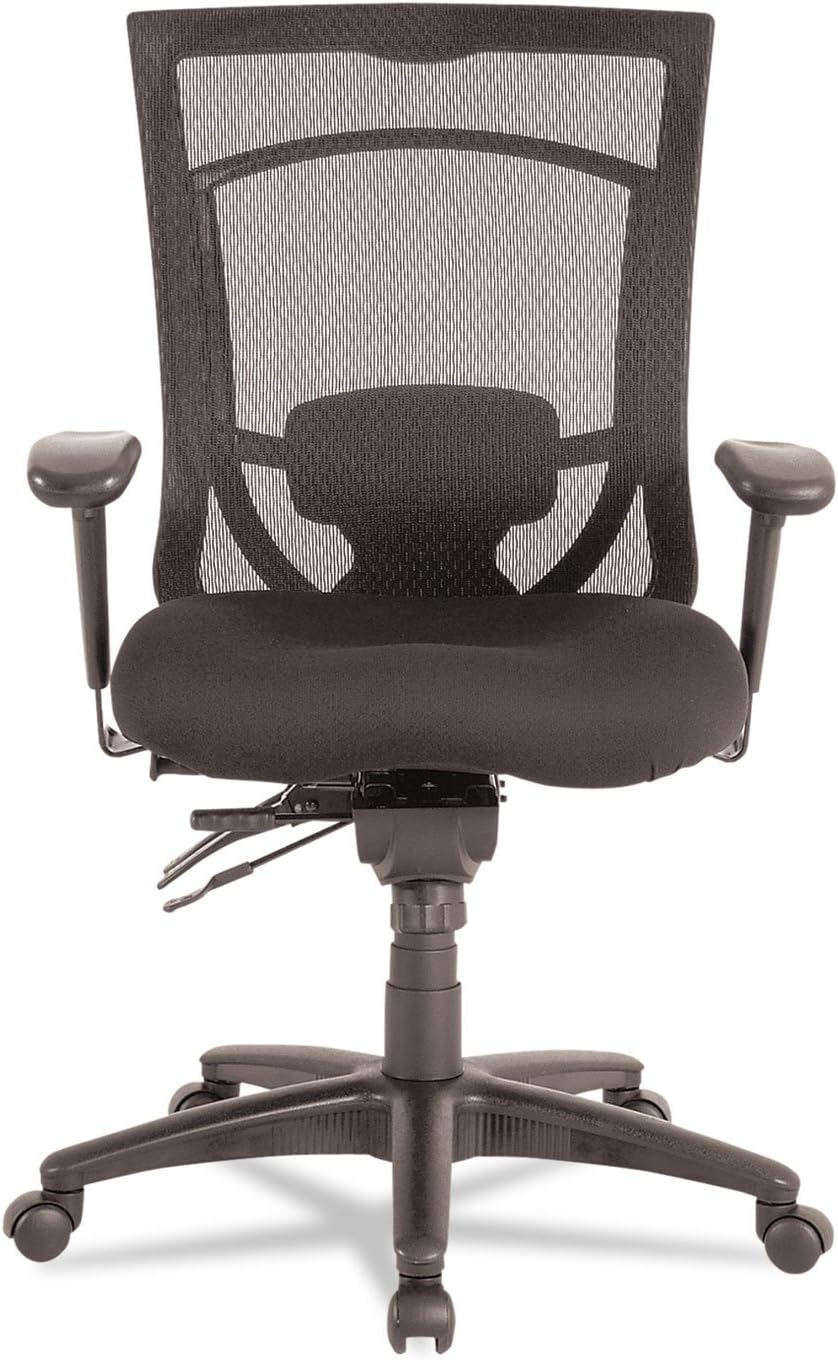
Figure 1: Front view of the Alera EX Series Mesh Multifunction High-Back Chair. This image displays the chair's overall design, including the breathable mesh back, contoured seat cushion, and the position of the armrests and control levers beneath the seat.
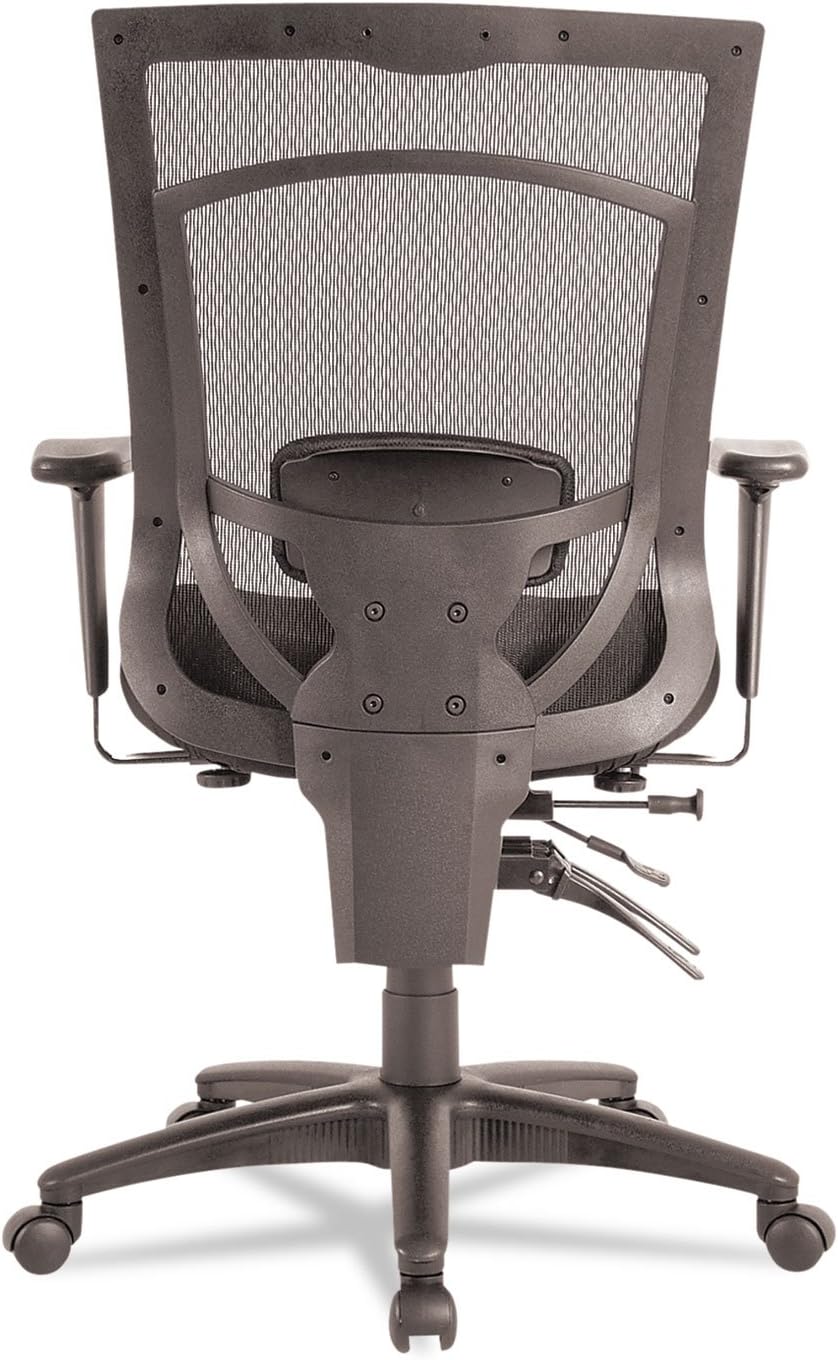
Figure 2: Rear view of the Alera EX Series Mesh Multifunction High-Back Chair. This perspective shows the structural elements of the backrest, the integrated lumbar support, and the sturdy five-star base with casters.
4. Operating and Adjustments
The Alera EX Series chair offers multiple adjustments to customize your seating experience:
- Seat Height Adjustment: Locate the lever on the right side, beneath the seat. To raise the seat, lift the lever while taking your weight off the chair. To lower the seat, lift the lever while seated. Release the lever at the desired height.
- Tilt Lock and Tension:
- Tilt Lock: The lever on the left side, beneath the seat, controls the tilt lock. Push the lever in to lock the chair in an upright position. Pull the lever out to allow the chair to recline.
- Tilt Tension: The round knob located at the front, under the seat, adjusts the tilt tension. Turn clockwise to increase tension (making it harder to recline) or counter-clockwise to decrease tension (making it easier to recline).
- Backrest Angle Adjustment: A separate lever, typically on the left side, allows you to adjust the angle of the backrest independently of the seat. Pull the lever up, adjust the backrest to your preferred angle, and release the lever to lock it in place.
- Armrest Height Adjustment: If your chair is equipped with adjustable armrests (as shown in Figure 1), locate the button or lever on the side of each armrest support. Press the button/lift the lever and move the armrest up or down to your desired height. Release to lock.
- Lumbar Support Adjustment: The chair features an adjustable lumbar support. This mechanism, visible from the rear (Figure 2), can typically be adjusted vertically by sliding it up or down to align with the natural curve of your lower back.
5. Maintenance and Care
Regular maintenance ensures the longevity and optimal performance of your chair:
- Cleaning Fabric/Mesh: Use a mild soap and water solution with a soft cloth. Blot spills immediately. Do not use harsh chemicals or abrasive cleaners. For mesh, gently wipe with a damp cloth.
- Cleaning Frame/Base: Wipe metal and plastic components with a damp cloth.
- Caster Care: Periodically check casters for accumulated hair or debris and clean as needed to ensure smooth movement.
- Fastener Check: Occasionally check all screws and bolts to ensure they are tight. Do not overtighten.
6. Troubleshooting
If you encounter issues with your chair, refer to the following common solutions:
- Chair Squeaks: Check all bolts and screws for tightness. A small amount of silicone-based lubricant can be applied to moving metal parts, avoiding plastic components.
- Chair Does Not Adjust Height: Ensure the height adjustment lever is fully engaged. If the gas lift cylinder is faulty, it may require replacement.
- Chair Tilts Unevenly: Verify that the chair is on a level surface. Check for any obstructions under the base or damaged casters.
- Casters Not Rolling Smoothly: Clean any debris (hair, lint) from the caster wheels.
7. Specifications
| Feature | Specification |
|---|---|
| Brand | Alera |
| Model Number | ALEEX4114 |
| Item Weight | 55 Pounds |
| Item Dimensions | 0.06 x 1 x 1.16 inches (Packaging/Shipping dimensions may vary) |
| Color | Black |
| Back Style | Mesh |
| Frame Material | Metal |
| Seat Material | Foam |
| Fill Material | Foam |
| Required Assembly | No |
| Reclining Position Count | 2 |
| Surface Recommendation | Hard Floor |
8. Warranty and Support
For warranty information, technical support, or to inquire about replacement parts, please contact Alera customer service directly. You can often find contact details on the manufacturer's official website or through your original point of purchase.
For more information, you may visit the Alera Store.