
Introduction
Welcome to the user manual for your Energizer HCSP6 LED Spotlight. This manual provides essential information for the safe and effective use of your new spotlight. Please read it thoroughly before operation and retain it for future reference.
What's in the Box
- Energizer HCSP6 LED Spotlight
- 6 Energizer MAX AA Batteries
Setup
Battery Installation
The Energizer HCSP6 LED Spotlight requires 6 AA batteries. To install or replace batteries:
- Locate the battery compartment at the rear of the spotlight.
- Twist the cap counter-clockwise to open the compartment.
- Insert 6 AA batteries, ensuring correct polarity (+/-) as indicated inside the compartment.
- Replace the cap and twist clockwise until securely fastened.

Image shows the Energizer HCSP6 LED Spotlight, highlighting its ergonomic design and the location of the battery compartment at the rear.
Operating Instructions
Power On/Off and Mode Selection
The spotlight features a large push-button switch for easy operation, even when wearing gloves.
- Press the switch once for High mode (600 lumens, 425m beam distance, 6.25-hour runtime).
- Press the switch a second time for Low mode (22-hour runtime).
- Press the switch a third time to turn the spotlight off.
Hands-Free Operation
The design allows for hands-free use by placing the spotlight on a flat surface, directing the beam as needed. It also includes a built-in lanyard loop for hanging.

Image illustrating the Energizer HCSP6 LED Spotlight positioned for hands-free operation, illuminating a workspace.

Image depicting the two light modes, High and Low, available on the Energizer HCSP6 LED Spotlight.
Maintenance
Cleaning
To clean the spotlight, wipe it with a soft, damp cloth. Do not use abrasive cleaners or solvents.
Storage
Store the spotlight in a cool, dry place. If storing for extended periods, remove the batteries to prevent leakage.
Troubleshooting
Light Does Not Turn On
- Check battery installation: Ensure batteries are inserted with correct polarity.
- Replace batteries: If batteries are old or depleted, replace all 6 AA batteries with new ones.
- Secure battery cap: Ensure the battery compartment cap is fully twisted and secured.
Dim Light Output
- Replace batteries: Dim light often indicates low battery power.
- Check mode: Ensure the spotlight is not in Low mode if maximum brightness is desired.
Specifications
| Feature | Detail |
|---|---|
| Light Output | 600 Lumens (High) |
| Beam Distance | 425 meters (High) |
| Runtime | 6.25 hours (High), 22 hours (Low) |
| Power Source | 6 AA Batteries |
| Water Resistance | IPX4 (Water Resistant) |
| Impact Resistance | Withstands impact up to 7 meters |
| Material | Plastic |
| Dimensions | 10"D x 4.3"W x 5.5"H |
| Weight | 1.8 Pounds |
| Model Number | HCSP6 |
| Brand | Energizer |
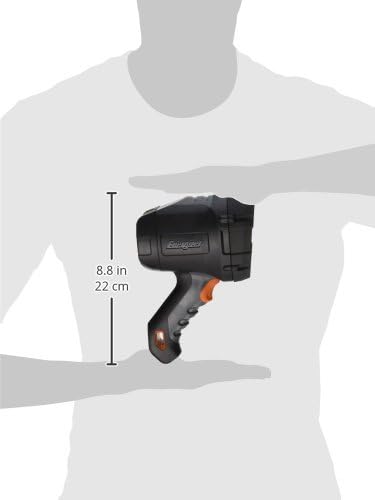
Image showing the dimensions of the Energizer HCSP6 LED Spotlight, indicating a height of 8.8 inches (22 cm).

Image illustrating the impressive beam distance of the Energizer HCSP6 LED Spotlight, reaching up to 425 meters.
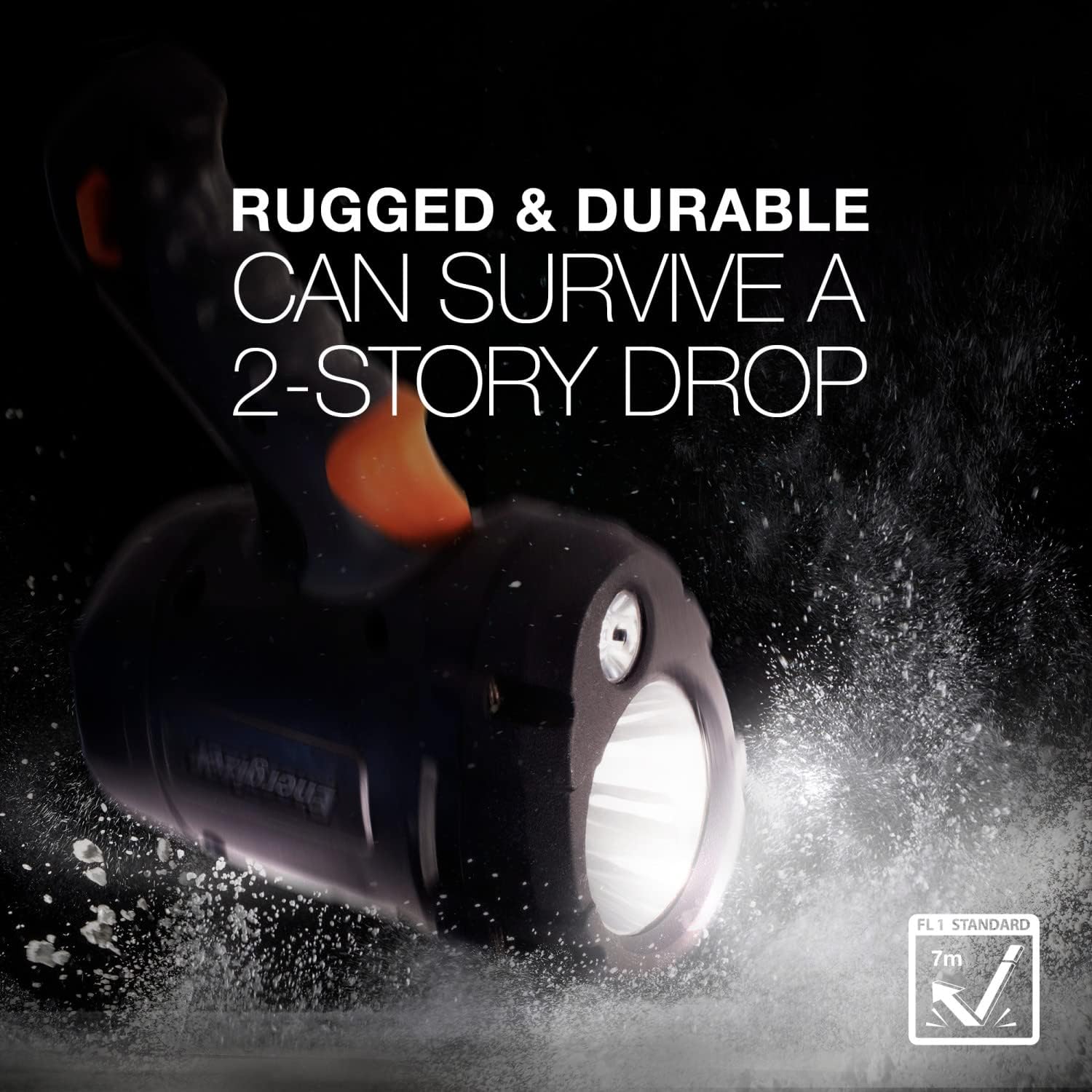
Image demonstrating the rugged and durable construction of the Energizer HCSP6 LED Spotlight, designed to withstand significant impact.

Image showing the IPX4 water resistance of the Energizer HCSP6 LED Spotlight, capable of withstanding splashes.
Safety Information
- Do not look directly into the LED light.
- Keep out of reach of children.
- Do not mix old and new batteries, or different types of batteries.
- Dispose of used batteries responsibly according to local regulations.
Warranty and Support
The product's warranty information is not explicitly provided in detail beyond "Not applicable." For specific warranty details or product support, please contact Energizer customer service or visit the official Energizer website.


