
1. Important Safety Information
Please read all instructions carefully before installation and use. Retain this manual for future reference.
- Electrical Safety: Installation and electrical connections must be carried out by a qualified electrician in accordance with local wiring regulations. Ensure the power supply is disconnected before any installation, maintenance, or repair work.
- Intended Use: This fan is designed for intermittent extraction in bathrooms. Do not use for purposes other than its intended use.
- Children and Vulnerable Persons: This appliance can be used by children aged 8 years and above and persons with reduced physical, sensory or mental capabilities or lack of experience and knowledge if they have been given supervision or instruction concerning use of the appliance in a safe way and understand the hazards involved. Children shall not play with the appliance. Cleaning and user maintenance shall not be made by children without supervision.
- Ventilation: Ensure adequate ventilation in the room when the fan is in operation to prevent backflow of gases from open-flued appliances.
- Cleaning: Always disconnect the power supply before cleaning the fan. Use a soft, damp cloth for cleaning; do not use abrasive cleaners or solvents.
2. Product Overview
The Xpelair C4R Simply Silent Contour is a 4-inch (100mm) round bathroom extractor fan designed for efficient and quiet ventilation. It features a modern, sleek design suitable for various bathroom aesthetics.

Figure 2.1: Front view of the Xpelair C4R Simply Silent Contour fan.
This fan incorporates Ghost Airflow technology, which optimizes airflow to reduce turbulence and noise, ensuring a quiet operating environment. Its smooth facade allows for easy cleaning and maintenance.

Figure 2.2: Xpelair C4R fan discreetly installed in a bathroom ceiling.
3. Key Features
- Silent Operation: Engineered with Ghost Airflow technology, this fan operates at a low noise level of 16 dBA at 3 meters (15 l/s), making it one of the quietest intermittent bathroom fans available.
- Easy Maintenance: The smooth and elegant facade is designed for easy cleaning, ensuring the fan remains hygienic and performs optimally.
- Twist and Click Front: This innovative design allows for simple installation and hassle-free access for maintenance.
- Two Speed Settings: Offers two operational speeds: 15 litres per second and 21 litres per second, providing flexibility for different ventilation needs.
- Versatile Mounting: Suitable for installation on walls, ceilings, or panels.

Figure 3.1: Visual representation of the fan's silent running capability.

Figure 3.2: Illustration of ceiling and wall mounting options.
4. Setup and Installation
Installation of the Xpelair C4R fan should be performed by a qualified professional to ensure compliance with all electrical and building regulations. The fan is designed for straightforward installation using its 'Twist and Click' front cover.
4.1 Mounting Location
The fan can be mounted on a wall, ceiling, or panel. Ensure the chosen location provides adequate space for the fan body and ducting, and is away from direct water spray.

Figure 4.1: The 'So Simple Installation' feature.
4.2 Electrical Connection
All electrical wiring must comply with current IEE wiring regulations. The fan requires a 240V power supply. Ensure the power is isolated at the mains before commencing any wiring.
4.3 Assembly
The fan features a modular design for ease of assembly. The main body connects to the ducting, and the front fascia then attaches using the 'Twist and Click' mechanism.
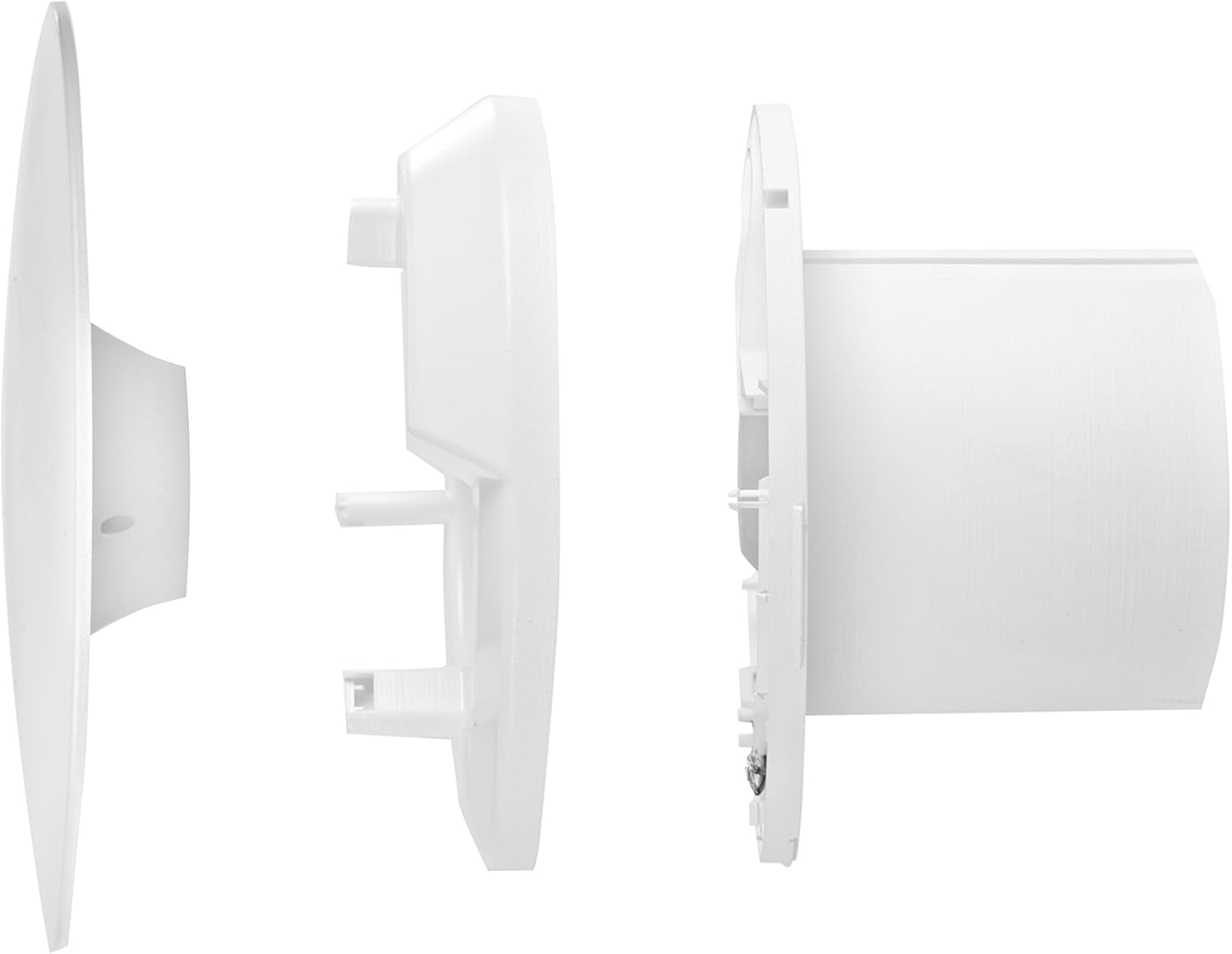
Figure 4.2: Exploded view demonstrating fan component assembly.
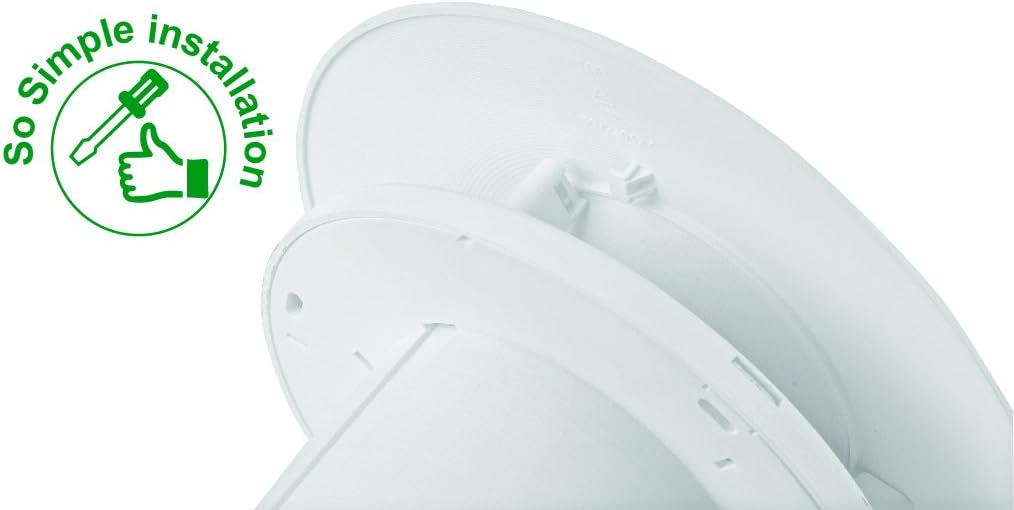
Figure 4.3: Internal structure illustrating Ghost Airflow Technology.
5. Operating Instructions
The Xpelair C4R fan is controlled via a button control mechanism, typically integrated with your bathroom's lighting circuit or a separate switch. It offers two speed settings for varying ventilation requirements.
- Speed Selection: The fan can operate at 15 litres per second (low speed) or 21 litres per second (high speed). The speed setting is usually configured during installation. Refer to the installation guide for details on how to select the desired speed.
- Activation: The fan activates when power is supplied, typically linked to a light switch. It will run for a set period (if a timer model) or as long as the power is supplied.
6. Maintenance
Regular cleaning and maintenance will ensure the longevity and efficient operation of your Xpelair C4R fan.
6.1 Cleaning the Fan
- Disconnect Power: Always ensure the power supply to the fan is completely disconnected at the mains before attempting any cleaning.
- Remove Front Fascia: The 'Twist and Click' front fascia can be easily removed for access to the fan blades and interior. Gently twist and pull the cover to detach it.
- Clean Surfaces: Use a soft, damp cloth with mild detergent to wipe down the front fascia and accessible internal surfaces. Do not use abrasive cleaners, solvents, or excessive water.
- Reassemble: Once clean and dry, reattach the front fascia by aligning it and twisting until it clicks securely into place.

Figure 6.1: The fan's design facilitates easy cleaning.
7. Troubleshooting
If your Xpelair C4R fan is not operating as expected, please check the following common issues before contacting support.
- Fan Not Operating:
- Check if the power supply to the fan is active.
- Ensure the circuit breaker or fuse for the fan circuit has not tripped.
- Verify that all electrical connections are secure (this should only be checked by a qualified electrician).
- Reduced Airflow or Unusual Noise:
- Disconnect power and remove the front fascia. Check for any obstructions (dust, debris) on the fan blades or in the ducting.
- Clean the fan blades and housing as described in the Maintenance section.
- Ensure the fan is securely mounted and not vibrating against the mounting surface.
- Fan Runs Continuously:
- If your model has a timer, ensure it is set correctly.
- Consult a qualified electrician to check the wiring and control switch.
If the problem persists after checking these points, please contact Xpelair customer support or a qualified electrician.
8. Specifications
| Specification | Detail |
|---|---|
| Brand | Xpelair |
| Model Number | C4R (also referred to as CSR) |
| Color | White |
| Power Source | Corded Electric |
| Style | Modern |
| Room Type | Bathroom |
| Mounting Type | Wall Mount, Ceiling Mount |
| Controller Type | Button Control |
| Number of Speeds | 2 |
| Noise Level | 16 Decibels (at 15 l/s, 3m) |
| Wattage | 12 watts |
| Number of Blades | 7 |
| Voltage | 240 Volts |
| Motor Type | Brushless |
| Blade Material | Plastic |
| Item Weight | 1.76 Pounds (approx. 0.8 kg) |
| Dimensions (Depth) | 50mm (from mounting surface) |
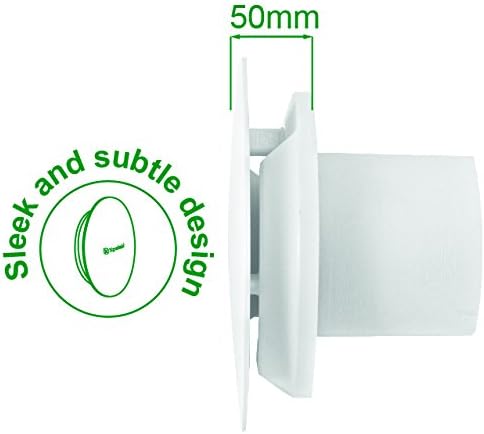
Figure 8.1: Side view illustrating the fan's subtle design and 50mm depth.
8.1 Energy Information
For detailed energy efficiency information, please refer to the product's energy label and the EPREL database.

Figure 8.2: Example of an energy label for the product.
Further details can be found on the EPREL database (Product ID: 2005523).
9. Warranty and Support
The Xpelair C4R Simply Silent Contour fan comes with a 2-year manufacturer warranty. This warranty covers defects in materials and workmanship under normal use.
For warranty claims, technical support, or further assistance, please contact Xpelair customer service. Keep your proof of purchase for warranty validation.
Xpelair Contact Information: Please refer to the official Xpelair website or your product packaging for the most up-to-date contact details.


