
PetSafe 82690
PetSafe Petporte Microchip Cat Flap
Model: 82690
Introduction
The PetSafe Petporte Smart Flap Microchip Cat Flap is designed to provide your cats with easy, automatic access to your home while preventing entry by unwanted animals. This advanced cat flap reads your cat's unique microchip, eliminating the need for a collar or tag. It can be programmed to recognize up to 25 different microchips, offering flexible access control for multi-cat households.
Key features include a programmable timer for specific entry/exit times, a light sensor for automatic night mode, and a veterinary mode to keep cats indoors when needed. The unit operates primarily on mains power, with a 9V battery backup for continued functionality during power outages.

Figure 1: The PetSafe Petporte Microchip Cat Flap, a white electronic cat flap designed for selective entry.
Setup and Installation
Proper installation is crucial for the optimal performance of your Petporte cat flap. A cutting template and detailed mounting instructions are included with the product to guide you through the process.
Required Cut-out Dimensions:
- For installation in glass: A circular cut-out with a diameter of 212 mm is required.
- For installation in non-glass surfaces (wood, PVC, walls): A rectangular cut-out of 171 mm x 180 mm is required.

Figure 2: Installation guidelines illustrating the required cut-out sizes for various door and wall materials.
The Petporte cat flap is designed for easy installation into various materials, including wood, PVC, walls, and glass. Additional tunnel extensions are available separately if needed for thicker installations.

Figure 3: The Petporte cat flap installed in a door, demonstrating its compatibility with various building materials.
Programming Your Cat's Microchip:
It is recommended to program your cat's microchip before completing the full installation of the cat flap into the door or wall. This ensures easier access to the unit for the initial setup.
- Press and hold the green button on the unit until the green indicator light illuminates steadily.
- Release the button once the light is solid. You will hear a single beep, indicating that the unit is ready for programming.
- You have approximately 30 seconds to present your cat to the scanner. Gently hold your cat so its microchip passes near the scanner area.
- The Petporte will emit three beeps, confirming that your cat's microchip has been successfully programmed.

Figure 4: A cat demonstrating entry through the microchip-activated flap, highlighting its ability to recognize existing microchips and store up to 25 unique IDs.
Operating Modes and Power
The Petporte cat flap offers several operating modes to suit your cat's routine and your household's needs. These modes are primarily accessible when the unit is connected to mains power.
Power Options:
The Petporte operates using an included electrical power adapter. A 9V battery can be installed as a backup power source in case of a mains power failure. Please note that certain advanced functions, such as automatic night mode and microchip programming, are only fully available when the unit is connected to mains power.
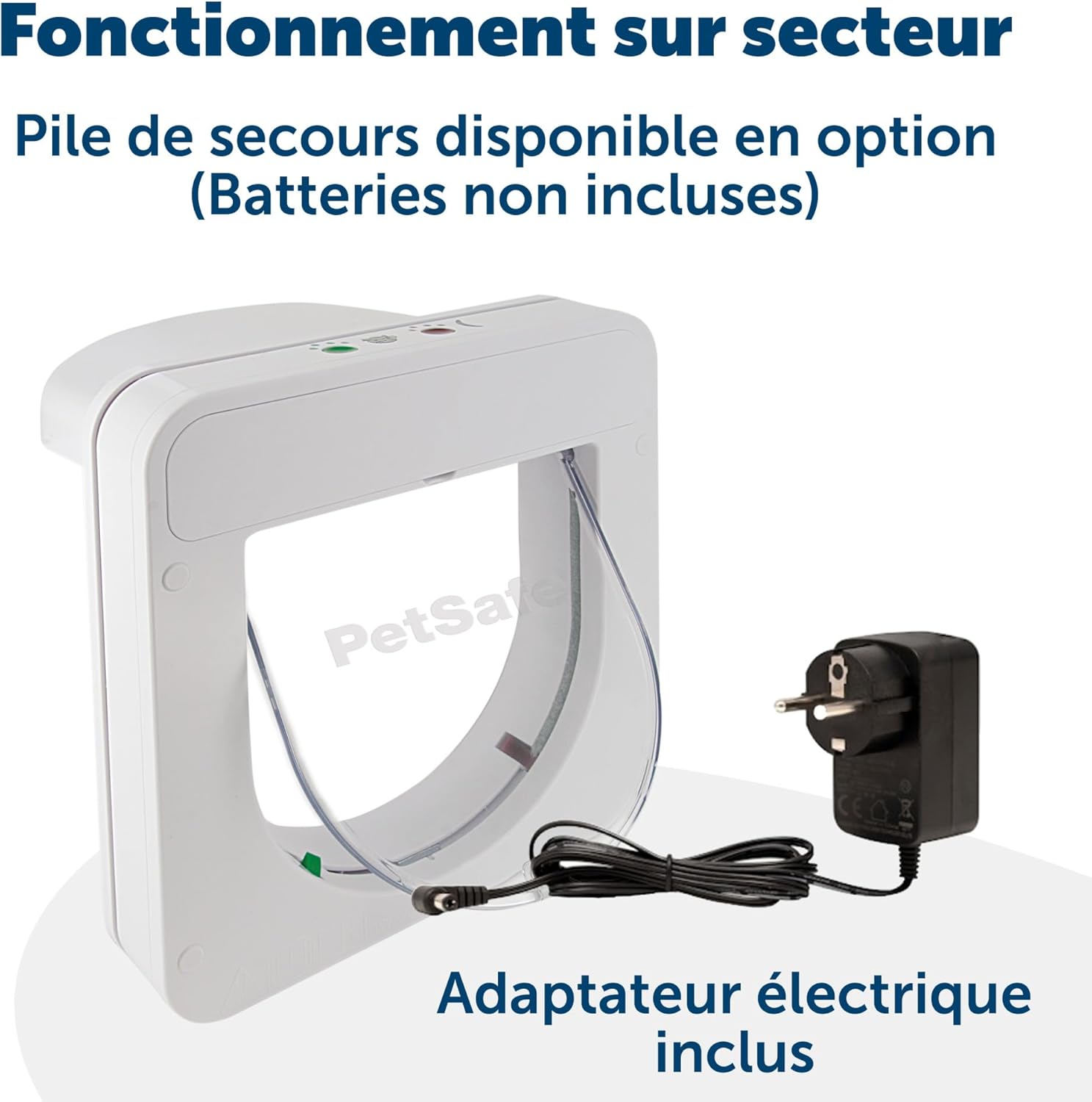
Figure 5: The Petporte cat flap shown with its power adapter, emphasizing its primary operation via mains electricity and the availability of an optional battery backup.
Programmable Timer and Modes:
The integrated timer allows you to set specific lock and unlock times throughout the day or night. The cat flap features several distinct modes:
- Night Mode: Utilizes a built-in light sensor to activate access for authorized cats at dusk, while automatically allowing free exit at dawn. This feature helps keep cats safely indoors during nighttime hours, reducing the risk of accidents.
- Veterinary Mode: This setting allows cats to enter the home but prevents them from exiting. It is particularly useful when preparing for a veterinary visit or if you need to keep your cat indoors for a specific period.
- Custom Mode (Advanced): Requires mains power. This mode allows cat owners to personalize the cat flap's operation based on their cat's routine and their own preferences, offering greater flexibility in access control.

Figure 6: The Petporte cat flap's control panel, illustrating the various programmable modes available for managing your cat's access.
Maintenance
To ensure the longevity and proper functioning of your PetSafe Petporte Microchip Cat Flap, regular maintenance is recommended.
- Cleaning: Periodically wipe down the cat flap, both inside and out, with a damp cloth and mild detergent. Avoid abrasive cleaners that could damage the plastic. Ensure the microchip scanner area and the flap mechanism are free from dirt, debris, or pet hair.
- Flap Inspection: Regularly check the flap for any signs of wear or damage. Ensure it swings freely and seals properly when closed.
- Power Supply: If using the 9V battery backup, check its charge periodically, especially if you experience frequent power outages. Replace the battery as needed to ensure backup functionality.
- Scanner Area: Keep the area around the scanner clear to ensure accurate microchip readings.
Troubleshooting
If you encounter issues with your PetSafe Petporte Microchip Cat Flap, consider the following common troubleshooting steps:
| Problem | Possible Cause | Solution |
|---|---|---|
| Cat not recognized / Flap not opening | Microchip not programmed, cat not positioned correctly, low battery (if on backup), scanner obstruction. | Ensure cat's microchip is programmed (re-program if necessary). Guide cat closer to the scanner. Check mains power connection. Replace 9V backup battery. Clear any debris from the scanner area. |
| Unwanted animals entering | Flap not locking properly, incorrect mode selected. | Check for obstructions preventing the flap from fully closing. Ensure the correct operating mode (e.g., locked or selective entry) is selected. |
| Flap making loud noises | Normal operation sound, or potential obstruction. | The flap mechanism may produce a clicking sound during operation, which is normal. If the sound is excessive or unusual, check for any foreign objects obstructing the flap's movement. Some users report that the sound can be reduced or eliminated via settings, refer to the full manual for advanced sound settings. |
| Night mode not activating | Not connected to mains power, light sensor obstructed. | Ensure the unit is connected to mains power, as automatic night mode requires it. Check that the light sensor is not covered or obstructed. |
For more detailed troubleshooting or persistent issues, please refer to the comprehensive user manual provided with your product or contact PetSafe customer support.
Specifications
| Feature | Detail |
|---|---|
| Model Number | 82690 |
| Brand | PetSafe |
| Animal Type | Cat |
| Recommended Max. Weight | 7 kg (15.4 lbs) |
| Product Dimensions (L x W x H) | 15.86 x 23.2 x 23.2 cm (6.24 x 9.13 x 9.13 inches) |
| Product Weight | 1.56 kg (3.44 lbs) |
| Power Source | Mains powered (12 Volts) with 9V alkaline battery backup (battery not included) |
| Microchip Capacity | Up to 25 unique microchips |
| Frame Material | Plastic |
| Closure Type | Flap |
| Specific Uses | Outdoor |

Figure 7: Detailed dimensions of the Petporte cat flap, confirming its suitability for cats weighing up to 7 kg.
Warranty and Support
The PetSafe Petporte Microchip Cat Flap comes with a 3-year manufacturer's warranty. This warranty covers defects in materials and workmanship under normal use.
For warranty claims, technical assistance, or further product information, please contact PetSafe customer support. Contact details can typically be found on the PetSafe official website or within the product packaging.
Related documents82690


Ask a question about this manual
Ask about setup, troubleshooting, compatibility, parts, safety, or missing instructions. Manuals+ will review the question and use this page’s manual context to help answer it.