
1. Important Safety Information
WARNING: Before use, read this manual and all safety information. This product is NOT FOR CHILDREN UNDER 3 YEARS OLD. Adult supervision is required during use.
This Class B device complies with part 15 of the FCC rules and the Canadian ICES-003. Operation is subject to the following two conditions: (1) This device may not cause harmful interference, and (2) this device must accept any interference received, including interference that may cause undesired operation.
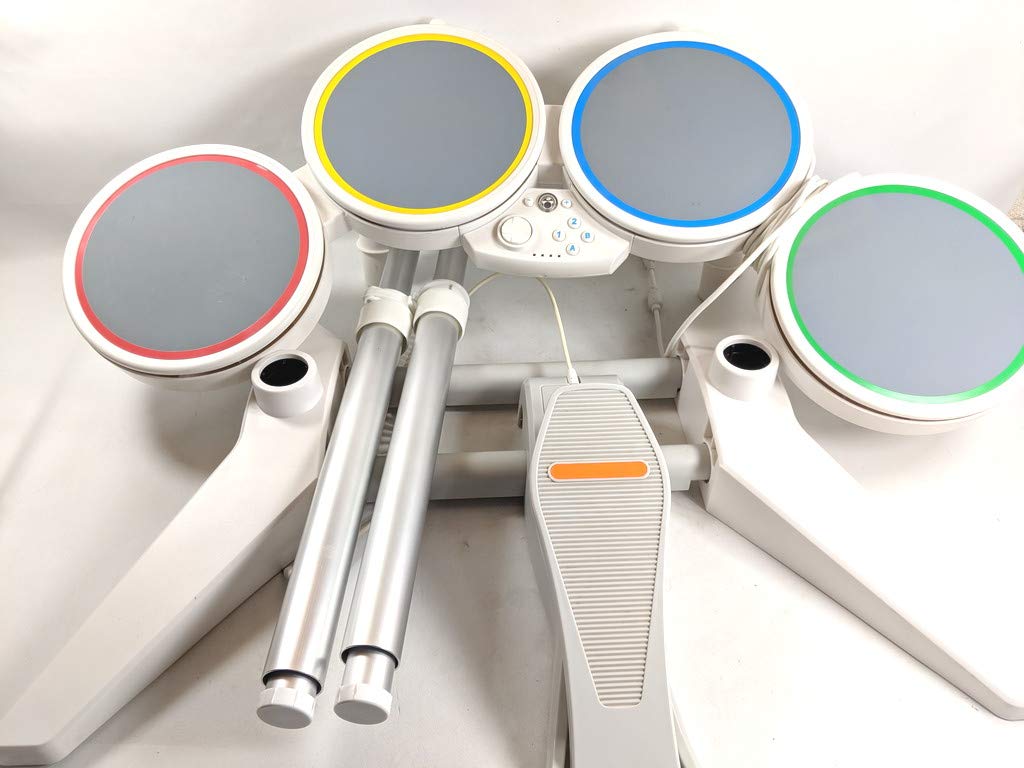
Image 1.1: Product label displaying safety warnings, regulatory compliance, and manufacturer information.
2. Product Overview and Components
The Harmonix Nintendo Wii Rock Band Wired Drum Controller is designed to provide an immersive drumming experience for the Rock Band game series on the Nintendo Wii console. It includes the following main components:
- Four Durable Drum Pads: Color-coded (red, yellow, blue, green) for gameplay, featuring velocity-sensitive heads for expressive performances.
- Kick Pedal: A robust foot pedal for bass drum inputs.
- Drum Stand: Adjustable stand to hold the drum pads at a comfortable playing height.
- Authentic Wooden Drum Sticks: For an authentic drumming feel.
- Wired USB Connection: For direct connection to the Nintendo Wii console.
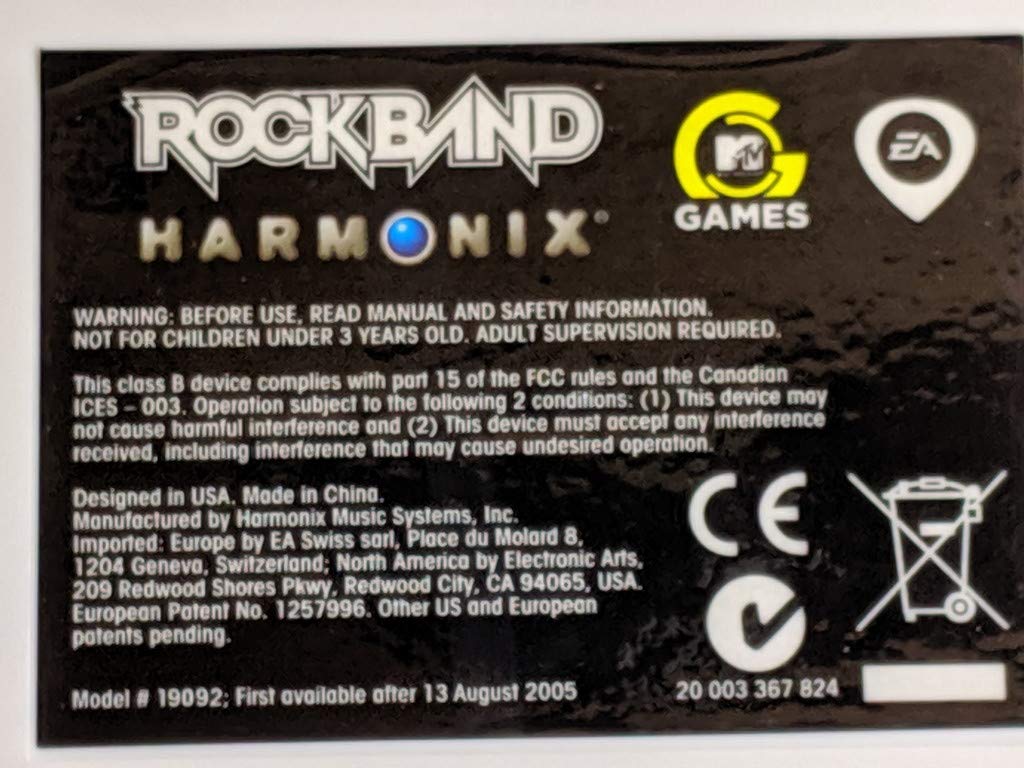
Image 2.1: Top view of the drum pads, highlighting the yellow and blue pads and their playing surfaces.
3. Setup Instructions
Follow these steps to assemble and connect your drum controller:
- Assemble the Drum Stand: Carefully connect the stand components according to the diagrams provided in the original packaging. Ensure all connections are secure.
- Attach Drum Pads: Mount the four drum pads onto the assembled stand. The pads are typically color-coded for easy identification and placement.
- Connect Kick Pedal: Plug the kick pedal cable into the designated port on the drum controller's central unit.
- Connect to Nintendo Wii: Insert the USB cable from the drum controller into an available USB port on your Nintendo Wii console.
- Power On: Turn on your Nintendo Wii console and launch the Rock Band game. The drum controller should be automatically recognized.

Image 3.1: Central control panel of the drum controller, featuring buttons and the connection interface.
4. Operating Instructions
Once connected and the game is launched, the drum controller functions as your primary input device for drum parts in Rock Band. The central control panel (refer to Image 3.1) includes several buttons:
- Home Button: Returns to the Wii Home Menu.
- Plus (+) and Minus (-) Buttons: Used for navigation and in-game functions, similar to the Wii Remote.
- 1 and 2 Buttons: Function as standard Wii Remote buttons for menu selection and gameplay.
- A and B Buttons: Also function as standard Wii Remote buttons for menu selection and gameplay.
- Drum Pads: Strike the corresponding color-coded pads when notes appear on screen.
- Kick Pedal: Press the kick pedal for bass drum notes.
Adjust the volume and other game settings within the Rock Band game's options menu.
5. Maintenance and Care
To ensure the longevity and optimal performance of your drum controller, follow these maintenance guidelines:
- Cleaning: Use a soft, dry cloth to wipe down the drum pads and controller surfaces. For stubborn dirt, a slightly damp cloth can be used, but ensure no moisture enters any openings. Do not use harsh chemicals or abrasive cleaners.
- Storage: When not in use, store the drum controller in a clean, dry place away from direct sunlight and extreme temperatures. Disassemble the stand if necessary for compact storage.
- Cable Care: Avoid bending or crimping the USB cable excessively. Store cables neatly to prevent damage.
- Drum Sticks: Replace drum sticks if they become worn or damaged to prevent potential injury or damage to the drum pads.
6. Troubleshooting
If you encounter issues with your drum controller, refer to the following table for common problems and solutions:
| Problem | Possible Cause | Solution |
|---|---|---|
| Drum controller not recognized by Wii. | Loose USB connection, faulty USB port, game not launched. | Ensure USB cable is firmly connected to both the drum controller and the Wii. Try a different USB port. Restart the Wii and the game. |
| Drum pads not responding. | Pad connection issue, internal wiring problem. | Check if the drum pads are securely attached to the stand. Ensure no cables are pinched. If the issue persists, contact support. |
| Kick pedal not responding. | Loose kick pedal cable, debris under pedal. | Verify the kick pedal cable is fully inserted into its port. Check for any obstructions under the pedal mechanism. |
| Delay in response. | Game calibration, console performance. | Calibrate the audio/video sync within the Rock Band game's options menu. Ensure your Wii console is running optimally. |
7. Specifications
- Model Number: 19092
- Product Dimensions: Approximately 10 x 10 x 10 inches (assembled, varies with configuration)
- Item Weight: Approximately 14.42 pounds
- Connectivity: Wired USB
- Compatibility: Nintendo Wii console, Rock Band game series
- Manufacturer: Nintendo (as per product specifications, though Harmonix is the brand on the product)
- Date First Available: July 30, 2014
8. Warranty and Support
For warranty information and technical support, please refer to the documentation included with your original purchase or visit the official Harmonix or Electronic Arts support websites. Keep your proof of purchase for warranty claims.

