
1. Introduction
This manual provides essential instructions for the installation, operation, and maintenance of your Hatco GRAML-42D3 42-inch Standard Watt Infrared Foodwarmer. This unit is designed for commercial food holding applications, utilizing infrared heat to maintain food at serving temperatures. Please read this manual thoroughly before installation and operation to ensure safe and efficient use of the appliance.
2. Important Safety Information
WARNING: Risk of Electric Shock and Burns.
- Always disconnect power before servicing or cleaning the unit.
- This appliance must be properly grounded. Consult a qualified electrician if in doubt.
- Do not operate the unit with a damaged cord or plug.
- The foodwarmer operates at high temperatures. Avoid direct contact with heating elements and surrounding surfaces during and immediately after operation.
- Do not immerse the unit in water or other liquids.
- This appliance is intended for commercial use only.
- Ensure proper ventilation around the unit.
3. Package Contents
Carefully unpack the foodwarmer and inspect for any shipping damage. Retain the packaging materials for future transport if needed. The package should contain the following items:
- Hatco GRAML-42D3 Infrared Foodwarmer Unit
- Remote Control Enclosure
- Angle Brackets (for mounting)
- User Manual (this document)
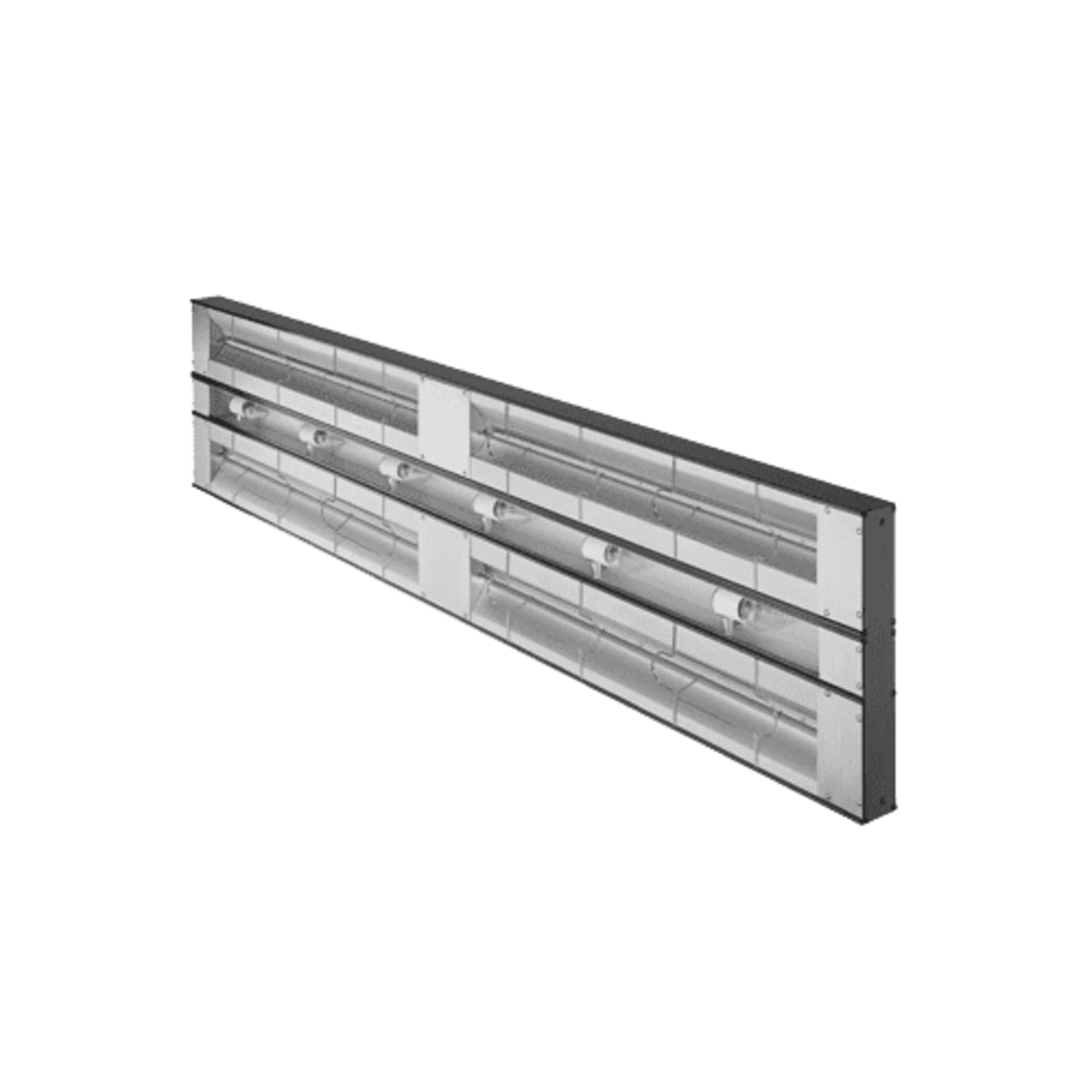
Figure 1: Hatco GRAML-42D3 Infrared Foodwarmer. The image displays the main heating unit, which includes the tubular metal heater rod and integrated lights. The remote control enclosure and angle brackets are separate components for installation.
4. Setup and Installation
Proper installation is crucial for the safe and efficient operation of your foodwarmer. Installation should be performed by qualified personnel in accordance with all local electrical and safety codes.
4.1 Mounting
- Select Location: Choose a location above the food holding area that allows for even heat distribution and is clear of obstructions. Ensure adequate clearance from combustible materials.
- Attach Angle Brackets: Securely fasten the provided angle brackets to a sturdy overhead structure using appropriate hardware (not included). Ensure the brackets are level and spaced correctly for the 42-inch unit.
- Mount Foodwarmer: Carefully lift the foodwarmer unit and attach it to the angle brackets. Ensure all connections are tight and secure.
4.2 Electrical Connection
- The GRAML-42D3 operates at 2530 watts. Verify that the electrical supply matches the unit's requirements and that the circuit can handle the load.
- Connect the foodwarmer to a properly grounded electrical outlet.
- The remote control enclosure should be wired according to the included wiring diagram (refer to separate diagram if provided) and mounted in an accessible location.
5. Operating Instructions
The Hatco GRAML-42D3 is designed for simple operation to maintain food temperatures effectively.
5.1 Powering On/Off
- Locate the toggle switch on the remote control enclosure.
- Flip the toggle switch to the "ON" position to activate the infrared heating elements and lights.
- Flip the toggle switch to the "OFF" position to deactivate the unit.
5.2 Food Holding
- Place pre-heated food directly under the foodwarmer.
- The infrared heat will radiate downwards, keeping the food at safe and desirable serving temperatures.
- The integrated lights provide illumination for the food display area.
- Monitor food temperatures regularly to ensure compliance with food safety standards.
6. Maintenance
Regular cleaning and maintenance will extend the life of your Hatco foodwarmer and ensure optimal performance.
6.1 Cleaning
- WARNING: Disconnect power before cleaning. Allow the unit to cool completely.
- Wipe down the aluminum construction with a damp cloth and mild, non-abrasive cleaner.
- Do not use harsh chemicals, abrasive pads, or immerse the unit in water.
- Clean the heating elements and light covers gently to remove any food debris or grease buildup.
- Ensure all surfaces are dry before reconnecting power.
6.2 Inspection
- Periodically inspect the power cord for any signs of damage or fraying.
- Check mounting hardware for tightness.
- Ensure heating elements and lights are functioning correctly.
7. Troubleshooting
Before contacting service, review the following common issues and solutions:
| Problem | Possible Cause | Solution |
|---|---|---|
| Unit does not power on. | No power supply; toggle switch off; tripped circuit breaker. | Check power cord connection; ensure toggle switch is ON; reset circuit breaker. |
| Heating elements not working. | Faulty element; power issue. | Verify power supply; if problem persists, contact qualified service personnel. |
| Lights not working. | Burned out bulb; power issue. | Replace bulb (if accessible and replaceable); verify power supply. |
| Food not staying warm. | Improper placement; unit not heating effectively. | Ensure food is directly under the warmer; check heating element function. |
8. Specifications
| Feature | Detail |
|---|---|
| Model Number | GRAML-42D3 |
| Brand | Hatco |
| Type | Infrared Strip Heater / Foodwarmer |
| Length | 42 inches |
| Wattage | 2530 watts (Maximum Wattage) |
| Heating Element | Tubular Metal Heater Rod (Double Housing) |
| Spacing | 3-inch spacing |
| Controls | Toggle Switch (with remote control enclosure) |
| Construction Material | Aluminum |
| Certifications | cULus |
| Origin | Made in USA |
9. Warranty and Support
9.1 Warranty Information
Based on the provided product information, this unit is sold with No Warranty. Please verify any specific warranty terms with your distributor at the time of purchase.
9.2 Customer Support
For technical assistance, parts, or service inquiries, please contact your authorized Hatco dealer or Hatco customer service directly. Have your model number (GRAML-42D3) and serial number ready when contacting support.
You can typically find contact information on the manufacturer's official website or through your product distributor.


