
Product Overview
The Bose QuietComfort 25 Acoustic Noise Cancelling headphones are engineered to deliver crisp, powerful sound while providing an exceptional level of quiet. Featuring proprietary Bose Active EQ and TriPort technology, these headphones ensure deep, clear audio reproduction. Advanced noise cancelling technology actively monitors and reduces ambient noise, allowing for enhanced focus on audio content or simply enjoying peace and quiet. Designed for comfort and durability, the earcups pivot for easy storage in the included carrying case. This model is specifically customized for Apple devices.
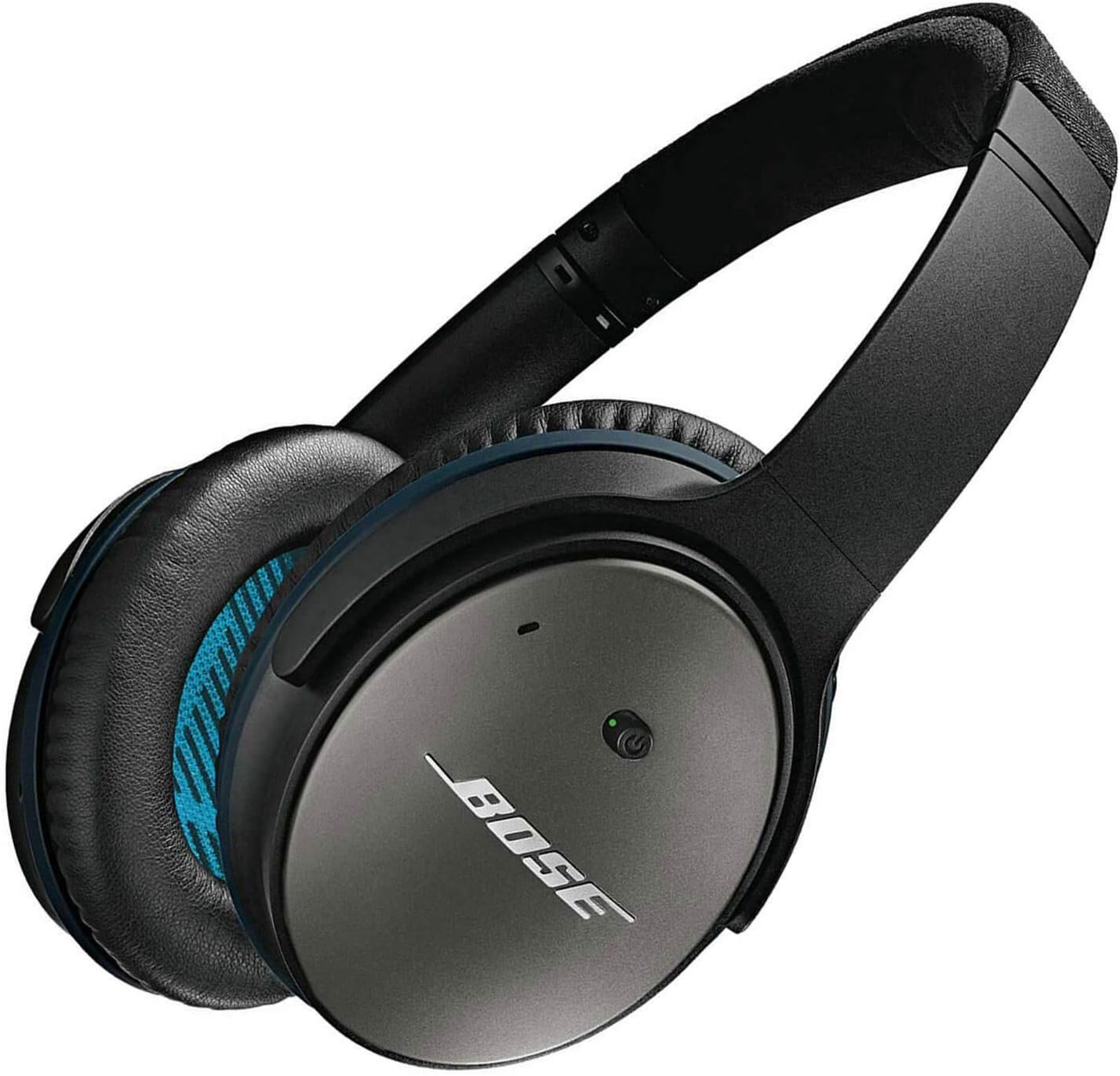
Figure 1: Bose QuietComfort 25 Acoustic Noise Cancelling Headphones in Black.
What's in the Box
Your Bose QuietComfort 25 headphones package includes the following components:
- QuietComfort 25 headphones
- 56-inch QC25 inline remote and microphone cable
- Airline adapter
- Carrying case
- AAA battery

Figure 2: All items included in the Bose QuietComfort 25 Headphones package.
Setup
Connecting the Audio Cable
The QuietComfort 25 headphones utilize a wired connection. To connect, simply insert the 3.5 mm jack of the included 56-inch QC25 inline remote and microphone cable into the audio input port located on the left earcup of the headphones. Ensure the connection is secure.
Battery Installation for Noise Cancellation
To enable the Acoustic Noise Cancelling feature, an AAA battery is required. Locate the battery compartment on one of the earcups, insert the AAA battery with the correct polarity, and close the compartment securely. The noise cancellation feature will not operate without a battery, though the headphones can still function for audio playback in passive mode.
Compatibility with Apple Devices
These headphones are specifically designed for compatibility with Apple devices. The inline remote and microphone are compatible with: iPhone 3GS or later, iPad, iPod touch 2nd generation or later, iPod classic 120GB/160GB, and iPod nano 4th generation or later. For newer Apple devices without a 3.5mm headphone jack, a Lightning to 3.5mm Headphone Jack Adapter (sold separately) may be required.

Figure 3: User wearing Bose QuietComfort 25 Headphones.
Operating the Headphones
Basic Controls
The inline remote on the cable provides convenient control over your music and calls:
- Volume Control: Use the '+' and '-' buttons to adjust the audio volume.
- Play/Pause/Call Control: The center button allows you to play or pause music with a single press. Double-press to skip to the next track, and triple-press to go to the previous track. For calls, press once to answer or end a call.
Acoustic Noise Cancelling
To activate the noise cancelling feature, ensure an AAA battery is installed. Locate the power switch on the earcup (typically indicated by a power icon) and slide it to the 'On' position. A green indicator light will illuminate, confirming that noise cancellation is active. This feature significantly reduces ambient noise, enhancing your listening experience.
Comfort and Fit
The QuietComfort 25 headphones are designed for extended wear. The earcups are soft and comfortable, fitting over the ears to provide a good seal for noise reduction. The headband is adjustable to accommodate various head sizes, ensuring a secure yet comfortable fit. Adjust the headband until the earcups rest comfortably and completely cover your ears.
Maintenance
Care for Ear Pads
The ear pads are designed for comfort and can be replaced if they show signs of wear. Gently wipe the ear pads with a soft, damp cloth to clean them. Avoid using harsh chemicals or abrasive materials. Replacement ear pads are available from authorized Bose retailers or the Bose website.
General Cleaning
To clean the headphones, use a soft, dry cloth. Do not allow moisture to enter any openings. Avoid using cleaning sprays directly on the headphones.
Storage
When not in use, fold the earcups flat and store the headphones in the provided carrying case. This protects them from dust, scratches, and impacts, extending their lifespan. Remove the AAA battery if storing for extended periods to prevent leakage.
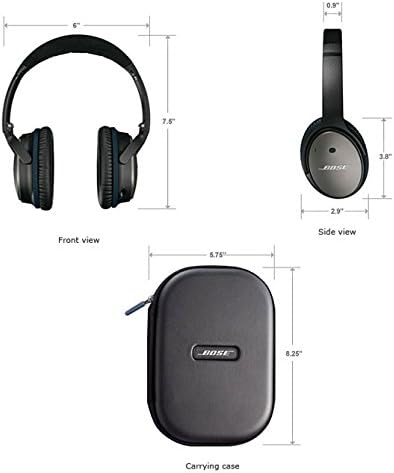
Figure 4: Dimensions of the headphones and their compact carrying case for easy storage.
Troubleshooting
| Problem | Possible Cause | Solution |
|---|---|---|
| No audio or low volume | Cable not fully inserted; device volume too low; incorrect audio source. | Ensure cable is fully inserted into both headphones and device. Increase device volume. Verify correct audio source is selected. |
| Noise cancelling not working | No AAA battery or battery depleted; power switch off. | Insert fresh AAA battery with correct polarity. Slide noise cancelling switch to 'On' position. |
| Microphone not working | Cable not fully inserted; device not compatible. | Ensure cable is fully inserted. Verify your Apple device is compatible (iPhone 3GS or later, iPad, iPod touch 2nd gen or later). |
| Headphones uncomfortable | Improper fit; worn ear pads. | Adjust headband for proper fit. Consider replacing ear pads if they are worn or flattened. |
Specifications
| Feature | Specification |
|---|---|
| Model Name | QuietComfort 25 |
| Connectivity Technology | Wired |
| Headphones Jack | 3.5 mm Jack |
| Noise Control | Active Noise Cancellation |
| Ear Placement | Over Ear |
| Item Weight | 6.9 Ounces |
| Cable Length | 56 Inches |
| Manufacturer | Bose |
| Compatible Devices | Apple devices (iPhone 3GS or later, iPad, iPod touch 2nd generation or later, iPod classic 120GB/160GB, iPod nano 4th generation or later) |
Warranty and Support
For detailed warranty information and further support, please refer to the official Bose website or the full user manual provided in PDF format. You can access the User Guide (PDF) here and the User Manual (PDF) here.


