
Introduction
This manual provides essential information for the safe and efficient operation, installation, and maintenance of your Voltas Venture Slimline Tower AC 3 Ton. Please read it thoroughly before using the appliance and retain it for future reference.
Safety Information
Always follow basic safety precautions to reduce the risk of fire, electric shock, or injury. This appliance is not intended for use by persons with reduced physical, sensory or mental capabilities, or lack of experience and knowledge, unless they have been given supervision or instruction concerning use of the appliance by a person responsible for their safety.
- Ensure the power supply matches the specifications listed on the unit.
- Do not operate the AC with wet hands.
- Do not insert objects into the air outlet.
- Keep children away from the unit.
- Disconnect power before cleaning or servicing.
Setup and Installation
The Voltas Venture Slimline Tower AC is a split-system air conditioner, requiring professional installation. It consists of an indoor unit (tower) and an outdoor compressor unit.
Unpacking
Carefully remove all packaging materials. Inspect the unit for any damage incurred during transit. Report any damage to your dealer immediately.
Placement Considerations
- Indoor Unit: Place the indoor unit on a flat, stable surface, ensuring adequate clearance for air circulation. Avoid direct sunlight and heat sources.
- Outdoor Unit: The outdoor unit should be placed in a well-ventilated area, away from obstructions. Ensure it is on a stable base to minimize vibration.
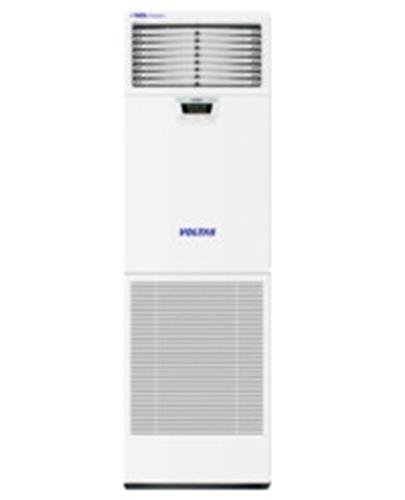
Image: The indoor unit of the Voltas Venture Slimline Tower AC. This image shows the sleek, white tower design of the air conditioner, suitable for modern interiors.
Professional Installation
Installation of this split-system AC requires specialized tools and knowledge. It is strongly recommended to use certified technicians for installation to ensure proper functioning and to maintain warranty validity. The installation process involves:
- Mounting the indoor unit.
- Mounting the outdoor unit.
- Connecting refrigerant piping between units.
- Electrical wiring connections.
- Vacuuming and charging the refrigerant system (R22).
- Testing the system for leaks and proper operation.
For installation assistance, please contact the provided customer support number.
Operating Instructions
Your Voltas Venture Slimline Tower AC can be controlled via the unit's panel or the LCD remote handset.
Remote Control Functions
The LCD remote handset allows for convenient control of all AC functions. Ensure the remote is pointed towards the indoor unit when operating.
- Power Button: Turns the unit ON or OFF.
- Mode Button: Cycles through operating modes: Cool, Fan, Dry (Dehumidifier).
- Temperature Adjustment: Use + and - buttons to set desired temperature.
- Fan Speed: Adjusts fan speed (Low, Medium, High, Auto).
- Timer: Sets ON/OFF times for automated operation.
- Child Lock Switch: Activates or deactivates the child lock feature, preventing accidental changes to settings.
Display Panel Indicators
The indoor unit's display panel provides visual feedback on current settings.
- Room Temperature: Displays the current ambient room temperature.
- On/Off Time Settings: Indicates programmed timer settings.
- Fan Speed: Shows the selected fan speed.
- Operating Mode: Displays the active operating mode (e.g., Cool, Fan).
Special Features
- Anti Bacterial Filter: Helps to remove airborne bacteria and allergens, improving air quality.
- Dehumidifier (Dry Mode): Reduces humidity in the room without significant cooling, ideal for humid conditions.
- Noise Suppression Technology: Designed for low operating sound levels through optimized blower design and vibration attenuation.
Maintenance
Regular maintenance ensures optimal performance and longevity of your air conditioner. Always disconnect power before performing any maintenance.
Air Filter Cleaning
The air filters should be cleaned every two weeks or more frequently depending on usage and air quality.
- Open the front panel of the indoor unit.
- Remove the air filters.
- Wash filters with lukewarm water and a mild detergent.
- Rinse thoroughly and allow them to dry completely in a shaded area before reinserting.
- Close the front panel securely.
Unit Cleaning
- Wipe the indoor and outdoor units with a soft, damp cloth.
- Do not use harsh chemicals, abrasives, or solvents.
- Ensure no water enters the electrical components.
Seasonal Checks
- Before Summer: Check refrigerant levels, clean outdoor coil, and inspect electrical connections. This should be done by a qualified technician.
- Before Winter (if not in use): Clean filters, ensure the unit is powered off, and consider covering the outdoor unit to protect it from harsh weather.
Troubleshooting
Before contacting service, refer to the following table for common issues and their solutions.
| Problem | Possible Cause | Solution |
|---|---|---|
| Unit does not start | No power supply; Remote control batteries low; Timer function active. | Check power connection and circuit breaker; Replace remote batteries; Deactivate timer. |
| Insufficient cooling | Dirty air filters; Blocked outdoor unit; Doors/windows open; Temperature setting too high. | Clean air filters; Clear obstructions from outdoor unit; Close doors/windows; Lower temperature setting. |
| Unusual noise | Loose parts; Unit not level; Obstruction in fan. | Check for loose components; Ensure unit is on a stable, level surface; Inspect fan for obstructions (disconnect power first). |
| Water leakage from indoor unit | Blocked drain pipe; Improper installation. | Clear drain pipe obstruction; Contact service for re-installation check. |
If the problem persists after attempting these solutions, please contact customer support.
Technical Specifications
Below are the detailed technical specifications for the Voltas Venture Slimline Tower AC 3 Ton.
| Feature | Value |
|---|---|
| Brand | Voltas |
| Model Name | Venture Slimline Tower AC |
| Model Number | 3.0 Ton Venture |
| Capacity | 3 Tons (36000 Btu/Hr) |
| Cooling Power | 5200 Watts |
| Input Power | 4058 Watts |
| Rated Current | 6.8 (Avg/Ph) Amps |
| Voltage | 230 Volts |
| Power Supply | 415 V / 50 Hz / 3 Ph |
| Compressor Type | Reciprocating |
| Refrigerant Type | R22 |
| Indoor Air Flow (Hi/Mi/Lo) | 1900 CMH |
| Indoor Noise Level (Hi/Mi/Lo) | ≤46 dB(A) |
| Indoor Unit Dimension (W x H x D) | 605 x 1900 x 330 mm |
| Indoor Unit Net Weight | 60 Kg |
| Outdoor Air Flow | 3500 CMH |
| Outdoor Noise Level | 61 dB(A) |
| Outdoor Unit Dimension (W x H x D) | 900 x 700 x 360 mm |
| Outdoor Unit Net Weight | 58 Kg |
| Special Features | Anti Bacterial Filter, Dehumidifier |
| Seasonal Energy Efficiency Ratio (SEER) | 5 |
| BEE Star Rating | 1 Star |
| Core Material | Copper |
| Color | White |
| Control Method | Remote Control and On-Unit |
Warranty Information
The Voltas Venture Slimline Tower AC comes with the following warranty:
- Product Warranty: 1 year comprehensive warranty.
- Compressor Warranty: 5 years warranty on the compressor.
Please retain your purchase receipt for warranty claims. The warranty covers manufacturing defects and does not cover damage due to improper installation, misuse, or lack of maintenance.
Customer Support
For any queries, installation assistance, service requests, or troubleshooting that cannot be resolved using this manual, please contact Voltas customer support.
Toll Free Number: 1800-3000-9027
Please have your model number (Venture Slimline Tower AC) and purchase details ready when contacting support.