
1. Introduction
Thank you for purchasing the Rockville RM64PRO 6.5 inch Mid-Bass Midrange Car Speaker. This manual provides essential information for the proper installation, operation, and maintenance of your new speakers. Please read this guide thoroughly to ensure optimal performance and longevity of your product.

Figure 1: Rockville RM64PRO 6.5 inch Mid-Bass Midrange Car Speaker, front view.
2. Safety Information
Always observe the following safety precautions during installation and operation:
- Professional Installation Recommended: Car audio installation can be complex. If you are unsure about any step, consult a qualified professional installer.
- Disconnect Battery: Before beginning any electrical work, disconnect the vehicle's negative battery terminal to prevent electrical shorts and damage.
- Proper Wiring: Ensure all wiring is correctly connected, observing polarity (+/-). Incorrect wiring can damage the speakers and your amplifier.
- Secure Mounting: Mount speakers securely to prevent them from becoming loose during vehicle operation, which could cause injury or damage.
- Avoid Overpowering: Do not exceed the speaker's RMS power handling. Overpowering can lead to distortion and permanent damage.
- Ventilation: Ensure adequate ventilation around the speakers and amplifier to prevent overheating.
3. Package Contents
Verify that your package contains the following items:
- (4) Rockville RM64PRO 6.5 inch 4 Ohm Mid-Bass Midrange Car Audio Speakers
- User Manual (this document)
Note: Power cables and other installation accessories are typically sold separately and are not included with the speakers.
4. Setup & Installation
Proper installation is crucial for optimal sound quality and speaker longevity. Follow these guidelines carefully.
4.1 Mounting the Speakers
The RM64PRO speakers are designed for custom installations. Ensure the mounting location provides sufficient depth and clearance.
- Measure Carefully: Before cutting any holes, measure the speaker dimensions and compare them to your intended mounting location.
- Secure Fit: The speakers should fit snugly into the mounting holes. Use appropriate screws to secure them firmly to the mounting surface.
- Clearance: Ensure there is adequate clearance behind the speaker for the magnet structure and wiring, especially if installing in door panels or tight spaces.

Figure 2: Rockville RM64PRO Speaker dimensions for mounting reference.
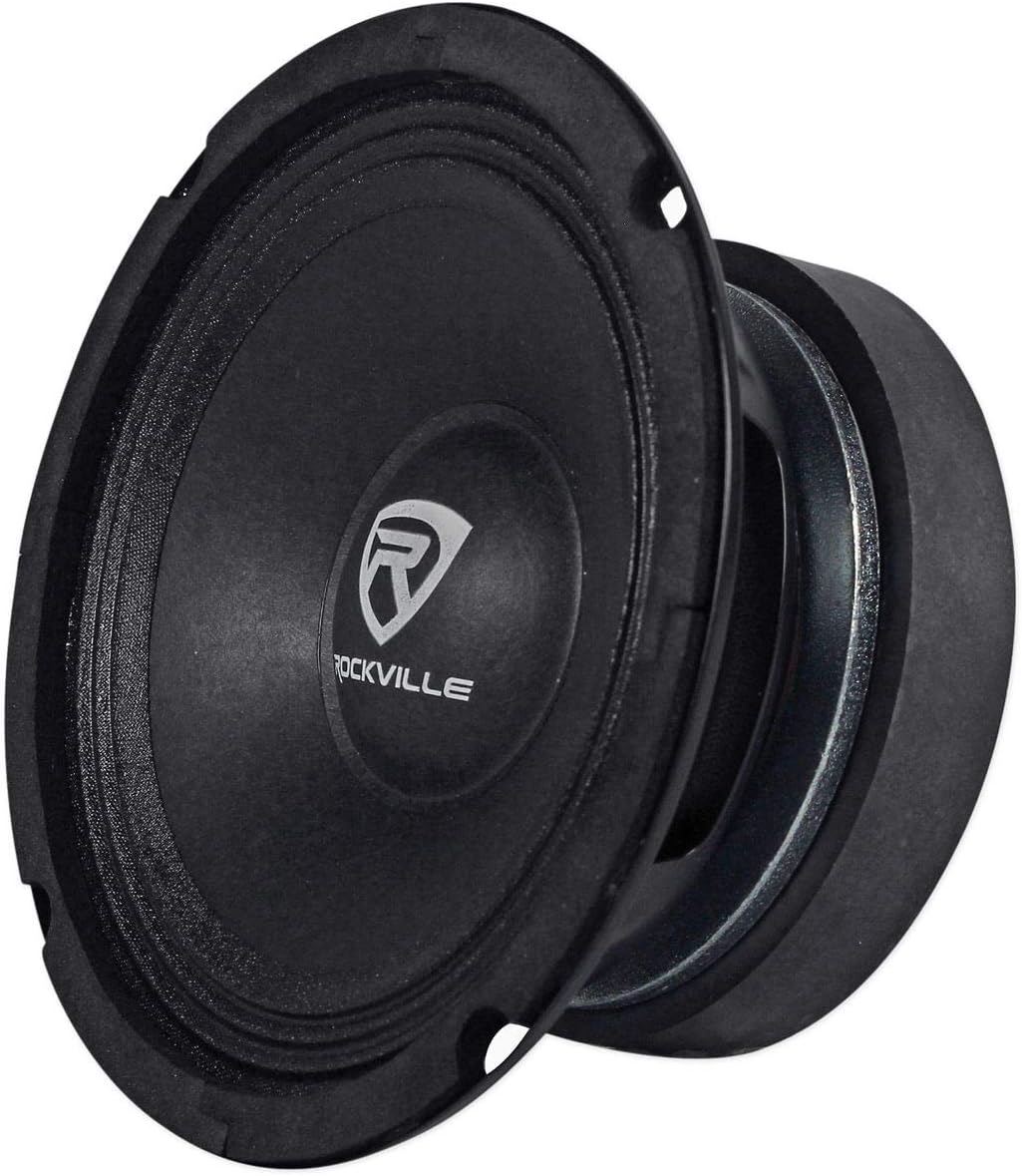
Figure 3: Front view of the Rockville RM64PRO speaker cone and surround.
4.2 Wiring the Speakers
The RM64PRO speakers have a 4-Ohm impedance. Proper wiring is essential for safe and effective operation.
- Polarity: Connect the positive (+) terminal of the speaker to the positive (+) output of your amplifier, and the negative (-) terminal of the speaker to the negative (-) output of your amplifier. Incorrect polarity will result in poor sound quality and reduced bass response.
- Wire Gauge: Use appropriate gauge speaker wire for your installation. Thicker wire (lower gauge number) is recommended for longer runs and higher power applications to minimize power loss.
- Amplifier Matching: Ensure your amplifier is stable at a 4-Ohm load. The RM64PRO speakers are rated for 100 Watts RMS per speaker. Match your amplifier's RMS output to this rating for best performance and to prevent damage.
- Multiple Speakers: If installing multiple speakers, consider the total impedance load on your amplifier. For example, two 4-Ohm speakers wired in parallel will present a 2-Ohm load. Consult your amplifier's manual for supported impedance loads.

Figure 4: Rear view of the Rockville RM64PRO speaker showing the positive and negative terminals.
5. Operation
Once installed, proper operation involves setting up your amplifier and head unit for optimal sound.
- Initial Power-Up: After installation, turn on your head unit and amplifier at a low volume. Gradually increase the volume to check for proper operation and sound quality.
- Gain Setting: Adjust the gain on your amplifier carefully. The gain control is not a volume knob; it matches the output voltage of your head unit to the input sensitivity of your amplifier. Set it too high, and you risk distortion and speaker damage.
- Crossover Settings: As mid-bass/midrange speakers, the RM64PRO performs best when frequencies below its operational range are filtered out. A high-pass filter (HPF) set around 80-100 Hz is typically recommended to prevent the speaker from trying to reproduce deep bass, which can cause distortion and damage. Consult your amplifier or head unit manual for crossover adjustments.
- Equalization: Use your head unit's or amplifier's equalizer to fine-tune the sound to your preference. Avoid excessive boosting of frequencies, especially at high volumes, as this can introduce distortion.
6. Maintenance
The Rockville RM64PRO speakers are designed for durability and require minimal maintenance.
- Cleaning: Use a soft, dry cloth to gently wipe away dust from the speaker cone and surround. Avoid using harsh chemicals or excessive moisture.
- Inspection: Periodically inspect the speaker for any signs of damage to the cone, surround, or wiring connections. Ensure all mounting screws remain tight.
- Environmental Factors: While robust, avoid exposing the speakers to extreme temperatures, direct sunlight for prolonged periods, or excessive moisture, as these can degrade performance and lifespan.
7. Troubleshooting
If you experience issues with your RM64PRO speakers, refer to the following common problems and solutions:
| Problem | Possible Cause | Solution |
|---|---|---|
| No sound from speaker |
|
|
| Distorted or unclear sound |
|
|
| Weak or no bass |
|
|
If these steps do not resolve your issue, please contact Rockville customer support.
8. Specifications
Detailed technical specifications for the Rockville RM64PRO 6.5 inch Mid-Bass Midrange Car Speaker:
| Feature | Specification |
|---|---|
| Model | RM64PRO |
| Speaker Type | Mid-Bass Midrange Car Speaker |
| Speaker Size | 6.5 inches |
| Peak Power | 200 Watts (per speaker) |
| RMS Power | 100 Watts (per speaker) |
| Impedance | 4 Ohm |
| Frequency Response | 85 Hz - 7 kHz |
| Sensitivity | 103 dB @ 1W/1m |
| Voice Coil | 1.5 inch High-Temperature CCAR |
| Magnet Structure | 90 oz |
| Cone Material | Kevlar-Reinforced Black Pulp |
| Surround Material | Treated Cloth Accordion |
| Mounting Depth | 3.07 inches |
| Basket Material | Expanded High-Tensile Steel |
| Number of Items | 4 (in package) |
| Item Weight | 20 pounds (total package) |
9. Warranty & Support
9.1 Warranty Information
The Rockville RM64PRO speakers come with a 1 Year Manufacturer Warranty. This warranty covers defects in materials and workmanship under normal use. It does not cover damage caused by improper installation, abuse, accident, neglect, or unauthorized modification.
Please retain your proof of purchase for warranty claims.
9.2 Customer Support
For technical assistance, warranty service, or additional product information, please visit the official Rockville website or contact their customer support directly.
Rockville Official Store: Visit the Rockville Store on Amazon
Note: Specific contact details for Rockville support may be found on their official website or included with your product packaging.