
Introduction
This manual provides instructions for the NISSAN CWTWB1U840 Key Fob, a keyless entry remote designed for compatible Nissan vehicles. This device allows for remote locking, unlocking, and other functions, enhancing convenience and security.
Compatibility: This key fob is compatible with various Nissan models. To ensure compatibility, verify that the FCC ID and part number on your current remote match CWTWB1U840. Known compatible vehicles include:
- 2012-2014 Nissan Versa
- 2013 Nissan Sentra
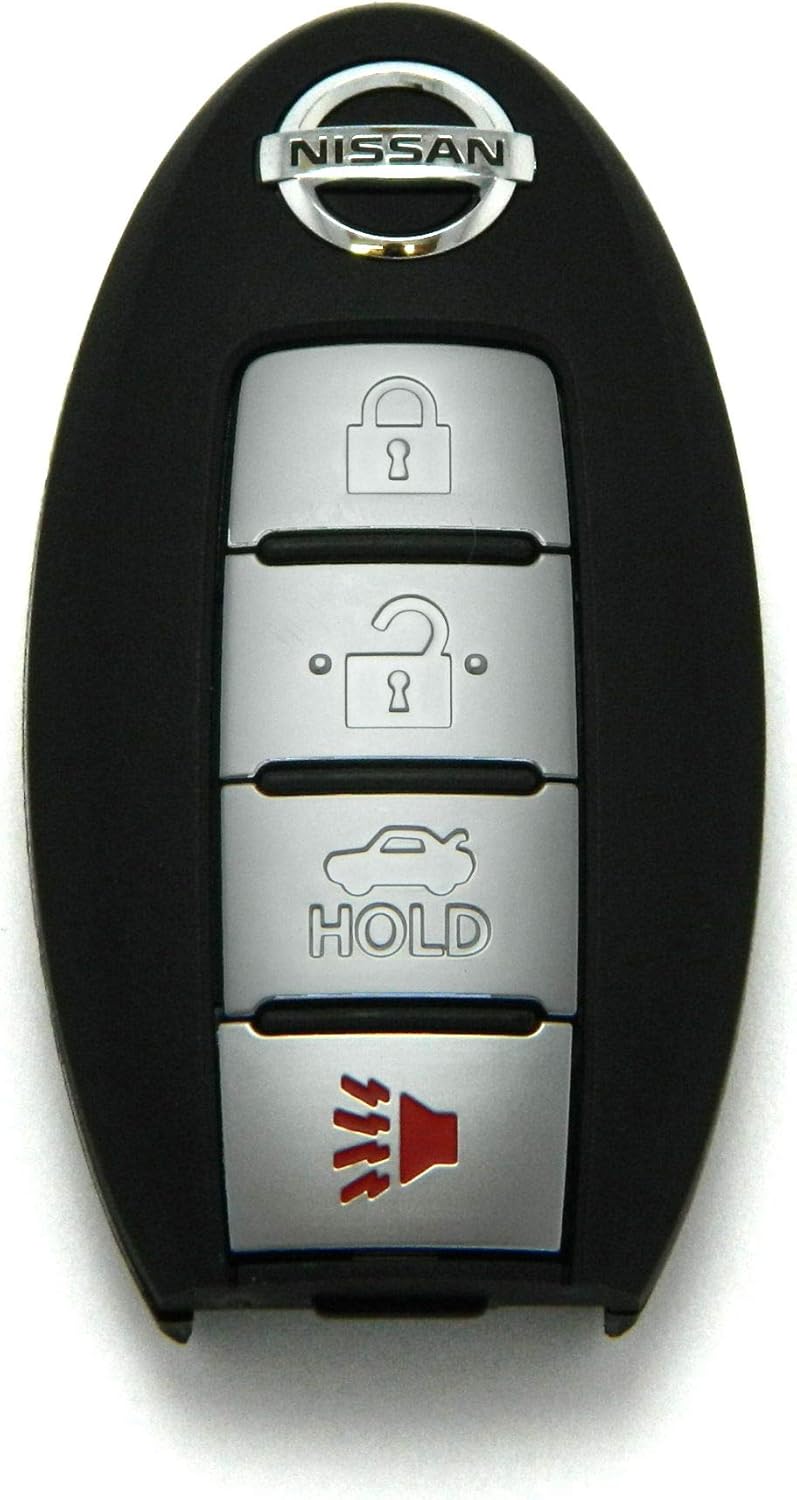
Image 1: Front view of the NISSAN CWTWB1U840 Key Fob, showing the Nissan logo and four buttons: Lock, Unlock, Trunk/Hold, and Panic.
Setup and Programming
The NISSAN CWTWB1U840 Key Fob requires programming to function with your vehicle. This process links the remote to your car's keyless entry system.
Programming the Key Fob
Most Nissan key fobs require specialized equipment for programming. It is highly recommended to have the key fob programmed by a qualified automotive locksmith or a Nissan dealership. While some vehicles may support self-programming procedures, these vary by model and year and often require specific steps that are not universally applicable.
- Professional Programming: Contact a local automotive locksmith or Nissan dealership for programming services. They possess the necessary tools and expertise to correctly link the key fob to your vehicle.
- Self-Programming (if applicable): Research specific programming instructions for your exact Nissan model and year. Be aware that incorrect procedures can prevent the fob from working.
Key Blade Cutting
If your vehicle uses a physical key blade integrated into the key fob, this blade will need to be cut to match your vehicle's ignition and door locks. This service is typically performed by an automotive locksmith or dealership.
Operating Instructions
Once programmed, your NISSAN CWTWB1U840 Key Fob provides convenient access and security functions. Refer to Image 1 for the layout of the four buttons:
- Lock Button (Padlock Closed Icon): Press once to lock all vehicle doors. The vehicle's lights may flash, and the horn may chirp to confirm locking.
- Unlock Button (Padlock Open Icon): Press once to unlock the driver's door. Press twice within a few seconds to unlock all vehicle doors. The vehicle's lights may flash to confirm unlocking.
- Trunk/Hold Button (Car with Open Trunk Icon): Press and hold for approximately 1-2 seconds to open the trunk or liftgate (if equipped).
- Panic Button (Speaker Icon with Sound Waves): Press and hold for approximately 1-2 seconds to activate the vehicle's alarm system. Press again or insert the key into the ignition to deactivate.
Operating Range: The effective operating range of the key fob can vary depending on environmental conditions, battery strength, and vehicle location. For optimal performance, operate the fob within close proximity to the vehicle.
Maintenance
Battery Replacement
If the key fob's range decreases significantly or it stops responding, the battery may need replacement. The NISSAN CWTWB1U840 Key Fob typically uses a CR2032 coin cell battery.
- Locate the small notch or opening on the side or back of the key fob casing.
- Carefully pry open the casing using a small flat-head screwdriver or a coin.
- Remove the old battery, noting its orientation (positive (+) side up or down).
- Insert a new CR2032 battery with the correct orientation.
- Align the two halves of the key fob casing and press them firmly together until they snap shut.
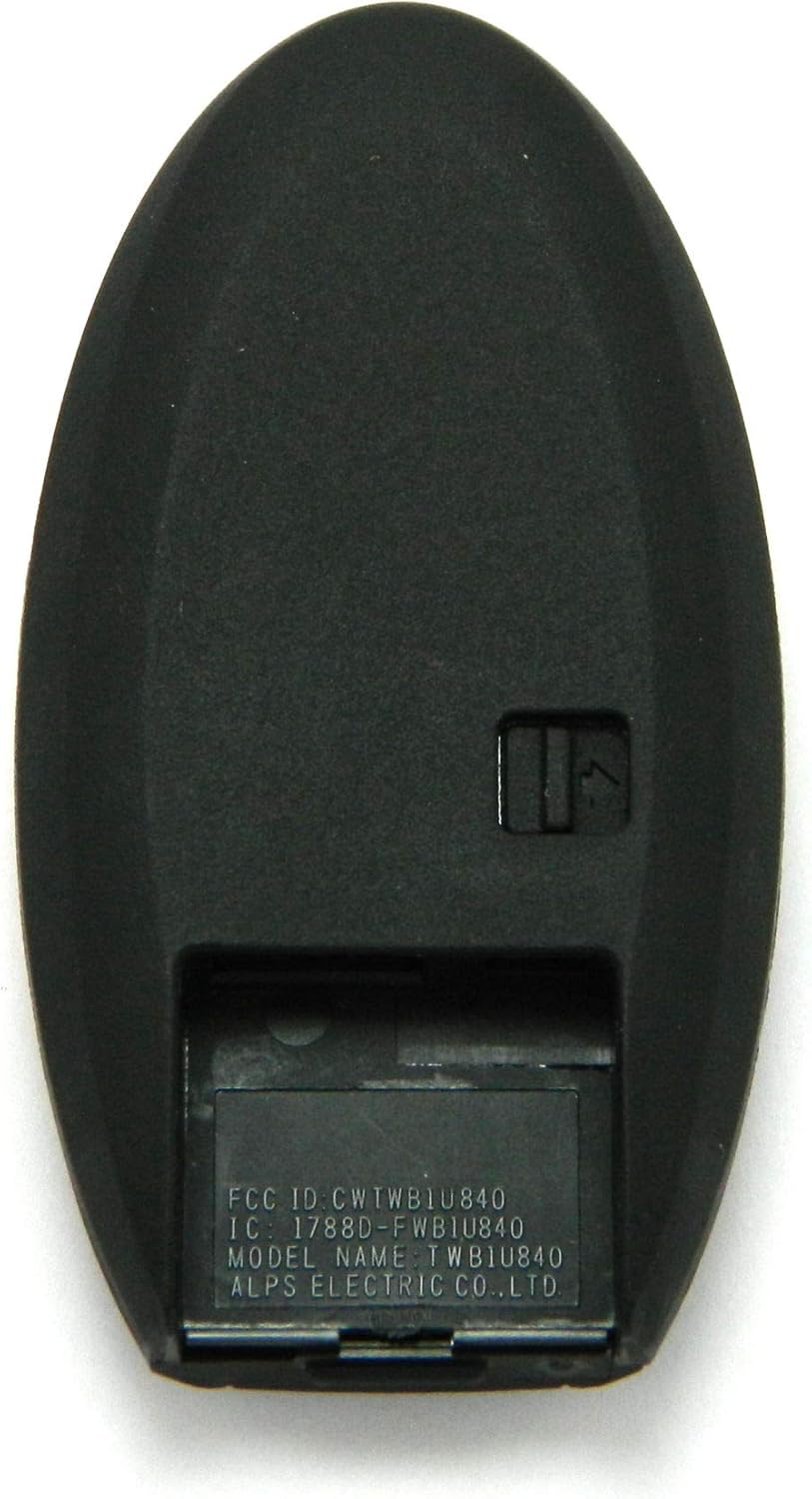
Image 2: Back view of the NISSAN CWTWB1U840 Key Fob, displaying the FCC ID and IC information, and indicating the location of the battery compartment cover.
Note: Dispose of old batteries responsibly according to local regulations.
Troubleshooting
| Problem | Possible Cause | Solution |
|---|---|---|
| Key fob does not respond or has reduced range. | Weak or dead battery. | Replace the battery (refer to Maintenance section). |
| Key fob is not locking/unlocking doors after programming. | Incorrect programming or programming failure. | Re-attempt programming or consult a professional locksmith/dealership. Ensure the FCC ID and part number match your vehicle's requirements. |
| Key fob starts the car but does not operate door locks. | Partial programming success or internal defect. | Consult a professional locksmith or dealership for diagnosis and complete programming. |
| Buttons are unresponsive or stuck. | Physical damage or debris. | Inspect the fob for damage. If damaged, replacement may be necessary. |
Specifications
- Brand: NISSAN
- Model Name: CWTWB1U840
- Manufacturer Part Number: NISSAN CWTWB1U840 4BTN
- FCC ID: CWTWB1U840
- IC: 1788D-FWB1U840
- Color: Black
- Material: Plastic
- Button Quantity: 4
- Item Weight: 0.05 Kilograms
- Vehicle Service Type: Car
- UPC: 780742947251
Warranty and Support
For questions regarding your NISSAN CWTWB1U840 Key Fob, including compatibility, programming, or operational issues, please refer to your vehicle's owner's manual or contact a certified Nissan dealership or automotive locksmith.
While specific warranty details are not provided in this manual, it is advisable to retain your purchase receipt for any potential warranty claims or returns. Many retailers offer a satisfaction guarantee or return policy for a limited period after purchase.


