
XOvision IR630PR
XO Vision IR630PR Universal IR Wireless Foldable Headphones User Manual
Model: IR630PR
Introduction
This manual provides comprehensive instructions for the safe and effective use of your XO Vision IR630PR Universal IR Wireless Foldable Headphones. Please read this manual thoroughly before operating the device and retain it for future reference.
Important Safety Information
WARNING: This product contains chemicals known to the State of California to cause cancer and birth defects or other reproductive harm.
Always handle batteries and electronic components with care. Do not expose the headphones to extreme temperatures, moisture, or direct sunlight. Keep out of reach of small children.
Product Overview and Features
The XO Vision IR630PR headphones are designed for versatile audio enjoyment, particularly in car entertainment systems. Key features include:
- IR Wireless Connectivity: Compatible with most in-car infrared transmitters for wireless audio playback.
- Bluetooth Connectivity: For wireless connection to Bluetooth-enabled devices like smartphones, tablets, and laptops.
- Foldable Design: Convenient for storage and portability.
- Adjustable Headband: Ensures a custom and comfortable fit for various users.
- Soft Earpads: Foam cushioning for enhanced comfort during extended listening.
- On/Off Switch & Volume Control: User-friendly controls located directly on the headphones.
- Auto Shut-off: Helps conserve battery life.
- 3.5mm Audio Jack: Allows for wired connection to devices (AUX cable not included).

Figure 1: A pair of purple and white XO Vision IR630PR wireless foldable headphones, shown from an angled perspective, highlighting the earcups and headband.
Setup
1. Battery Installation
The headphones require two (2) AA batteries for operation. Ensure correct polarity when inserting batteries.
- Locate the battery compartment on one of the earcups.
- Slide the colored piece (often purple) out of the way to access the battery compartment.
- Insert two AA batteries, matching the (+) and (-) indicators inside the compartment.
- Close the battery compartment securely.
2. Adjusting for Fit
Adjust the headband to ensure a comfortable and secure fit. The headband slides to accommodate different head sizes.

Figure 2: The XO Vision IR630PR headphones demonstrating their adjustable headband feature, ensuring a comfortable fit for various head sizes.
Operating Instructions
1. Power On/Off
To power on the headphones, slide the ON/OFF switch to the 'ON' position. A small indicator light (often red) will illuminate. To power off, slide the switch to 'OFF'.

Figure 3: A detailed view of the right earcup of the XO Vision IR630PR headphones, showing the accessible volume control slider and power switch.
2. Volume Control
Adjust the audio volume using the volume control slider located on the earcup. Slide it up to increase volume and down to decrease.
3. IR Wireless Connection (for Car Entertainment Systems)
These headphones are designed to automatically connect to most in-car infrared (IR) transmitters. Ensure your car's entertainment system is transmitting an IR signal.
- Power on the headphones.
- Ensure the IR transmitter in your vehicle is active and playing audio.
- The headphones should automatically pick up the IR signal and play audio. If not, try adjusting your position or checking the vehicle's IR settings.
4. Bluetooth Wireless Connection (for General Devices)
To connect to Bluetooth-enabled devices:
- Ensure the headphones are powered on.
- Activate Bluetooth on your device (smartphone, tablet, laptop).
- Search for available devices. The headphones should appear as "XO Vision IR630PR" or similar.
- Select the headphones to pair. Once paired, audio will stream wirelessly.
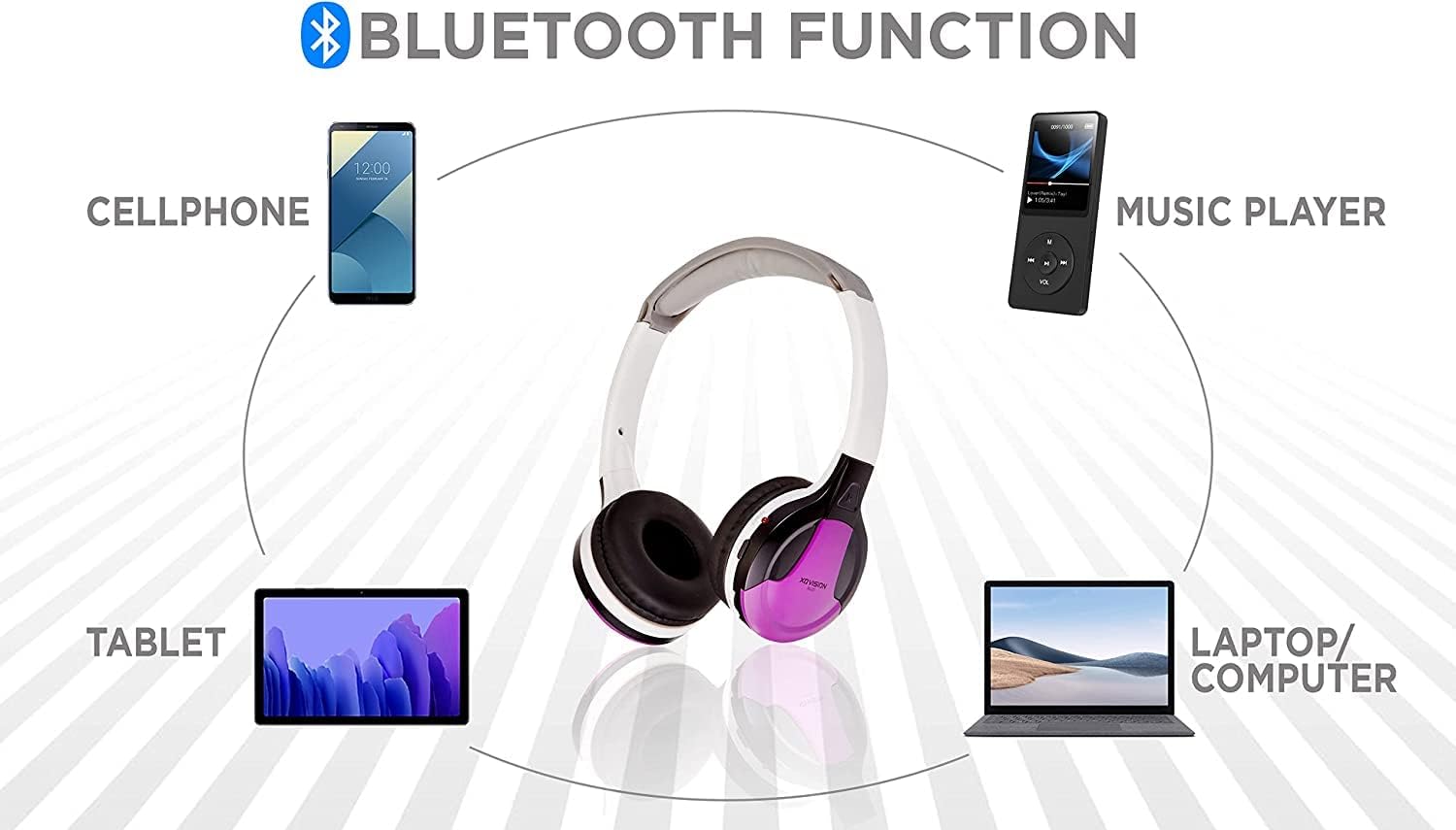
Figure 4: A diagram illustrating the Bluetooth connectivity of the XO Vision IR630PR headphones with various devices such as a cellphone, music player, laptop/computer, and tablet.
5. Wired Connection (3.5mm AUX)
For devices without IR or Bluetooth, or to conserve battery, you can use a 3.5mm audio cable (not included) to connect the headphones directly.
- Plug one end of the 3.5mm audio cable into the headphone jack on the earcup.
- Plug the other end into the audio output jack of your device.
- Note: The headphones do not require power when used in wired mode, but the volume control on the headphones may not function; use your device's volume control.
6. Auto Shut-off Feature
The headphones are equipped with an auto shut-off feature to save battery life. If no audio signal is detected for a period, the headphones will automatically power down.

Figure 5: The XO Vision IR630PR headphones illustrating the auto shut-off function, designed to conserve battery life when not in use.
Maintenance
1. Cleaning
Wipe the headphones with a soft, dry cloth. Do not use abrasive cleaners or solvents. Avoid getting moisture into the earcup openings or battery compartment.
2. Storage
The headphones feature a foldable design for easy storage. Fold the earcups inward to reduce their size when not in use. Store in a cool, dry place away from direct sunlight and extreme temperatures.

Figure 6: A close-up view of the XO Vision IR630PR headphones' soft earpads, emphasizing the cushioning for enhanced comfort during extended wear.
3. Battery Care
Remove batteries if the headphones will not be used for an extended period to prevent leakage. Dispose of used batteries responsibly according to local regulations.
Troubleshooting
| Problem | Possible Cause | Solution |
|---|---|---|
| No sound (IR Wireless) |
|
|
| No sound (Bluetooth) |
|
|
| No sound (Wired) |
|
|
| Headphones not turning on |
|
|
Specifications
| Model Name | IR630PR |
| Brand | XOvision |
| Color | PURPLE |
| Connectivity Technology | IR (Infrared), Bluetooth, 3.5mm AUX (wired) |
| Ear Placement | Over Ear |
| Form Factor | On Ear |
| Noise Control | Passive Noise Cancellation |
| Sensitivity | 130 Ohm |
| Impedance | 130 Ohm |
| Material | Foam (earpads) |
| Special Features | Foldable, Volume Control, Auto Shut-off |
| Batteries Required | 2 AA batteries |
| Item Weight | 1.6 ounces (approx. 45 grams) |
| Product Dimensions | 8.8 x 7.15 x 1.25 inches (approx. 22.35 x 18.16 x 3.18 cm) |

Figure 7: A lineup of XO Vision IR630 series headphones in various colors, including green, pink, blue, red, purple, black, and orange, showcasing the range of available options.
Warranty and Support
For warranty information or technical support, please refer to the contact details provided with your purchase documentation or visit the official XOvision website. Keep your proof of purchase for any warranty claims.
For further assistance, you may contact XOvision customer service through their official channels.
Related documentsIR630PR

Ask a question about this manual
Ask about setup, troubleshooting, compatibility, parts, safety, or missing instructions. Manuals+ will review the question and use this page’s manual context to help answer it.