
Introduction
This manual provides essential information for the safe and efficient operation, installation, and maintenance of your Godrej RD Edge Pro 190 PDS 5.1 Direct-Cool Single Door Refrigerator. Please read these instructions carefully before using the appliance and retain them for future reference.
Safety Information
Always follow basic safety precautions to reduce the risk of fire, electric shock, or injury. This appliance is intended for household use only.
- Ensure the refrigerator is properly grounded.
- Do not use electrical appliances inside the food storage compartments.
- Keep ventilation openings clear of obstruction.
- Do not damage the refrigerant circuit.
- Unplug the appliance before cleaning or performing maintenance.
- Keep children away from packaging materials.
Setup
1. Unpacking
Carefully remove all packaging materials, including foam and adhesive tape. Inspect the refrigerator for any damage. Report any damage to your dealer immediately.
2. Placement
- Place the refrigerator on a firm, level surface to prevent vibrations.
- Ensure adequate ventilation. Allow at least 10 cm (4 inches) of space at the back and sides for proper air circulation.
- Avoid placing the appliance in direct sunlight or near heat sources like stoves, heaters, or radiators.
- Do not install in areas with high humidity.
3. Cleaning Before First Use
Before placing food inside, clean the interior and exterior of the refrigerator with a mild detergent and warm water. Wipe dry thoroughly.
4. Power Connection
Connect the refrigerator to a dedicated 260 Volt, 50 Hz AC power outlet. Ensure the outlet is properly grounded. If your region experiences voltage fluctuations, a suitable voltage stabilizer is recommended.
5. Initial Operation
After plugging in, allow the refrigerator to operate empty for at least 2-4 hours before loading it with food. This allows the internal temperature to stabilize.
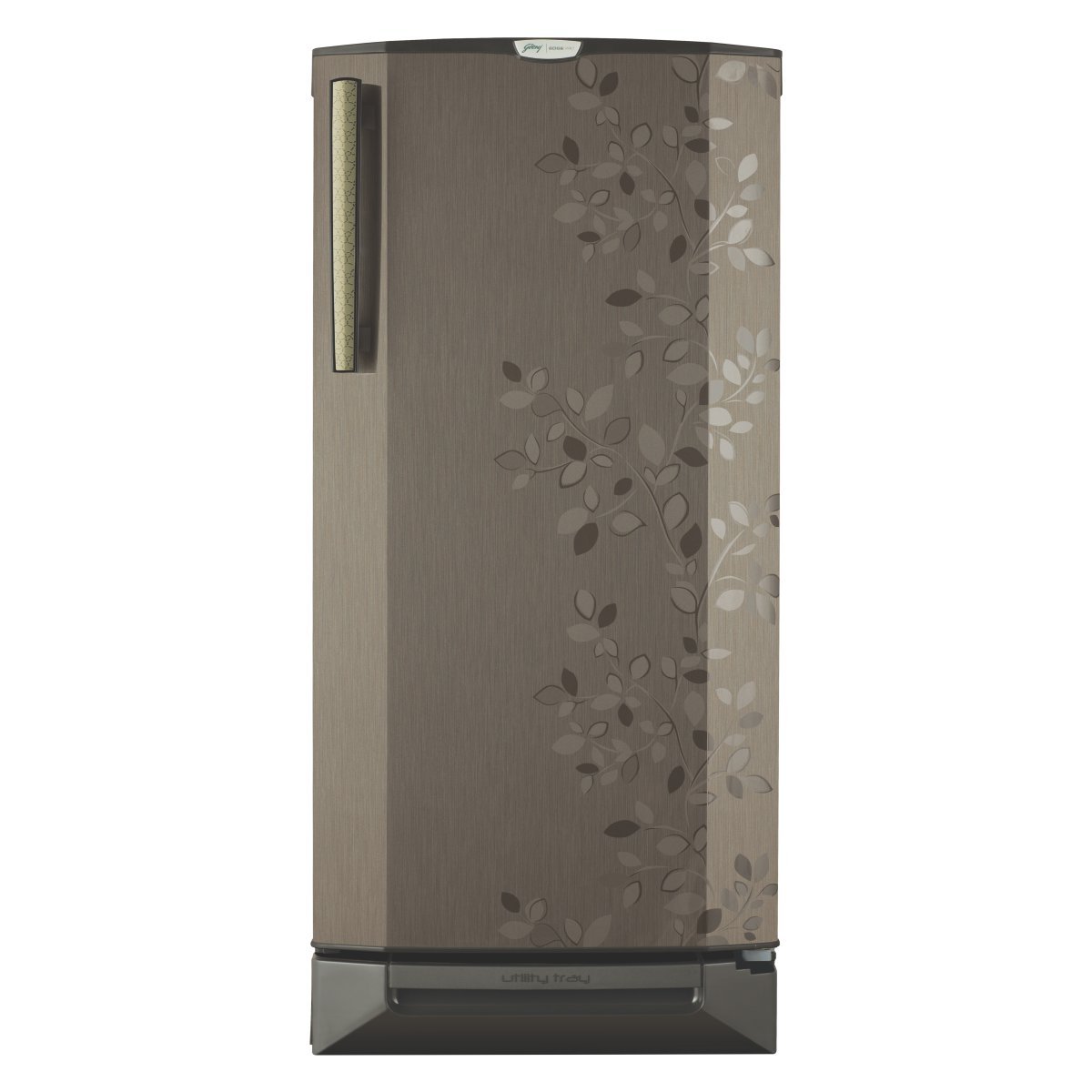
Image: Godrej RD Edge Pro 190 PDS 5.1 Direct-Cool Single Door Refrigerator. This image shows the exterior of the refrigerator, highlighting its compact design and single door configuration.
Operating Instructions
1. Temperature Control
Your refrigerator is equipped with a temperature control dial, usually located inside the fresh food compartment. Adjust the dial to set the desired cooling level. Higher numbers typically indicate colder settings. Start with a medium setting and adjust as needed based on ambient temperature and food load.
2. Food Storage
- Fresh Food Compartment: Use the toughened glass shelves for general food storage. Ensure proper air circulation by not overcrowding shelves.
- Vegetable Tray: The jumbo vegetable tray is designed to maintain optimal humidity for fruits and vegetables, keeping them fresh longer.
- Freezer Compartment: For frozen foods and ice making. Do not store hot foods directly in the freezer.
- Door Shelves: Ideal for bottles, jars, and smaller items. The 225 L aqua space provides ample storage for large bottles.
3. Door Usage
Ensure the door is closed completely after each use to maintain internal temperature and energy efficiency. Avoid frequent or prolonged door openings.
Maintenance
1. Cleaning
- Interior: Clean regularly with a solution of mild detergent and warm water. Rinse with clean water and dry thoroughly. Remove shelves and drawers for easier cleaning.
- Exterior: Wipe with a soft, damp cloth. For stubborn stains, use a mild, non-abrasive cleaner.
- Door Gasket: Clean the door gasket regularly to ensure a tight seal. A dirty gasket can lead to poor sealing and increased energy consumption.
- Condenser Coils (Rear): Periodically vacuum or brush the condenser coils at the back of the refrigerator to remove dust and debris. This improves efficiency.
2. Defrosting (Direct-Cool)
As a direct-cool refrigerator, frost will accumulate in the freezer compartment. When the frost layer reaches approximately 5 mm (0.2 inches) thick, manual defrosting is required.
- Unplug the refrigerator from the power outlet.
- Remove all food items and place them in a cooler or another refrigerator.
- Leave the freezer door open to allow the frost to melt naturally. You can place towels at the bottom to absorb water. Do not use sharp objects or heating devices to speed up defrosting, as this can damage the appliance.
- Once all frost has melted, clean and dry the interior thoroughly.
- Plug the refrigerator back in and allow it to cool down before returning food items.
Troubleshooting
Before contacting service, check the following common issues:
| Problem | Possible Cause | Solution |
|---|---|---|
| Refrigerator not cooling | Not plugged in; power outage; temperature control set too warm; door left open; excessive frost. | Check power connection; verify power supply; adjust temperature control; ensure door is closed; defrost if necessary. |
| Excessive noise | Refrigerator not level; objects vibrating against the unit; normal compressor operation. | Adjust leveling feet; move objects away; some operational sounds are normal. |
| Water on floor (leakage) | Drain pan overflowing during defrost; drain tube clogged. | Ensure drain pan is correctly positioned; clear any blockages in the drain tube. |
| Door not closing properly | Door gasket dirty or damaged; refrigerator not level; food items obstructing closure. | Clean or replace gasket; level the refrigerator; rearrange food items. |
If the problem persists after performing these checks, please contact authorized service personnel.
Specifications
| Feature | Detail |
|---|---|
| Brand | Godrej |
| Model Number | RD Edge Pro 190 PDS 5.1 |
| Capacity | 190 Liters |
| Configuration | Single Door |
| Defrost System Type | Direct-cool |
| Energy Rating | 5 Star (BEE Star Rating) |
| Voltage | 260 Volts |
| Shelf Type | Toughened Glass |
| Refrigerant | R-600A |
| Installation Type | Freestanding |
| Cooling Method | Compressor |
| Manufacturer | Godrej |
Warranty Information
Your Godrej RD Edge Pro 190 PDS 5.1 Refrigerator comes with a comprehensive warranty:
- Product: 1 year comprehensive warranty on the product.
- Compressor: 5 years warranty on the compressor.
Please retain your purchase receipt for warranty claims. The warranty covers manufacturing defects under normal use. For detailed terms and conditions, refer to the warranty card provided with your appliance or contact Godrej customer service.
Customer Support
For any queries, service requests, or technical assistance, please contact Godrej customer support. Refer to the contact details provided in your product documentation or visit the official Godrej website for the most up-to-date information.
When contacting support, please have your model number (RD Edge Pro 190 PDS 5.1) and serial number ready.
