1. Introduction
Thank you for choosing the Portronics POR-143 Portable Speaker. This manual provides detailed instructions for the proper setup, operation, and maintenance of your device. Please read this manual thoroughly before using the speaker to ensure optimal performance and longevity.
2. Package Contents
Upon unpacking, please verify that all the following items are included:
- Portronics POR-143 Portable Speaker
- Auxiliary Cable
- Micro USB Charging Cable
- User Manual
- 1 Lithium Polymer Battery (pre-installed or separate)
3. Product Overview
The Portronics POR-143 is a compact and versatile portable speaker designed for music playback via FM radio, MicroSD card, and auxiliary input. It features an integrated keypad for easy control and a digital display.

Image: Front view of the Portronics POR-143 Portable Speaker, showing the speaker grille, digital display, and control keypad.
3.1 Controls and Ports

Image: Diagram highlighting the USB Port, Micro SD Card slot, and AUX-Out port on the side of the speaker.
- Digital Display: Shows current mode, FM frequency, track number, and battery status.
- Keypad: Numeric buttons for direct FM tuning, track selection, and general navigation.
- Volume Buttons: Adjusts the audio output level.
- Play/Pause Button: Controls media playback.
- Mode Button: Switches between FM, MicroSD, and AUX modes.
- Micro USB Port: Used for charging the device and PC USB mode.
- Micro SD Card Slot: Insert a MicroSD card for music playback.
- AUX-Out Port: Connect external audio devices using the auxiliary cable.
4. Setup
4.1 Charging the Battery
Before first use, fully charge the speaker's internal battery. Connect the supplied Micro USB charging cable to the speaker's Micro USB port and the other end to a compatible USB power adapter (5V/1000mA recommended) or a computer's USB port. The digital display will indicate charging status. A full charge typically takes approximately 1 hour and provides up to 7 hours of playtime.
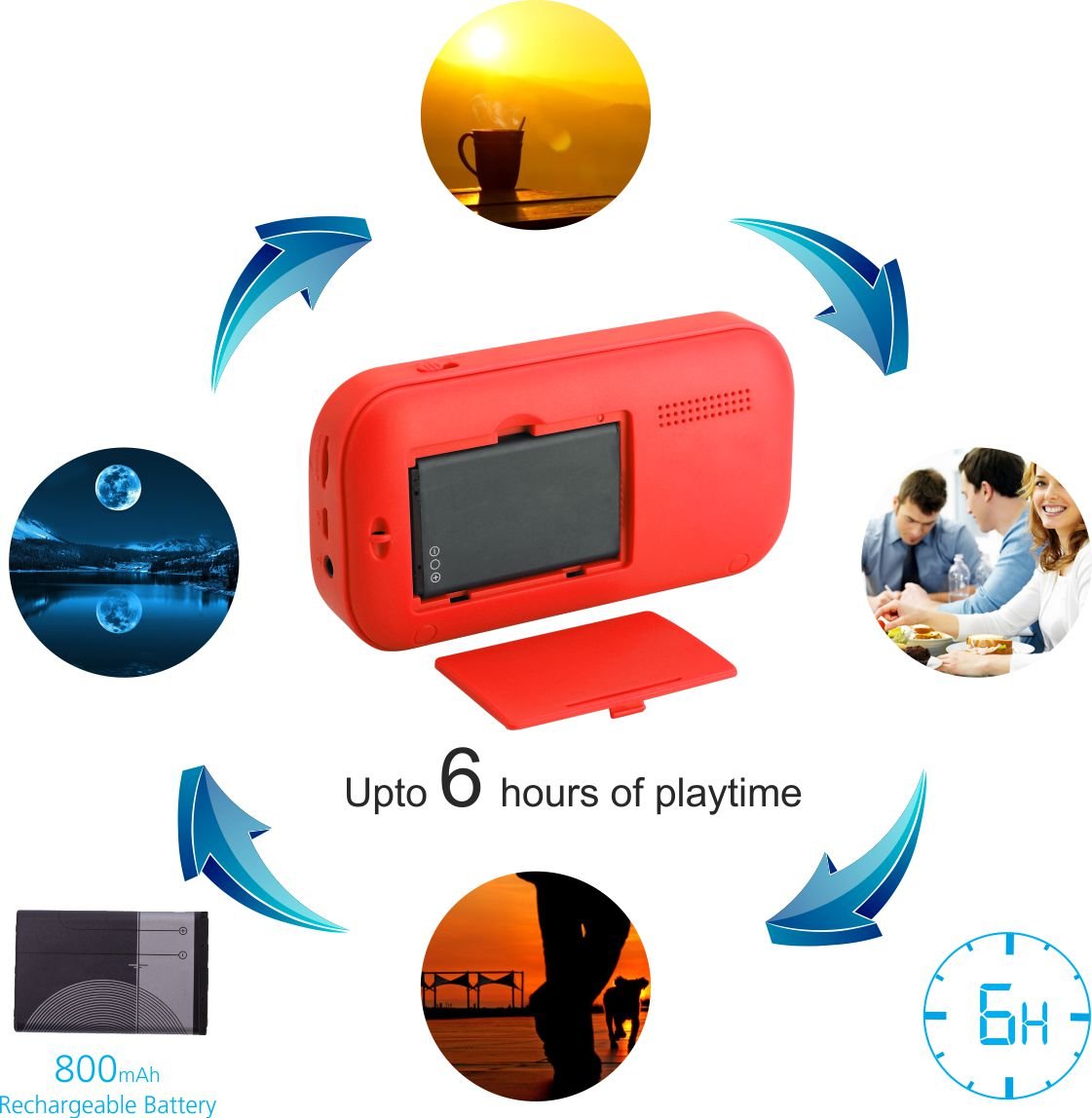
Image: Illustration showing the removable battery compartment and indicating up to 6 hours of playtime.
Important: Do not keep the device on charge for more than 4 hours to prevent potential battery damage.
4.2 Inserting a MicroSD Card
To play music from a MicroSD card, gently insert the card into the Micro SD card slot until it clicks into place. Ensure the card is inserted with the correct orientation. The speaker supports MicroSD cards up to 32GB.

Image: Close-up view of the Micro SD card slot on the side of the speaker.
5. Operating Instructions
5.1 Power On/Off
To power on the speaker, slide the power switch located on the side or top of the device to the 'ON' position. The digital display will light up. To power off, slide the switch to the 'OFF' position.
5.2 FM Radio Mode
- Turn on the speaker. It may default to FM mode. If not, press the 'Mode' button until 'FM' appears on the display.
- To auto-scan and save available FM stations, press and hold the 'Play/Pause' button. The speaker will scan and store stations automatically.
- To manually tune to a specific frequency, use the numeric keypad. For example, to tune to 98.3 FM, press '9', '8', '3'.
- Use the 'Previous' and 'Next' track buttons to navigate through saved stations.

Image: A hand pressing the '8' button on the keypad, with the display showing '98.3', illustrating FM tuning.
5.3 MicroSD Card Playback
- Ensure a MicroSD card with audio files (MP3 format recommended) is inserted into the slot.
- Turn on the speaker. If it doesn't automatically switch to MicroSD mode, press the 'Mode' button until the display shows track information.
- Use the 'Play/Pause' button to start or pause playback.
- Use the 'Previous' and 'Next' track buttons to skip between songs.
- The numeric keypad can be used to directly select a track number.
5.4 PC USB Mode
The speaker can function as an external speaker when connected to a computer via USB.
- Connect the speaker to your computer using the Micro USB charging cable.
- The computer should recognize the speaker as an audio output device. Select it from your computer's sound settings.
- Audio from your computer will now play through the speaker.

Image: The speaker connected to a laptop via a USB cable, demonstrating PC USB mode.
5.5 Auxiliary Input
Connect external audio sources like smartphones or MP3 players using the supplied auxiliary cable.
- Connect one end of the auxiliary cable to the speaker's AUX-Out port and the other end to the audio output of your external device.
- Press the 'Mode' button on the speaker until it enters AUX mode.
- Control playback and volume from your external device.
6. Maintenance
- Cleaning: Use a soft, dry cloth to clean the speaker's exterior. Do not use liquid cleaners or solvents.
- Storage: Store the speaker in a cool, dry place away from direct sunlight and extreme temperatures.
- Battery Care: To prolong battery life, avoid fully discharging the battery frequently. Recharge the battery when the low battery indicator appears. As noted in the setup section, avoid overcharging for extended periods (e.g., more than 4 hours).
- Water Exposure: This device is not waterproof. Avoid exposure to water or high humidity.
7. Troubleshooting
| Problem | Possible Cause | Solution |
|---|---|---|
| Speaker does not power on. | Battery is discharged. | Charge the speaker using the Micro USB cable. |
| No sound from speaker. | Volume is too low or muted. Incorrect mode selected. | Increase volume. Press the 'Mode' button to select the correct input source (FM, MicroSD, AUX). |
| Poor FM reception. | Weak signal in current location. Interference. | Relocate the speaker to an area with better reception. Avoid placing near electronic devices that may cause interference. |
| MicroSD card not recognized. | Card inserted incorrectly. Incompatible file format. Corrupted card. | Re-insert the MicroSD card correctly. Ensure audio files are in MP3 format. Try a different MicroSD card. |
| Speaker not charging. | Faulty charging cable or adapter. Loose connection. | Check cable connections. Try a different Micro USB cable or USB power adapter. |
8. Specifications
| Feature | Specification |
|---|---|
| Model | POR-143 |
| Speaker Type | Portable Speaker |
| Special Features | FM Radio, MicroSD Card Support |
| Recommended Uses | Music |
| Compatible Devices | Desktop, Laptop, MP3 Player, Smartphone, Tablet |
| Color | Red |
| Item Weight | 222 Grams |
| Impedance | 4 Ohms |
| Power Source | Battery Powered |
| Battery Type | 1 Lithium Polymer (included) |
| Battery Average Life | 7 Hours |
| Audio Wattage | 2.5 Watts |
| Product Dimensions (LxWxH) | 12 x 3 x 6.4 cm |
| Connectivity Technology | USB, Auxiliary |
| Audio Output Mode | Stereo |
| Control Method | Keypad |

Image: The speaker held in a hand, illustrating its compact size (120mm length, 20.5mm height, 116g weight).
9. Warranty and Support
9.1 Warranty Information
The Portronics POR-143 Portable Speaker comes with a 1-year limited warranty from the date of purchase. This warranty covers manufacturing defects and workmanship under normal use. It does not cover damage caused by misuse, accidents, unauthorized modifications, or normal wear and tear.
9.2 Customer Support
For technical assistance, warranty claims, or any product-related inquiries, please contact Portronics customer support through their official website or the contact information provided with your purchase documentation. Please have your product model number (POR-143) and proof of purchase ready when contacting support.


