
1. Introduction
This manual provides essential instructions for the safe and effective use of your Nerf Cross Bolt Blaster. The Nerf Cross Bolt is a high-capacity, clip-fed dart blaster designed for performance. It features a crossbow design and is part of the N-Strike Elite series, known for its dart firing distance.

Image 1.1: The Nerf Cross Bolt Blaster in its retail packaging, highlighting its features and design.
2. Safety Information
Please read and understand all safety warnings before operating the blaster. Failure to follow these instructions may result in injury.
- WARNING: Do not aim at eyes or face.
- To avoid injury, use only darts designed for this product. Do not modify darts or blaster.
- Adult supervision is recommended for younger users.
- Keep fingers clear of moving parts during operation.
3. Package Contents
Verify that all components are present in your package:
- Nerf Cross Bolt Blaster (Model A9317)
- 12-Dart Clip
- 12 Nerf Elite Darts

Image 3.1: A person holding the product box, indicating the contents within.
4. Setup and Assembly
4.1 Loading the Dart Clip
- Ensure the blaster is not primed.
- Insert Nerf Elite darts into the 12-dart clip, pushing them in until they click into place. Ensure darts are fully seated.

Image 4.1: Demonstrates the process of inserting the loaded dart clip into the blaster's magazine well.
4.2 Inserting the Clip into the Blaster
- Locate the clip well on the underside of the blaster.
- Slide the loaded 12-dart clip into the clip well until it locks securely into place.
5. Operation
5.1 Priming the Blaster
- With the clip inserted, grasp the priming handle located at the top of the blaster.
- Pull the priming handle all the way back until it clicks, then push it forward to its original position. The blaster is now primed and ready to fire.

Image 5.1: Close-up view of hands operating the priming mechanism on the top of the blaster.
5.2 Firing the Blaster
- Aim the blaster at a safe target, ensuring no eyes or faces are in the line of fire.
- Pull the trigger to launch a dart.
- To fire another dart, repeat the priming process (Section 5.1) and pull the trigger again.

Image 5.2: A user demonstrating the proper grip and firing posture with the Nerf Cross Bolt Blaster.
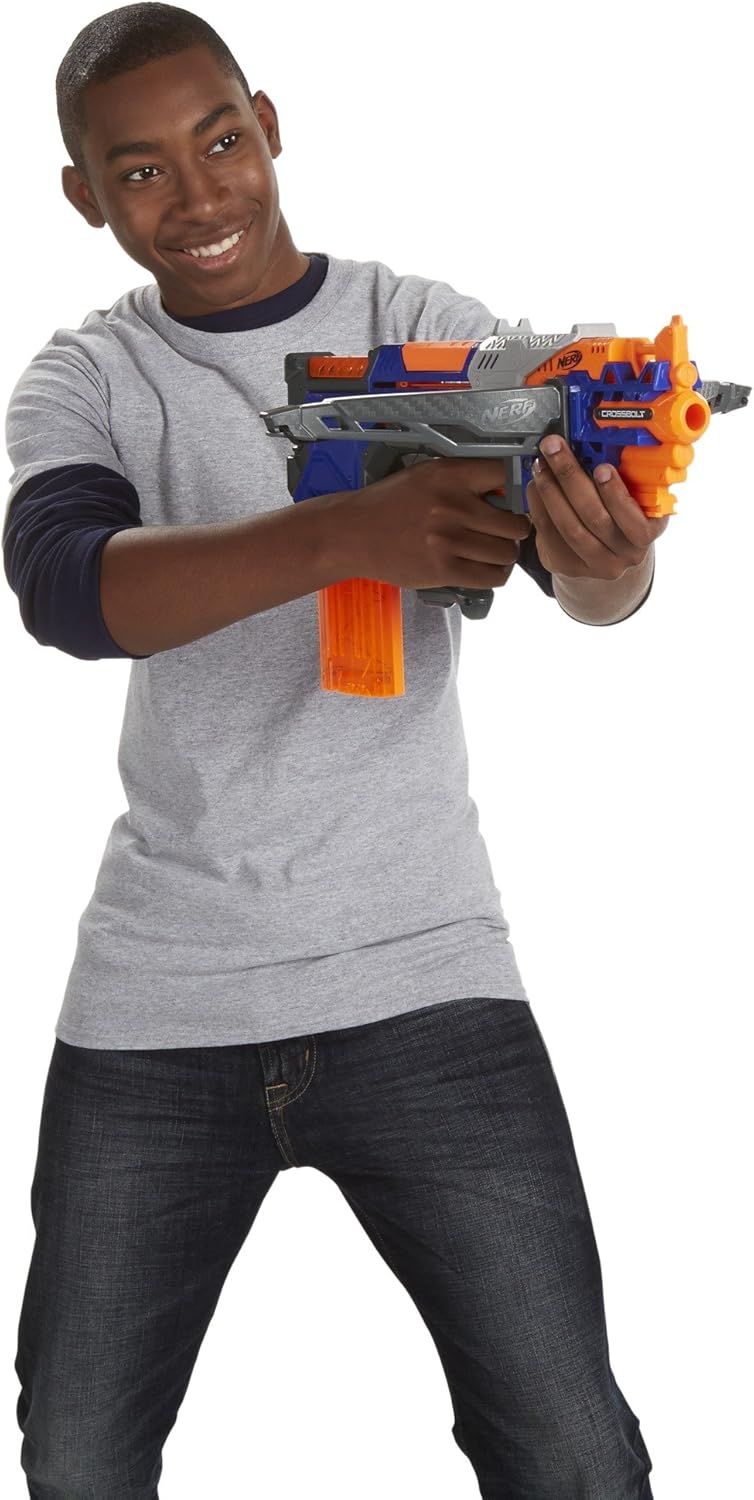
Image 5.3: A user aiming the Nerf Cross Bolt Blaster, ready to engage a target.
5.3 Removing the Dart Clip
To remove the dart clip, press the clip release button (usually located near the clip well) and pull the clip downwards.
5.4 Official Product Video
Video 5.4: An official product video demonstrating the features and operation of the Nerf N-Strike Elite CrossBolt Blaster. This video shows how to load the clip, prime the blaster, and fire darts, highlighting its accuracy and range.
6. Maintenance
6.1 Cleaning
Wipe the blaster with a damp cloth to remove dust and dirt. Do not submerge the blaster in water or use harsh cleaning agents.
6.2 Dart Care
To maintain optimal performance, keep darts clean and free from damage. Bent or torn darts may affect firing accuracy and can cause jamming.
7. Troubleshooting
| Problem | Possible Cause | Solution |
|---|---|---|
| Blaster does not fire. | Blaster not fully primed. | Ensure the priming handle is pulled all the way back until it clicks, then pushed fully forward. |
| Dart jams in the barrel. | Damaged dart or improper loading. | Open the jam access door (if available) and carefully remove the jammed dart. Use only undamaged, official Nerf Elite darts. Ensure darts are fully inserted into the clip. |
| Darts do not load from clip. | Clip not fully inserted or empty. | Ensure the clip is securely locked into the blaster. Reload the clip with darts. |
8. Specifications
- Model Number: A9317
- Brand: Nerf
- Material: Plastic
- Color: Multicolor
- Item Weight: 0.01 Ounces (approx. 0.28 grams)
- Item Dimensions: 2.68 x 18.5 x 10 inches (6.8 x 47 x 25.4 cm)
- Age Range: 8 years and up (Manufacturer Minimum Age: 96 months)
- Operation Mode: Manual
- Maximum Range: Up to 90 Feet (27 meters)
- Power Source: Manual
- Assembly Required: No
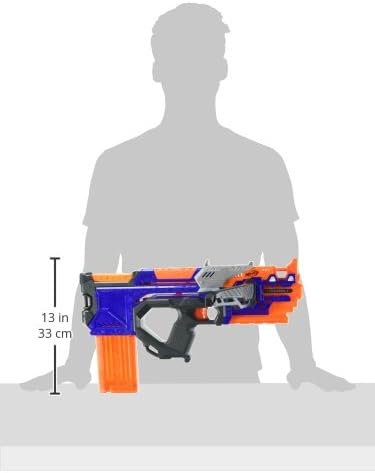
Image 8.1: A diagram illustrating the approximate dimensions of the Nerf Cross Bolt Blaster.
9. Warranty and Support
This product is manufactured by Hasbro. The manufacturer states "No Warranty" for this item. For further assistance or inquiries, please refer to the official Nerf website or contact Hasbro customer support.
Official Nerf Website: Visit the Nerf Store on Amazon