
Introduction
This manual provides comprehensive instructions for the safe and efficient use of your Sunbeam GreenSense Classic Steam Iron. Please read all instructions carefully before using the appliance and retain them for future reference. This iron is designed for household use only.
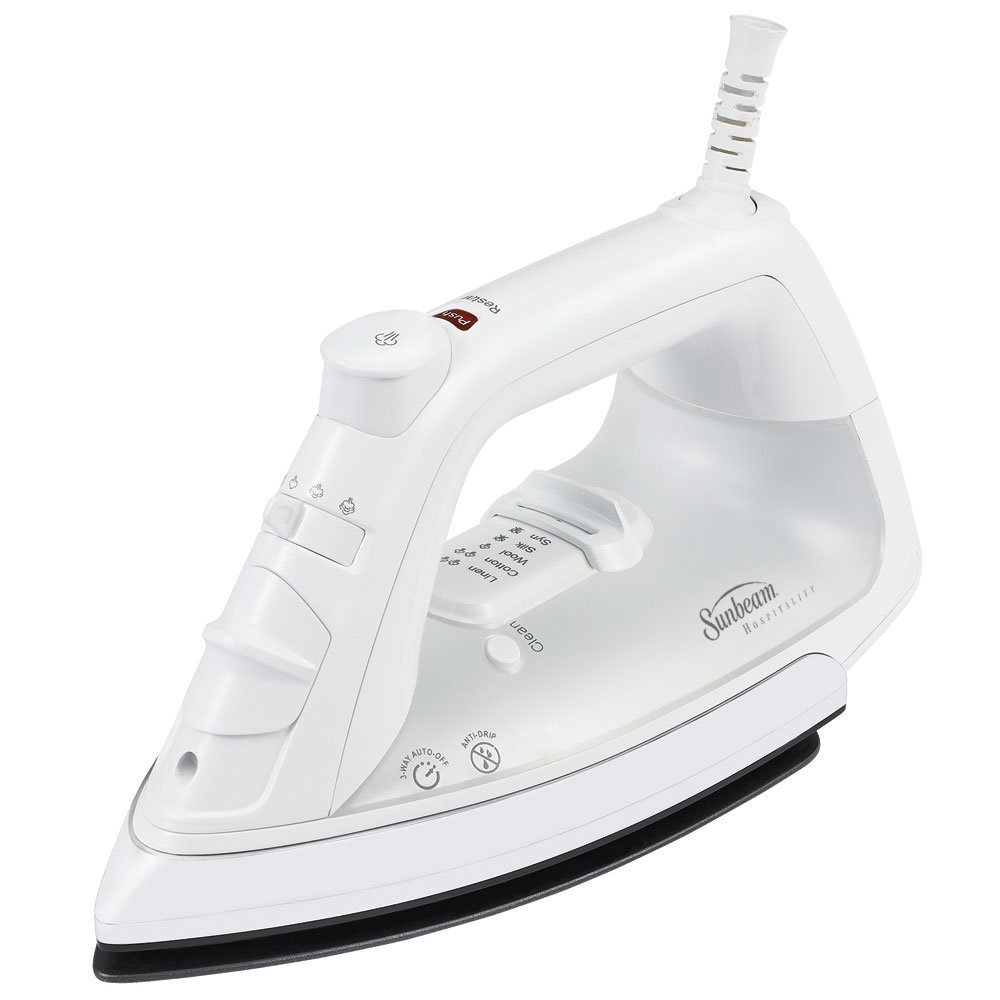
Image: Overall view of the Sunbeam GreenSense Classic Steam Iron.
Important Safety Instructions
When using electrical appliances, basic safety precautions should always be followed to reduce the risk of fire, electric shock, and injury to persons, including the following:
- Read all instructions before using the iron.
- Do not touch hot surfaces. Use handles or knobs.
- To protect against risk of electric shock, do not immerse the iron in water or other liquids.
- Always turn the iron OFF before plugging or unplugging from the electrical outlet. Never yank cord to disconnect from outlet; instead, grasp plug and pull to disconnect.
- Do not allow cord to touch hot surfaces. Let iron cool completely before putting away. Loop cord loosely around iron when storing.
- Always disconnect iron from electrical outlet when filling with water or emptying, and when not in use.
- Do not operate iron with a damaged cord or if the iron has been dropped or damaged. To avoid the risk of electric shock, do not disassemble the iron. Contact a qualified service person for examination and repair. Incorrect reassembly can cause a risk of electric shock when the iron is used.
- Close supervision is necessary for any appliance being used by or near children. Do not leave iron unattended while connected or on an ironing board.
- Burns can occur from touching hot metal parts, hot water, or steam. Use caution when you turn a steam iron upside down – there may be hot water in the reservoir.
- Use the iron only for its intended use.
Product Features
The Sunbeam GreenSense Classic Steam Iron is equipped with several features designed for convenience and performance:
- 3-Way Auto-Off: For safety, the iron automatically shuts off after 30 seconds if left motionless horizontally or on its side, and after 15 minutes if left upright.
- Anti-Drip System: Prevents water leakage at low temperatures.
- Self-Cleaning Function: Helps maintain optimal steam performance and extends the iron's life.
- Spray Mist: A fine mist for dampening fabrics and tackling stubborn wrinkles.
- GreenSense Technology: Designed to deliver water savings of up to 45% compared to standard irons.
- Safe-Storage Strip: Indicates when the iron has cooled down sufficiently for safe storage.
- Durable Slide Water Reservoir Cover: Designed for easy filling and to use tap water.

Image: Detail of the iron's control panel, showing the fabric selector and steam/spray buttons.
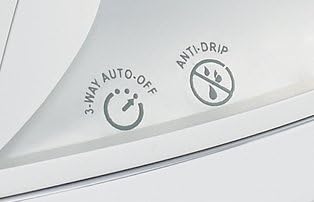
Image: Detail of the iron's body, highlighting the 3-way auto-off and anti-drip indicators.
Setup
- Unpacking: Carefully remove the iron from its packaging. Remove any protective film or stickers from the soleplate.
- First Use: Before first use, iron an old piece of fabric (e.g., an old towel) to ensure any manufacturing residues are removed from the soleplate.
- Filling the Water Reservoir:
- Ensure the iron is unplugged and the steam control is set to 'Dry Iron' or 'Min Steam'.
- Open the water fill cover.
- Hold the iron vertically and slowly pour tap water into the opening until the 'MAX' fill line is reached. Do not overfill.
- Close the water fill cover securely.
- Power Connection: Plug the iron into a standard 127V AC electrical outlet.
Operating Instructions
- Temperature Selection:
- Turn the fabric/temperature control dial to the desired setting based on the fabric type (Linen, Cotton, Wool, Silk, Synthetics). Refer to garment care labels.
- The indicator light will illuminate, showing the iron is heating. It will turn off when the selected temperature is reached.
- Dry Ironing: For dry ironing, ensure the water reservoir is empty or the steam control is set to 'Dry Iron' (no steam). Select the appropriate temperature and wait for the iron to heat.
- Steam Ironing:
- Fill the water reservoir as described in the 'Setup' section.
- Set the temperature dial to a steam-compatible setting (typically Linen, Cotton, or Wool). Steam will not be produced at lower temperatures due to the anti-drip system.
- Once the iron reaches the selected temperature (indicator light turns off), adjust the steam control to the desired steam level.
- For an extra burst of steam, press the 'Shot of Steam' button.
- Spray Mist: To dampen fabric, press the 'Spray Mist' button. This is useful for removing stubborn wrinkles. Ensure the water reservoir contains water.
- Vertical Steam: The 'Shot of Steam' feature can also be used for vertical steaming of hanging garments. Hold the iron upright, close to the fabric, and press the 'Shot of Steam' button.
- Auto-Off Feature: The iron will automatically shut off if left unattended. To reset, simply move the iron. The indicator light will turn on again as it reheats to the set temperature.
Maintenance
- Self-Cleaning:
- Fill the water reservoir to the 'MAX' line.
- Set the steam control to 'Dry Iron' and the temperature dial to 'Linen' (maximum heat).
- Plug in the iron and wait for the indicator light to turn off, signaling it has reached maximum temperature.
- Unplug the iron.
- Hold the iron horizontally over a sink. Press and hold the 'Self-Clean' button (often located near the water fill opening). Hot water and steam will flush out mineral deposits.
- Gently rock the iron back and forth until the reservoir is empty.
- Release the 'Self-Clean' button.
- Heat the iron again to dry the soleplate.
- Emptying Water: After each use, unplug the iron and allow it to cool. Open the water fill cover and invert the iron over a sink to empty any remaining water.
- Cleaning the Soleplate: If the soleplate becomes stained, clean it with a damp cloth and a non-abrasive cleaner. Do not use harsh scouring pads or metallic cleaners.
- Storage: Ensure the iron is completely cool before storing. The Safe-Storage Strip will indicate when it is safe to handle and store. Store the iron upright on its heel rest to prevent soleplate damage. Wrap the cord loosely around the cord wrap area.
Troubleshooting
| Problem | Possible Cause | Solution |
|---|---|---|
| Iron does not heat. | Not plugged in; power outlet not working; auto-off activated. | Check power connection; test outlet; move iron to reset auto-off. |
| No steam or insufficient steam. | Water reservoir empty; temperature too low for steam; steam control set to 'Dry Iron'; mineral buildup. | Fill reservoir; set temperature to Linen/Cotton/Wool; adjust steam control; perform self-clean cycle. |
| Water leaks from soleplate. | Temperature too low for steam (anti-drip engaged); reservoir overfilled. | Increase temperature setting; do not overfill reservoir. |
| Iron sticks to fabric. | Temperature too high for fabric type; soleplate dirty. | Reduce temperature; clean soleplate. |
Specifications
- Model Number: 3016-200
- Brand: Sunbeam
- Voltage: 127 Volts
- Item Weight: 36.79 Ounces (approx. 1.04 kg)
- Base Material: Stainless Steel
- Special Features: Auto Shutoff, Self-Cleaning, Anti-Drip, Spray Mist, GreenSense Technology
- Color: White
Warranty
This Sunbeam GreenSense Classic Steam Iron is covered by a Two-Year Limited Warranty. For specific terms and conditions, please refer to the warranty card included with your product or visit the official Sunbeam website.
Support
For further assistance, product registration, or to inquire about replacement parts, please visit the official Sunbeam website or contact their customer service department. Contact information can typically be found on the product packaging or the brand's official website.
Online Support: www.sunbeam.com


