
Introduction
This manual provides comprehensive instructions for the installation and maintenance of your Geekria QuickFit Replacement Ear Pads for Beats Solo Wireless (Solo Bluetooth) headphones. Please read these instructions carefully to ensure proper installation and optimal performance.
Compatibility
These replacement ear pads are specifically designed for the following headphone model:
- Beats Solo Wireless (Solo Bluetooth) (Model 810-00012-00, 810-00012-01)
Important: These ear pads are not compatible with Beats Studio Wireless, Solo 2.0 Wireless, Solo 3, Studio 1.0, Studio 2.0, Pro, Mixr, Executive, or EP models.

Image: Compatibility chart illustrating which Beats headphone models are compatible with these replacement ear pads and which are not. The chart clearly indicates compatibility with Solo Wireless (Model B0518) and incompatibility with Solo HD, Solo 2, Solo 3, Studio 1.0, Studio 2.0, Pro, Mixr, Executive, and EP models.
Package Contents
- 2 x Geekria QuickFit Replacement Ear Pads

Image: A pair of black Geekria QuickFit Replacement Ear Pads, showcasing their textured faux leather surface and circular shape.
Installation Guide
Follow these steps to replace your headphone ear pads. A visual guide is also provided below.
Video: An official GeekriaDirect video demonstrating the step-by-step process of replacing ear pads on Beats Solo Wireless headphones. This video provides a clear visual aid for the installation instructions.
Step-by-Step Installation
- Remove the Old Ear Pads: Carefully pry off the existing ear pads from your Beats Solo Wireless headphones. You may use a small, flat tool if necessary, but be gentle to avoid damaging the headphone housing.
- Align Mounting Points: Observe the mounting points on both the headphone ear cup and the new replacement ear pad. Ensure they are correctly oriented for a proper fit. Some models may have small arrows or notches to guide alignment.
- Mount the New Ear Pad: Gently place the new ear pad onto the ear cup, aligning it with the mounting points. Work your way around the circumference, ensuring the edges are securely seated.
- Secure the Ear Pads: Once the ear pad is in place, press firmly around the edges to ensure it is fully secured and snapped into position. Verify that there are no gaps and the pad is flush with the headphone.
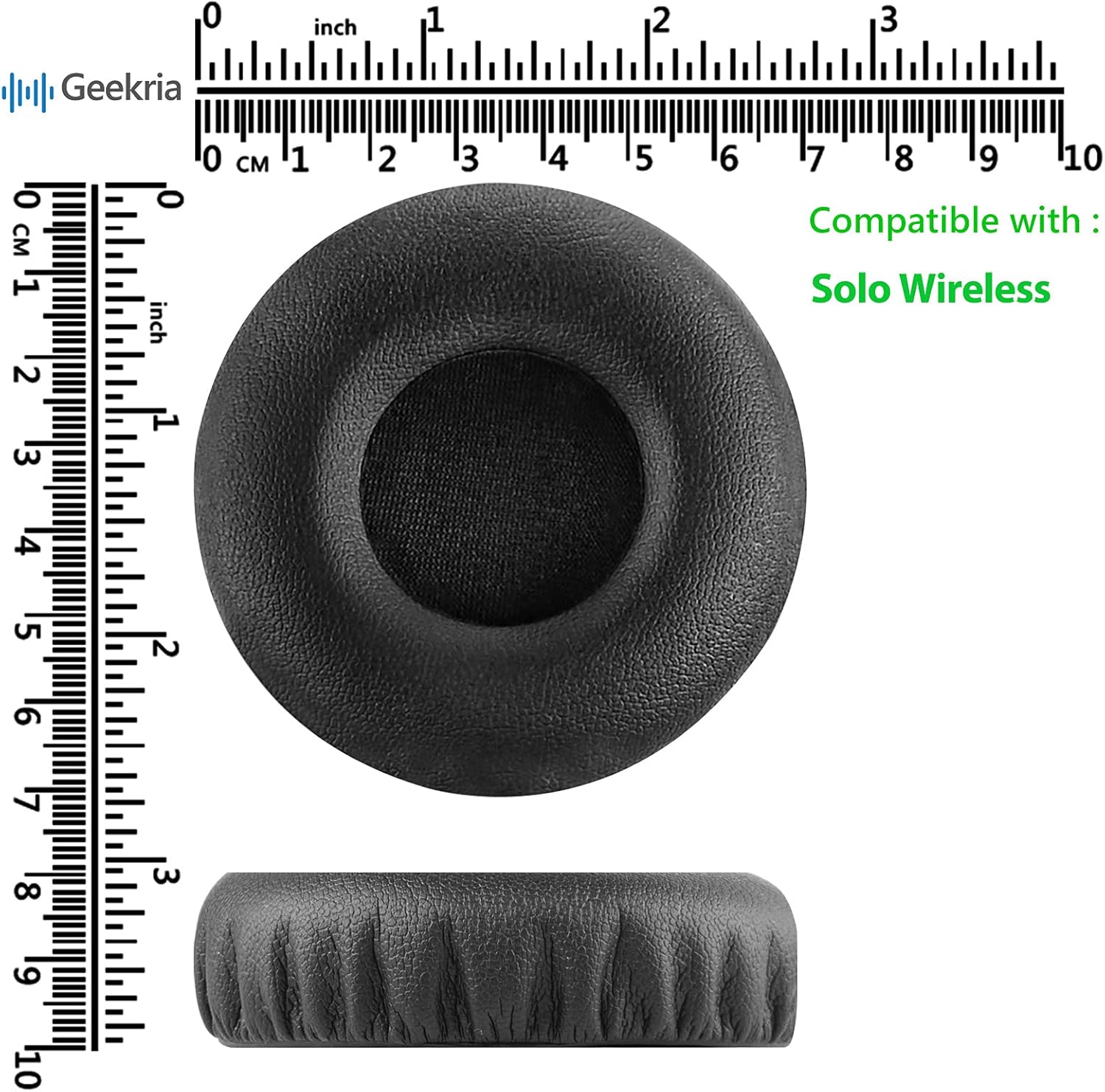
Image: A visual four-step guide demonstrating the installation process. Step 1 shows prying off the old earpad, Step 2 highlights aligning the arrows on the headset and pad, Step 3 illustrates mounting the earpad onto the headphone, and Step 4 shows pressing to secure the earpads.
Maintenance
To prolong the life of your Geekria QuickFit Replacement Ear Pads, follow these maintenance tips:
- Cleaning: Wipe the ear pads gently with a soft, damp cloth. Avoid using harsh chemicals or abrasive cleaners, as these can damage the material.
- Storage: When not in use, store your headphones in a clean, dry place away from direct sunlight and extreme temperatures.
- Avoid Punctures: Be careful not to puncture or tear the faux leather material, as this can compromise comfort and durability.
Troubleshooting
- Ear Pads Do Not Fit: Double-check the compatibility section to ensure your headphone model is supported. If it is, re-examine the alignment of the mounting points during installation.
- Ear Pads Come Off Easily: Ensure the ear pads are fully secured by pressing firmly around the entire circumference after mounting. If issues persist, verify that all clips or attachment points are engaged.
- Discomfort After Installation: Allow a short period for the memory foam to adapt to your ears. If discomfort continues, ensure the ear pads are correctly seated and not twisted.
Product Specifications
| Feature | Detail |
|---|---|
| Brand | GEEKRIA |
| Model Number | EJZ-0011-01 |
| Compatible Devices | Beats Solo Wireless (Solo Bluetooth) |
| Material | High quality memory foam and protein leather (Faux Leather) |
| Color | Black |
| Unit Count | 2.0 Count (1 Pair) |
| Product Dimensions | 8.66 x 6.3 x 0.39 inches |
| Item Weight | 0.353 ounces |
| UPC | 091037901293 |

Image: A detailed diagram illustrating the dimensions of a single Geekria replacement ear pad, measured in both inches and centimeters, confirming compatibility with Solo Wireless headphones.
Warranty and Support
Geekria offers a SureFit guarantee, ensuring complete peace of mind with your purchase. If you encounter any issues with compatibility or fit, or if you have any questions regarding the product or installation, please contact Geekria customer support directly. We are committed to providing assistance and ensuring your satisfaction.
For support, please refer to the contact information provided with your product packaging or visit the official Geekria website.