
1. Introduction
This document serves as an essential guide for the installation, functional verification, and basic troubleshooting of the SHARP LC-52LE830U T-CON Board, identified by part number KF778 (RUNTK4910TP). This component is a critical part of your television's display system. Due to the technical nature of this replacement, it is recommended that installation be performed by individuals with appropriate technical expertise and experience in electronics repair. Adherence to all safety precautions is paramount.
2. Product Overview
The T-CON (Timing Controller) board is a vital component in LCD televisions. Its primary function is to receive video signals from the main board and convert them into a format that the LCD panel can understand and display. It generates the timing signals required to control the individual pixels on the screen, ensuring a clear and accurate image. A malfunctioning T-CON board can lead to various display issues, such as a blank screen, distorted images, or incorrect colors.
3. Compatibility
This T-CON board, model KF778 (RUNTK4910TP), is specifically designed for the SHARP LC-52LE830U television model. It is crucial to verify that the part number on your existing T-CON board matches KF778 (RUNTK4910TP) exactly to ensure proper compatibility and functionality. Installing an incompatible board may result in further damage to your television.
4. Safety Precautions
Before attempting any repair or component replacement, observe the following safety guidelines:
- Disconnect Power: Always unplug the television from the AC power outlet before opening the casing or handling internal components.
- Discharge Capacitors: Large capacitors within the television can store high voltage even after being unplugged. Allow sufficient time for these to discharge or safely discharge them using appropriate tools.
- Electrostatic Discharge (ESD) Prevention: Electronic components are sensitive to static electricity. Use an anti-static wrist strap and work on an anti-static mat to prevent damage.
- Handle with Care: Always handle circuit boards by their edges. Avoid touching integrated circuits or other sensitive components directly.
- Use Proper Tools: Utilize insulated tools and ensure they are in good condition.
- Professional Assistance: If you are unsure about any step or lack the necessary experience, seek assistance from a qualified television repair technician.
5. Installation
Follow these general steps for replacing the T-CON board. Specific disassembly procedures for your television model may vary.
- Preparation: Ensure the television is unplugged. Gather necessary tools, including screwdrivers (Phillips head is common) and an anti-static wrist strap.
- Access the T-CON Board: Carefully remove the television's back cover. The T-CON board is typically located at the top or bottom center of the LCD panel, often protected by a metal shield.
- Disconnect Cables: Gently disconnect the LVDS (Low-Voltage Differential Signaling) cable that connects the T-CON board to the main board. Then, carefully unlatch and disconnect the flat flex cables that connect the T-CON board to the LCD panel. These cables are delicate; avoid pulling them forcefully.
- Remove Old Board: Unscrew any mounting screws securing the old T-CON board to the television chassis. Carefully lift and remove the board.
- Install New Board: Position the new SHARP LC-52LE830U T-CON Board KF778 (RUNTK4910TP) in place. Secure it with the mounting screws.
- Reconnect Cables: Reconnect the flat flex cables to the LCD panel, ensuring they are fully seated and the latches are securely closed. Then, reconnect the LVDS cable from the main board. Double-check all connections for proper seating.
- Preliminary Test: Before fully reassembling the television, you may perform a preliminary power-on test to verify display functionality. If the display appears normal, proceed to reassembly.
- Reassembly: Carefully replace any metal shields and the television's back cover, securing all screws.
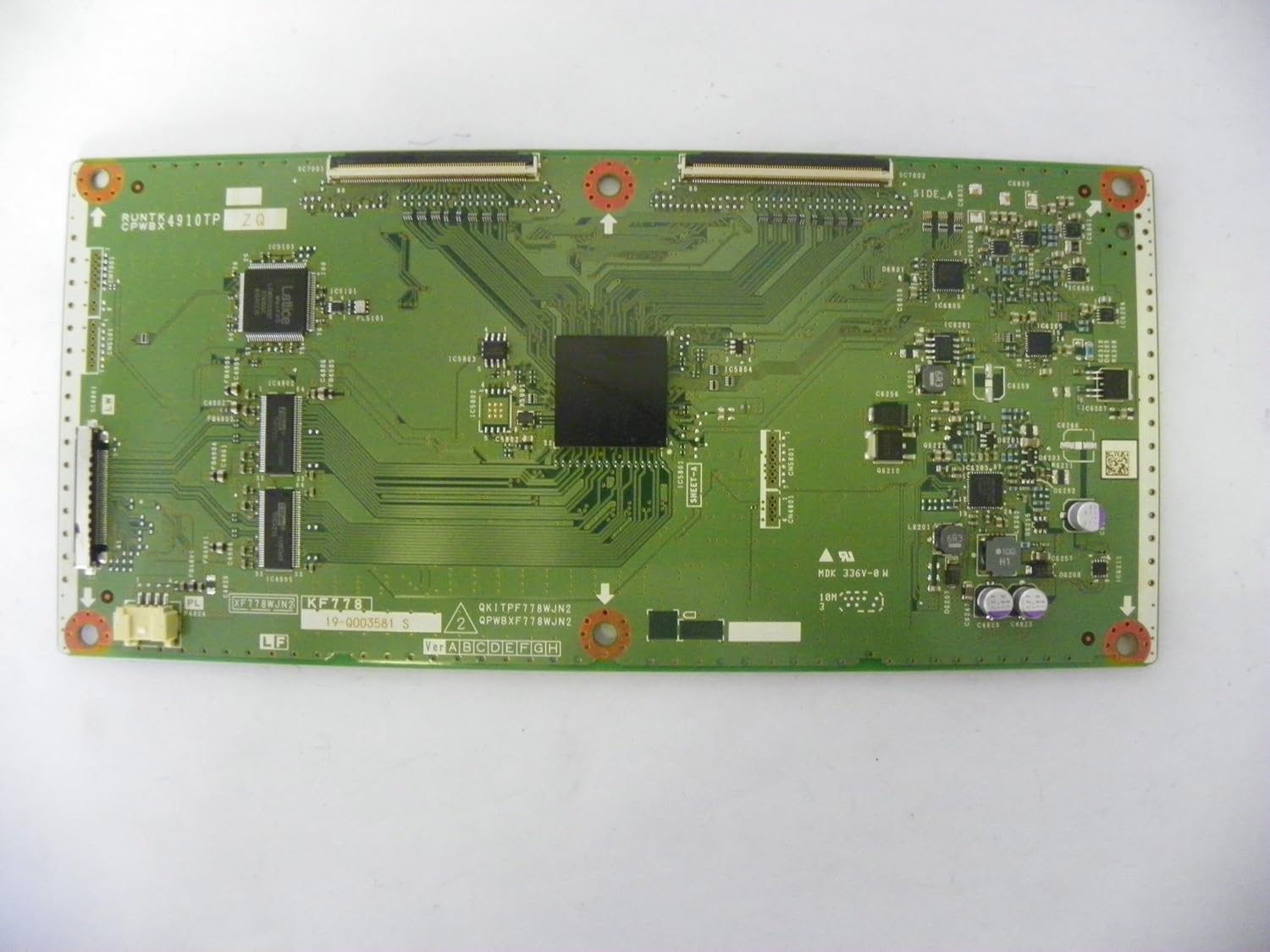
Figure 1: Overall view of the SHARP LC-52LE830U T-CON Board KF778 (RUNTK4910TP), showing its general layout and component placement.

Figure 2: Detailed view of the right side of the T-CON board, highlighting various integrated circuits, capacitors, and connectors.
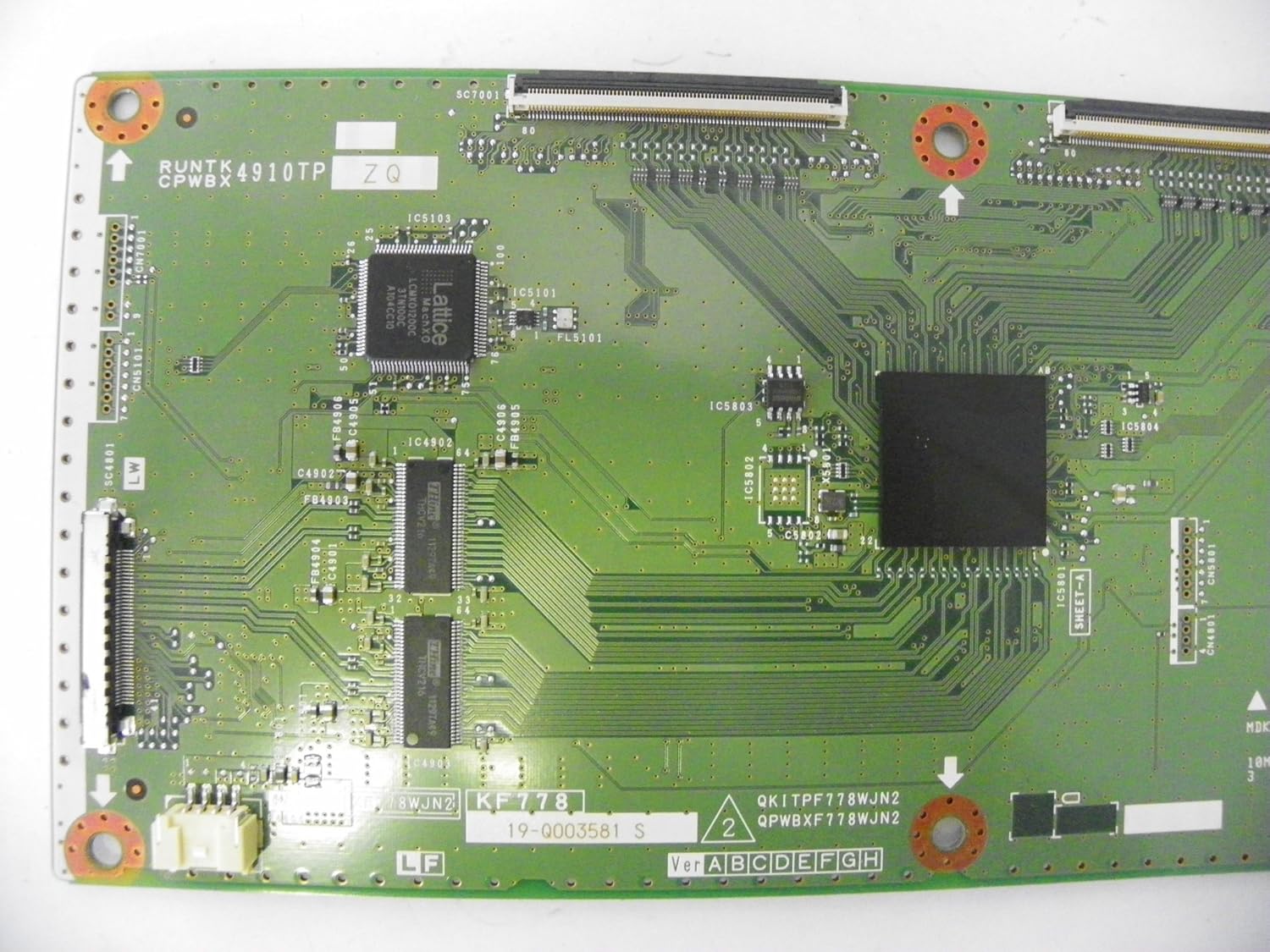
Figure 3: Detailed view of the left side of the T-CON board, showcasing the main processor and the delicate ribbon cable connectors for the LCD panel.
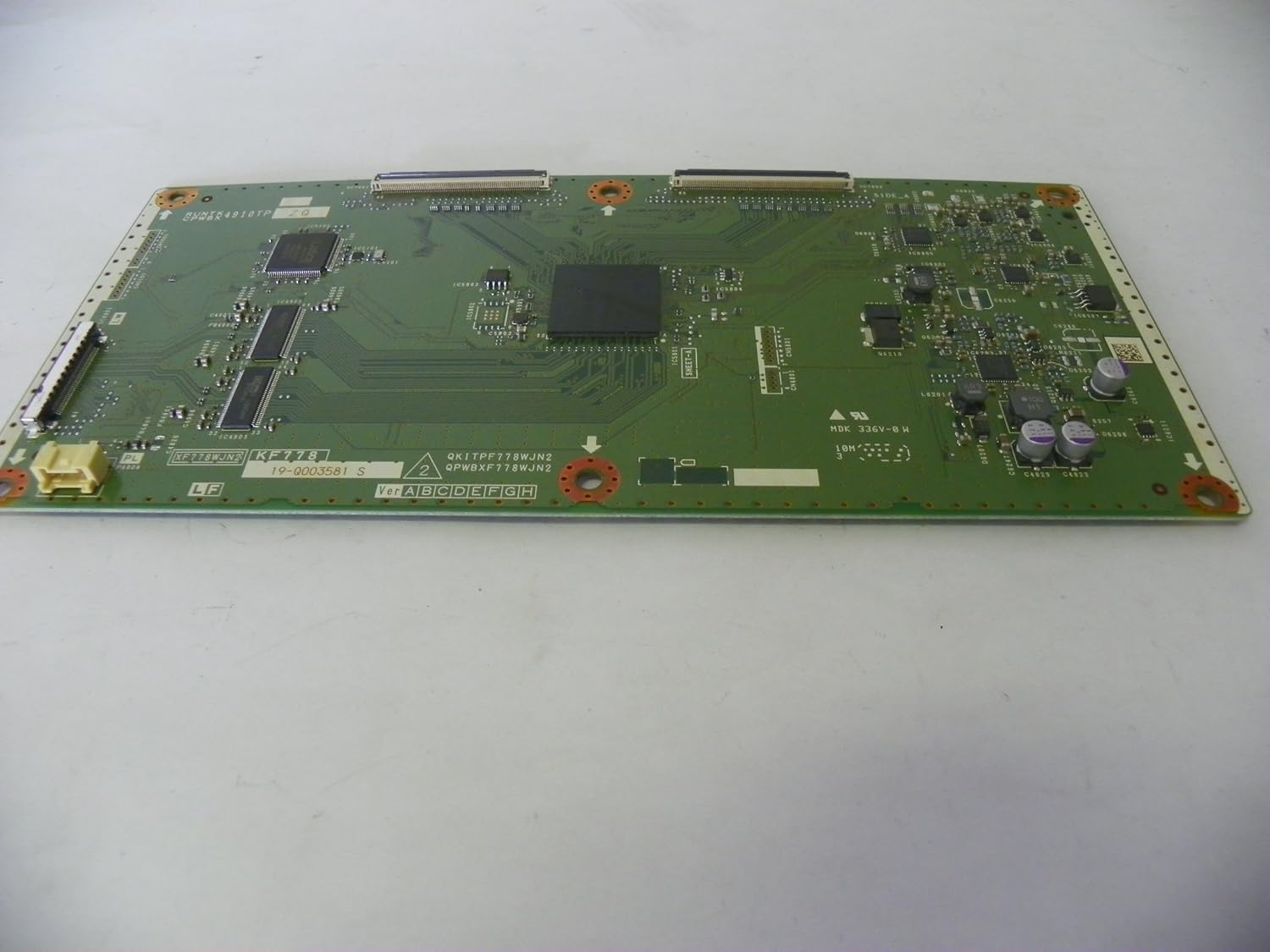
Figure 4: An angled perspective of the T-CON board, providing a comprehensive view of its dimensions and the arrangement of its electronic components.
6. Operation
Once correctly installed, the T-CON board operates automatically as an integral part of the television's display system. There are no user-adjustable settings or operational procedures directly associated with the T-CON board itself. Proper installation ensures the television's display functions as intended, processing video signals for optimal picture quality.
7. Maintenance
The T-CON board itself requires no routine maintenance. To ensure its longevity and the overall health of your television, it is recommended to keep the TV free from dust accumulation and ensure adequate ventilation to prevent overheating. Avoid exposing the television to extreme temperatures or humidity.
8. Troubleshooting
If you encounter issues after installing the new T-CON board, consider the following troubleshooting steps:
- No Picture / Black Screen (with sound):
- Verify that the LVDS cable connecting the main board to the T-CON board is securely seated at both ends.
- Ensure the flat flex cables connecting the T-CON board to the LCD panel are fully inserted and their latches are closed.
- Distorted Image / Lines / Incorrect Colors:
- This often indicates a faulty T-CON board, damaged flex cables, or improper connection of the flex cables.
- Carefully re-seat all flex cables. Inspect them for any signs of damage or creases.
- Confirm that the installed T-CON board is the correct model (KF778 (RUNTK4910TP)) for your SHARP LC-52LE830U television.
- Intermittent Display:
- Could be due to loose connections or a failing component. Re-check all cable connections.
Important Note: If issues persist after verifying installation and connections, professional diagnosis by a qualified technician is recommended.
9. Specifications
- Product Type: T-CON Board (Timing Controller Board)
- Brand: SHARP
- Compatible TV Model: SHARP LC-52LE830U
- Part Number: KF778 (RUNTK4910TP)
- ASIN (for reference): B00L1LG18W
10. Warranty and Support
For specific warranty information regarding this replacement T-CON board, please refer to the terms and conditions provided by your original seller or supplier at the time of purchase. Technical support for advanced troubleshooting or professional installation services should be sought from qualified television repair specialists.

