
1. Product Overview
This manual provides instructions for the use and maintenance of Pentel E10 Refill Erasers. These latex-free white erasers are designed as replacements for various Pentel Twist-Erase mechanical pencils, specifically fitting all Twist-Erase models (except Twist-Erase Up) and Side FX Mechanical pencils.
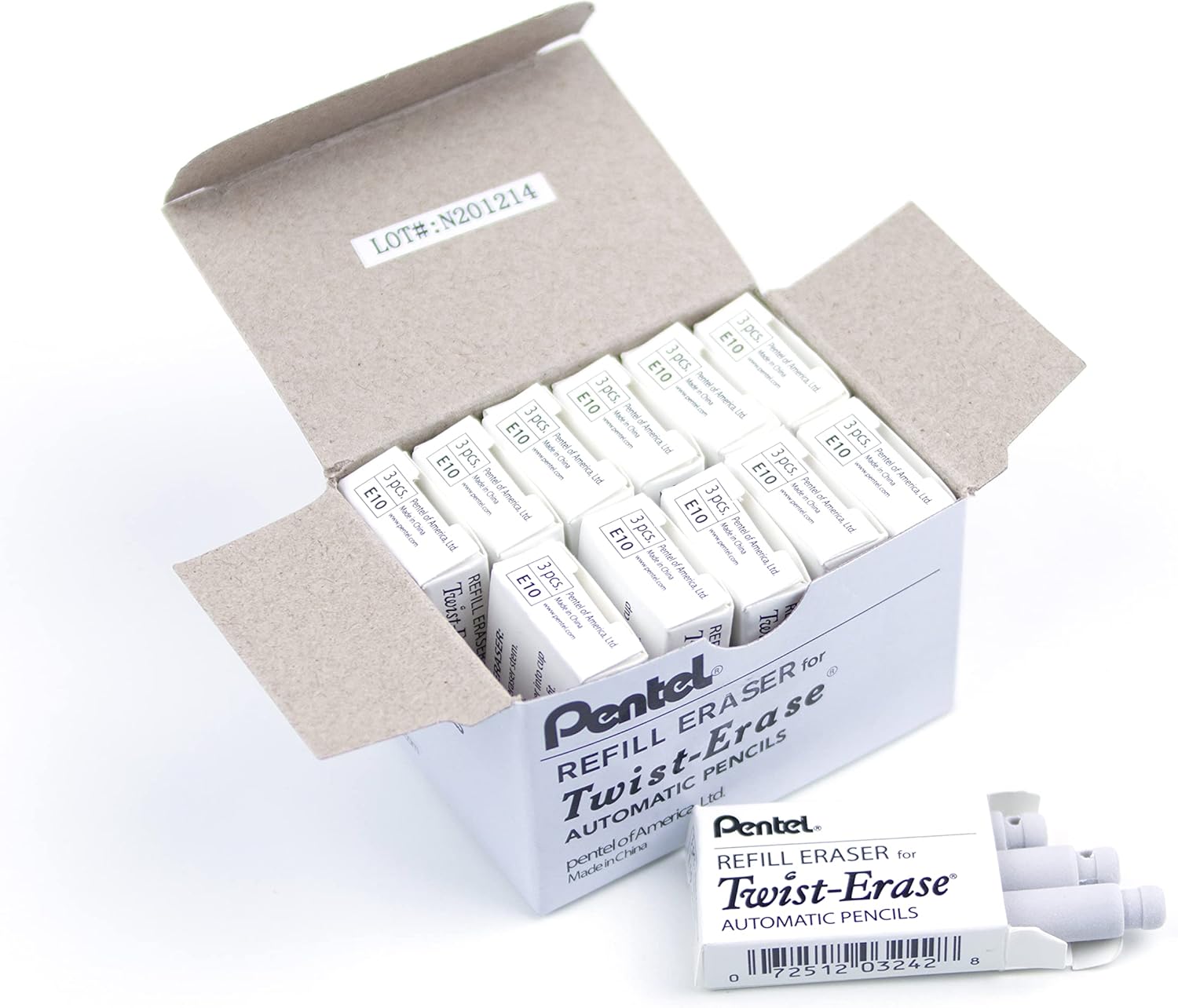
Image 1.1: A box containing multiple packs of Pentel E10 Refill Erasers, ready for use.
2. Setup and Installation
To ensure optimal performance, replace the eraser in your compatible Pentel mechanical pencil when it becomes worn or ineffective. The E10 refills are designed for easy installation.
- Identify Compatible Pencil: Ensure your mechanical pencil is a Pentel Twist-Erase series (excluding Twist-Erase Up) or a Side FX Mechanical pencil.
- Remove Old Eraser: Gently pull the existing eraser out from the top of the pencil barrel. It should slide out with minimal effort.
- Insert New Eraser: Take one Pentel E10 refill eraser. Align the narrow end of the new eraser with the opening at the top of the pencil barrel. Push the eraser firmly but gently into place until it is seated securely.

Image 2.1: A single Pentel E10 Refill Eraser, ready for insertion into a mechanical pencil.

Image 2.2: A close-up of a single pack containing three Pentel E10 Refill Erasers, showing the packaging and UPC.
3. Operating Instructions
Once installed, the Pentel E10 Refill Eraser functions identically to the original eraser in your mechanical pencil. To erase, simply apply the eraser tip to the graphite marks you wish to remove and rub gently. The latex-free material is designed for clean and smudge-free corrections.
4. Maintenance
To prolong the life and effectiveness of your Pentel E10 Refill Erasers:
- Keep Clean: Periodically wipe the eraser tip with a clean, dry cloth to remove any accumulated graphite dust or debris.
- Storage: Store unused erasers in a cool, dry place away from direct sunlight and extreme temperatures. Keep them in their original packaging to protect them from dirt and damage.
- Avoid Contaminants: Do not expose erasers to oils, solvents, or other chemicals, as these can degrade the material and reduce erasing effectiveness.
5. Troubleshooting
- Eraser not fitting into pencil:
- Ensure your mechanical pencil is one of the compatible Pentel Twist-Erase series (excluding Twist-Erase Up) or Side FX models. These erasers are specifically designed for these pencils and may not fit others.
- Eraser leaving smudges or not erasing cleanly:
- The eraser may be dirty or worn out. Try cleaning the tip as described in the Maintenance section. If the eraser is significantly worn, replace it with a new E10 refill.
- Eraser breaking or crumbling:
- This can occur if the eraser is very old, stored improperly, or subjected to excessive force during use. Ensure proper storage and gentle application.
6. Specifications
| Model Number | E10 |
| Brand | Pentel |
| Material | Plastic (Latex-free) |
| Color | White |
| Item Weight | Approximately 0.064 ounces (per individual eraser) |
| Product Dimensions | 2.63 x 1.63 x 1.88 inches (packaging dimensions for 36-count pack) |
| Quantity | 36 erasers (typically 12 packs of 3) |
| Compatible Pencils | Pentel Twist-Erase series (except Twist-Erase Up), Side FX Mechanical pencils, Twist-Erase CLICK, Twist-Erase EXPRESS, Twist-Erase III |
| UPC | 0072512032428 |
7. Warranty and Support
Pentel products are manufactured to high-quality standards. For specific warranty information or support regarding your Pentel E10 Refill Erasers or compatible Pentel mechanical pencils, please refer to the official Pentel website or contact Pentel customer service directly. Keep your purchase receipt for any warranty claims.
Official Pentel Website: www.pentel.com