
Dyson AM06
Dyson Air Multiplier AM06 Table Fan User Manual
Model: AM06
Introduction
The Dyson Air Multiplier AM06 Table Fan is engineered to project smooth, powerful, high-velocity airflow without visible blades. This manual provides essential information for the safe and efficient operation, maintenance, and troubleshooting of your fan.
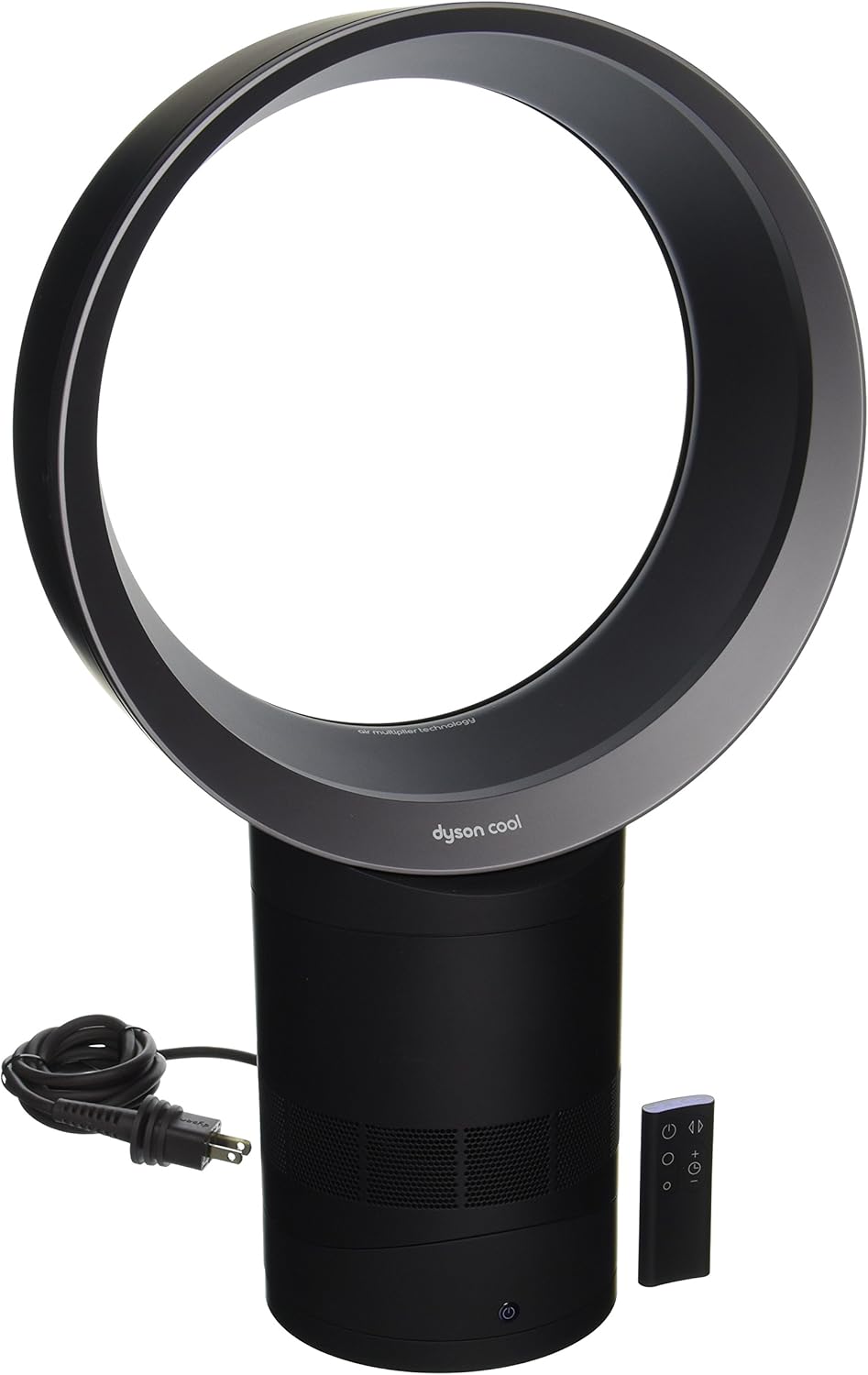
Image: The Dyson Air Multiplier AM06 Table Fan, featuring its distinctive bladeless loop amplifier and cylindrical base. The fan is black and iron, with a power cord and remote control visible beside it.
Safety Information
Always follow basic safety precautions when using electrical appliances to reduce the risk of fire, electric shock, or injury.
- Read all instructions before using the appliance.
- Unplug from outlet when not in use or before cleaning.
- Do not operate any fan with a damaged cord or plug.
- Do not use outdoors or on wet surfaces.
- Keep out of reach of children.
- This appliance has no user-serviceable parts. Do not attempt to repair it yourself.
Setup
- Unpacking: Carefully remove the fan and all accessories from the packaging. Ensure all components are present: fan unit, remote control, and power cord.
- Assembly:
- Align the loop amplifier with the base unit.
- Twist clockwise until it clicks securely into place.
- Power Connection: Insert the standard North American 120V AC power plug into a suitable wall outlet.
- Remote Control Battery: The remote control requires 1 product-specific battery. Ensure it is inserted correctly.
Operating Instructions
The Dyson AM06 fan can be operated using the remote control or the touch controls on the base unit.
Remote Control Functions:
- Power Button: Turns the fan On/Off.
- Airflow Control (+/-): Increases or decreases airflow intensity (10 power levels).
- Oscillation Button: Activates or deactivates smooth oscillation for wider air distribution.
- Sleep Timer Button: Sets the fan to turn off after a preset interval (from 15 minutes to 9 hours).
The remote control is magnetic and can be stored neatly on top of the fan unit.
Manual Controls:
- Power Button: Located on the front of the base unit. Press to turn On/Off.
- Airflow Adjustment: Press and hold the power button to cycle through airflow intensity levels. Release at desired level.
- Tilt: The fan head can be tilted forward or backward to direct airflow.
Maintenance
Regular cleaning ensures optimal performance and longevity of your Dyson AM06 fan.
- Cleaning the Loop Amplifier:
- Unplug the fan from the power outlet.
- Wipe the loop amplifier and base with a soft, damp cloth. Do not use detergents or polishes.
- Ensure the fan is completely dry before plugging it back in.
- Cleaning the Air Intake:
- The air intake holes on the base can be cleaned with a soft brush or a damp cloth.
- Storage: Store the fan in a dry place when not in use.
Troubleshooting
| Problem | Possible Cause | Solution |
|---|---|---|
| Fan not turning on | No power supply; Remote control battery depleted. | Check power cord connection; Replace remote control battery. |
| Reduced airflow | Air intake blocked; Fan needs cleaning. | Clear any obstructions from air intake; Clean the fan as per maintenance instructions. |
| Fan not oscillating | Oscillation function not activated. | Press the oscillation button on the remote control. |
Specifications
- Brand: Dyson
- Model: AM06 (Item model number: 9154403679798)
- Color: Black/Iron
- Type: Table Fan
- Power Source: Corded Electric
- Voltage: 120V AC
- Product Dimensions: 17.78"D x 33.02"W x 35.56"H
- Item Weight: 8.8 ounces
- Special Features: Bladeless, Remote Controlled, Oscillation, Sleep Timer
- Number of Power Levels: 10
- Control Method: Remote, Touch
- UPC: 885609001678
- ASIN: B00KX1OD1S
Warranty and Support
For warranty information and customer support, please refer to the documentation included with your purchase or visit the official Dyson website. Keep your proof of purchase for warranty claims.
Note: Specific warranty terms may vary by region and retailer.
Related documentsAM06


Ask a question about this manual
Ask about setup, troubleshooting, compatibility, parts, safety, or missing instructions. Manuals+ will review the question and use this page’s manual context to help answer it.